W10: Unable to register for ESU
SolvedPierre3800 Posted messages 11 Status Member -
Hello,
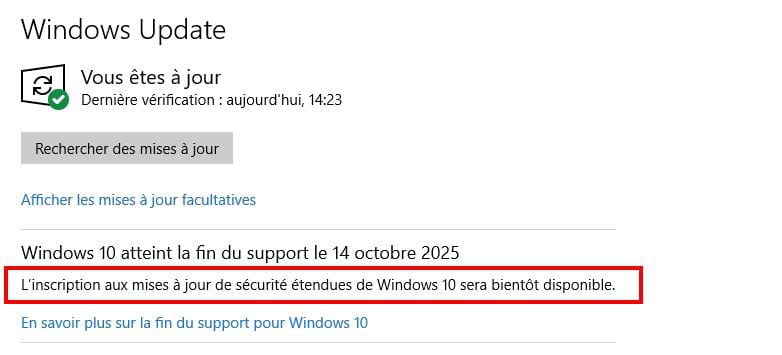
On my laptop running W10 (incompatible with W11), I follow all the recommendations and yet, in "Windows Update", there is no "Enrollment in ESU"!
- W10 Home license
- W10 22H2
- Connected to the Microsoft account and as an administrator.
Regards
12 answers
-
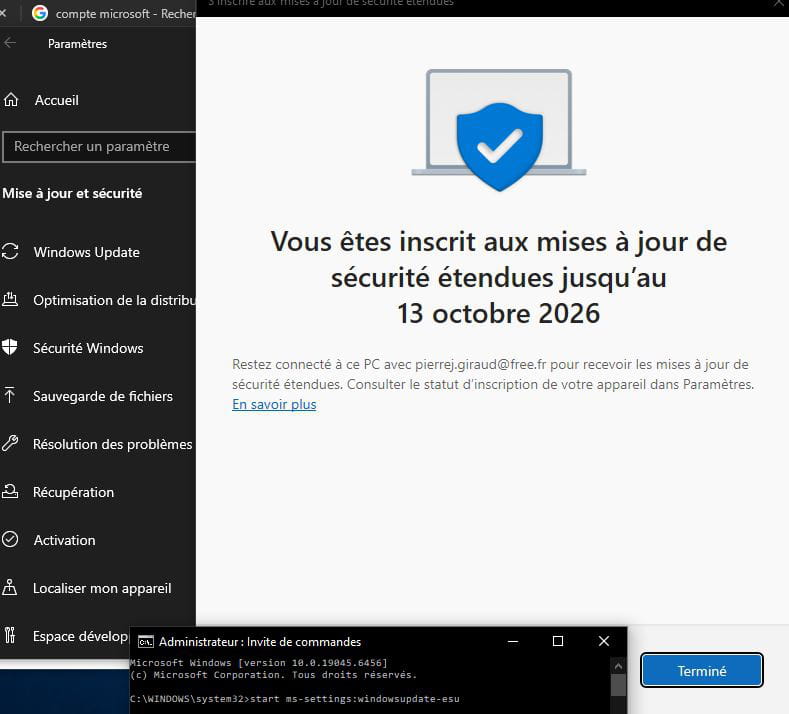
Thank you Brucine for your responsiveness.
I followed your latest explanations to the letter and was able to register.
Here is the response:
"Registration for ESU will be available soon
Registration for Extended Security Updates for Windows 10 is temporarily unavailable in your region."
So I assume it will work soon
Thanks again and have a good day
-
Hello,
The distribution is individual.
Aside from this factor, it is of course related to the proper functioning of Windows Update with Windows 10, which must be up to date, but also to Microsoft telemetry.
It is likely that the proposal will not be made if the latter is manually disabled (services and scheduled tasks), through third-party security software, "Tweaker" utilities, or possibly through the use of Proxies or VPNs. -
Hello Brucine,
Thank you for the response, but quite frankly, I didn't understand well!!!
-
Either you don't have it because Microsoft hasn't targeted your computer yet, although it's about time, and then there's nothing you can do about it, or not all updates for Windows 10 have been made (notably in August), or you have one of the custom settings I mentioned, which wouldn't have come by itself, that prohibits telemetry and opposes it.
-
-
Hello,
Same problem:
It's a bunch of nonsense!
What is well conceived is clearly expressed,
And the words to say it come easily.
(Boileau)-
Hello,
I don't need it, but I'm summarizing the solution that can be found online and that works for me.
Prerequisites:- Updated Windows Update, set to Receive updates as soon as they are available
- Run services.msc, make sure Connected User Experience and Telemetry is set to automatic and started.
Launch in the administrator command prompt:reg.exe query "HKCU\SOFTWARE\Microsoft\Windows NT\CurrentVersion\Windows\ConsumerESU"
If the result is not 0x(something) ESU is not activated, proceed to the next step.
Still in the administrator command prompt:reg.exe add "HKLM\SYSTEM\CurrentControlSet\Policies\Microsoft\FeatureManagement\Overrides" /v 4011992206 /t REG_DWORD /d 2 /f
Restart and always test in the same way:
cmd /c ClipESUConsumer.exe -evaluateEligibility
For me, it fails, the result is always 0x(something) which can be checked in the relevant registry keys, but it doesn’t matter.
Then run the following command:
reg.exe add "HKCU\SOFTWARE\Microsoft\Windows NT\CurrentVersion\Windows\ConsumerESU" /v ESUEligibility /t REG_DWORD /d 2 /f start ms-settings:windowsupdate-esu
And now it works, at least for me.
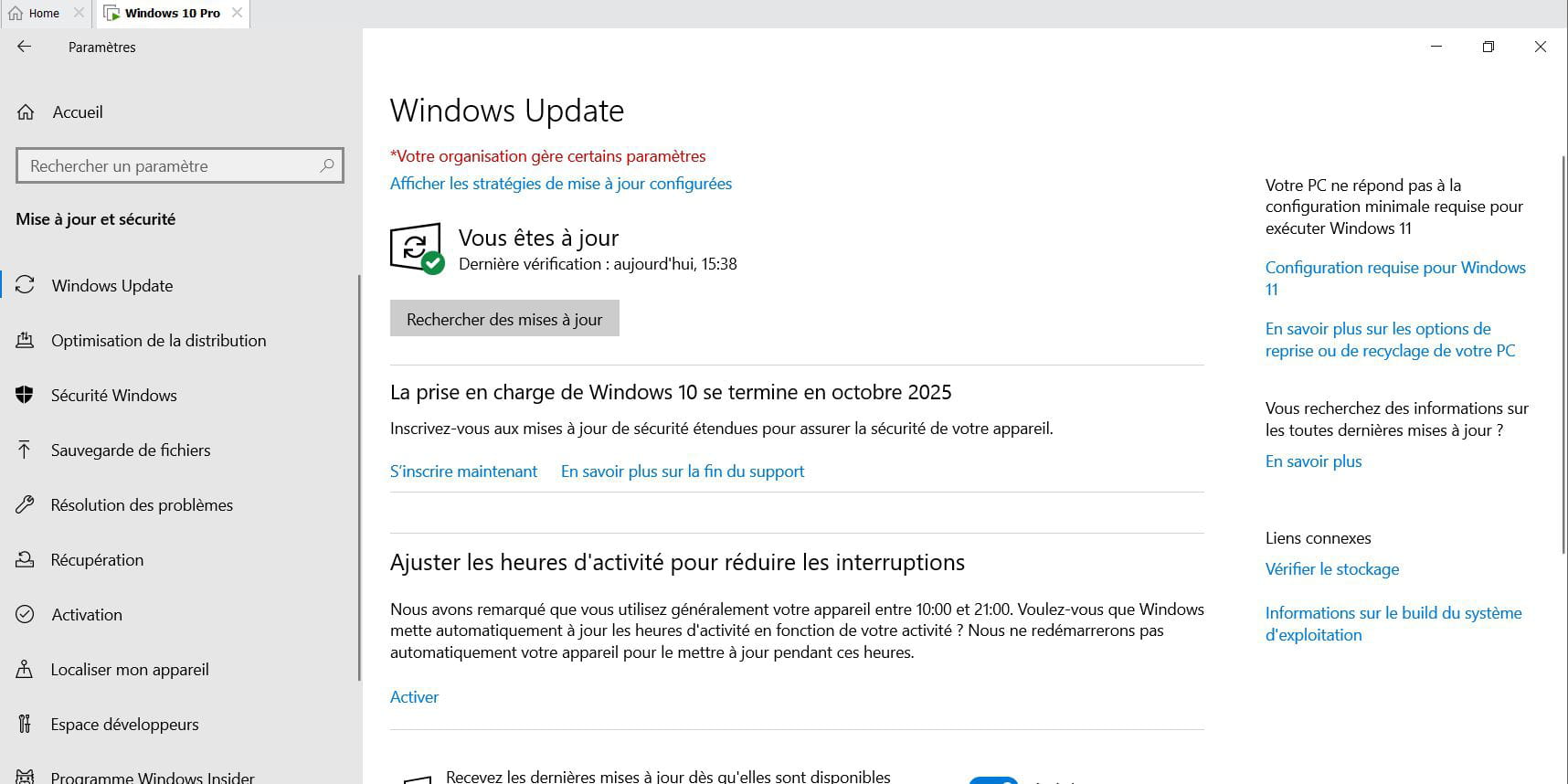
Hello,
I can't follow Brucine's instructions!
Could you please detail step by step how to do it (via "Run", "cmd", ...)?
Thanks in advance.
-
Hello,
To check the status of the appropriate service, open Services from Windows Tools in the Start menu or type services.msc in the Run or search box.
Scroll down to Connected User Experiences and Telemetry; if the startup type is not set to Automatic, right-click, go to Properties, set the startup type to Automatic, and click Start at the bottom.
For the rest, look for Command Prompt in the Start menu, which is usually found under Windows System, right-click, and run as administrator.
Copy and paste successively what is in each box (entirely, in the last one both lines at once) and press Enter, not forgetting to restart Windows after the second step.
Hello,
Hello Brucine and hello everyone
On my first PC, your instructions worked perfectly and I was able to register.
On the second PC, I got the link, but it tells me that registration is temporarily unavailable for the region.
The 2 machines are almost clones and I don't have a VPN to my knowledge (how can I check this if needed).
I activated the location but it doesn't change anything.
Do you have any idea
Cheers
-
Hello,
If we have a VPN, it means we have deliberately chosen a subscription, are using an extension in our browser for that purpose, or are utilizing a number of third-party security software that installs it without our knowledge.
I have no other insight except perhaps a temporary overload of the servers since today is the fateful day; try again later?
Re Hello Brucine,
What is very strange
When I do the manipulations, I have access (even if it doesn't work in the end)
Moreover, in Windows Update I have the link (which works but does not allow me to register)
What is curious is that after a search for updates in Windows Update, the link to the ESU program disappears (in Windows Update)
See you later
-
Indeed, and even though I have no intention of using it, when restarting my Windows 10 virtual machine (and therefore without having searched for anything except through automatic updates), mine has disappeared as well.
I need to go out, I'll see if I can find the schmiblick in the afternoon.In short, the inscription does not seem to be persistent although closing and restarting Windows 10 is not enough to make the item disappear, there is a reason but I don't know which one, maybe because I don't have a Microsoft account this registration option cannot be saved with Microsoft and linked to my computer.
Re-running the last two command lines (and maybe even the last one that triggers registration with ESU) is enough to revive the option.
Logically, there is every chance that if we do nothing it will disappear again, but you only need to do it once to register.
As for the "region unavailability," I still don't know anything else than what I've said.
The output of the commandstart ms-settings:windowsupdate-esu
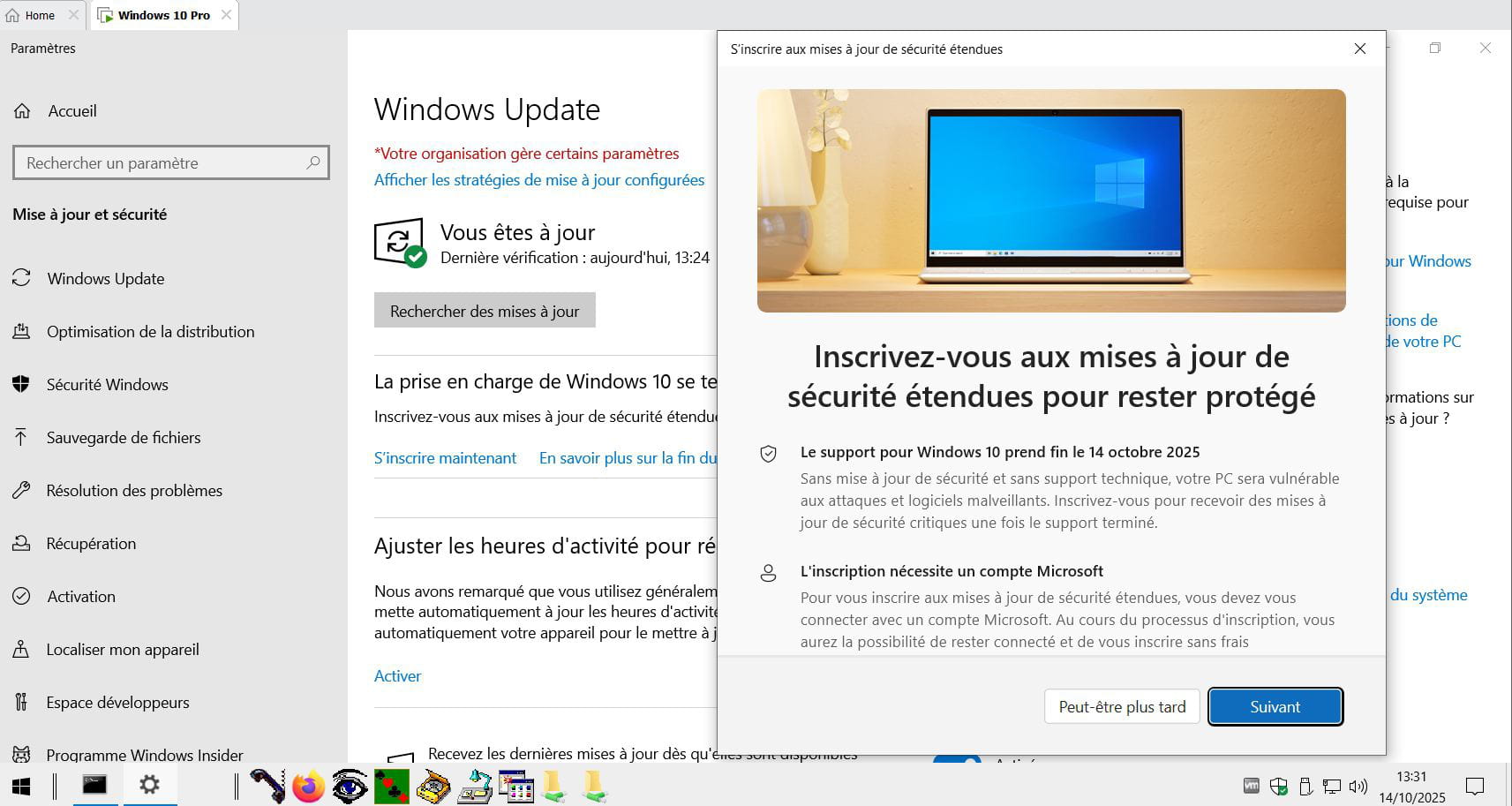
Test done, the infamous link disappeared again after a few minutes.
The second command in the last block launches the graphical recording interface (window above) even if the link does not exist; I have not tested the result and I do not intend to do so.
The first command resurrects the link which will also lead to this window, the result (or not) is the same.For Brucine
As for me, I have a Microsoft account and I am logged into my account.
Moreover, as I saw elsewhere, the telemetry and data transmission service is activated.
No doubt the instructions activate the link, but then it's supposedly a temporary regional issue even though I am indeed in France and without a VPN.
This is classic Microsoft.
Thank you for your help.
For Brucine
Thank you for your research
The response to the order is
Device region REG_DWORD 0x54
It's the same response on the PC where it worked.
See you later
-
So the regional code is correct, France, it's not the issue and I'm throwing in the towel.
Unless the Microsoft account already existed and was created in a "foreign country", that's the situation that happened to someone who temporarily went to Tahiti, which according to Microsoft is neither in France nor in the EU.
Hello Brucine
That's not the case for me, I haven't left France
Let's hope it's a temporary issue (as they say)
Thank you for your help
See you+
Hello Brucine, hello everyone
Just to let you know, this morning there were some standard Microsoft updates, and then I was able to register my second PC without any issues and without going through the command instructions.
Thank you for your help
See you later
-
Hello,
So it's simply an essential update that hadn’t been completed.
Although I had managed to access it before using the indicated workaround, I received the latest update this morning (Windows Update now indicates that Windows 10 has reached the end of support) and perhaps I wouldn't have needed the said workaround if it had been done.
-