TCL TV - trouble changing channel
Solvedbb-pp Posted messages 763 Registration date Status Member Last intervention -
Hello.
I have a TCL 108cm TV - connected to an antenna for TNT HD.
The problem: To change channels with the remote control > It works when I press the numbers - But when I want to change channels with the V arrows = It shows up afterwards: HDMI? then YouTube and TV... and the channels appear!
It's curious - especially since it was working fine before our move!
What do you think > is it the remote control that's acting up? Or is there a setting I need to adjust that I'm not seeing?
Thank you for your help.
Bb
4 answers
-
Hello,
Try removing the batteries from the remote for a minute or two and also reset the television; it's possible that the television (or the remote…) was damaged during the move.
A picture of the remote would be appreciated, as well as the model number of the television!
-
Hello.
Thank you for your feedback and this advice > I will try removing the batteries.
Also consider resetting the TV!
It’s a TCL TV. See attached files.
(Note: the marks on the remote > just tape residue > it was attached to the TV).
Thank you
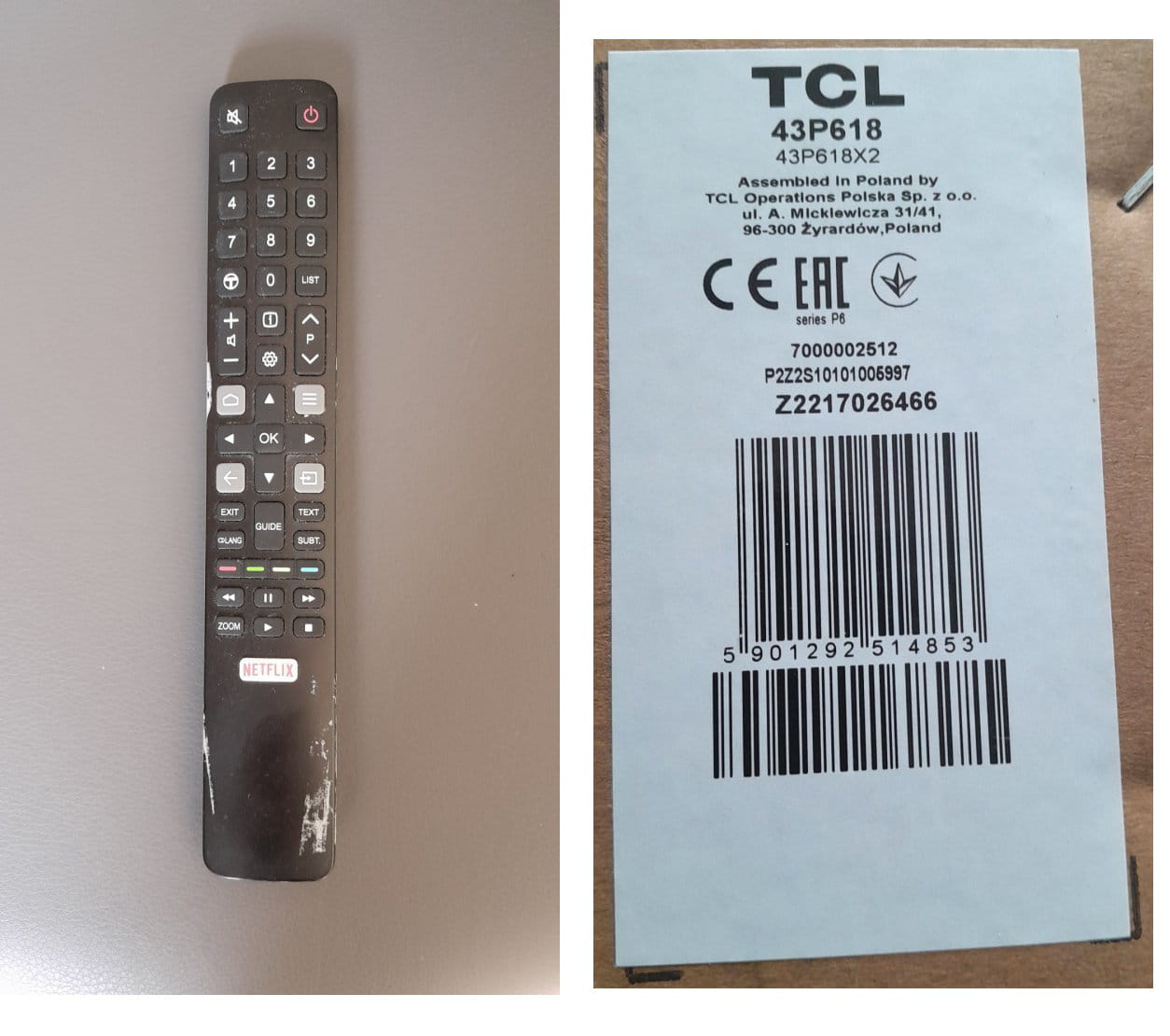
To switch from one string to another, it is:

Release date November 2020.
Thank you - But that's exactly the problem!
When I use this function > it doesn't change the channel > but it shows > HDMI 1 then HDMI 2 then YouTube then AV and it goes back to the channel I was on!
The only solution > is to press "Guide" and select the desired channel!
Or press the number buttons.
What's strange is that before our move > everything worked fine!
The TV works well, it's the remote control that seems to be malfunctioning!
Weird.
Thank you for your help.
Bb
Hello,
Is the "Source" key (above the Text key) stuck down?
It's very difficult to catch a black cat in a dark room.
Especially when it's not there...-
To understand the remote control issue (presumably?):
Look at the photos of what appears when you press the "source" button above the "text" button and what appears when you then press the "P" button (To change channels, in principle).
I don't understand anything!
What's curious is that in "source" the coaxial connection mode does not appear (My TV is connected via coaxial to the TNT antenna HT). We see another symbol?).
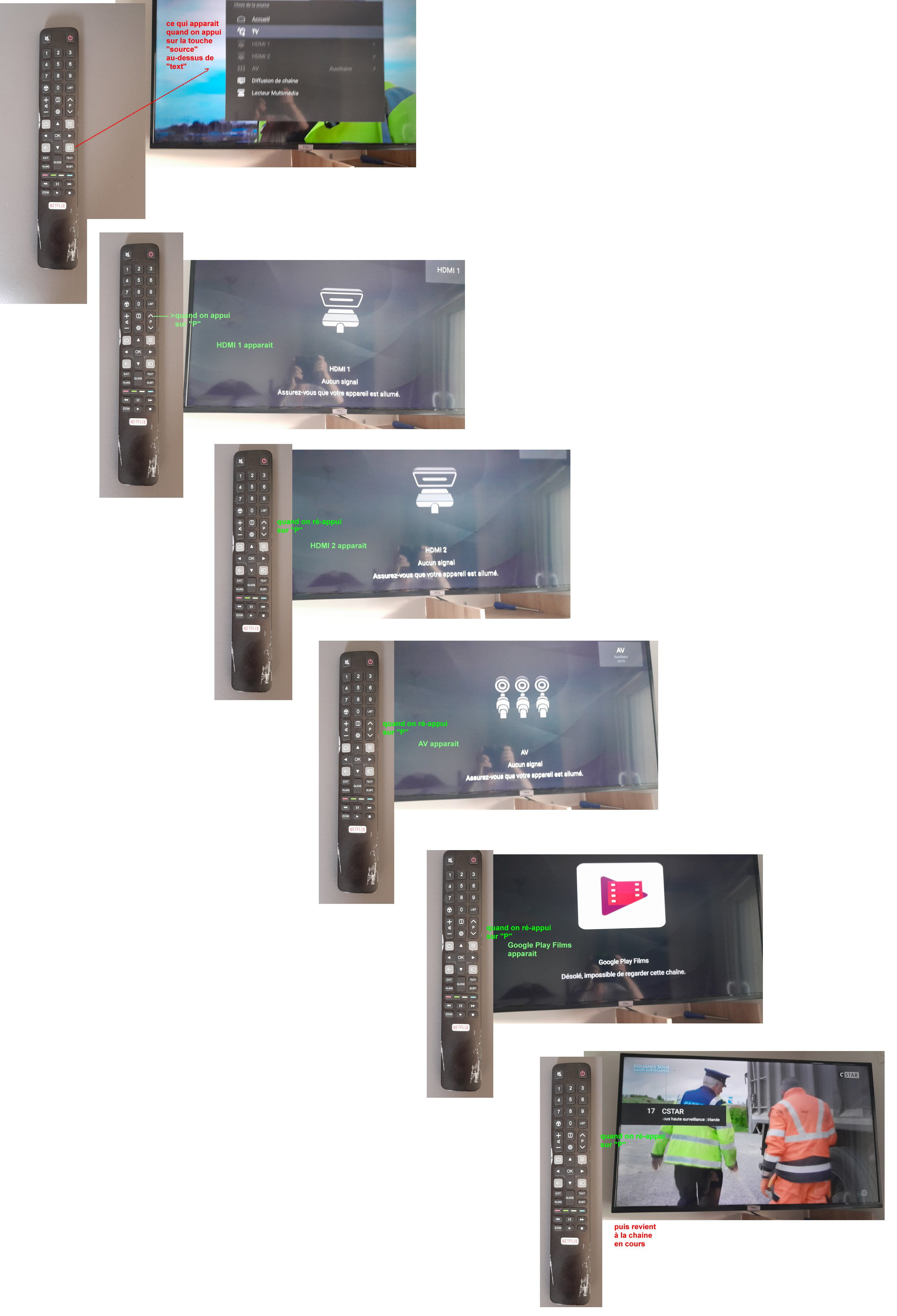
Curious indeed...
Check that none of the buttons on the remote control is stuck down.
A button named T-Channel (to the left of 0) has no description in the manual ????
If you know your password, you could attempt a factory reset. excerpt from the manual page 13
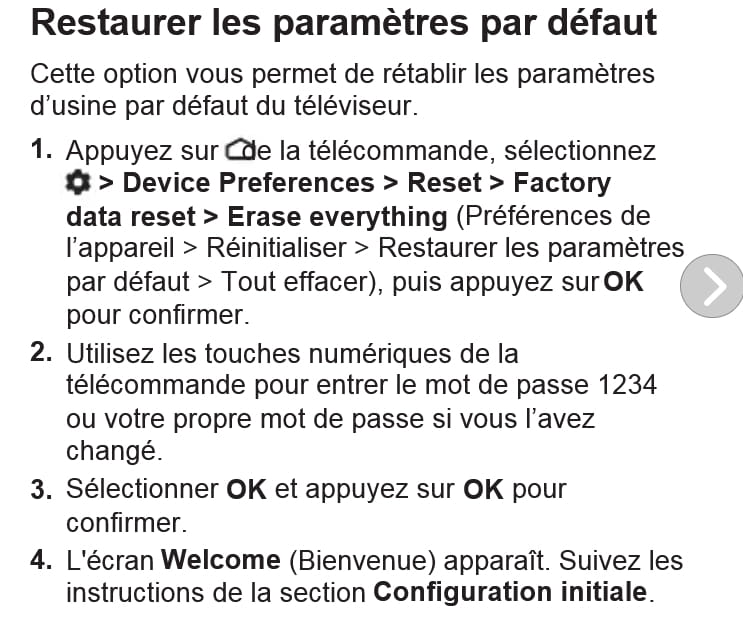
But then you will have to reconfigure everything.
Good evening,
Press the key:

Then, press ▲ / ▼ to select the TV and press OK to confirm to see!
Hello.
"Press the key" ... OK, but which one? There is no description or image.
Thank you
Latest Discussions -
Arbre généalogique maintenant : découvrez où votre famille a commencé
at 06:59 -
Computer normandy admin loc
at 06:08 -
Unsubscribe from a site
at 02:14 -
External hard drive flashing green regularly
at 00:27 -
What components make the iphone locatable/tracable?
on 4 Sep -
End-to-end encryption issue with fb messenger/pc
on 4 Sep -
Texture issues in enshrouded
on 4 Sep -
High cpu usage when opening folders
on 4 Sep -
Network and audio driver issues on thomson n14c
on 4 Sep -
Online payment
on 4 Sep
Other languages
-