
Ccleaner starts at boot.
Solved
scottie52
Posted messages
74
Registration date
Status
Member
Last intervention
-
pistouri Posted messages 19008 Registration date Status Contributor Last intervention -
pistouri Posted messages 19008 Registration date Status Contributor Last intervention -
Hello everyone!
Can you help me solve this problem: Ccleaner launches at startup.
I followed the instructions found online but without success:
( Startup, Windows +r, msconfig in run, ok, startup, uncheck Ccleaner and restart )
thank you very much!
Noëlle
Can you help me solve this problem: Ccleaner launches at startup.
I followed the instructions found online but without success:
( Startup, Windows +r, msconfig in run, ok, startup, uncheck Ccleaner and restart )
thank you very much!
Noëlle
45 answers
- 1
- 2
- 3
Next
-
Hi,
Look there, you need to disable it from startup via the CCleaner interface: https://www.malekal.com/supprimer-ccleaner-demarrage-windows/
Personally, I would recommend uninstalling CCleaner as it's not very useful.
Windows has what it takes to clean the disks: How to clean Windows.
-
Hello,
You just need to go to the CCleaner settings and uncheck the startup cleaning option.
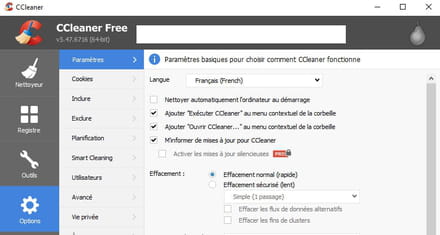
-
Hello! Thank you for your help!
But I unchecked "run on startup" without any result, CCleaner still starts at startup!
What should I do then?
Thanks a lot! -
Ok, I will disable monitoring and let you know how it goes, thanks!
-
I am aware of my very low level in computers (due to my old age, unfortunately!) but in the options, I don't see "monitoring".
-
Hello everyone,
Indeed, monitoring is no longer present in the latest versions.
Check here if the last box is not checked
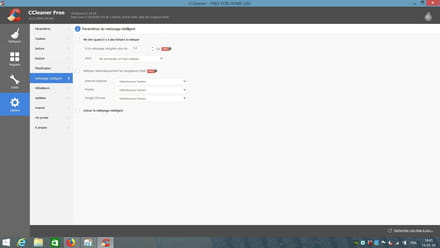
Best regards
--
We can find happiness by accepting things we cannot change.
Absence of responses from 5-6 PM, thank you for your understanding :) -
Thank you all for helping me!
"I'm checking if the last box is checked", can you tell me more about it? -
Hello,
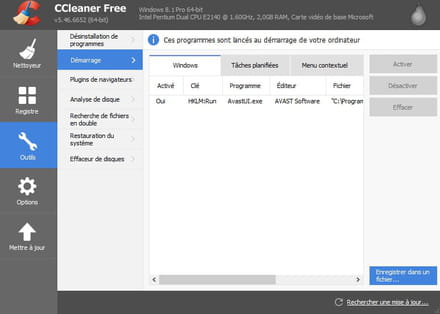
Otherwise, a radical method...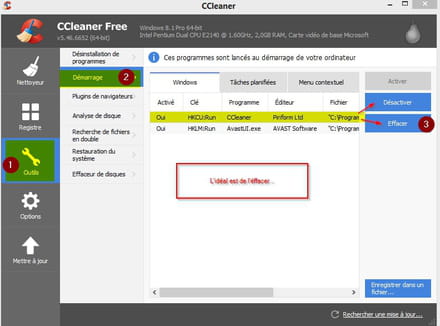
--
The enemy is stupid: he believes that we are the enemy when it is him!
Pierre Desproges -
Like in this image, uncheck
-
I followed your instructions and unchecked the indicated boxes.
I disabled the weird program igfxtray: did I do well or should I reactivate it?
CCleaner still launches at startup...
Thank you! -
By the way, what is this igfxtray program?
Is it useful or not? I have Windows 7 Pro.
Thanks again! -
Hello,
If it is present in the scheduled tasks:
Select it
Delete.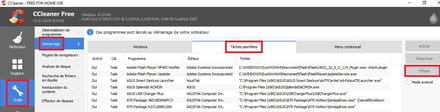
-
Hello!
Thank you for your help!
As for the issue raised in the community, Ccleaner starting at boot, it is still relevant as it has not been resolved. None of the many proposed solutions work! -
Hello and thank you for your help!
A radical solution indeed, but I will have to reinstall it for later cleaning... -
Surprising ....
Uninstall it and use only the built-in cleaner in Windows 7.
Here are the explanations on the cleaner:
https://www.astuces-pratiques.fr/informatique/nettoyer-son-disque-dur-sur-windows-7
OR
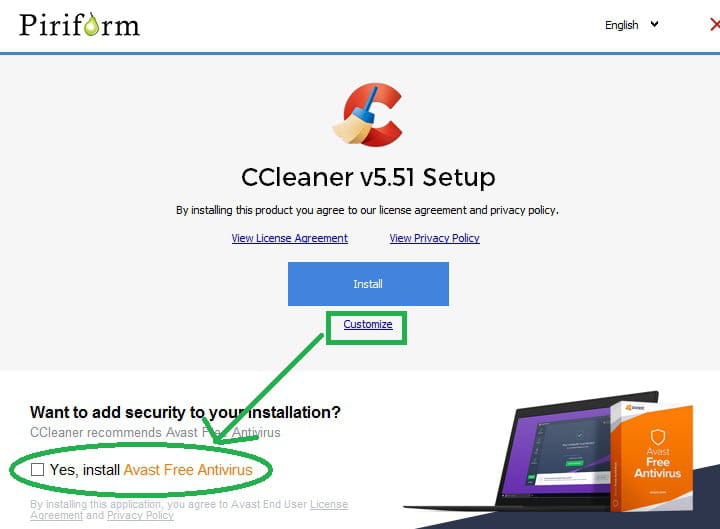
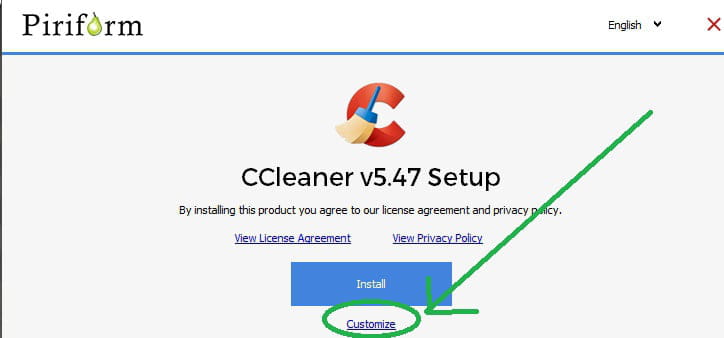
You uninstall it then reinstall by clicking on "custom" just below instead of "install," and you uncheck what concerns automatic launch (monitoring) before installation.
-
When reinstalling the latest version, if you didn't uncheck to install Avast, you might end up with 2 antivirus programs?
If Avast is installed, download this utility --> avastclear
Boot into safe mode
Run avastclear.exe to uninstall it
Restart the PC.
Download and install --> Revo Uninstaller
Run it as administrator
Uninstall CCleaner
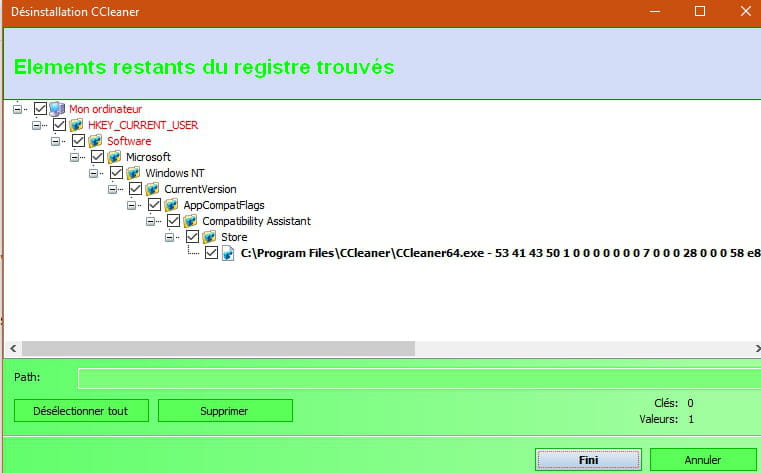
Follow the tutorial closely to completely uninstall including residual folders and keys.
Restart the PC.
Download and install --> CCleaner
During installation, remember to uncheck Install Avast
Choose --> Custom installation
Uncheck all boxes except putting an icon on the desktop
Run CCleaner
Tools
Startup
In Windows and scheduled tasks, delete CCleaner
Options
Monitoring
In Smart Cleaner, uncheck all boxes
-
Hello!
Thanks for your help!
No, I didn't check Avast, especially since the Avast box to check (or not to check) didn't appear in the options.
However, I did check just to be sure if Avast was in the programs, but it is not listed. -
even by deleting ccleaner from the scheduled tasks, it finds a way to come back!!
I don't understand anything at all!! -
pistouri Posted messages 19008 Registration date Status Contributor Last intervention Ambassadeur 8 723
Hello,
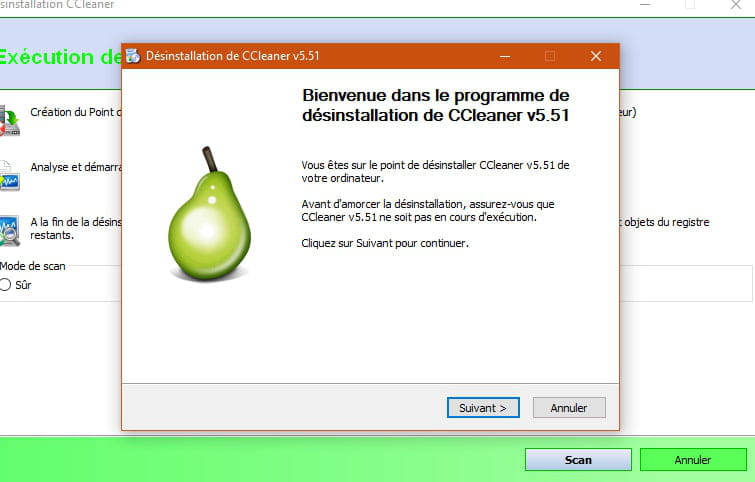
Follow the kaneagle procedure that I acknowledge to properly uninstall Ccleaner
with Revo
The uninstallation procedure in images
Launch Revo and right-click on Ccleaner
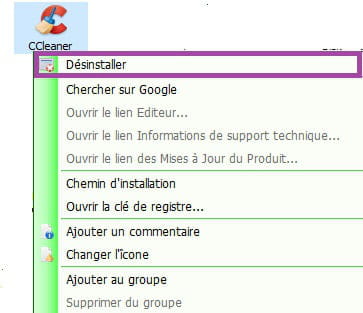
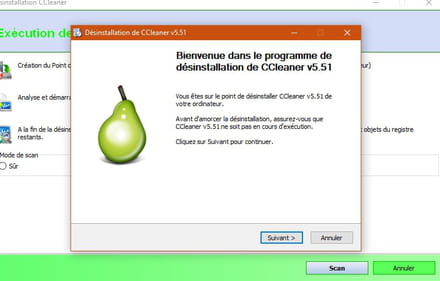
Uninstall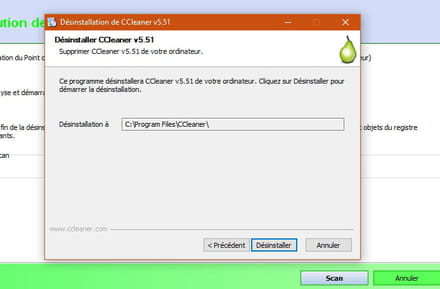
Check or select → ''advanced '' then run the scan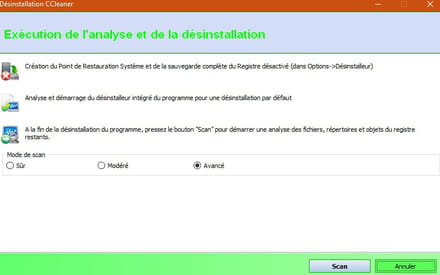
Check all the boxes (select all) and delete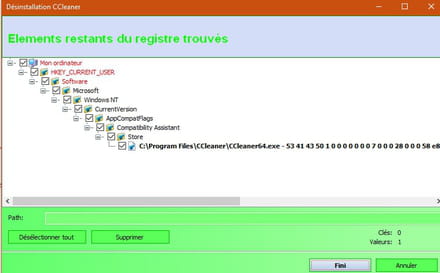
Repeat the same operation if prompted, select all and delete
Finally click on → Finish
Restart the PC
Logically you should no longer have Ccleaner
Confirm this in your next message.
Resume the personalized installation of Ccleaner from message 34
Uncheck the box → Avast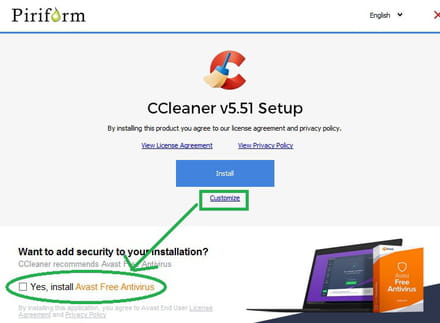
Select these 2 boxes
Open Ccleaner and uncheck the 3 monitoring boxes as indicated in the discussions
Waiting for your comment.
P.S: I'm taking the opportunity to greet the other participants :-)
Cya
-
Hello everyone!
I followed all your instructions to the letter, checked and rechecked, and THE CCLEANER PAGE STILL LAUNCHES AT STARTUP!
???????????????
Thank you for all your efforts to help me resolve this issue, of course, it's enough for me to close the CCleaner page but this malfunction "catches my attention"!
-
-
pistouri Posted messages 19008 Registration date Status Contributor Last intervention Ambassadeur 8 723
Hello,
Did you uninstall CCleaner with Revo and then reinstall it?
I just did a clean install of CCleaner and the version offered is not up to date with the link from CCM
You don’t mention it, which is strange.
I have updated the new version of the guide
The latest version is → CCleaner 5.51
To be more precise CCleaner 5.51.6939
You can find it here
This might be your problem.
Here’s the message received stating that a new version is available: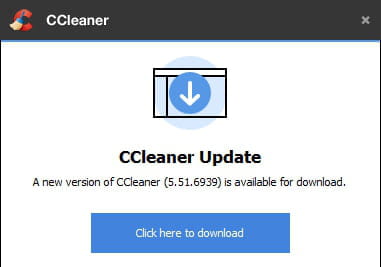
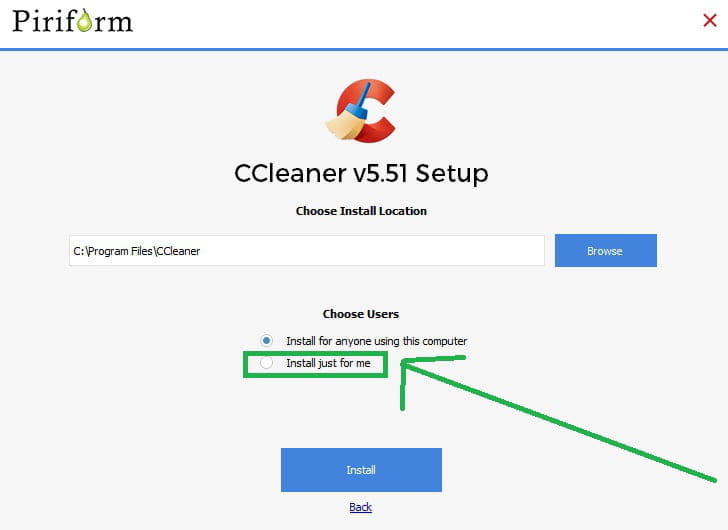
After relaunching the setup

Choose → Customize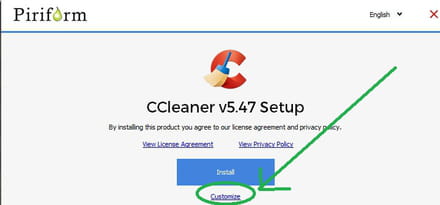
Click on → More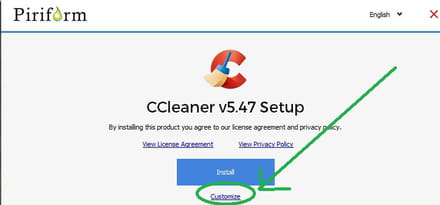
Choose →Install just for me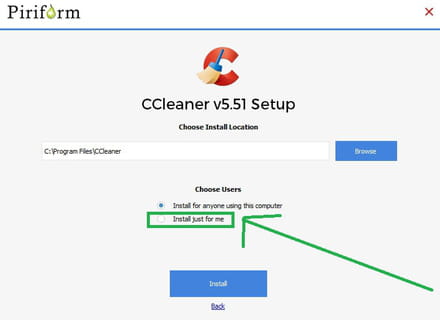
Then check only the 1 box
You will have a shortcut on the Desktop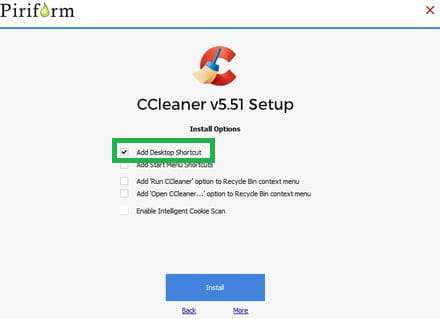
That's it for the installation.
Launch CCleaner and set it to French
Options → Settings → Francais (french)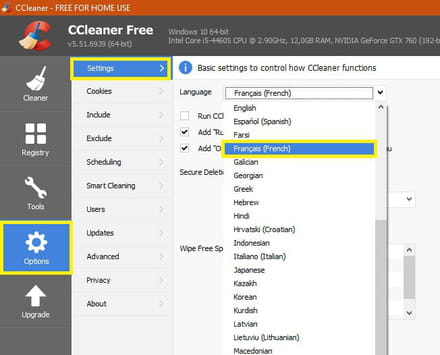
Configuring CCleaner
Options →Settings
Uncheck the boxes
→Add 'run CCleaner' to the recycle bin context menu
→ Add 'Open CCleaner....' to the recycle bin context menu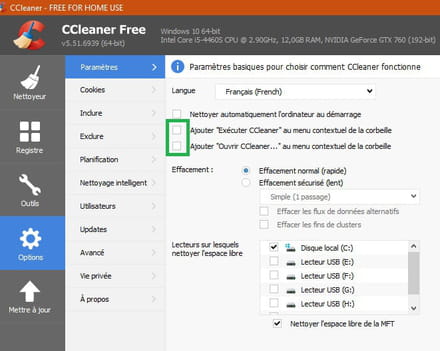
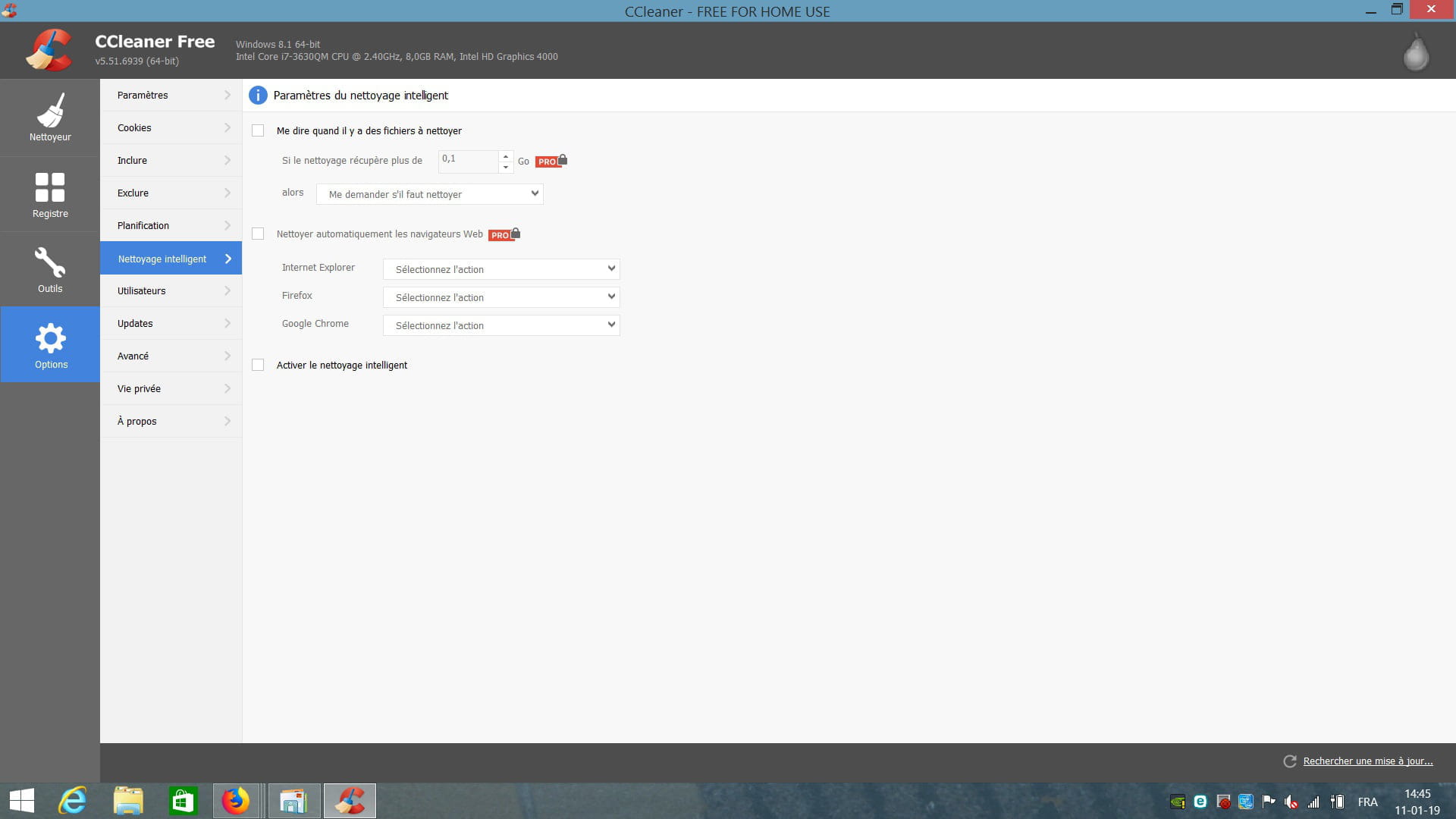
Options →Smart Cleaning
Uncheck all the boxes
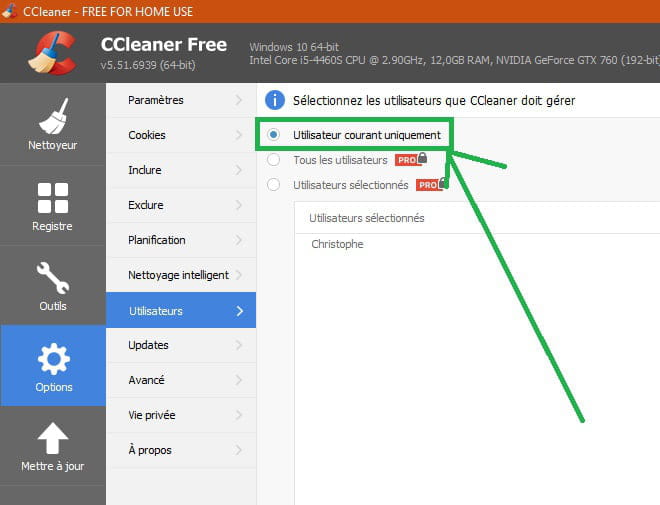
Options → Users
If you followed everything correctly since the beginning it is → Current user only
The other 2 boxes are for the Pro version.
And it is very possible that CCleaner will launch to get you to switch to that version
This is a very important point
Settings for updates
Make sure the Pro box is not checked, it’s the last one at the bottom
Options → Updates
That’s all.
I think it’s important to specify that you should be the only user of the PC during installation.
I restarted my PC to finish the tutorial and CCleaner doesn’t launch.
Or you could take the portable version of CCleaner here
you will need to unzip the archive afterwards
A+
--
pistouri
















- 1
- 2
- 3
Next