
Brother DCP-353C Printer/Scanner
Solvedkaneagle Posted messages 86287 Registration date Status Moderator Last intervention -
Hello,
I replaced my old PC with a new one running Windows 11.
When I plug in my old Brother DCP-353C printer via USB, nothing happens.
I used to have a software called ControlCenter3 that allowed me to perform scans, but I can't see how to download it since my printer is not recognized via USB?
Thank you in advance.
Best regards.
4 answers
-
Hello @HumanBonb StatusMember
Try this driver for Windows 7 --> DCP-353C
Disconnect the USB cable from the PC
Turn on the printer
Right-click on the driver setup --> 465-INST-WIN7-A.EXE
Select --> Troubleshoot compatibility
Follow the instructions
Connect the cable to the PC as soon as prompted.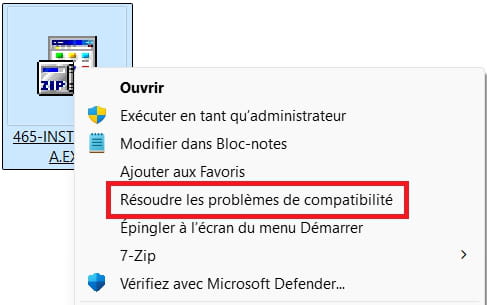
-
Good evening and thank you.
The problem when I install the software is that this is what it shows me to finalize the installation.
I've plugged the printer in via USB, but nothing happens... The USB ports are fine, so I suppose it's not compatible with Windows 11?
I admit I don't know much about this, so if you have a solution.
Thank you in advance.
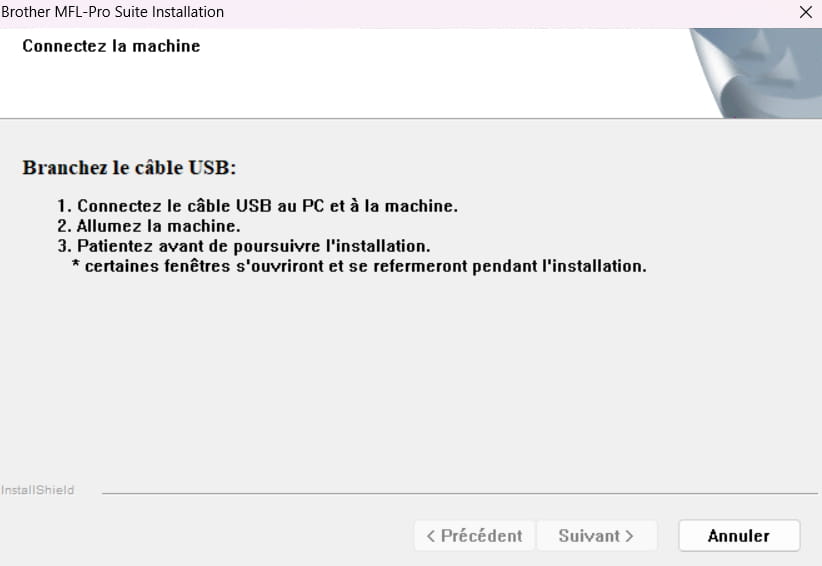
@HumanBonb StatusMember
Have you launched the driver setup by right-clicking and selecting --> Troubleshoot compatibility?
If so, repeat the steps as shown in the image
Connect the printer's USB cable to the PC (maybe try another port)
Turn on the printer
Launch the driver setup
etc...
-
Hello,
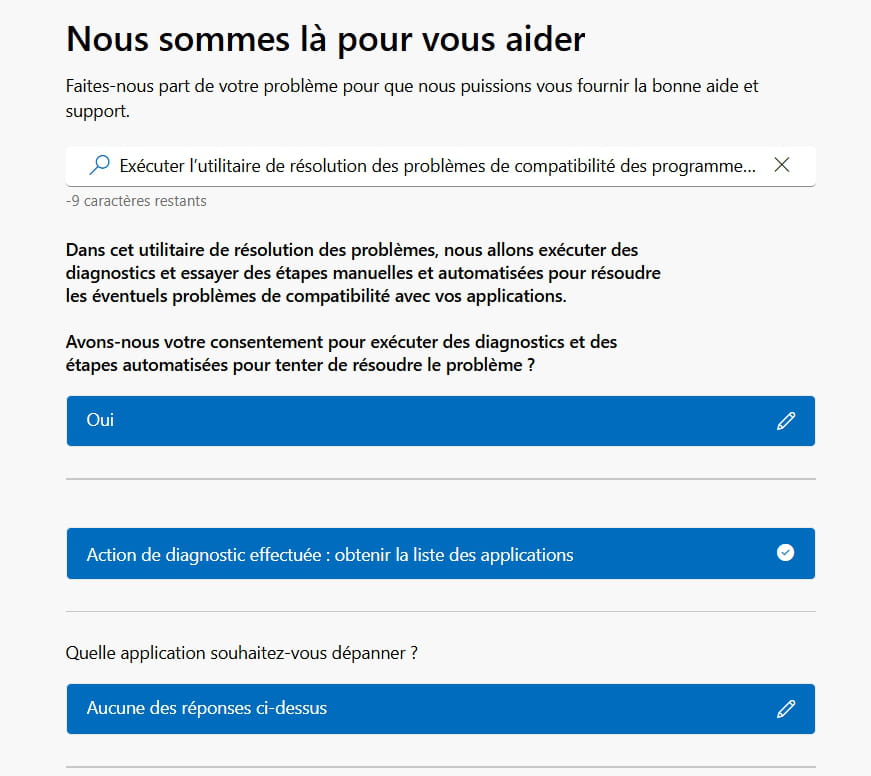
The Compatibility Troubleshooter option doesn't seem to lead anywhere, does it?
@HumanBonb StatusMember
You obtained this window after right-clicking on the driver and selecting --> Troubleshoot compatibility, is that correct?
If so, try the procedure below:
Try this driver --> DCP-353C
Disconnect the USB cable from the PC
Turn on the printer
Right-click on the driver --> 465-USB-WIN7-64-PNP-A-FR.EXE
Select --> Troubleshoot compatibility and confirm
Follow the instructions.-----------------------------------------------------------------------------------------------------------
If the problem persists:
Download and install --> 7Zip 64 bits
Right-click on the driver --> 465-USB-WIN7-64-PNP-A-FR.EXE
Select --> 7Zip
Choose --> extract to "465-USB-WIN7-64-PNP-A-FR\"Go to the unzipped driver folder --> 465-USB-WIN7-64-PNP-A-FR
Folder --> fre
Right-click on the file --> brpri06a.inf
Click on --> Install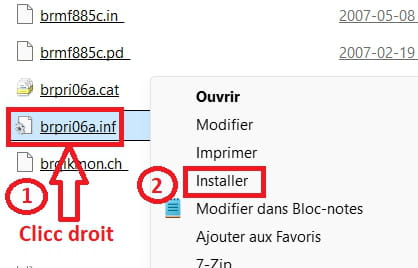
Restart.Windows key + X
Device ManagerCheck if the printer is present
-------------------------------------------------------------------------------------------------------------
If nothing works, check out this tutorial --> Add a printer in Windows 11
@HumanBonb StatusMember
Look at this --> Download and install the ControlCenter3 update tool
-
