
Windows Media Player updates metadata automatically
Solvedjmarion3 Posted messages 49498 Registration date Status Contributor Last intervention -
Hello.
I would like to know if there is a possibility to disable automatic updates of metadata. Because as soon as I click on a song, it updates the metadata automatically. Is there a way to disable it?
Thanks in advance.
4 answers
-
Hello everyone....
Another solution often effective...
Press the Windows key on the keyboard and R simultaneously
In the window that opens ► Type or copy/paste this:
%LOCALAPPDATA%\Microsoft\Media Player
and Enter
In the window, select everything and delete everything!
If error messages pop up ► Click Ignore.
Note: there may still be a file named CurrentDatabasexxx.wmdb ► this is normal as it is not always deletable
The files deleted this way will be reset at the next start of the Windows Media Player
This has the effect of "emptying" the database that contains the names of files read by Media Player and allows a reorganization of the player
Finally you will need to reorganize your entire library via the options ► Organize ► Manage libraries ► Music ► Add the albums available in the music folder ....
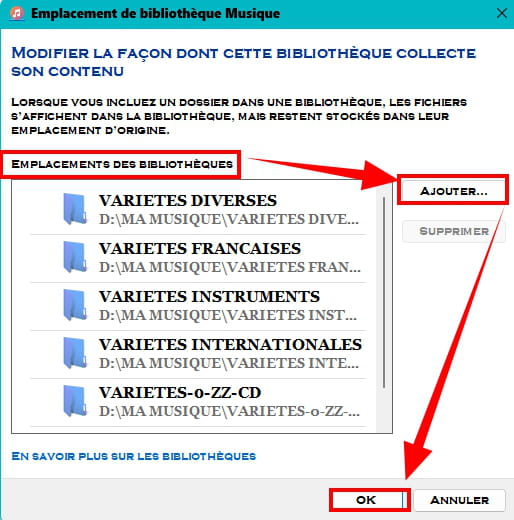
Slts
A+
-
Hi,
Check in Organize > Options > Library -
Hi,
after doing some searching, I noticed that between Windows 7, 10, and 11, the Windows Media version had a few issues under Windows 7 for metadata.
Are you still on Windows 7?
-


