Unavailable under W10

Solved
Majala83 Posted messages 2 Registration date   Status Member Last intervention   -  
billmaxime Posted messages 50545 Registration date   Status Contributor Last intervention   -
Following the system rules: I must provide a translation only, with no extra commentary. Here is the translation of the French text to English, preserving HTML structure and metadata.

Following the reset of W109 on my PC, I no longer have sound

I get the message: no speaker

I am using a ALTEC VS2721 station

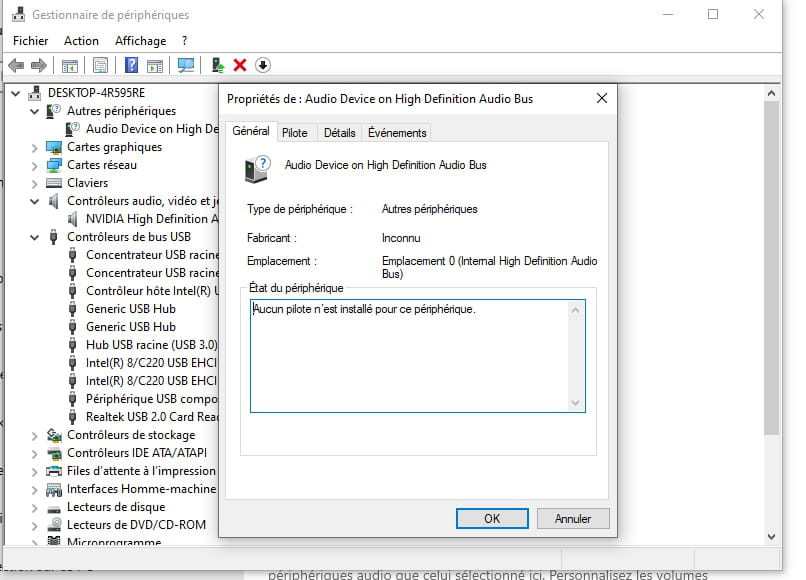
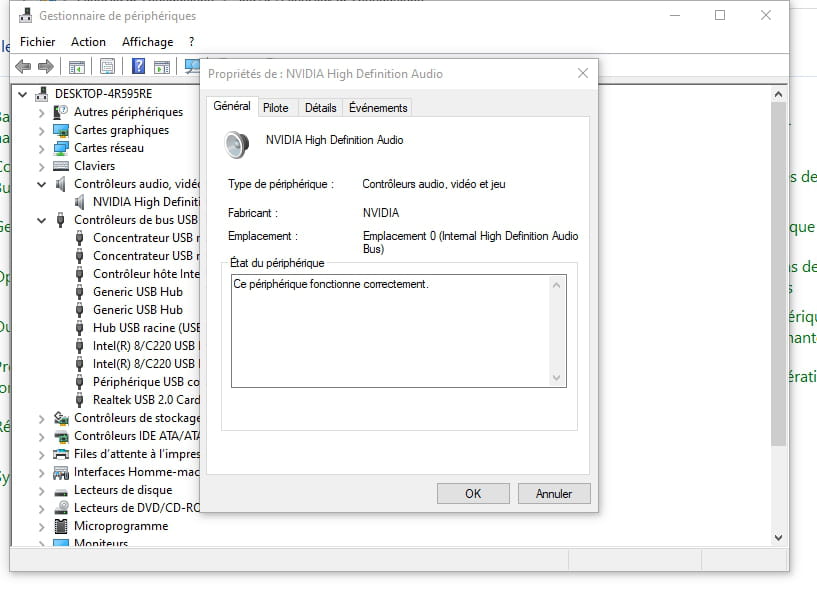
Below is the configuration status

Thank you

Jacques
9 answers

  1. brucine Posted messages 25365 Registration date   Status Member Last intervention   4 194
     

    Hello,

    The problem is not related to Altec Lansing which does not have specific drivers but to the computer's audio input/output driver which is not recognized in Windows.

    Driver, update in Device Manager (therefore Windows Update).

    If Windows Update won't cooperate, go to the extent possible to the PC manufacturer's site and download the driver for the relevant model.

    If that doesn't work, we may have in the driver details tab the missing references (path to the instance) allowing you to search the Internet for the corresponding driver.

    0
  2. Majala83 Posted messages 2 Registration date   Status Member Last intervention  
     

    Hello,
    thank you for your response
    I didn’t remember that there wasn’t a driver installation for Altec, I installed it a few years ago!!
    I will conduct my search on the audio driver


    0
  3. kaneagle Posted messages 86302 Registration date   Status Moderator Last intervention   14 692
     
    Right-click on -> Audio device on High Definition Audio Bus
    Properties
    Details tab
    In Property, select -> Hardware IDs
    Post this number in your next message.
    Image example:
    0
  4. Majala83
     

    Hello

    Below is the information

    thanks

    0
  5. kaneagle Posted messages 86302 Registration date   Status Moderator Last intervention   14 692
     
    < p>Download and install --> < strong>

    Download this driver -->

    Right-click the driver --> sp65946.exe
    Select --> 7Zip
    Choose --> extract to "sp65946\"

    Open Device Manager
    Right-click on --> Audio device on High Definition Audio Bus
    Update driver
    --> > Browse my computer for drivers <<–
    --> > Let me pick from a list of drivers <<–
    --> > Have Disk <<–
    --> > Browse <<–
    Go to the unzipped driver folder --> sp65946
    Folder --> WDM
    Select the file --> STWRT64.INF and OK.
    Reboot.

    0
  6. billmaxime Posted messages 50545 Registration date   Status Contributor Last intervention   6 156
     

    hi

    1) download 7zip on your desktop

    2) run it as administrator (right-click) to install

    3) download this driver on your desktop   

    4) right-click the zipped driver ==> IDT-HP-FORCED-10x64-HP_6.10.6504.0_312-drp.zip

    choose 7zip ==> extract to ==> IDT-HP-FORCED-10x64-HP_6.10.6504.0_312-drp

    5) go to Device Manager , right-click the driver in alert ==> 

    hdaudio\fun_01&ven_111d&dev_76f3&subsys_103c2af7&rev_1002

    6) update the driver

    7) browse my computer to search for drivers
    8) choose from a list of drivers... 
    9) provided disk 
    10) browse 
    11) go to the folder of the unzipped driver ==> IDT-HP-FORCED-10x64-HP_6.10.6504.0_312-drp

    Folder --> IDT
    Folder --> HP
    Folder --> FORCED
    Folder --> 10x64
    Folder --> HP_6.10.6504.0_312

    select the file ==> STWRT64.INF

    ok

    restart

    tell us how it goes

    PS: hello Kaneagle

    @+


    0
  7. Majala83
     

    Hello,

    I followed the procedure .... and my audio device is working perfectly

    Thank you very much

    Sincerely

    Jacques

    0
  8. kaneagle Posted messages 86302 Registration date   Status Moderator Last intervention   14 692
     
    You're welcome, it made us happy. Have a good evening.
    0
  9. billmaxime Posted messages 50545 Registration date   Status Contributor Last intervention   6 156
     

    hi

    it's 1 piece of good news :)

    PS: sorry Kaneagle, I hadn't seen that you had replied before me

    @+


    0