Processor Upgrade
Yannylb
Posted messages
9
Status
Member
-
Djo La Force Posted messages 22035 Status Contributor -
Djo La Force Posted messages 22035 Status Contributor -
Hello,
I want to change my processor without changing my motherboard, but I can't find which one is compatible.
- My computer is a Mek1 from the manufacturer ZOTAC running Windows 10 Home N 64-bit (10.0, version 18362)
- My CPU is an: Intel(R) Core (TM) I5-7400 CPU @ 3.00 GHz (4CPUs), ~3.0GHz
I downloaded a software called CPU-Z, and here is the information it gives me:


I hope I am being clear.
In any case, thank you in advance for the answer(s) provided.
Yanny
I want to change my processor without changing my motherboard, but I can't find which one is compatible.
- My computer is a Mek1 from the manufacturer ZOTAC running Windows 10 Home N 64-bit (10.0, version 18362)
- My CPU is an: Intel(R) Core (TM) I5-7400 CPU @ 3.00 GHz (4CPUs), ~3.0GHz
I downloaded a software called CPU-Z, and here is the information it gives me:
I hope I am being clear.
In any case, thank you in advance for the answer(s) provided.
Yanny
9 answers
-
Hi
to help you, the relevant page on CPU-Z is the "CPU" tab
but based on the processor you say you have
you can upgrade to a more powerful processor with a 1151 socket
see here :
https://www.ldlc.com/informatique/pieces-informatique/processeur/c4300/+fi19-l3h5+fp-l245h490+fv160-13685+fv579-5524,5912.html -
The first link could mislead you. Although they share the same 1151 socket, the CPUs from Intel's 8th and 9th generations are not compatible with motherboards designed for 6th and 7th generation CPUs. Therefore, you need to look for a more powerful 7th generation CPU than the I5-7400. Otherwise, you would have to change the motherboard at the same time.
--
Misnaming things is adding to the world's misery (Albert Camus) -
Hello
Be careful with the model you have... If the power supply is not sufficient, the processor won't work...
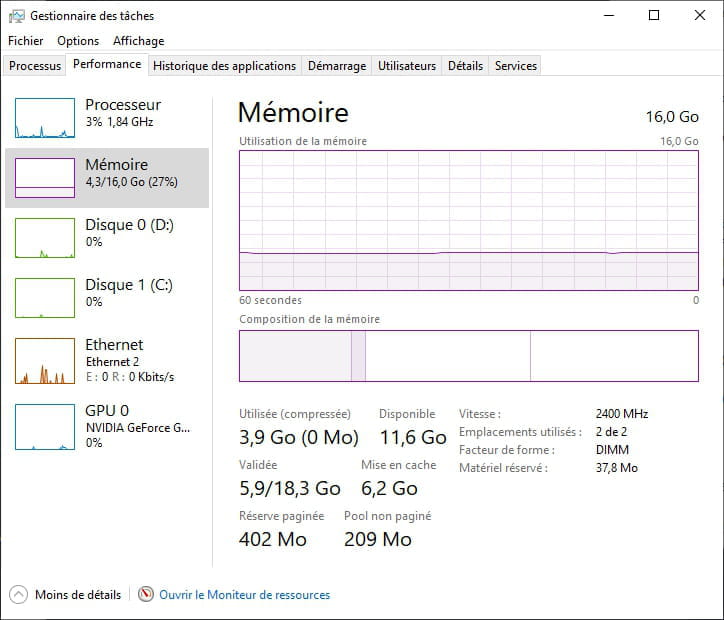
You should rather consider adding more RAM because 4 GB on a "Gamer" PC is a bit lacking... Nowadays games usually require 16 GB..
--
The Force is like computers, its actions are unpredictable. -
Good evening,
Thank you for the reply.
Here is the screenshot you requested:

And if I understood your message correctly, I can choose any CPU as long as it has a 1151 socket.
I await your response to choose and order using the link you provided.
Have a good evening.-
yes, an Intel "Kaby Lake" model with socket 1151
here is the correct link:
https://www.ldlc.com/informatique/pieces-informatique/processeur/c4300/+fi19-l3h5+fp-l245h490+fv1448-15276+fv160-13685+fv579-5524,5912.html?sort=1
-
-
Good evening,
Thank you for the clarification, and if I understand correctly, I can purchase this 7th generation CPU:
http://www.atlanpolis.com/processeurs/18077266-intel-intel-i7-7700-5032037092623-.html
Please confirm or deny my statement. -
Good evening,
Thank you very much for the help you are giving me, and I will keep you updated when I receive the CPU.
I should normally receive it by the end of the month. -
Good evening,
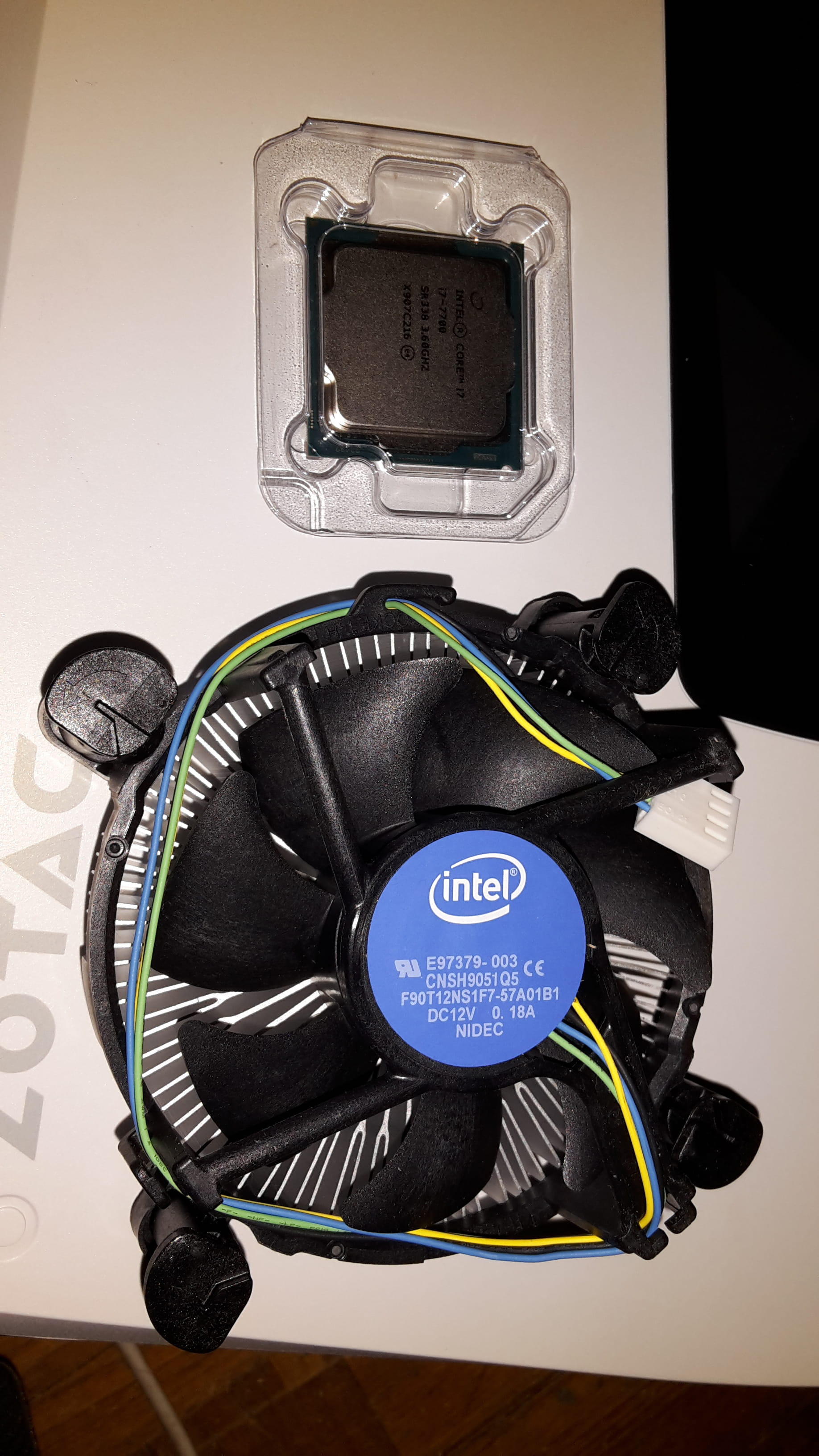
I received the package very quickly but I have several issues:
1) The rectangular grill of my PC is not the same size as the one I received, which is round.
2) I cannot remove the grill from my PC. I don't see any screws or clips.
I am attaching 2 photos to illustrate:


Given the problems, I think I made this purchase for nothing.-
-
-
Hi,
at least it means they took the trouble to put in a good passive cooler that costs more instead of a crappy cooler with a fan on top.
Because that's how they used to do it back in the day on a lot of low-end graphics cards. It was dreadful and the fan was impossible to replace as well. -
I looked at the Zotac MEK1 PCs. The majority are equipped with an i7 7700. On the cooler in its photo, there’s a fan that he must have removed for the photo. Probably a slim type. The difficulty lies in removing the cooler to access the CPU to uninstall it and install the new CPU, then reassemble the cooler + the fan that was in the computer and not the one provided with the CPU.
-
-
I found out how to change the CPU.
I will do it and I'll explain tomorrow if all goes well. -
Hello,
I succeeded thanks to your help, so thank you, thank you very much.
I'll explain how I changed the CPU:
1) You need to remove the "walls" from both sides of the computer tower to access the other side of the motherboard.
2) You need to remove the 4 screws that hold the CPU fan feet on the other side of the motherboard.
Here is a photo of one foot:

And here is a photo of what you need to unscrew on the other side of the motherboard:

I hope I'm being clear, and thank you again for your help.