
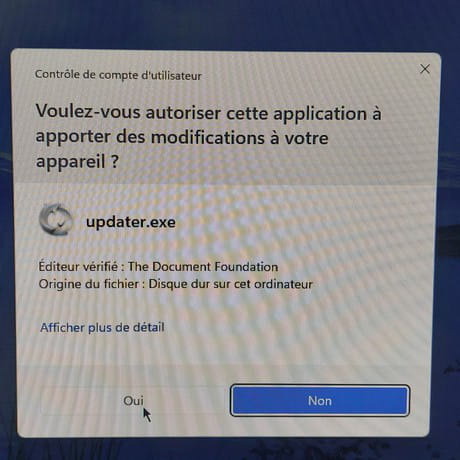
I always have an Updater.exe window open.
Solved
yclik Posted messages 3874 Registration date Status Member Last intervention -
Hello,
I have version LibreOffice 25.8.2 (apparently up to date). Why, for the past 2/3 days, do I always get a window for "Updater.exe" where I have to respond "yes" before I can work on my spreadsheet?
6 answers
-
Hello,
I saw the same problem on the PC of someone I assist. Indeed, the update never stops. I solved the problem by downloading and installing the latest version: 25.8.3
-
it's already in manual, and it doesn't change anything.
I just reinstalled, it's working. -
Hello,
The update may not be completed. Click Yes to finish the installation, and normally, the window should no longer appear.
-
Hello,
I don't use LibreOffice; it is possible that, like MS Office, it checks for updates at each startup if it is configured to do so or if there is a corresponding scheduled task.
The mere existence of a potential log file for this operation creates or modifies these files on the computer.
That said, aside from any possible settings in the application control of the security center, UAC is a nightmare; it is not very clear why we need to request permission for changes coming from a trusted publisher.
Personally, I have disabled it in favor of potentially intercepting inappropriate actions by my third-party firewall and defense system, but it is not certain that this interception remains solely with Windows Defender outside of UAC.
-
-
Indeed, the window never stops.
I will try to install it again. -
Hello,
Look in Services.msc for the service LibreOffice Maintenance Service
And disable it. (If you wish) or set it to Manual mode
Just a detail, the name is not identical, the name of the file, on my machine.
(Update_Service.exe), but it may start the Updater.exe file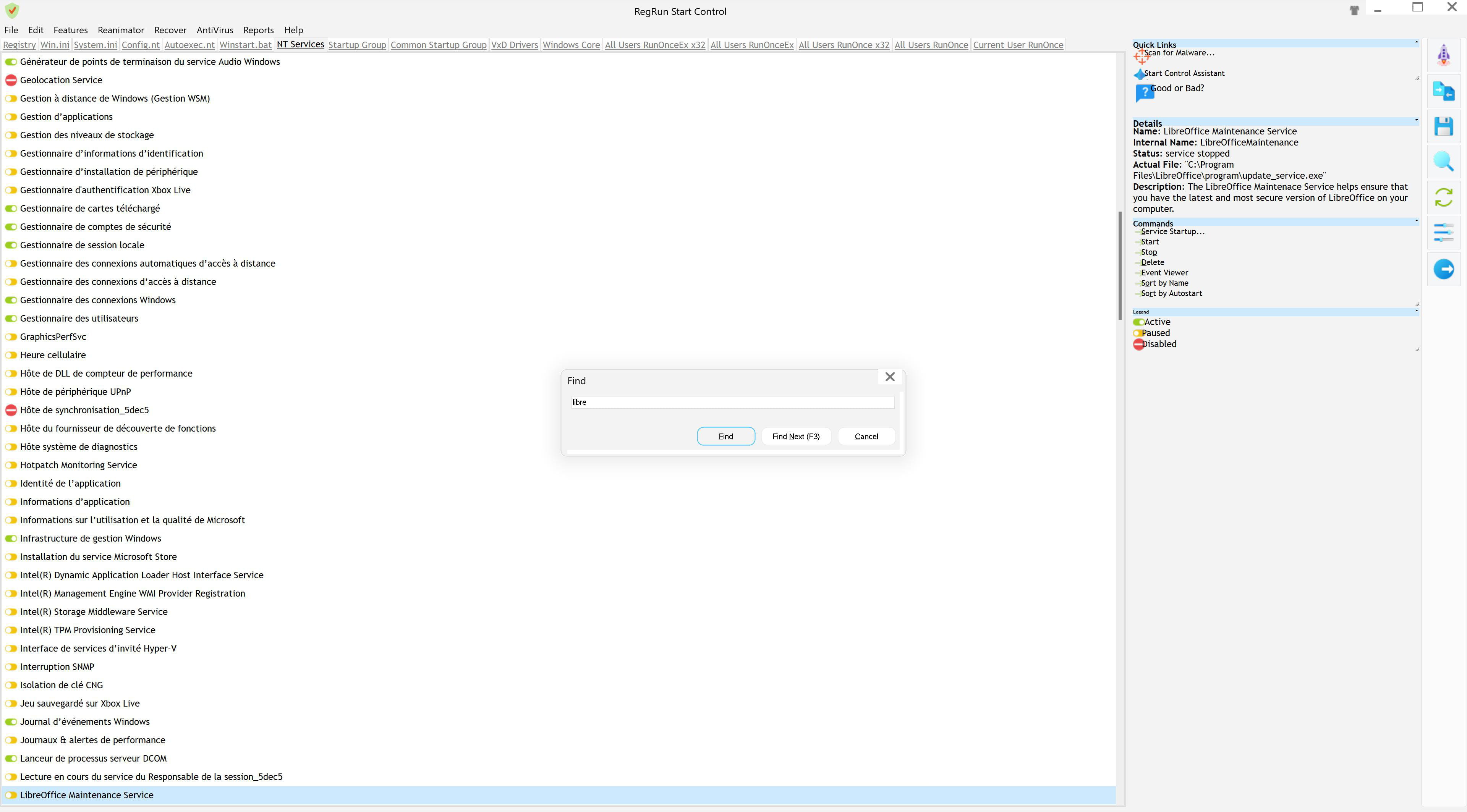
PS: Indeed, I looked and there's no need to worry, Updater.exe is indeed in the same folder as the Service file.
So it's definitely this service to stop, or set to Manual mode, it won't start by itself in any case.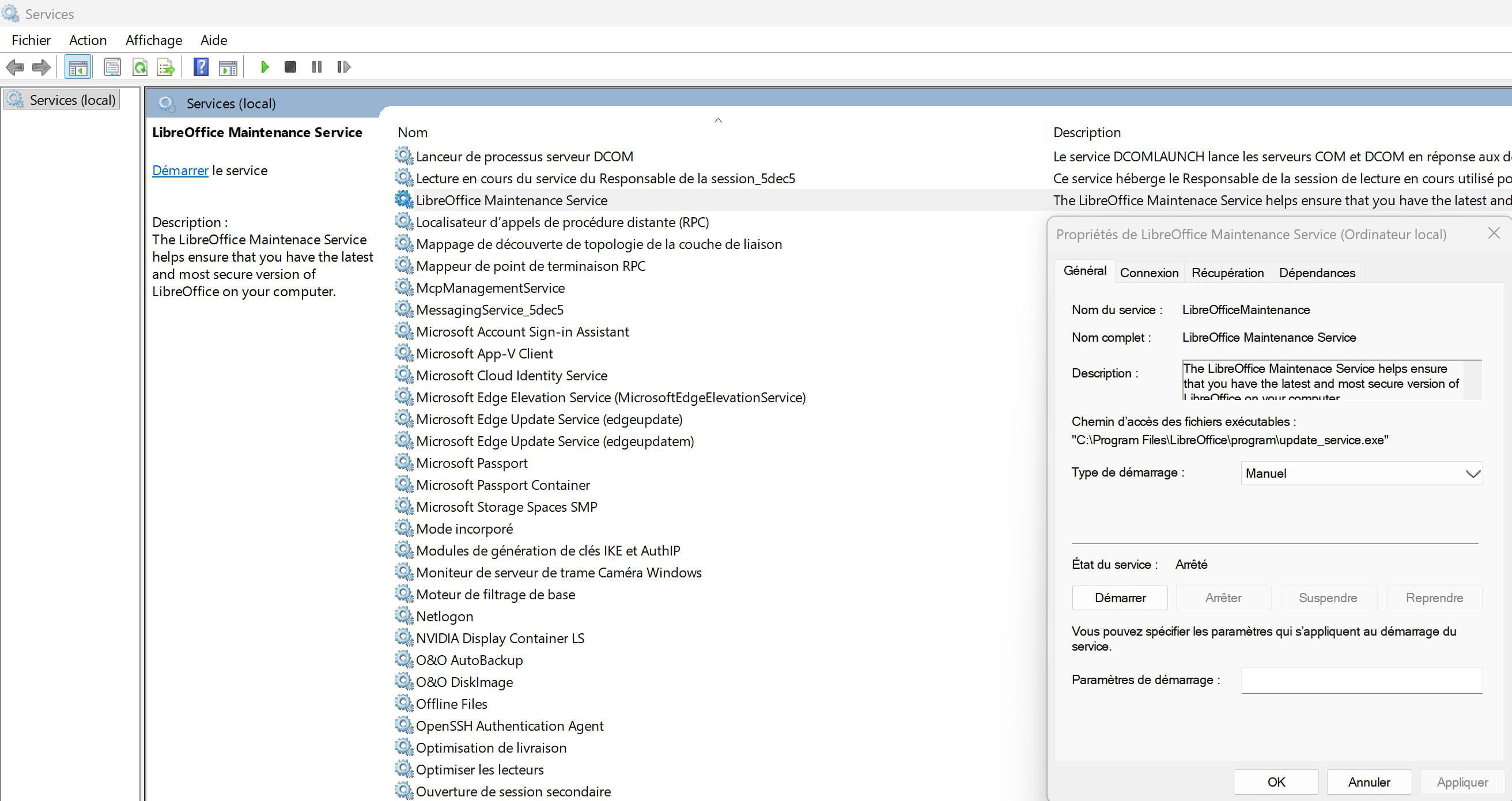
-
Hello
Also check the profile purge because a reinstallation does not modify the old profile
Close Libre Office
press the WINDOWS key (a flag) and R (simultaneously).
-Then, type %appdata%
-Look for the libreoffice folder
-Rename it to Oldlibreoffice




