
Recover external hard drive data
Phala89 Posted messages 2 Registration date Status Member Last intervention -
Hello everyone!
Here, I'm sharing my problem. I just bought a laptop running Windows 11.
So I removed everything from my old desktop computer running Windows 10 (important files, documents, photos since 2004, videos, accounts) basically just super important stuff...
The transfer from the computer to the hard drive went very well, I've never had issues with the hard drive. Now I want to put all these important elements back on my new PC, and when I connect my hard drive, a message appears saying that I need to format my hard drive! Of course, I decline, but I can't access it now; the D drive appears, but I can't open it because the computer won't let me...
I'm at a loss, I'm looking for file recovery software, but there are so many, and really expensive... I tried RECUVA, but only a few movies that were deleted a long time ago showed up.
I also followed a tutorial I found on this site regarding folder recovery, I tested several software but I don't understand anything. Only Tenorshare found everything for me, but it has licenses to pay for and I didn't understand anything even about that.
If someone could come to my rescue by suggesting a simple and reliable software to recover all my files, even if it's paid.
Thank you!
Have a great end of the day
6 answers
-
Hello @Phala89 StatusMember and welcome.
You can try with PhotoRec
https://www.cgsecurity.org/wiki/PhotoRec_Etape_par_Etape
Paid software is often generic and won't provide more than PhotoRec and possibly a Deep Scan with Recuva.PS: If the data was previously on drive C:, you might have some luck with Shadow Explorer (Free)
Download Shadow Explorer 0.9 Portable (Free) here:
https://www.shadowexplorer.com/downloads.html
Extract the entire folder somewhere, and run ShadowExplorerPortable.exe
Select your drive C:\ if you haven't already.
Choose a date when the files were there.
Navigate to Users > Your name >
Right-click on the folder or file and click on Export
Choose a destination...
-
Hello and thank you for your quick response.
Should I try to recover my data from my old desktop computer or my new laptop? Because for the past two days, I've been trying on my new laptop.
My data was previously on my old computer, but also on the external hard drive itself.
Do you have any idea why I couldn't use my external hard drive on my new computer? I find that strange.
Thank you.
-
-
No, I wanted to test on the old one and it tells me the same as the new one now, it asks me to format it :(
I will test on the old one to see, thanks.
-
Good evening, I tested Shadow but my data was mainly on the D drive (partitioned hard drive) of my old computer.
And honestly, I can't manage to use PhotoRec despite the explanatory link you gave me, I'm going to give it another try because I'm really bothered. In any case, thank you very much for taking the time to help me.
Have a great evening
-
If you haven't overwritten anything, a data disk has every chance of recovering everything with either Photorec or a Deep Scan (which can take hours) of the disk with Recuva.
But it won't be sorted data anymore, and even data without their original names, because when they are sent to the recycle bin, they temporarily take on a name that only the system can interpret, but without overwriting, the data is there, good luck.Then you can check the status of the problematic disk with CrystalDiskInfo.
https://crystalmark.info/en/software/crystaldiskinfo/
Have a good evening.-
Hello and thank you
Indeed, I didn't delete them, but the hard drive messed up (it was working very well). I don't understand why when I plugged it into a new computer, it didn't open as usual. I don't get the message from the PC asking me to format it.
I used Recuva on my old PC on drive C and was able to recover some data, but not the most important ones. But nothing on drive D, how come? That's where I saved everything because I had no more space.
Regarding the hard drive, I'm trying to use Recuva with my old PC, but I don't have all the data :(
PS: as for the rewriting, I didn't do it, no, because I can't open the HDD, so I can't copy anything onto it or recover anything.
I don't know, but the mistake with Recuva is that the Enable Deep Scan box is not checked by default, you have to check it.
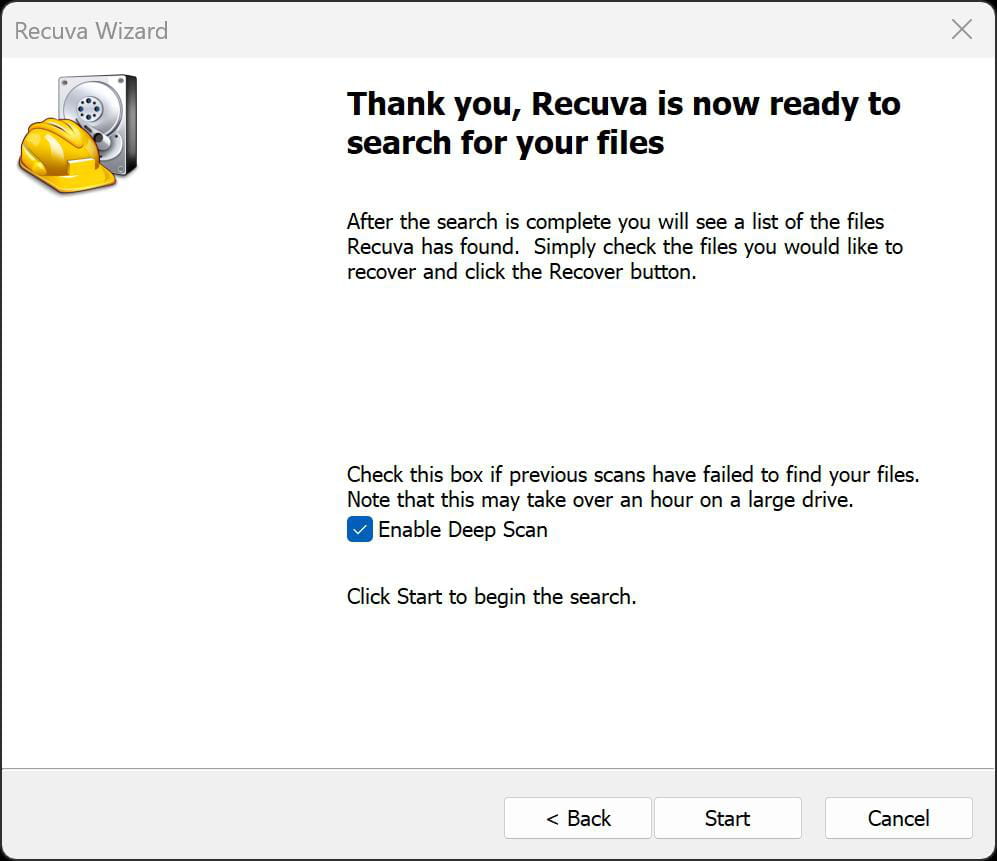
Then recover all the files onto another disk where there is plenty of space for all the files (In Green) found to view them one by one after recovery, and reclassify them.
Otherwise, Photorec recovers a lot, to another disk, I have only tested it once, it wasn't extremely complicated, it's worth using.Thank you once again for your time.
Recuva isn't finding everything despite the box being checked.
I finally managed (I think) to use PHOTOREC; it took 7 hours to recover only a few files, and I don't understand why :(
Thank you very much for your help. Do you think that if I find a computer technician, he will be able to recover all the files?
And in the future, how can I avoid this issue when moving from one computer to another?
Thank you, have a nice evening.
Hello, to this day after spending countless hours on this damaged hard drive... I have managed to recover almost everything essential from the hard drive with Photorec. Thanks again!
-
