Recover data from external HDD "Healthy (GPT Protective Partition)"
Solved
leramier
Posted messages
28
Registration date
Status
Member
Last intervention
-
leramier Posted messages 28 Registration date Status Member Last intervention -
leramier Posted messages 28 Registration date Status Member Last intervention -
Hello,
Thank you in advance to everyone who can respond to me.
My problem: I absolutely need to retrieve data from an external hard drive that is invisible in the Windows 8.1 explorer.
It comes from a laptop also running Windows 8.1, and I placed it in an external HDD enclosure.
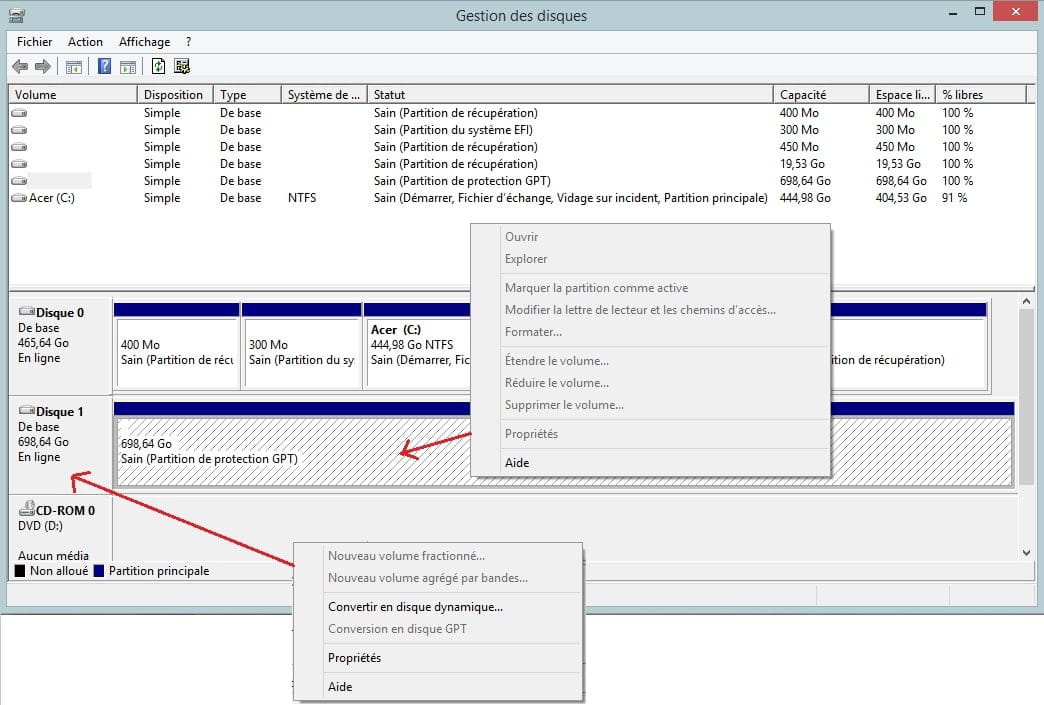
The external HDD does appear in "Disk Management":
Disk 1
Basic
698.64 GB
Online
Healthy (GPT Partition)
I just spent the night searching for a solution on numerous sites and forums, but I can't find anything.
Note: Both of my PCs are configured the same way with updated Windows 8.1 and they are quite similar in hardware (RAM, CPU, etc.).
How this happened: My main PC, the HP, had an unknown issue that rendered Windows 8.1 unusable with slow performance, crashes, sometimes startup errors ("needs to be repaired"), inability to check properties of an object with a right-click, inability to launch software, basically, it's wrecked.
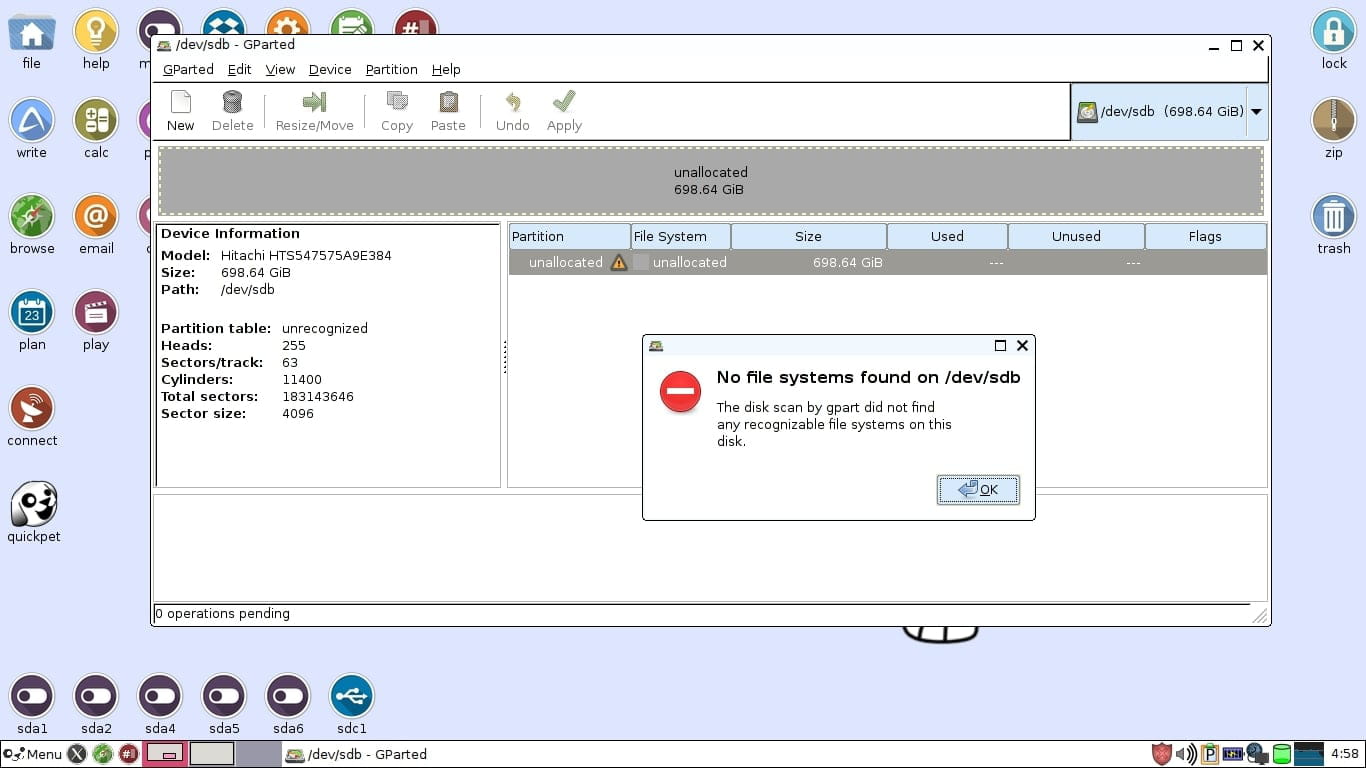
On this HP PC, I used a Linux live USB which confirmed that my data on the HDD is indeed intact, accessible, and readable.
I eventually opened the HP PC and extracted the HDD, which I installed in the external enclosure. It is now unusable on Windows 8.1 and completely undetectable on Linux (which I don't know how to use very well). And of course, it no longer boots when placed back in the HP PC, which may have suffered from being opened.
As a last resort, I am willing to purchase a software to recover my data, but which one?
Thank you in advance for your help!
PS: on the web, there are dozens of people with exactly the same problem, particularly on Microsoft forums, which shows an inability to provide a solution to their customers. I find this unacceptable from a business perspective! What do you think?
Thank you in advance to everyone who can respond to me.
My problem: I absolutely need to retrieve data from an external hard drive that is invisible in the Windows 8.1 explorer.
It comes from a laptop also running Windows 8.1, and I placed it in an external HDD enclosure.
The external HDD does appear in "Disk Management":
Disk 1
Basic
698.64 GB
Online
Healthy (GPT Partition)
I just spent the night searching for a solution on numerous sites and forums, but I can't find anything.
Note: Both of my PCs are configured the same way with updated Windows 8.1 and they are quite similar in hardware (RAM, CPU, etc.).
How this happened: My main PC, the HP, had an unknown issue that rendered Windows 8.1 unusable with slow performance, crashes, sometimes startup errors ("needs to be repaired"), inability to check properties of an object with a right-click, inability to launch software, basically, it's wrecked.
On this HP PC, I used a Linux live USB which confirmed that my data on the HDD is indeed intact, accessible, and readable.
I eventually opened the HP PC and extracted the HDD, which I installed in the external enclosure. It is now unusable on Windows 8.1 and completely undetectable on Linux (which I don't know how to use very well). And of course, it no longer boots when placed back in the HP PC, which may have suffered from being opened.
As a last resort, I am willing to purchase a software to recover my data, but which one?
Thank you in advance for your help!
PS: on the web, there are dozens of people with exactly the same problem, particularly on Microsoft forums, which shows an inability to provide a solution to their customers. I find this unacceptable from a business perspective! What do you think?
11 answers
-
Well, I'm writing to you under the effect of an excitement you can't imagine.
I launched TestDisk, followed the instructions from Malekal's tutorial (a legend, that guy I tell you) and it seems to have worked!!! ALL my data seems to be present.
I just saved a music file to test, and I just listened to it without any problem.
The first strange thing is that TestDisk recognized my external hard drive in 2 forms, as dev/sdb and the line below as "physical drive," both with the same name (hitachi xxxxx), whereas for the system drive I'm running, there is only dev/sda, and no double "physical."
The second strange thing is visible in this screenshot where you can clearly see the partitions of the hard drive of my HP:

I only saved one audio file, but I think we can consider it resolved, for the future if it goes wrong the issue will be different (so new title).
@luckydu43, @Judge_DT, I can never thank you enough. Thank you for your guidance and also thank you for your support because on Saturday I wanted to smash everything!