
How to stay connected to youtube
SolvedMPMP10 Posted messages 47607 Registration date Status Member Last intervention -
Hello,
I would like to know how to stay permanently connected to YouTube on my PC running Windows 10. Basically, I log into YouTube and watch my videos without any problem, then when I want to shut down my PC, I don’t log out of YouTube; I just click on the little cross at the top right to close the browser.
The problem is that when I return to YouTube, I have to log in again with my credentials.
How can I remedy this, please?
2 answers
-
Hello,
You just need to ensure that your browser is set to keep all history when it closes.

https://www.google.com/intl/fr/account/about/
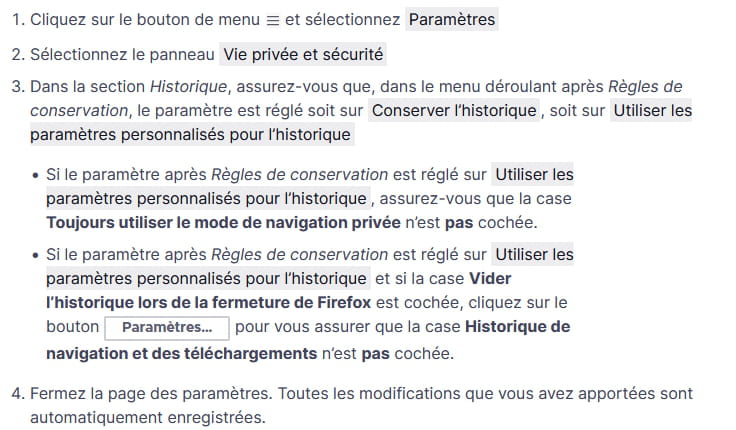
https://support.mozilla.org/fr/kb/restaurer-session-precedente
Sometimes, it is necessary to check the "Stay connected" box on the login page when it is available.
-
So it seems to be working. Thousand thanks.
If I may point out another problem that happens three times out of two.
When I put my video in fullscreen mode, sometimes everything is fine and often it's the browser's bar that I find at the bottom of my video.
