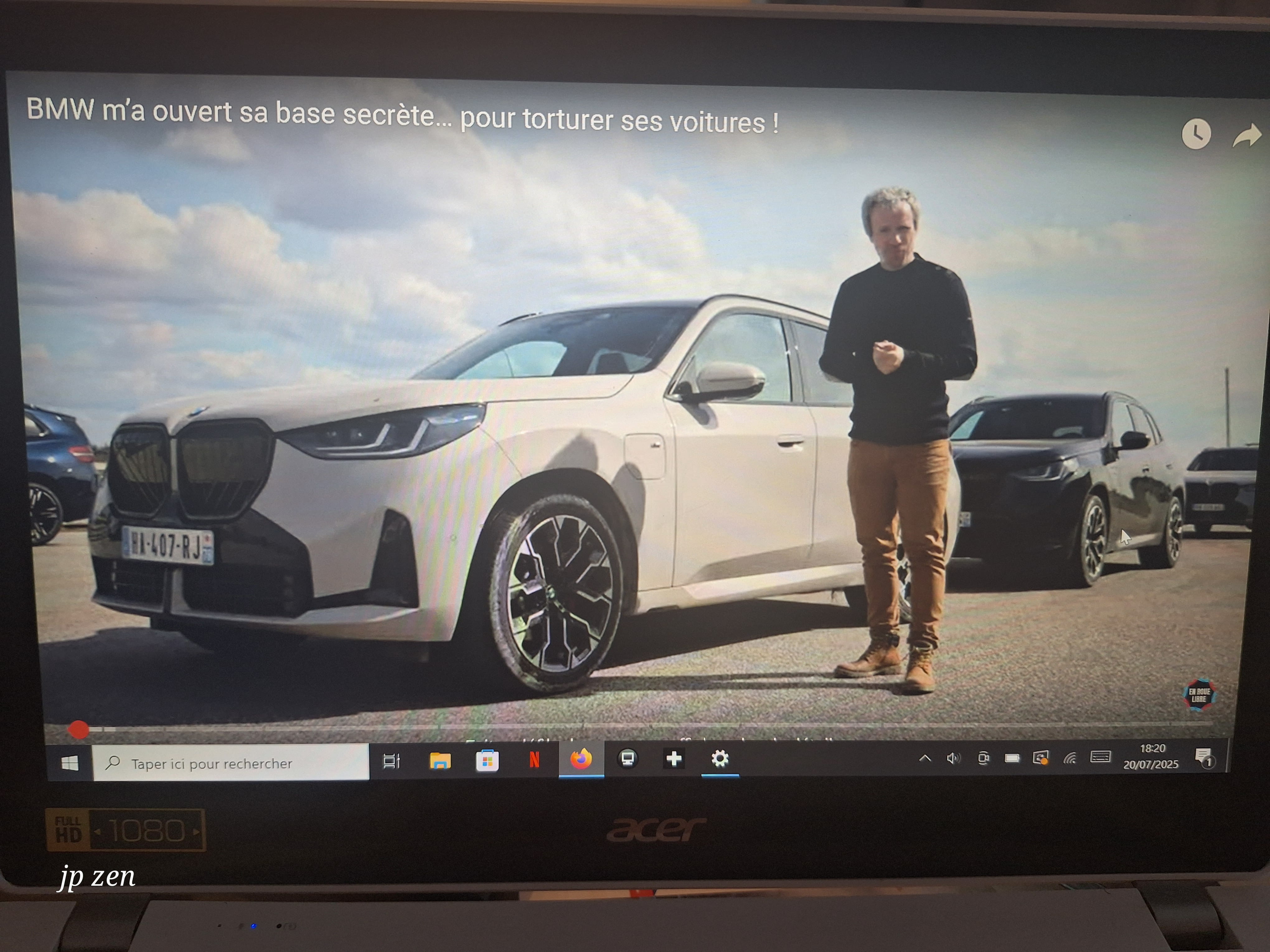
YouTube video hidden by the taskbar
SolvedMPMP10 Posted messages 47646 Registration date Status Member Last intervention -
When I put my video in full screen mode, sometimes everything is fine and often I see the browser bar at the bottom of my video.
Thank you very much
4 answers
-
Hello,
An image capture would be welcome.
In the title, you refer to the Windows taskbar and then mention the browser bar that may sometimes appear under videos in full-screen mode!
F11 for full-screen mode in Firefox.
https://support.mozilla.org/fr/kb/firefox-plein-ecran
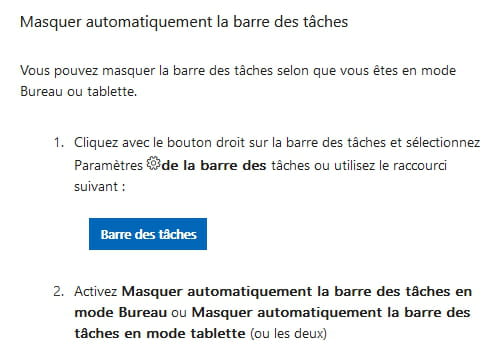
You can hide the taskbar.
-
Sorry, I'm indeed talking about the taskbar. The one where the different icons are located. In 20 minutes, I'll send you a screenshot.
-
-
In your screenshot, this is the Windows taskbar.
So, press F11 to switch to full-screen mode in Firefox.
(A second press on F11 allows you to exit full-screen mode in Firefox…)
Otherwise, see my screenshot (and the link just below...) in my first response.

For your information, in your screenshot (and on your screen...) this is the full-screen mode present on youtube.com servers by clicking on this:

https://support.google.com/youtube/answer/72689?hl=fr&co=GENIE.Platform%3DAndroid
Don't confuse it with the full-screen mode of Firefox via the F11 key.
Thank you very much. It's absolutely perfect.
-