Asus desktop low brightness set to maximum
Solved
Pancho
-
pistouri Posted messages 19010 Registration date Status Contributor Last intervention -
pistouri Posted messages 19010 Registration date Status Contributor Last intervention -
Hello everyone!
My problem is as follows: for a week now, my Asus all-in-one PC screen, running Windows 10 Home, has only been displaying with low brightness, even though it is supposed to be at maximum (the slider works and is at max).
I have updated the various monitor and graphics card drivers, as well as Windows, but that didn’t change anything.
It’s not an automatic adjustment issue to disable, as that option doesn’t exist (to my knowledge) on this type of desktop PC.
It’s not mechanical either, as when I turn on the computer, the ASUS logo appears with normal brightness.
I also cleaned the PC with CCleaner, just to avoid any potential malware...
In short, I've tried everything that came to mind. If anyone has new ideas, I would be grateful! Thanks in advance!
Configuration: Windows / Chrome 91.0.4472.77
My problem is as follows: for a week now, my Asus all-in-one PC screen, running Windows 10 Home, has only been displaying with low brightness, even though it is supposed to be at maximum (the slider works and is at max).
I have updated the various monitor and graphics card drivers, as well as Windows, but that didn’t change anything.
It’s not an automatic adjustment issue to disable, as that option doesn’t exist (to my knowledge) on this type of desktop PC.
It’s not mechanical either, as when I turn on the computer, the ASUS logo appears with normal brightness.
I also cleaned the PC with CCleaner, just to avoid any potential malware...
In short, I've tried everything that came to mind. If anyone has new ideas, I would be grateful! Thanks in advance!
Configuration: Windows / Chrome 91.0.4472.77
6 answers
-
pistouri Posted messages 19010 Registration date Status Contributor Last intervention Ambassador 8 732
Hello,
Monitor + Tower
Check the monitor connections; the VGA or HDMI cable may have moved. This happened to my father because my mother cleaned a bit too close.
Consider changing the cable; it’s not eternal.
In the tower, check for dust on the fans of the graphics card or processor.
Reset the monitor to restore the default values.
This if it's hardware-related.
Windows 10
If you have an Nvidia driver (you didn’t specify)
In the graphics card settings (right-click on the Desktop), restore the default settings.
Or if you see it, uncheck the option -► "other applications control color settingss"
Power and Sleep
System Settings -►Power and sleep-►Additional settings-►Additional power settings.- Normal usage (recommended), then modify the mode settings.
Is Windows 10 up to date?
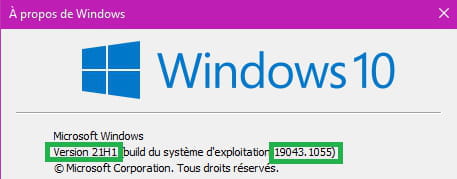
In the search box on the taskbar or using the Windows + R keys, type ► winver
Note the version in your next message.
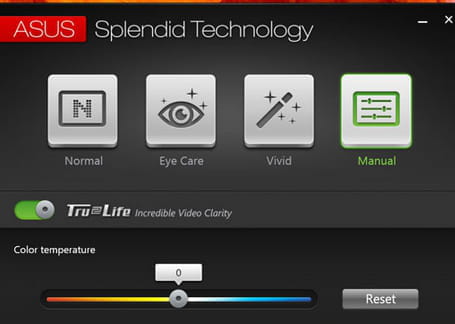
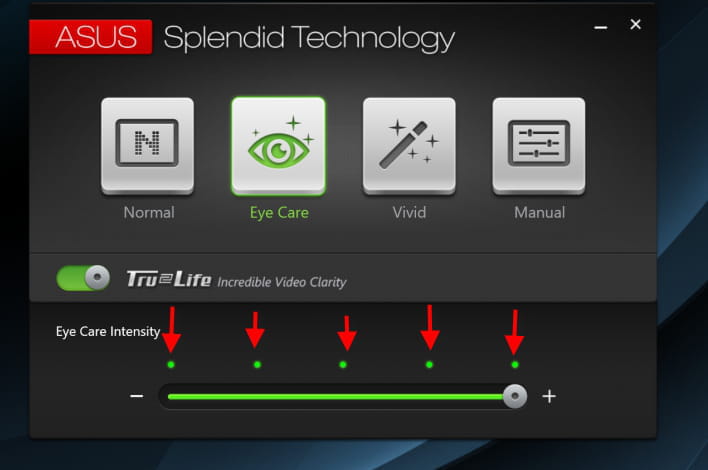
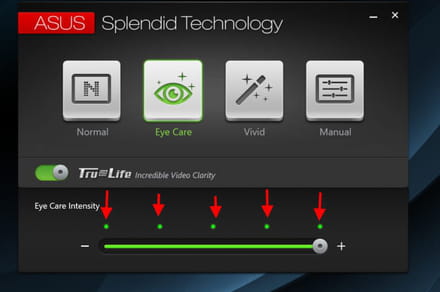
ASUS Eye Care
If present on the PC.
Check the settings.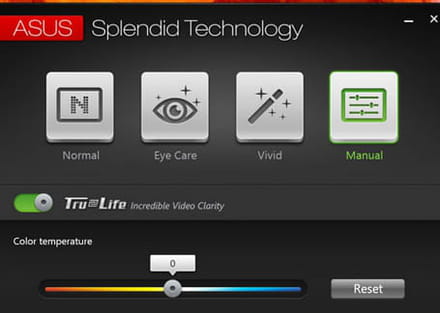
Monitor
In the device manager => Monitor => Then enable Generic Plug-and-Play Monitor.
A+
--
scalpel -
Thank you Pistouri!
Actually, since it's an all-in-one, there is no tower. I still vacuumed the air vents.
Then, I don't have Nvidia so I can't perform the manipulation, nor Asus Eye Care.
My version of Windows 10 is 20H2 19042.1052
I don't know how to reset my monitor, nor restore the default settings.
For now, I've managed to slightly increase the brightness by recalibrating the colors, increasing the gammas, but it's not a great solution!
Thanks for the help! -
Hi,
Check in the Power Options that everything is correct regarding "display brightness"
Is everything correct for you?
Example:
Currently, you are using the Normal Usage mode, switch to the other mode Power Saver and see if there’s a change "while checking display brightness".
Note:
Under Win10, I've never encountered this kind of problem, but with Win7 "it's not uncommon that I had to switch back and forth to the point that I modified the proposed modes to make them identical". -
pistouri Posted messages 19010 Registration date Status Contributor Last intervention Ambassador 8 732
Update W10 --►Switch to version 21H1
==► Windows 10 21H1: download the May 2021 update
See you soon
--
scalpel -
-
pistouri Posted messages 19010 Registration date Status Contributor Last intervention Ambassador 8 732
You're welcome.
Good luck.
--
pistouri