HP 240 PC black screen
Solved
lynouchka2
Posted messages
30
Status
Member
-
lynouchka2 Posted messages 30 Status Member -
lynouchka2 Posted messages 30 Status Member -
Good evening everyone,
My daughter received a computer from the Grand Est Region in September 2019
It’s an HP 240 G7.
Yesterday it displayed a message summarizing “due to a fault the computer needs to restart”
It restarted twice.
Since then it is “frozen”
It no longer starts up, or rather, the screen remains black.
Do you have any suggestions?
She has all her work from her first year of university on it, at least a method to recover the information that’s on it (the hardware is secondary at worst!!)
Thank you in advance, you’re always there for every SOS and provide the right solutions.
Have a good evening
My daughter received a computer from the Grand Est Region in September 2019
It’s an HP 240 G7.
Yesterday it displayed a message summarizing “due to a fault the computer needs to restart”
It restarted twice.
Since then it is “frozen”
It no longer starts up, or rather, the screen remains black.
Do you have any suggestions?
She has all her work from her first year of university on it, at least a method to recover the information that’s on it (the hardware is secondary at worst!!)
Thank you in advance, you’re always there for every SOS and provide the right solutions.
Have a good evening
2 answers
-
Hello,
In this situation there are 2 solutions: it could be a Windows issue preventing the PC from starting; in this case, to recover the data, we try to boot from a DVD or USB stick with a live OS (Windows or Linux).
Alternatively, it could be a hardware fault that causes the PC to not function at all. In this case, to recover the data, you have to remove the hard drive from the PC and place it in an external USB enclosure to read it.
--
a stranger is a friend we haven't met yet.-
Hello,
Thank you for the information,
But after testing, it seems that the PC is frozen: When I connect it to a screen via an HDMI cable, there is nothing on the recipient screen. The only thing that works is the light indicating that the PC is on, but there is no sound, no other light, nothing on the screen... it smells burnt (or like a Christmas tree).
I will make one last attempt tomorrow morning when I'm fresh, but I’m not optimistic about the PC... now let's see about retrieving the information from the second quarter on it.
Good night everyone- Yes, regarding a software defect, there would be something displayed on the screen, and if the screen was faulty, an external monitor could take over.
https://support.hp.com/fr-fr/document/c06173609#AbT6
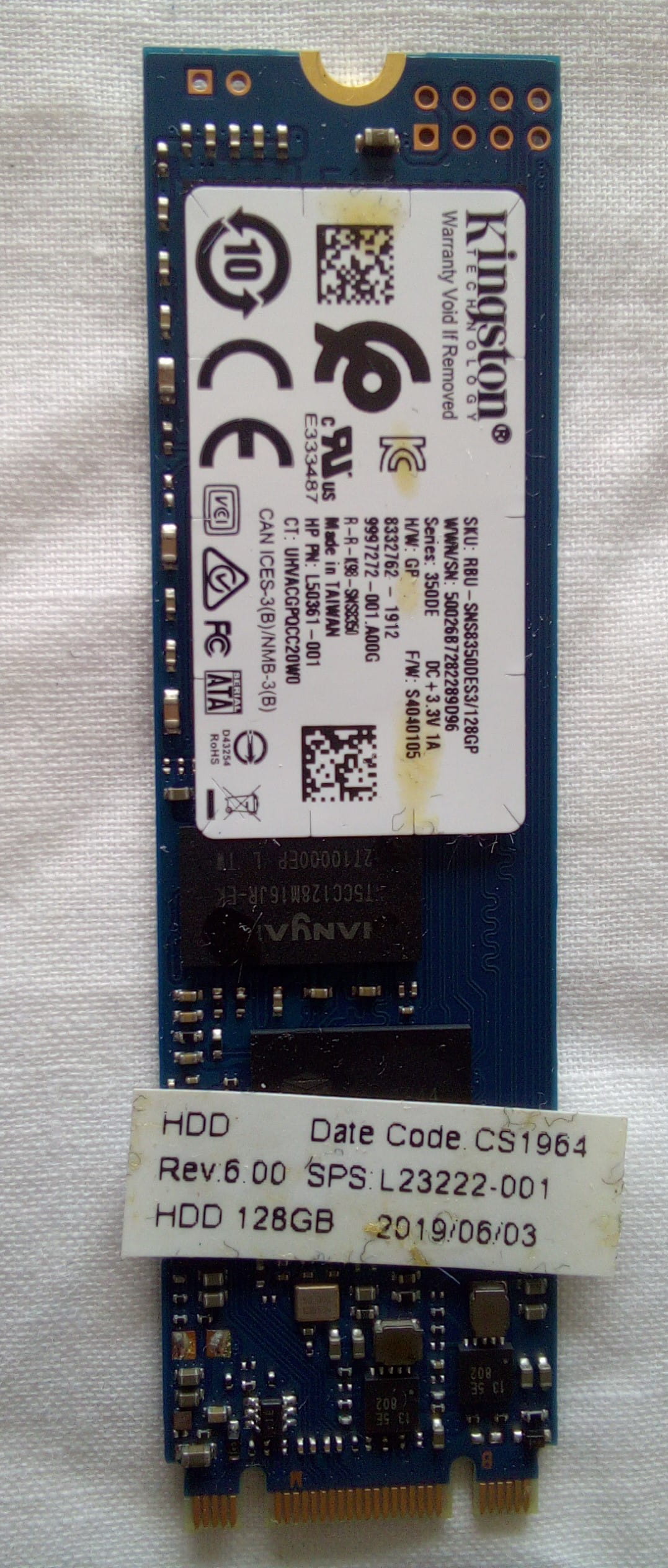
This PC can have either a hard drive or an M2 SSD (which is a card). Do you have any idea what it has? What storage size?
An example of disk removal: https://www.youtube.com/watch?v=cq_1Gw4-G6A&ucbcb=1
And for the M2 SSD: https://www.youtube.com/watch?v=9ztSxwKCCqk&ucbcb=1
-
-
Yes, the M2 SSD card is in the disk slot, whereas in the video, it was above the battery (but the PC had both a disk and an M2 SSD).
The inside is in a bad state; for a PC less than 2 years old, it's strange. I've opened laptops that are 10/15 years old, and yes, there could be dust, but they were much cleaner.
Has there been a problem with the PC? Water? Because normally the components don’t leak, but on the board, it looks like there are grease stains and what appear to be fiber filaments. We can only hope that the electronics on the board are not damaged.
To use this card, you need an adapter, or a case, for M2 SSD with M+B Keys connector (there are 2 notches on the card’s connector).
(you should also measure the card; it should be 22 mm by 80 mm)
https://www.amazon.fr/Adaptateur-Soutenir-boîtier-Aluminium-Adapter/dp/B08ZNDCXFR/
https://www.amazon.fr/dp/B08DNR22Q7/