
Wrong keystrokes
SolvedHello,
I have had an Acer Predator Neo 18 AI for 3 days and some keys on my keyboard do not correspond. I already set the language to "French Belgium" at installation. It’s the keys with the numbers and the symbols just below, like the at sign, the square, that don’t correspond. Others do. Additionally, and what annoys me the most, are the volume control keys which also do not work correctly. So, is it me who chose the wrong language or is the keyboard incompatible?
Otherwise, how can I fix the keys please?
Thanks for your replies :-)
6 answers
-
Moderator
Hello,
You should give us an image of the keyboard, because we are more accustomed to AZERTY France/French.
-
hi there pee ^^
hope this photo will do the trick:
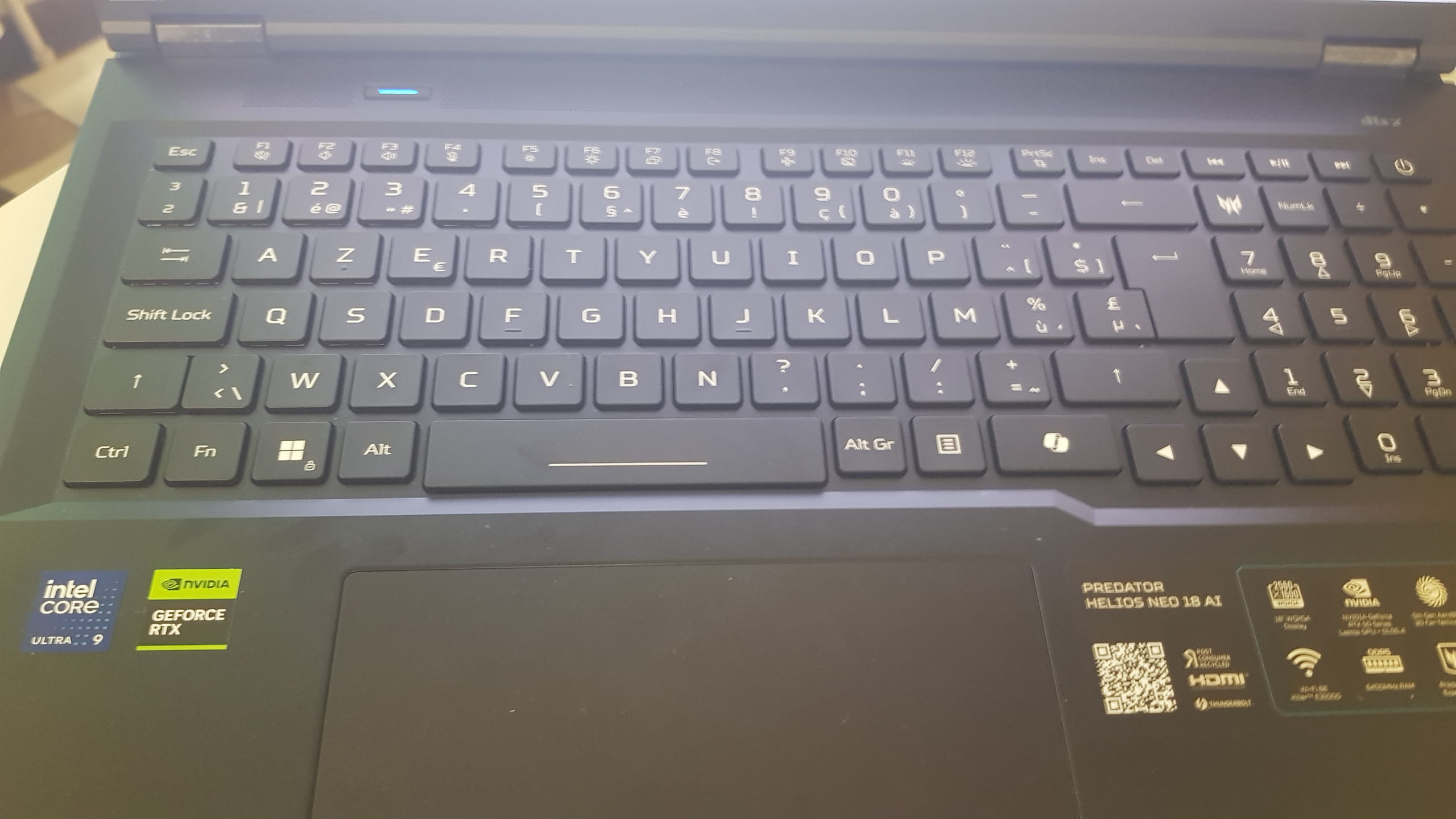
-
Hello,
Which key is the "square"?
On the special function keys F (sound and the like) I don’t know, they’re always tied to a driver or software where they are operative or not otherwise they have no default action.
The keyboard is indeed Belgian AZERTY, we don’t get for example the at-sign with AltGr-2 as you do on a French keyboard with AltGr-0?
-
-
Moderator
It’s a Belgian AZERTY keyboard:
To configure a Belgian AZERTY keyboard in Windows, go to Windows Settings, select Time & language, then add the French (Belgium) keyboard layout. Is that what you did?
-
yes I P C is indeed what I did and when I click on "add a language", I have French Belgium greyed out... I’m giving you two screenshots:
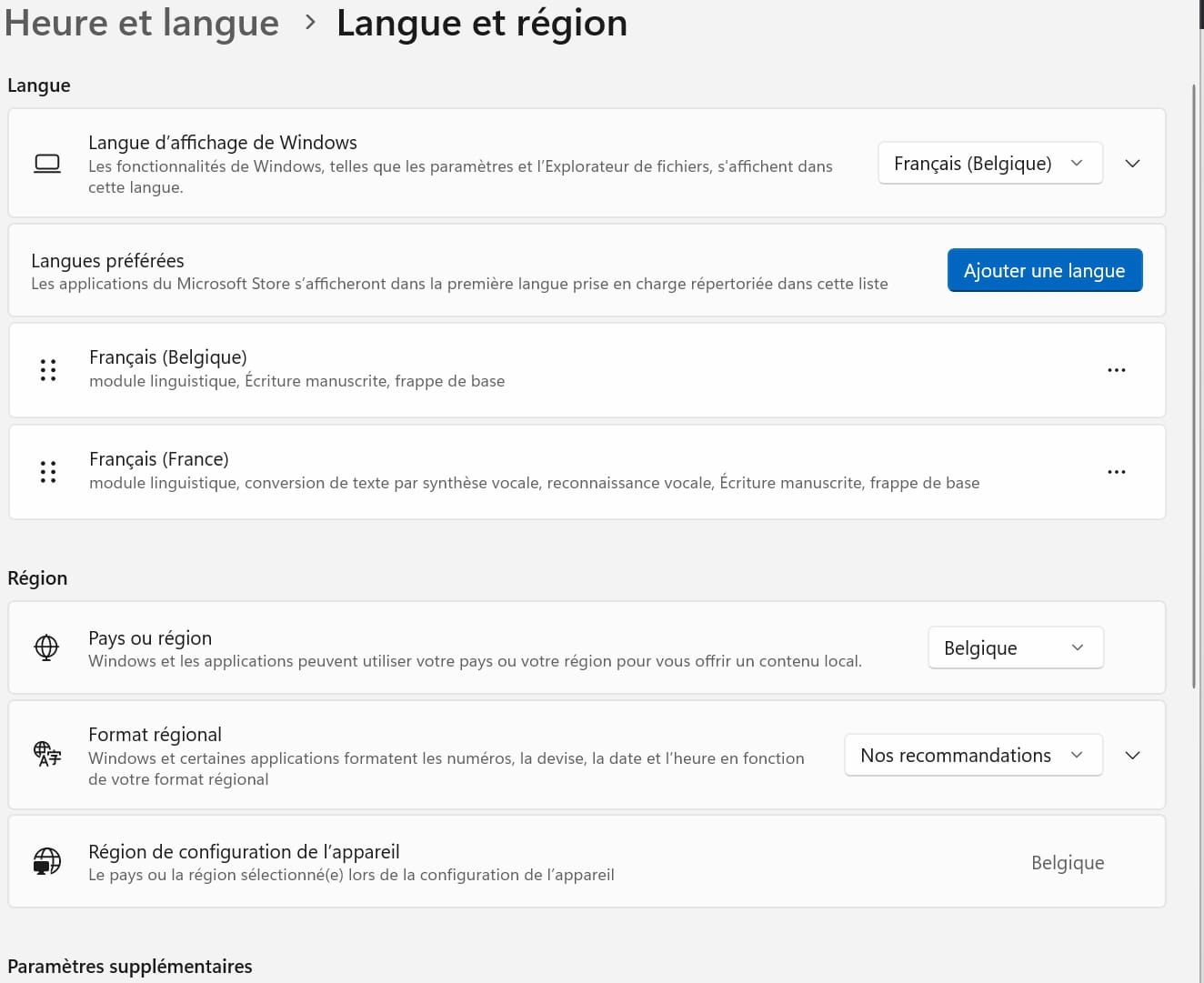
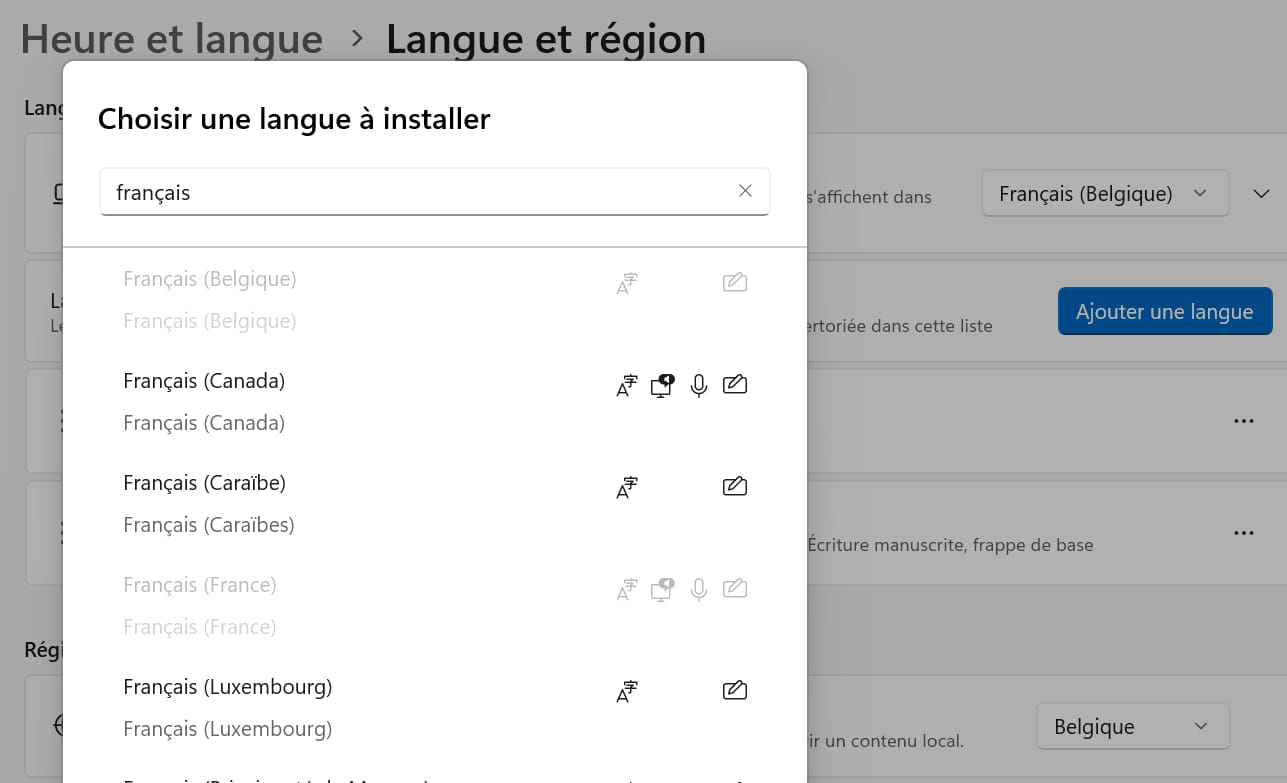
I don’t understand... I’m typing AltGr correctly and the at symbol or others and it doesn’t work?
don’t you think it’s a driver for the screen to download?
-
@brucine
Indeed, I did have the at symbol when pressing altgr-0, but on my keyboard the key with the at symbol is below the 2 key... ???
-
Well, I’ve tested a bit of everything and the only parameter that works is “French (Belgium) Belgian Comma,” and with that all my keys work again
and for the volume I have to press Fn-F2
by the way, isn’t there a way to have the volume keys on just a single key, the same one?
