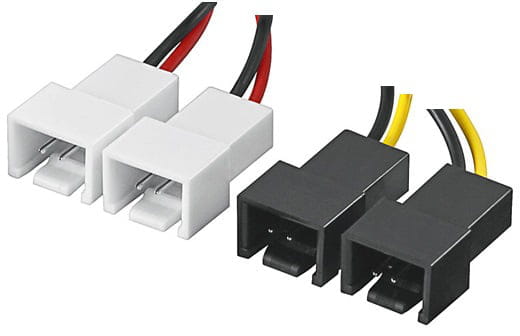
Connect small transformer to fan
CyrilReboul
Posted messages
19
Registration date
Status
Member
Last intervention
-
fmq Posted messages 4899 Registration date Status Contributor Last intervention -
fmq Posted messages 4899 Registration date Status Contributor Last intervention -
Hello,
I have a pebble in my shoe and it's starting to get tiring :-)
I need to connect a small AC/DC transformer 12 V to a 12 V computer fan as well.
The transformer provides 3 A and the fan draws 0.17, so there should be no issue; it should work.
But ... :-)
So far, it doesn't seem too bad except when it comes to connecting the wires.
When stripping the wire of the transformer, it's not straightforward because it's a jack plug: There's a coated wire inside a stripped wire, and no ground wire. In other words, 2 wires: one coated and the other not, which is wrapped around the first one.
For the transformer wire, there are 4 strands: one black, one yellow, one green, one blue.
I test each of the wires on all possible connections to the transformer wires and there's no movement.
Of course, I checked if the current is coming out of the transformer ;-)
Any ideas on the solution?
Thanks
Configuration: Windows / Opera Next 56.0.3051.116
I have a pebble in my shoe and it's starting to get tiring :-)
I need to connect a small AC/DC transformer 12 V to a 12 V computer fan as well.
The transformer provides 3 A and the fan draws 0.17, so there should be no issue; it should work.
But ... :-)
So far, it doesn't seem too bad except when it comes to connecting the wires.
When stripping the wire of the transformer, it's not straightforward because it's a jack plug: There's a coated wire inside a stripped wire, and no ground wire. In other words, 2 wires: one coated and the other not, which is wrapped around the first one.
For the transformer wire, there are 4 strands: one black, one yellow, one green, one blue.
I test each of the wires on all possible connections to the transformer wires and there's no movement.
Of course, I checked if the current is coming out of the transformer ;-)
Any ideas on the solution?
Thanks
Configuration: Windows / Opera Next 56.0.3051.116
6 answers
-
evening
same conclusion

cia ciao
--
it's a good day to live today!-
-
Okay. Thanks.
It doesn’t work and it doesn’t smoke ;-)
A tech friend in IT explained to me that it’s probably because this kind of 4-wire connection needs to be plugged directly into the motherboard since these are fans dedicated to its cooling and it's the motherboard that should manage the power supply. I find it a bit hard to swallow, but that's the only explanation I have.
... -
Intel CPU processors manage a square signal for rotation speed

it's the variation of t that affects the rotation speed
t short = low rotation speed
t long = high rotation speed
and t is always less than T ; about 80% max for high speed ; and about 20% min for low speed
for you, you would need a chassis fan or an AMD fan or a separately purchased heatsink fan ; which manage a voltage level between +5 volts and +12 volts
-



 Hello FMQ,