Power on and use a desktop computer without Microsoft
NonoM45 Posted messages 1050 Registration date Status Member Last intervention -
Hello,
I’m not sure I’m posting in the right forum.
I have a slim desktop PC. I’m running Windows 10.
When I turn on my computer, it automatically logs into my Microsoft account. Unfortunately the password via my mobile number never works. I never receive text messages. Only the local password works. It’s not the password for my Microsoft account.
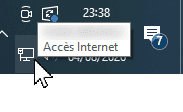
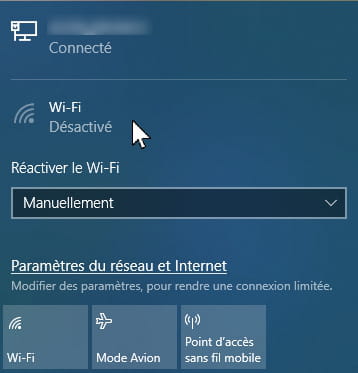
That is to say I can only access my folders and files if my computer is plugged into the Livebox via Ethernet cable. My PC does not connect via wifi password.
I would like to access my folders and files on the computer without needing to connect to Microsoft. How can I remove the Microsoft side while keeping internet via Livebox?
I’ve read several things about this but I’m a bit afraid to experiment because I’ve read several frightening news such as if I unplug the Ethernet cable, my PC will never turn on again or my folders or files will be inaccessible when I want to connect with Microsoft with internet.
For members registered on these forums, how did you manage to turn on the desktop and recover all your work, the folders and files on the computer without needing Microsoft?
2 answers
-
Hello @chateaudeau StatusMember
Normally, nothing could be easier
To disconnect your Windows 10 PC from your Microsoft account and switch to a local account:
- Right-click on the Windows icon in the taskbar -> left-click on Settings
- Click on Accounts,
- Then choose Your info
- Click on Sign in with a local account insteadThere you go
Best regards
-
@NonoM45 StatusMember
Hello, thanks for this first response.
Okay, I will test your method for logging in with a local account. I’m scared but I’ve never done that........
I already took the central unit of my slim PC to my computer repair shop and I asked him to look to see if there was a wifi card or key. Alas, to my great regret, he said: no wifi card or dongle. My motherboard is a mini ATX.
So I think I don’t have wifi inside the PC. Anyway, my computer repair guy told me that my ethernet connection was good and better.
How to check in my Windows configuration whether I indeed have a wifi card or dongle inside my PC... because the external USB ports of my CPU are deactivated or gradually reduced one after another, so soon I won’t have a valid external USB input (in working condition).
Thank you.