Encender y usar un ordenador de escritorio sin Microsoft
Hello,
I’m not sure I’m posting in the right forum.
I have a slim desktop PC. I’m on Windows 10.
When I turn on my computer, it automatically logs into my Microsoft account. Unfortunately, the password via the mobile phone number doesn’t work at all. I never receive text messages. Only the local password works. This is not the password for my Microsoft account.
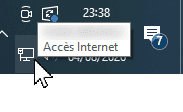
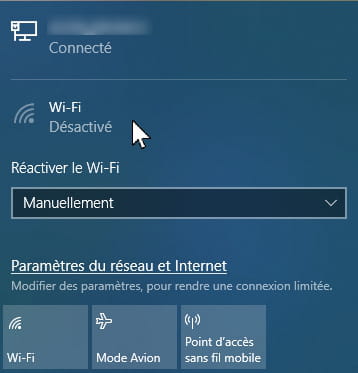
That is to say, I can only access my folders and files if my computer is connected to the Livebox via Ethernet cable. My PC does not connect via the wifi code.
I would like to access my computer’s folders and files without needing to connect to Microsoft. How to remove the Microsoft side while keeping Livebox internet?
I’ve read several things about this, but I’m a bit afraid to experiment with methods because I’ve read several scary news items such as if I unplug the Ethernet cable, my PC will never turn on again or my folders or files will be inaccessible when I try to connect with Microsoft with internet.
For members registered in these forums, how did you manage to boot the desktop and recover all your work, the folders and files on the computer without needing Microsoft?
- La computadora Omen no enciende.
- Problema con la tarjeta gráfica AMD RX 7600 no utilizada durante los juegos.
- ordenador bloqueado en página donde está escrito en inglés
- Hola, mi PC de escritorio Acer Aspire XC 780 no se enciende.
- el ordenador no enciende
- PC de escritorio que tarda más de 30 minutos en arrancar
2 respuestas
-
Hola
Normalmente, nada más simple
Para desconectar tu PC con Windows 10 de tu cuenta de Microsoft y pasar a una cuenta local:
- Haz clic derecho en el icono de Windows en la barra de tareas -> haz clic izquierdo en Configuración
- Haz clic en Cuentas,
- Luego elige Tus datos
- Haz clic en Conectarte a una cuenta local en su lugarListo
Sin embargo, cuando dices "Mi PC no toma conexión con la clave wifi" ¿tienes realmente una tarjeta wifi instalada en tu PC?
Si es así, ¿cuál es el mensaje cuando introduces tu contraseña y la validas?
Nos vemos
-
Hola, gracias por esta primera respuesta.
De acuerdo, probaré su método para conectarse en cuenta local. Tengo miedo pero nunca lo he hecho........
Ya llevé la unidad central de mi PC slim a mi técnico reparador informático y le pedí que mirara para ver si había una tarjeta o una clave wifi. Lamentablemente, para mi gran pesar, él dijo: no hay tarjeta ni clave wifi. Mi placa base es una mini ATX.
Entonces pienso que no tengo wifi dentro del PC. De todas formas mi técnico informático me dijo que mi conexión por cable Ethernet era buena y mejor.
¿Cómo verificar en mi configuración de Windows si tengo o no una tarjeta o clave wifi dentro de mi PC... ya que las entradas USB externas de mi unidad central están desactivadas o reducidas, una tras otra, por lo que pronto ya no tendré entradas USB externas válidas (en buen estado de funcionamiento).
Gracias.