Wi-Fi issues
Solvedkaneagle Posted messages 86298 Registration date Status Moderator Last intervention -
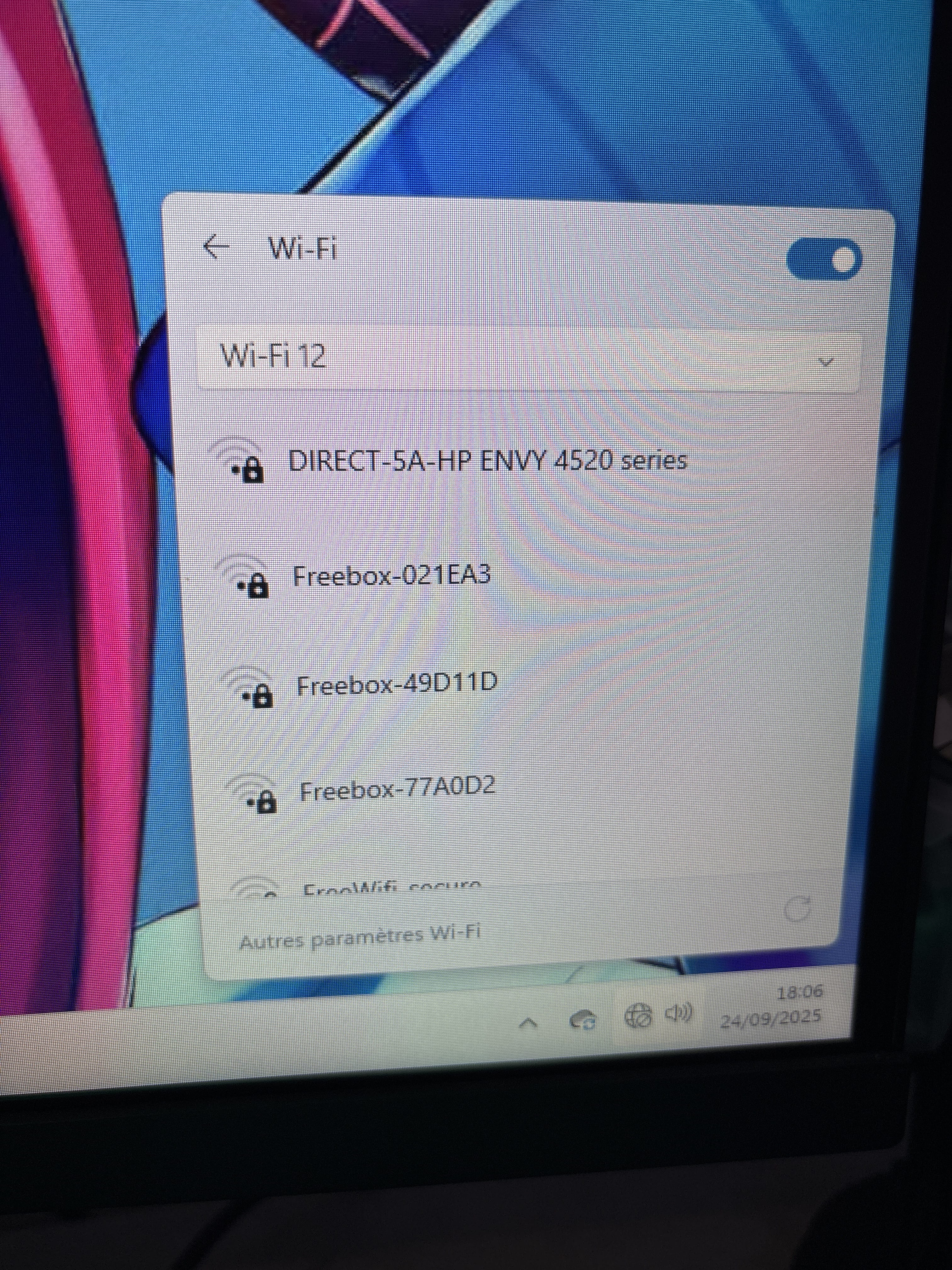
Hello, I use a wifi dongle to connect to my pc and it was working very well until now, but now my pc no longer wants to connect to my wifi and it has a very poor signal even though it works fine.
I am connected to it with other devices, I have tried everything I found regarding updates or anything else, I have tried everything, so for the moment I have connected an ethernet cable from the box to the computer but I don't know what else I can do?
My last solution is to change my wifi card in the tower?
22 answers
- 1
- 2
-
Hello,
Windows + R
Type --> devmgmt.msc and OK.
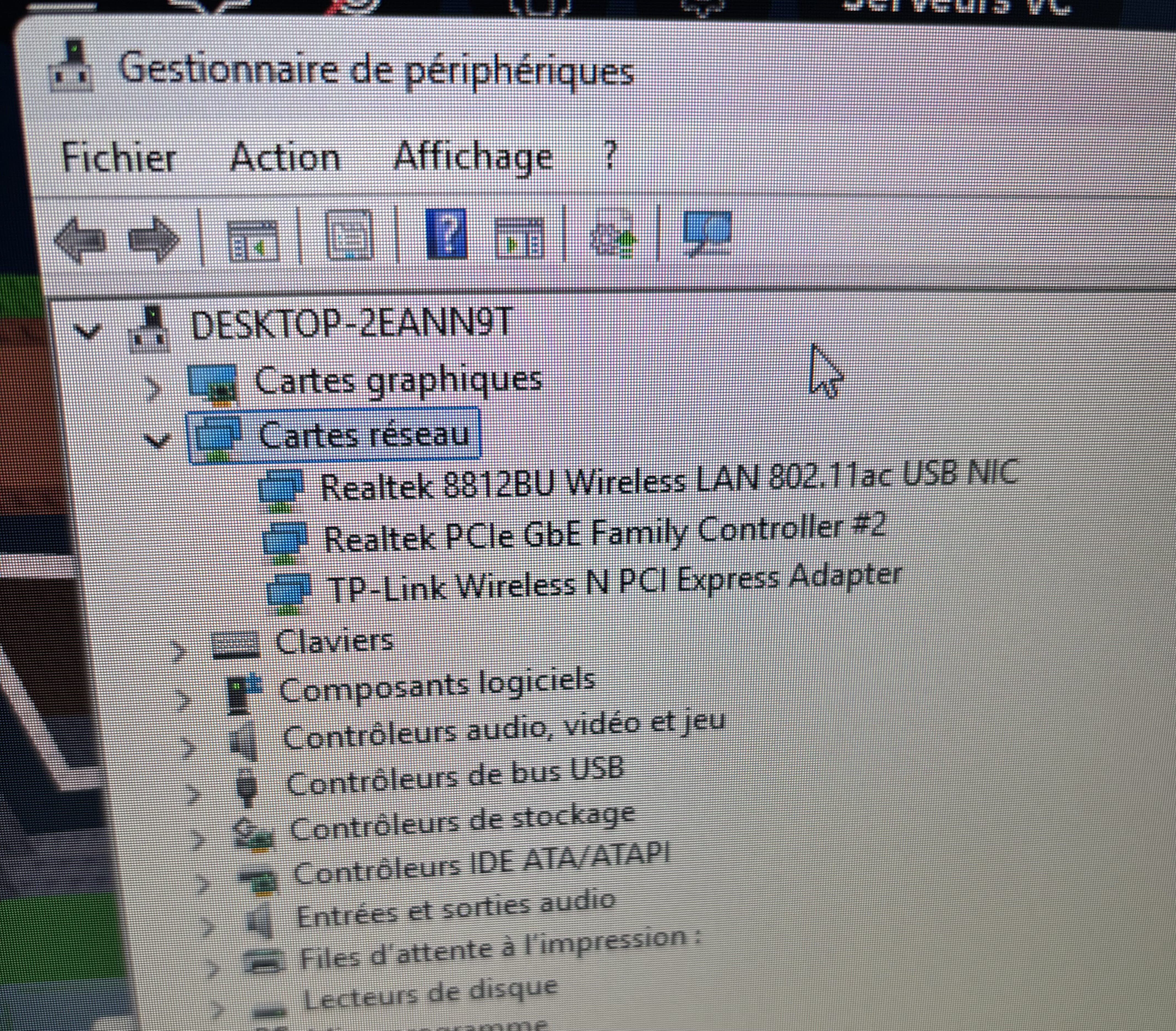
What do you have in network adapters?
Example image: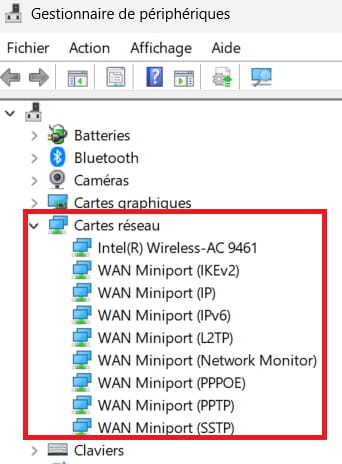
-
I can't send the photo, now that I've plugged in the cable I have three networks but otherwise I have the same thing as you, and I tried disconnecting my network and restarting my PC, it didn't change anything.
-
Look at this --> Insert an image in a message
-
-
The TP-Link wireless is not working?
The problem is indeed with the Realtek 8812BU?
-
-
Right-click on the Realtek wireless card
Uninstall
Click on --> Action
Scan for hardware changes
Windows will reinstall the Realtek wireless device.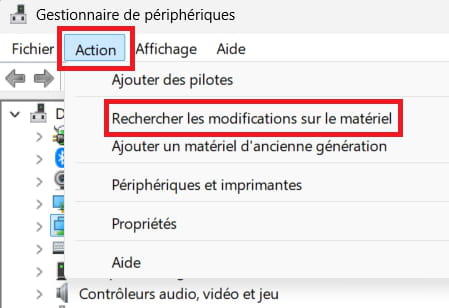
-----------------------------------------------------------------------------------------------------------
What does it give for the connection?
-
If the problem persists:
Right-click on the Realtek wireless card
Properties
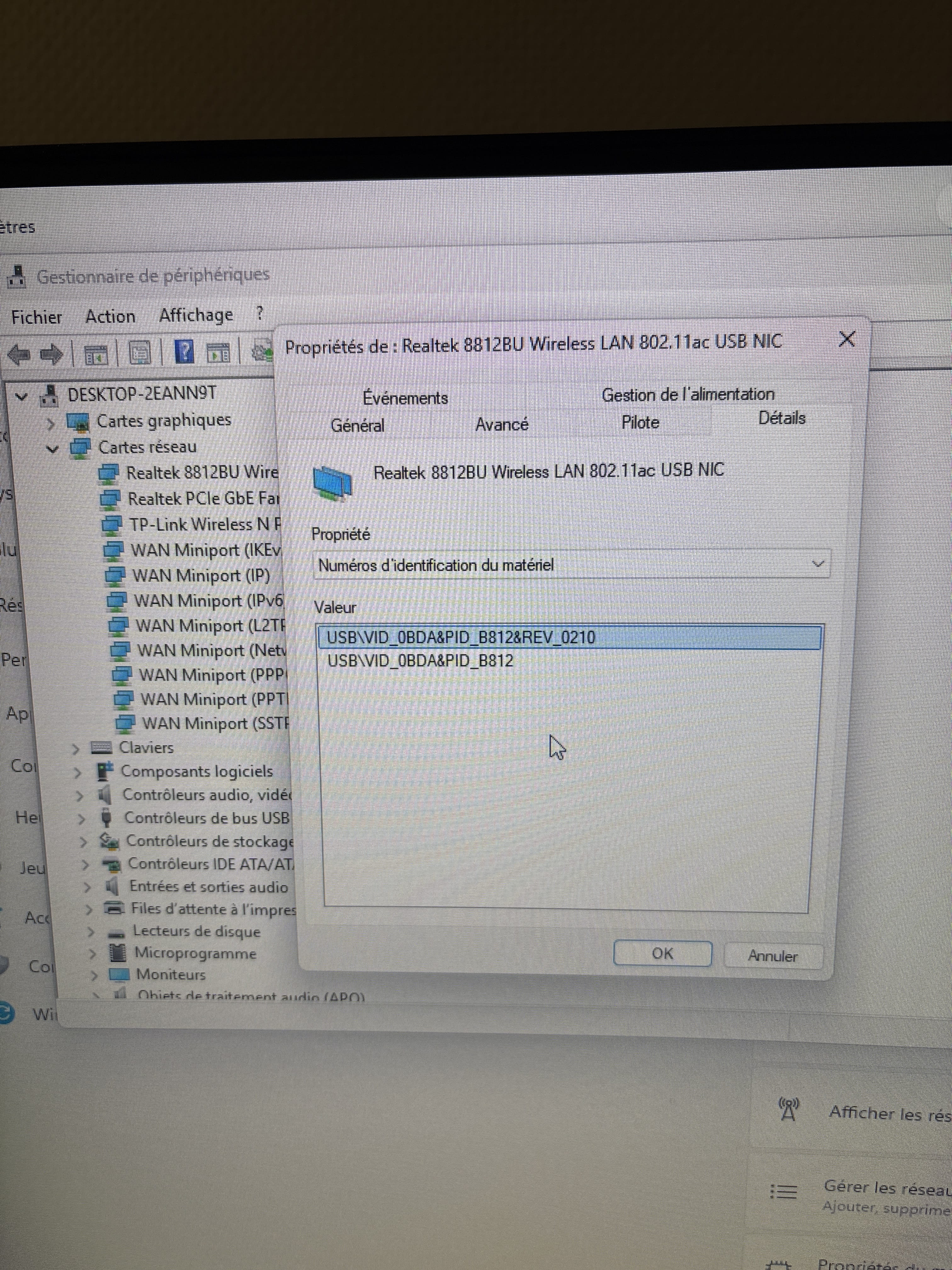
Details tab
In Property, select --> Hardware IDs
Post this number in your next message.
Example image: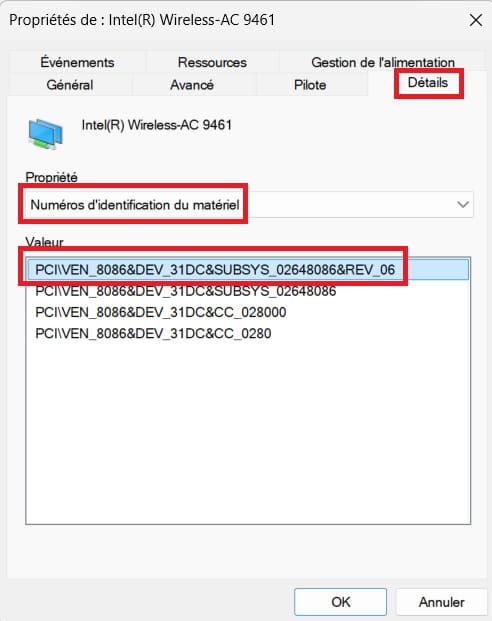
---------------------------------------------------------------------------------------------------------------
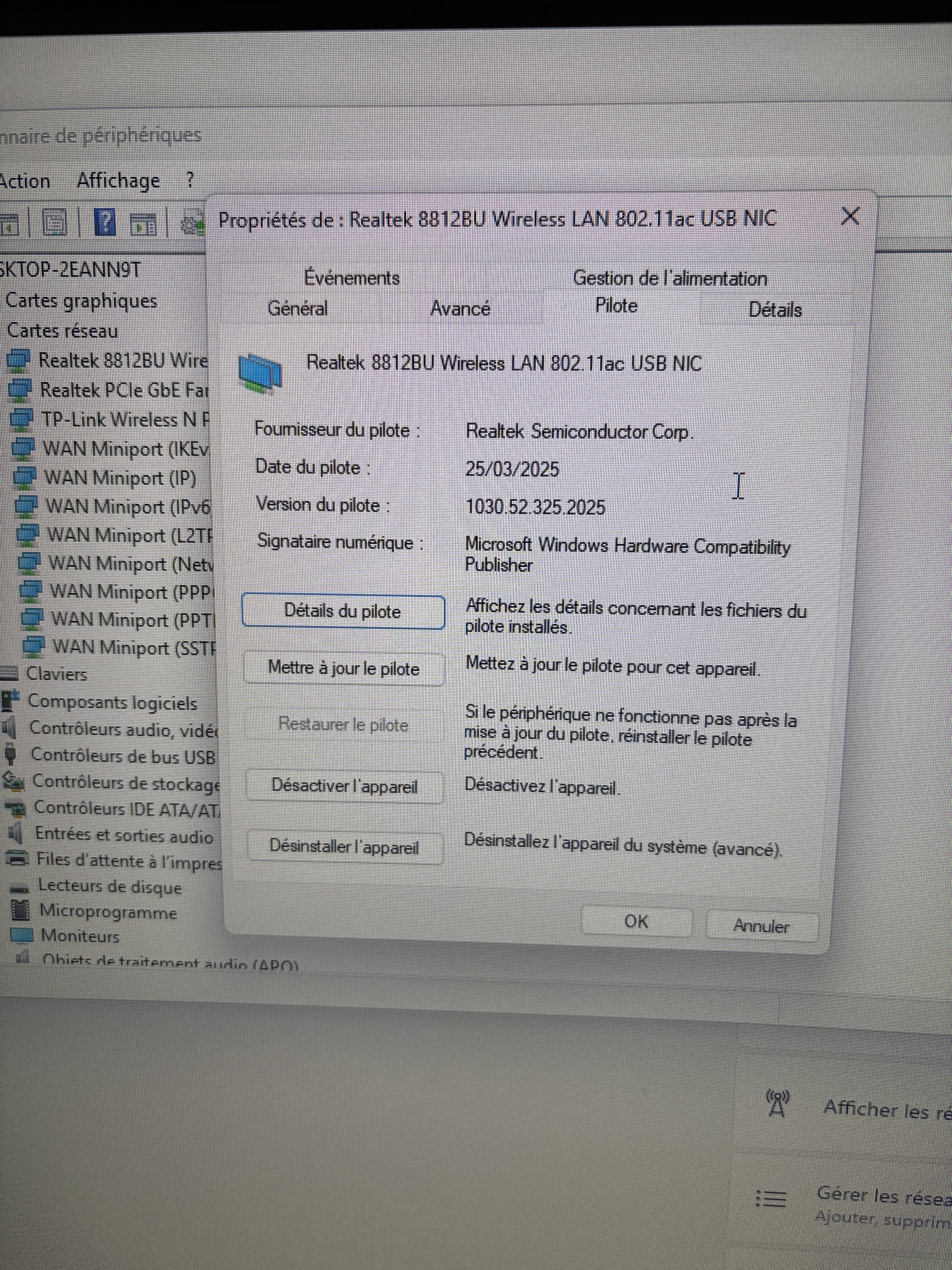
What are the current date and version of the driver?
Example image: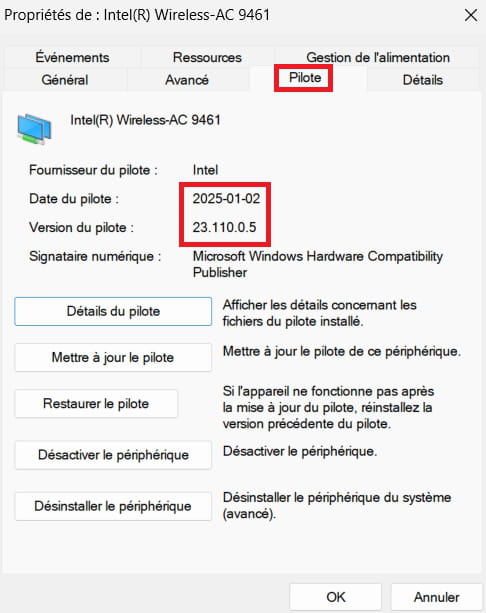
-
Download and install --> 7Zip 64 bit
Download this driver --> Realtek
Right-click on the driver --> 77c8e9d7-.....cab
Select --> 7Zip
Choose --> extract to "77c8e9d7-.....\"Go to Device Manager
Right-click on the Realtek 8812BU wireless card ....
Update driver
-->> Browse my computer for drivers <<–
-->> Choose from a list of drivers on my computer <<–
-->> Have Disk <<–
-->> Browse <<–
Go to the folder of the unzipped driver --> 77c8e9d7-.....
Select the file --> netrtwlanu.inf
OK
Next
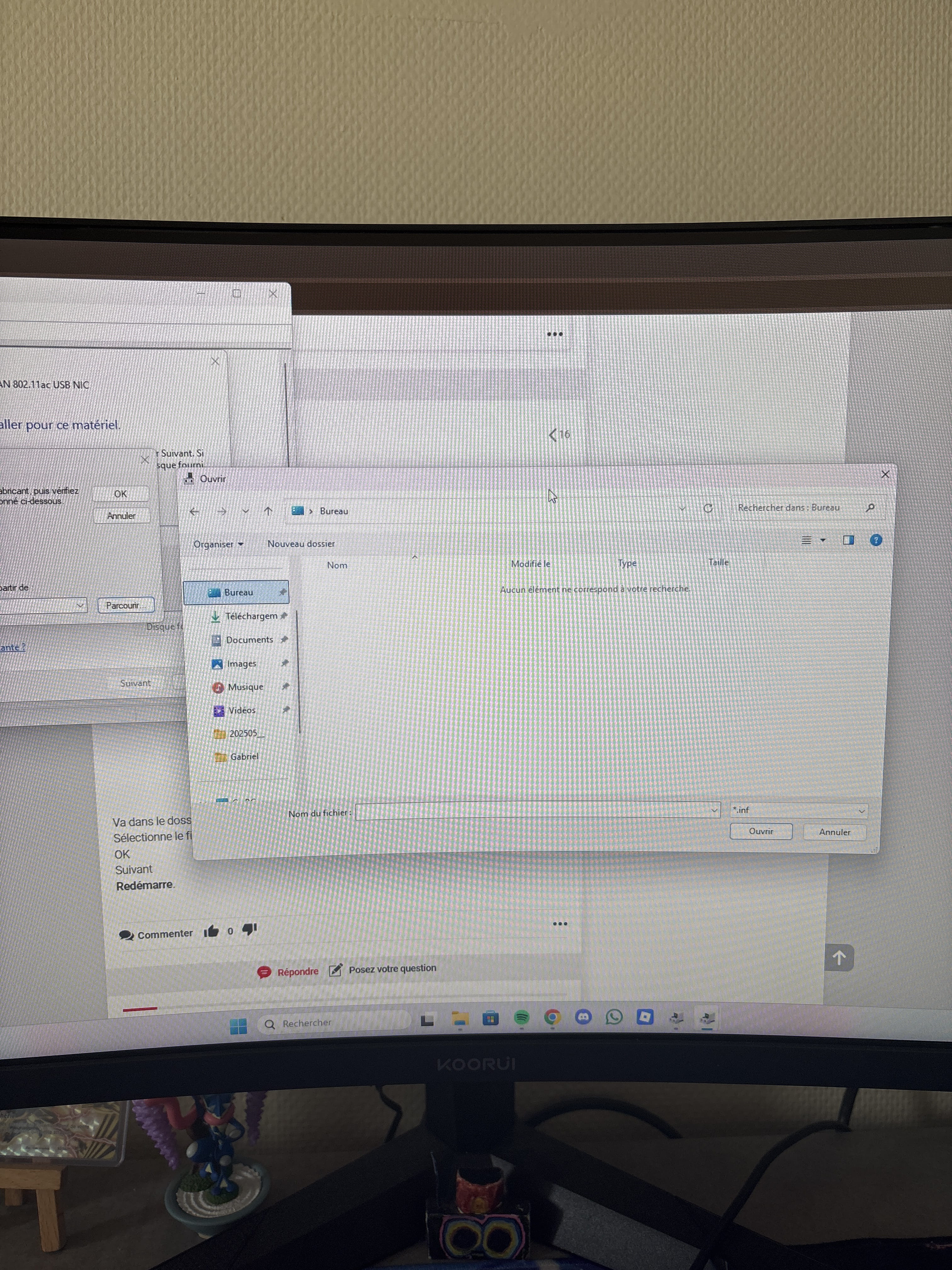
Restart.I downloaded it but I can't find it once I browse to select the file, there's almost nothing even.
Whereas when I open my documents next to it normally, I have everything.
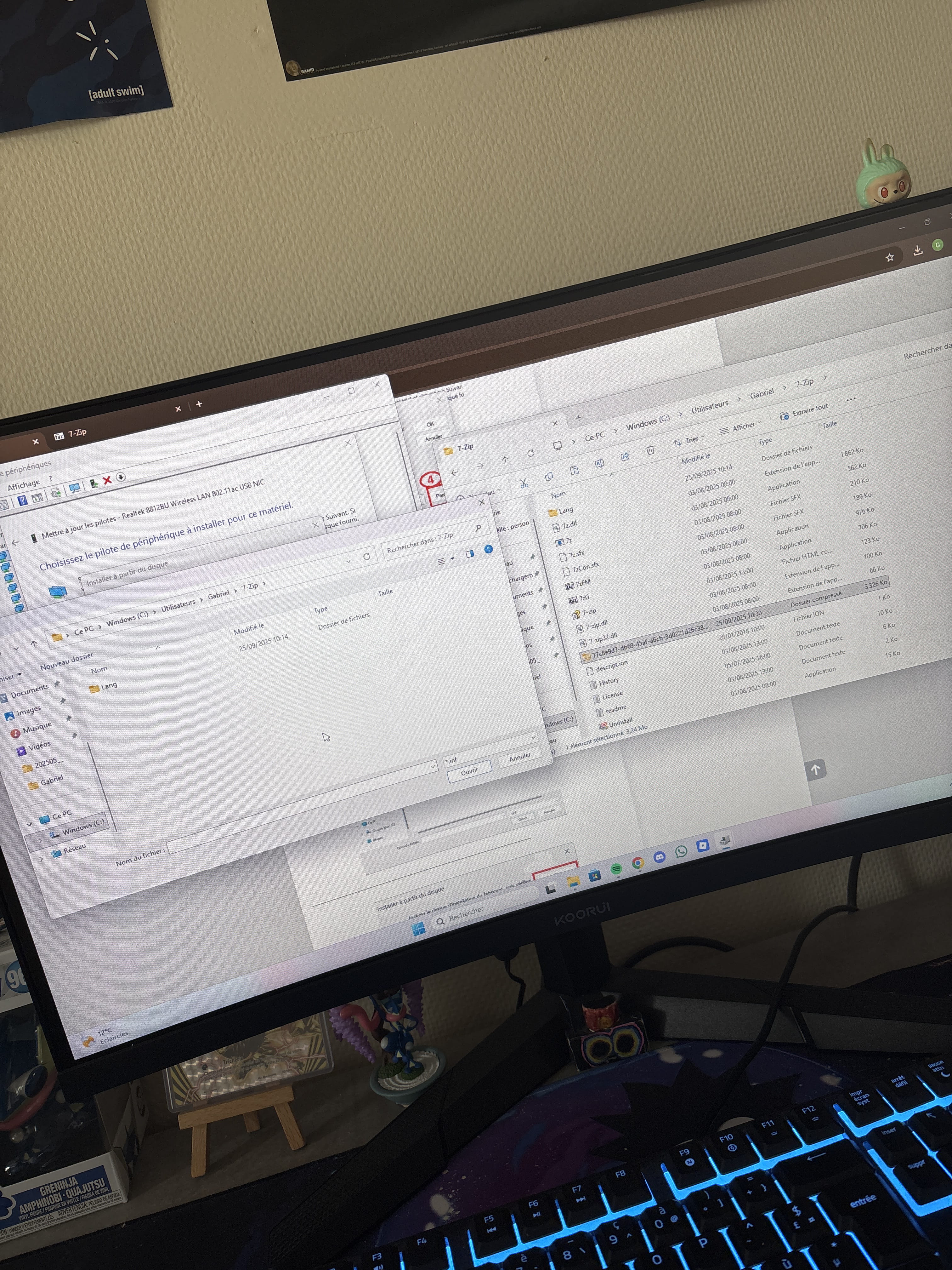
It's just impossible to find the file once I browse, it's in my folder on the right and I have what I need but on the left I can't find anything, I can't copy and paste or anything.
once I browse, I can't find my file, I barely have anything in the folders.
However, when I open my documents at the bottom left separately, I have everything I need...
thank you very much for your help by the way, it's really a hassle and I don't understand how the computer can't connect to the wifi like that when everything is working.
Put the unzipped driver folder on the desktop
Update the driver
-->> Browse my computer for drivers <<–
-->> Choose from a list of drivers on my computer <<–
-->> Provided disk <<–
-->> Browse <<–
Select --> Desktop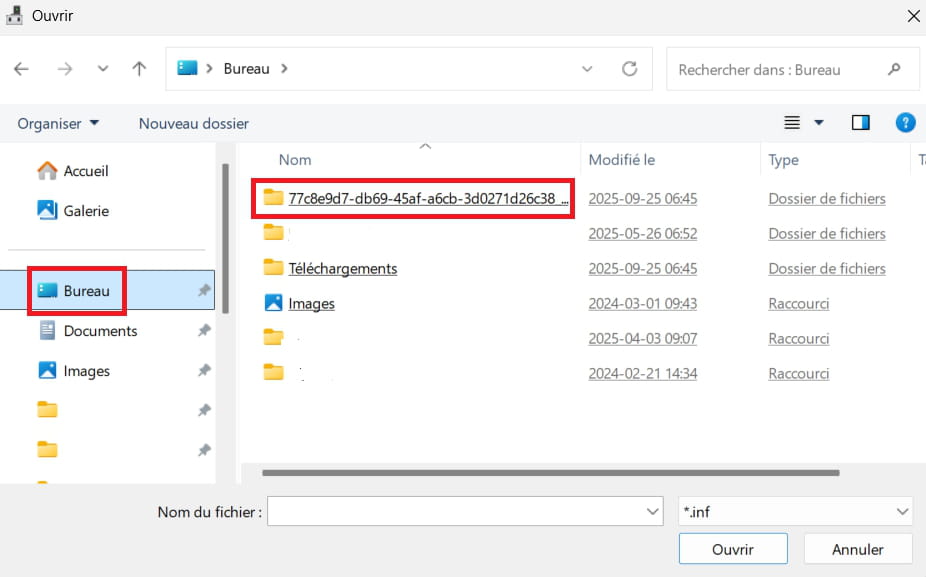
Go to the unzipped driver folder --> 77c8e9d7-.....
Select the file --> netrtwlanu.inf
OK
Next
Restart.-
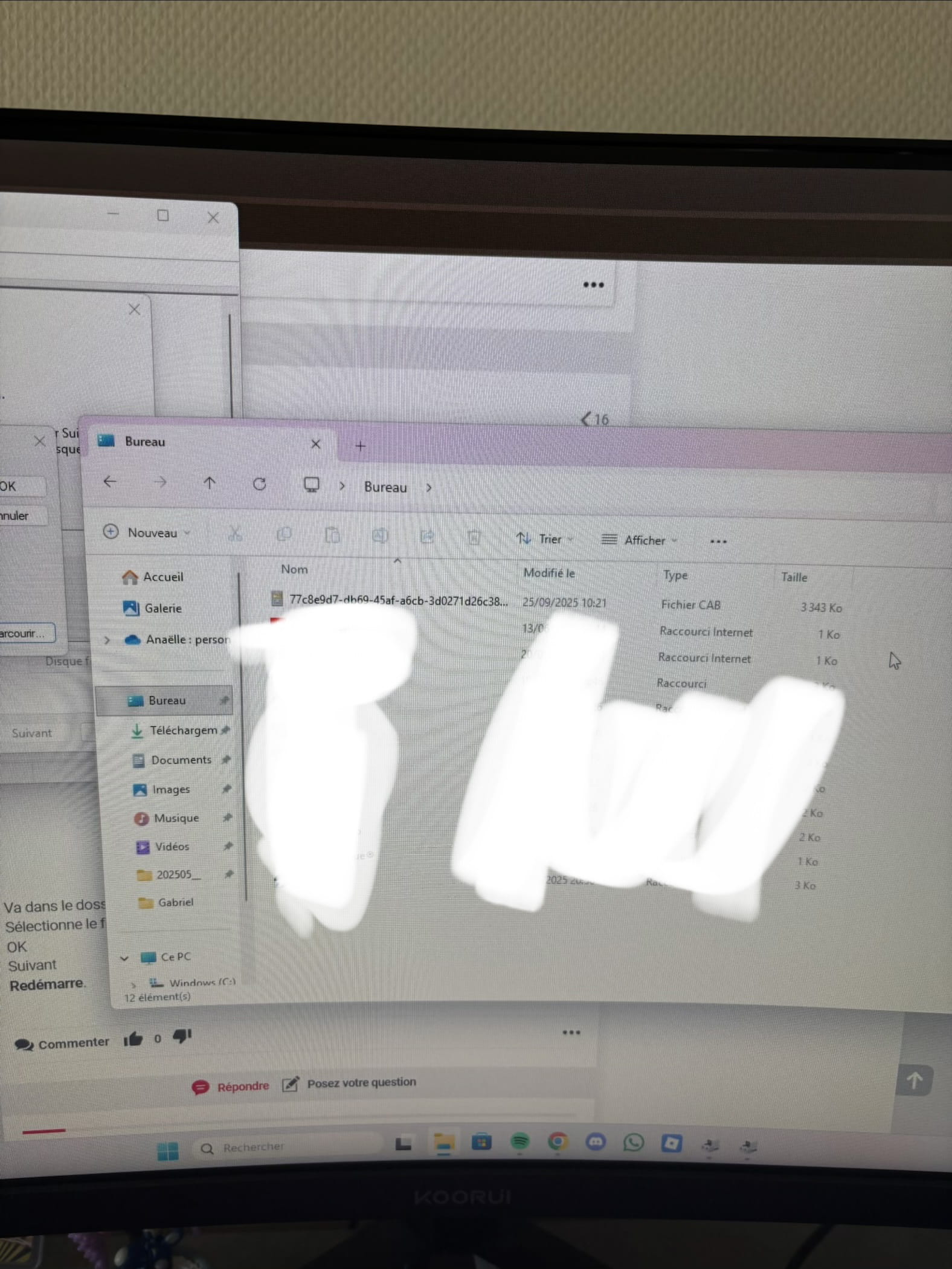
And this is my desk when I open my documents and there's everything
You need to unzip the driver found on the desktop
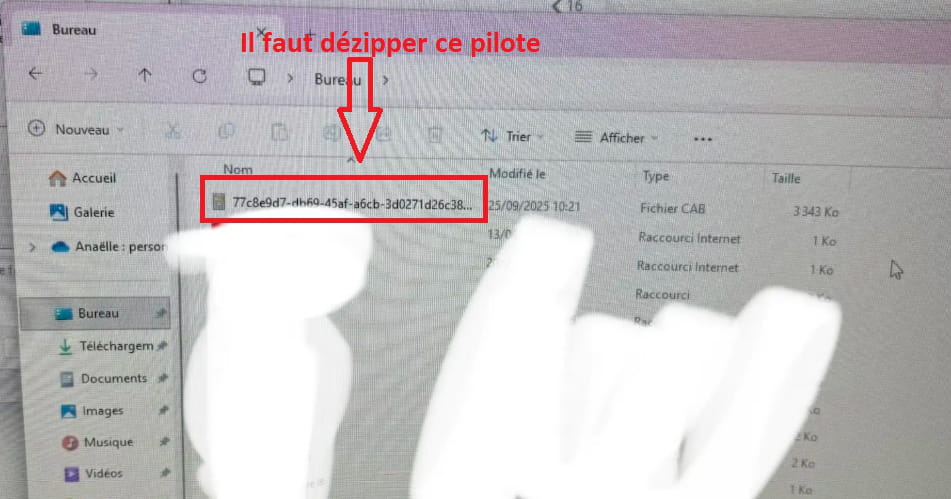
Right-click on the driver --> 77c8e9d7-......cab
Select --> 7Zip
Choose --> extract to "77c8e9d7-.....\"After that, install the driver manually as suggested.
I can't find the file once I manually install the driver, but as I told you, it's there in my folder when I look separately.
once I manually install the driverDid you manage to install the driver?
OK, so is that the date and the version of the driver that is installed?
2025-07-31
1030.52.0731.2025If so, does it work for accessing the web?
- 1
- 2
Next
-