Windows 11 25H2 update impossible
phk30 Posted messages 1035 Registration date Status Member Last intervention -
Hello, I’m returning to the forum after a long absence, I want to update my Asus laptop Windows 11, version 25H2, but there is not enough disk space. How can I use an SD card as drive D:? Thank you very much, see you soon.
7 answers
-
Hello,
If that doesn’t help, tell us more about your hard drive / SSDYou can start by deleting everything in the folder
C:\Windows\SoftwareDistribution\DownloadThen in the search area type Disk Cleanup and choose > C:
You will be able to select to clean the "system files", "Previous Windows installations" if present, as well as everything else.
Configure your Internet browser to download to a folder on D:\ if there is a D: partition or disk instead of your C:\Users\YourName\Downloads directory
You can store elsewhere on D:\ or on an external drive what is in your Personal subfolders of C:\Users\YourName\...
TreeSize Free can help you see what takes up the most space
Then clean with:
Wise Disk Cleaner
https://www.commentcamarche.net/telecharger/utilitaires/24193-wise-disk-cleaner/ATF-Cleaner
Then right-click on This PC > Properties > System Protection
Or press "Search" for systempropertiesprotection.exe
Choose C:\
Configure > Delete
Go back > Create
-
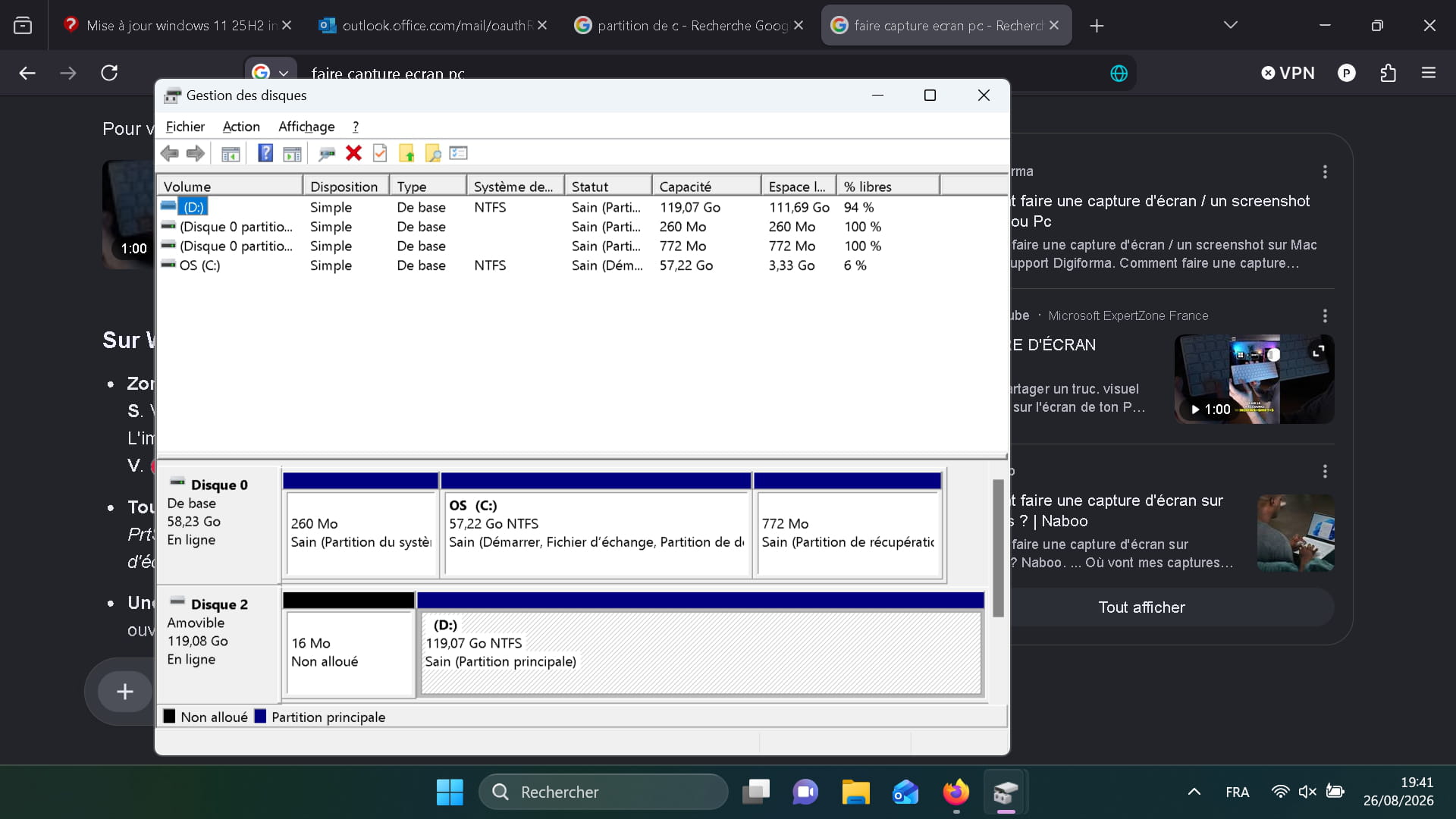
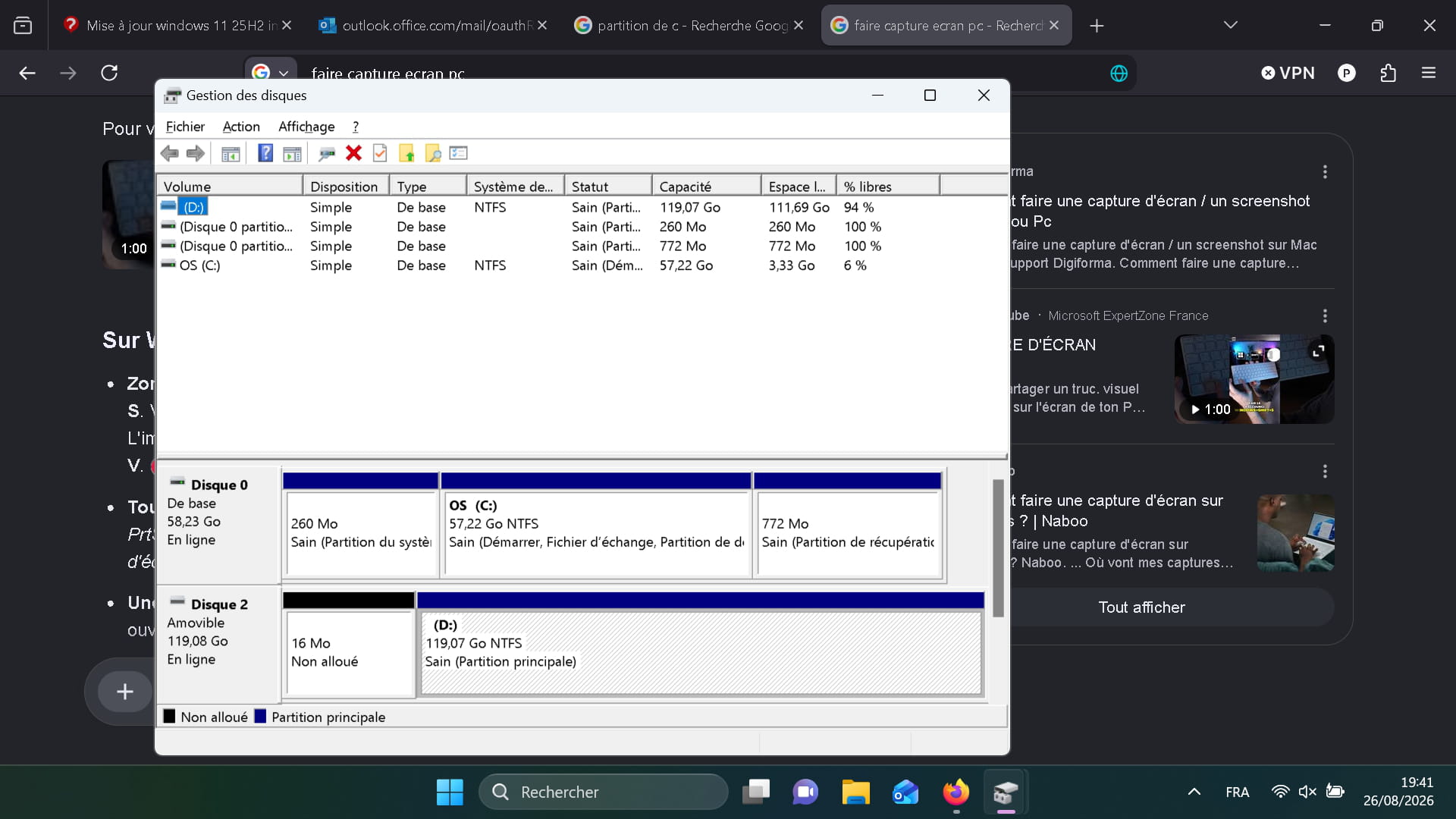
Thanking Fabul for the quick response, the processes are underway, then the reader D: is a 128 GB Sandisk microSD V30 A2, and the C: is 57 GB with 2.5 GB free and the D: is 119 GB with 111 GB free, thank you.
-
Also, run these two commands in Terminal (Admin)
dism.exe /online /Cleanup-Image /AnalyzeComponentStore
dism.exe /online /Cleanup-Image /StartComponentCleanup
-
But the Windows SSD must have at least 20 GB or more free to install.
Otherwise, reinstall from scratch
When you have the Windows ISO file, you can create a bootable USB drive with Rufus or Ventoy
In GPT mode for EFI (Secure Boot Support for Ventoy depending on how the BIOS is configured)
Start it using the PC's Boot Menu key
You can search on Google for "[Brand Model] Boot Menu Key"
Click (If offered): Previous version of the setup
Choose "Custom installation" (Not upgrade)
Delete all system partitions and create a new one (Deletes data). -
-
I’ll never reach 20GB, here are my partitions I think there are too many user accounts? I had a password issue. thank you
-
CrystalDiskInfo would inform us of the type of SSD (to see if it would be replaced by a larger one or not).
-
thanks, see you tomorrow