GMAIL asks for email address and password at every login...

sgccm Posted messages 100 Registration date Status Member Last intervention -
Hello,
I use FIREFOX to open GMAIL. Every time I open it, GMAIL asks me to sign in: email address and PW ... which is annoying. Otherwise, it works.
I had two-factor authentication [?] that I deleted. I cleared the cache and cookies in the FIREFOX settings. I refreshed Firefox: factory reset. I uninstalled and reinstalled it. I ran a full scan with Ccleaner and Malwarebytes... anyway, nothing changes.
It is not a problem with my GOOGLE account [?], because with CHROME > GMAIL ... no issues.
What to do?
Thanks for your help and advice.
Sergio
P.S. Sorry if I'm not in the right forum.
6 answers
-
Good evening,
See here.
https://forums.commentcamarche.net/forum/affich-38213589-comment-rester-conncter-a-youtube
In the settings of Firefox.
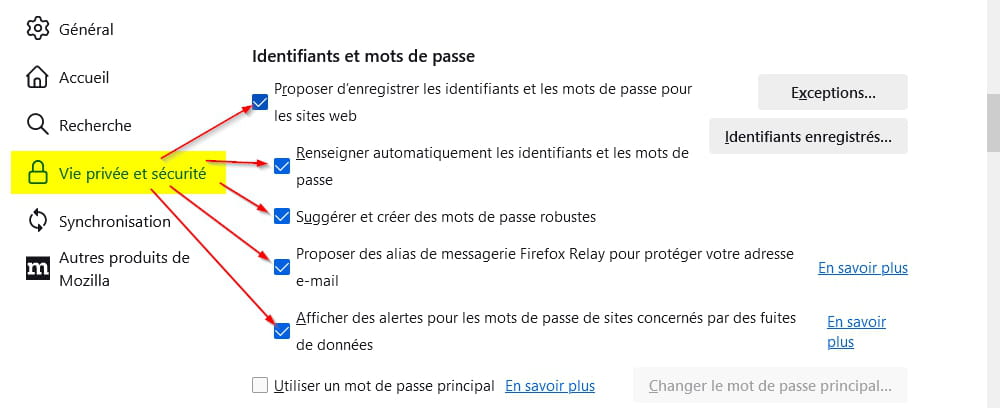

To access Firefox settings, copy this "about:preferences#privacy" (without the quotes…) and paste it into the address bar of Firefox at the top.
-
hello
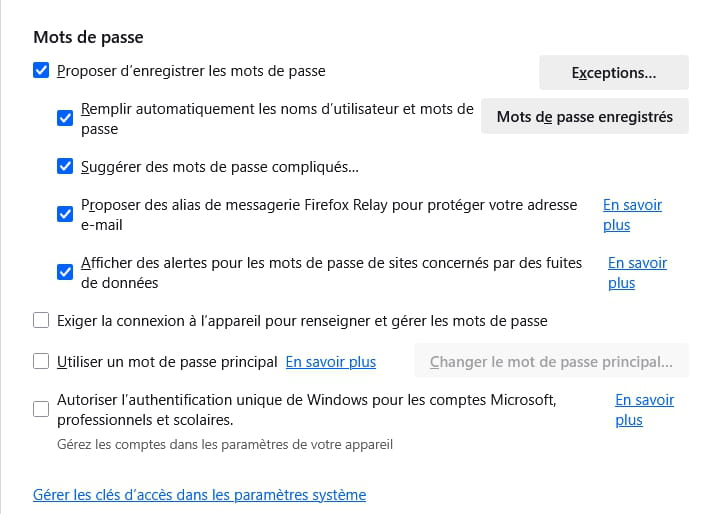
you need to accept the recording
-
Hello,
I assure you that in this specific case (which is also mine apart from Relay), it doesn’t change anything.
Perhaps indeed by not clearing the browsing history and cookies, otherwise there’s no solution as soon as you log out of your Google account (I typically never stay logged in to mine, except occasionally when I go check my Gmail account, which I hardly ever use).
-
-
">Cleaned the cache and cookies in FIREFOX settings.
>I have Firefox: factory reset.
>I uninstalled and reinstalled it.
>I did a full scan with Ccleaner"
"in this particular case",
with Firefox we will probably find ourselves logged out of Google as Brucine said with these 4 manipulations. So we need to combine a bit of everything that has been said by each: Brucine, mpmp10, and Redbart. [Not tested, I don't have a Google account to verify, there may still be some adjustments missing for certain software]
"if we stay permanently logged into our Google account, which Chrome naturally encourages automating." [That’s the key].
The simplest is to stick with Google Chrome since it already works, with the Google and Gmail accounts you have and what you want to do. (Of course, Google has favored those who have everything with them, especially Gmail: There's "code made by Google" everywhere... but Firefox existed before this "code made by Google then released" and was already doing things differently, which does not encourage staying connected to an account, particularly when the browser is closed, or the "usual cleanings" on Windows do not affect this connection on browsers coded by Google too, which is not the case with Firefox or Thunderbird for example, for this part!).
-
Hi, this tutorial indicates browser by browser the places where you could set the closure or reopening of a Gmail account upon opening the browser.
But I couldn't verify if it is still up to date.
https://fr.admininfo.info/c-mo-cerrar-sesi-n-gmail-al-cerrar-navegador-chrome
Hello,
Here, the opposite is desired, and the article states that the session stays active when you are logged into your Google account (Gmail or not) and have kept Cookies when closing the browser (and maybe as I mentioned earlier, the browsing history), back to square one knowing that these credentials will be systematically requested otherwise.
This is also the case if, like me, you use an extension like NoScript where Google scripts are only allowed temporarily based on need and expire after a certain time or when the browser is closed.
In these conditions, there is no need to mess with the Firefox profile where the opposite situation of maintaining is the default.
-
-
Hello
There is indeed a somewhat complicated tutorial, following a precise order: install Firefox as the default browser, create a Firefox account, set Gmail as the default, link Gmail to Firefox, and configure the account. There is an extension called Gmail Offline that allows you to use it without a network in case of internet outages to avoid being disconnected on a poor connection, etc.
Ultimately, Firefox will save the Google codes for Gmail for access to contacts and can automatically input them upon opening Firefox, while being linked to a Firefox account to secure the procedure remotely.
But they still say that if it still doesn't work, you should ask Gmail support to get it working "in Firefox," perhaps from their end?, or even use Google Chrome...
And we find the conditions for cookies, the manipulations, antivirus issues, Google account conflicts, updates of everything, and clean-ups that derail the "troubleshooting" that follows.
It doesn't really seem like a "default" maintenance since the beginning of the "basic installation" of Firefox in 3 clicks, maybe an old version of Firefox from back in the day on XP?
https://commentouvrir.com/conn/configurer-gmail-comme-e-mail-par-defaut-pour-firefox/
-
Eric, too complicated for me. I continue to open Gmail via Chrome.
That works for me. I just need to get used to Chrome... it will come.Thank you for your time and advice.
Sergio
-
Hello,
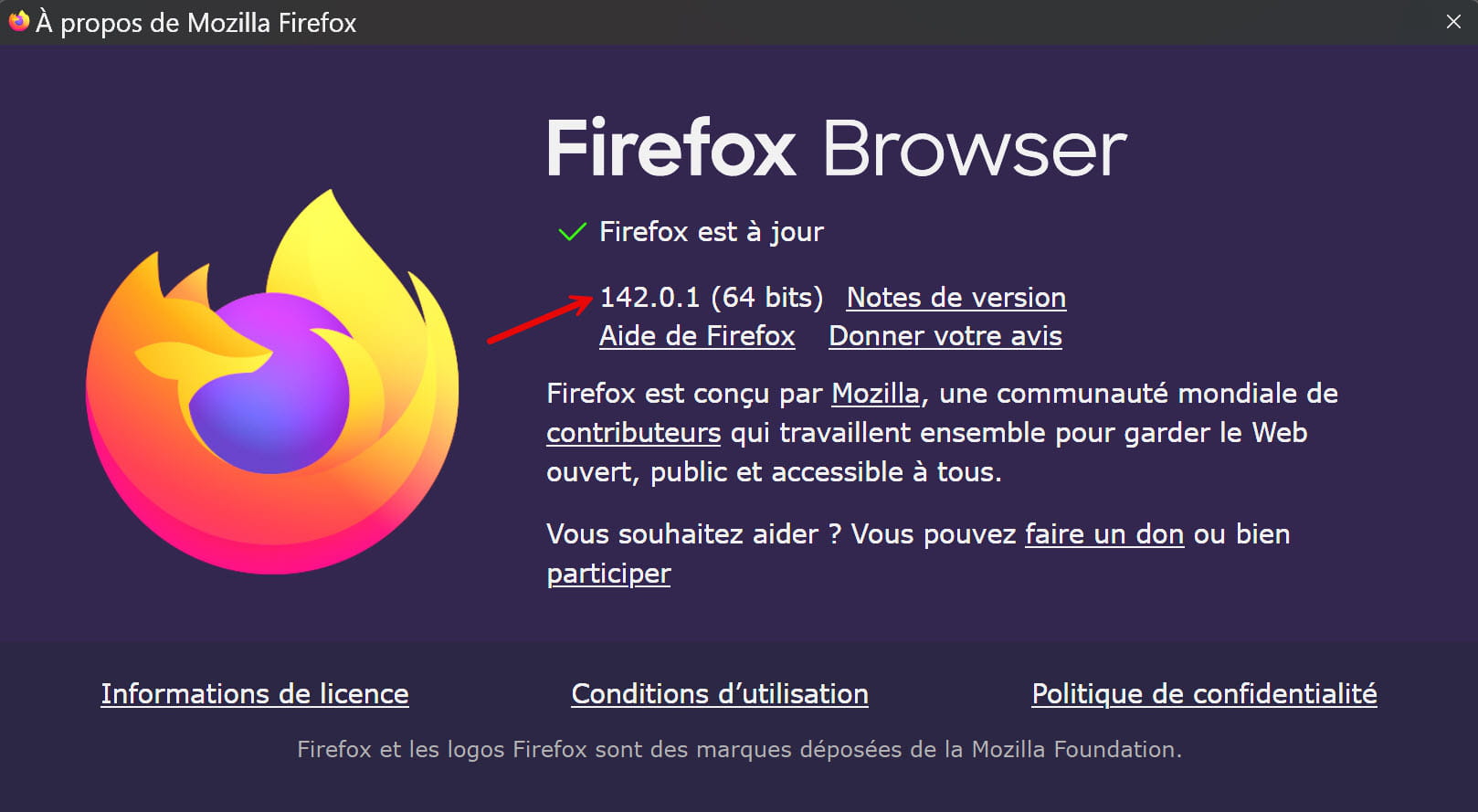
Reinstall Firefox. Its current version is this one...
-
Hello,
I don't see what the Firefox version has to do with this.
The behavior is due to the fact that the web link does not directly point to a site where you enter your username and password (which Firefox then asks whether to save or not), but rather to the Google accounts page that has its own login fields.
I've always had this in Firefox, unless, of course, you are permanently logged into your Google account, which is possible in Firefox but naturally favored by Chrome.
-