
Issues /writings and "situations" /MacBook Pro
RhinocerosEnergique10 Posted messages 7 Status Member -
Ladies and gentlemen, good evening,
Since I purchased my new MacBook Pro, I have struggled to resolve various issues that I encounter daily, which are very bothersome.
For example:
- inability to use the spacebar before clicking either command, alt, shift, leaving the input area, always at random,...
- when I right-click to open a link, it automatically scrolls back to the top of the page.
- When I want to reply to an email, I cannot place the cursor where I want, and therefore cannot write a message (I have to reply using my iPhone)!
Very often, blue frames appear around certain "structures," just like the logo of the shift key.
Please, doctors, can you help me?
Thank you very much for your attention!
Wishing you a pleasant evening,
6 answers
-
Let's assume that your new MacBook Pro is running Sequoia. At least some of the symptoms you're describing are likely related to the activation of accessibility features without your consent.
You should check the various settings by going to "System Settings" > "Accessibility". For example, in the "Keyboard", "Pointer Control", "Display",... sections.
Note: regarding the "Caps Lock key logo", you're probably referring to the indication that appears while typing if the "Caps Lock" key has been pressed:
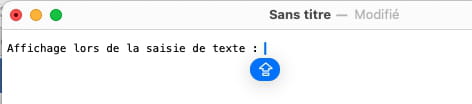
It's a reminder (which hides while typing) — which can be quite useful — and I don't believe it can be disabled.
Hello to you!
Bernard-
Dear Aliboron Martin, hello,
Thank you very much for your response!
I just took a look at the accessibility options, and I didn't see anything that could solve my problems (I may not have the expert eyes, unfortunately).
To answer you, the space bar was stuck at the beginning of the message, and I had to right-click and press the space bar several times before it worked. Moreover, what I'm writing is displayed in a blue box, I don't know why...
One of the other issues I've encountered: when I click the middle mouse button on a web navigation page to open the page in another tab, this first action always causes me to scroll back to the top of the page, without opening the desired page.
Yes, Sequoia version 15.6.1 :)
I know that I have not activated any features related to AI, if I remember correctly.
Once again, thank you very much for your invaluable help, wishing you a great day!
-
-
Yes, that’s exactly how the logo looks :) I was wondering if this was related to the fact that the space bar gets stuck, among other things. Thank you for this clarification! The problem is "lessening"!
-
Hello,
In addition to the very good information provided by Aliboron Martin, it would be helpful if you could specify whether this MacBook Pro was purchased new from Apple or second-hand, because if it's a used Mac, the previous owner may have configured it according to their own needs, which could explain your issues. A reset of the Mac might then be welcome.
And while we're at it, please also specify the version of MacOS installed on this Mac.
Ritchi
-
In the "System Settings" > "Accessibility" > "Keyboard", make sure that full keyboard access is disabled:
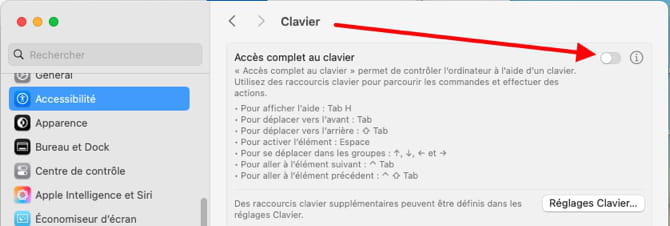
This should at least solve the blue box issue. Take the opportunity to check the keyboard settings (the button in the bottom right of the screenshot). I seem to remember that by default full keyboard access is activated by pressing the space bar five consecutive times or something like that...
Hello at your home!
Bernard -
Dear Aliboron Martin,
Thank you very much for this new feedback!
This full access was indeed disabled. I went into "keyboard settings" and couldn't find anything to modify, perhaps mistakenly...
Regarding my issues, every time I minimized the page to follow your recommendations, when I returned to this page it would always jump back to the top...
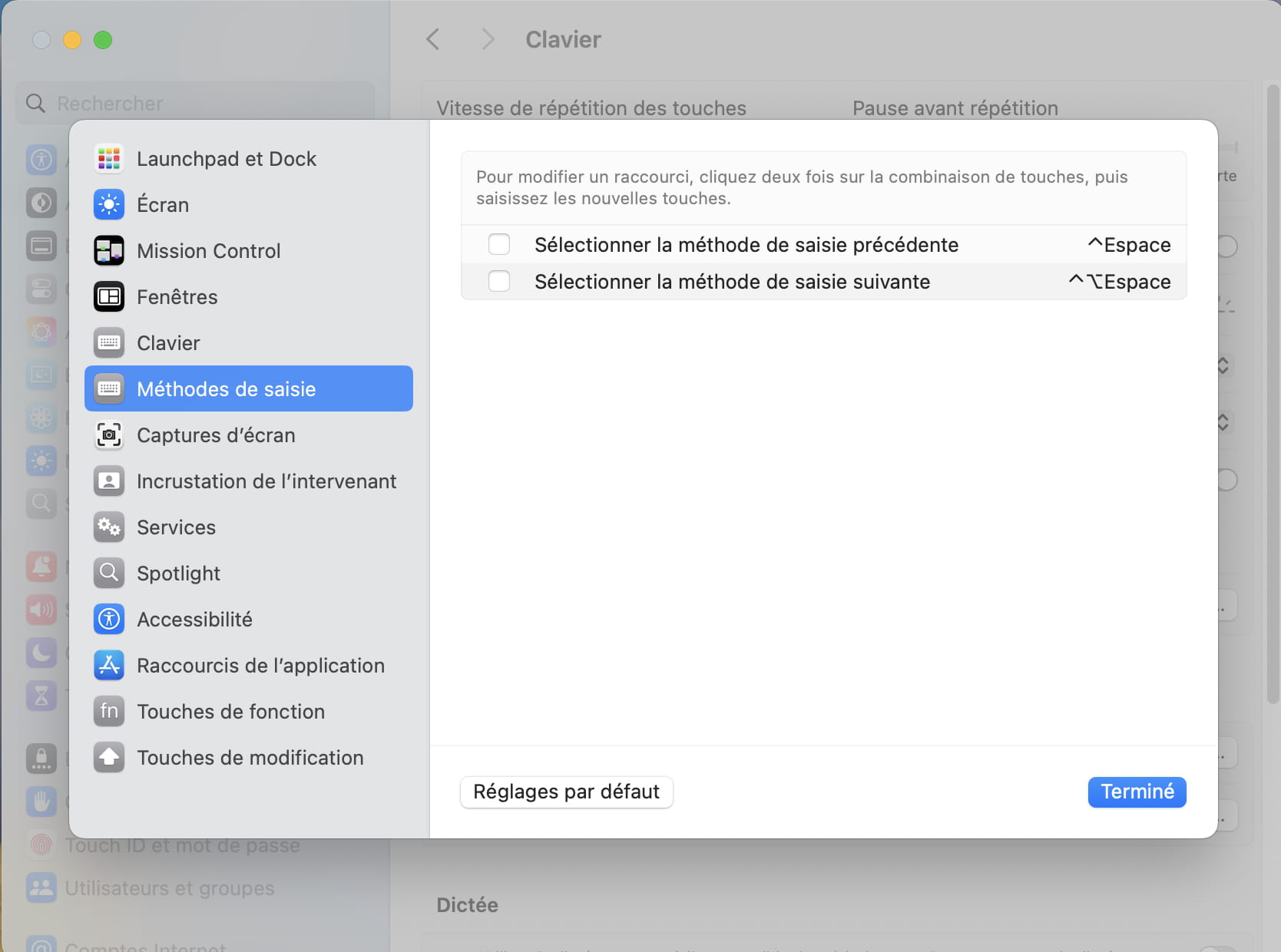
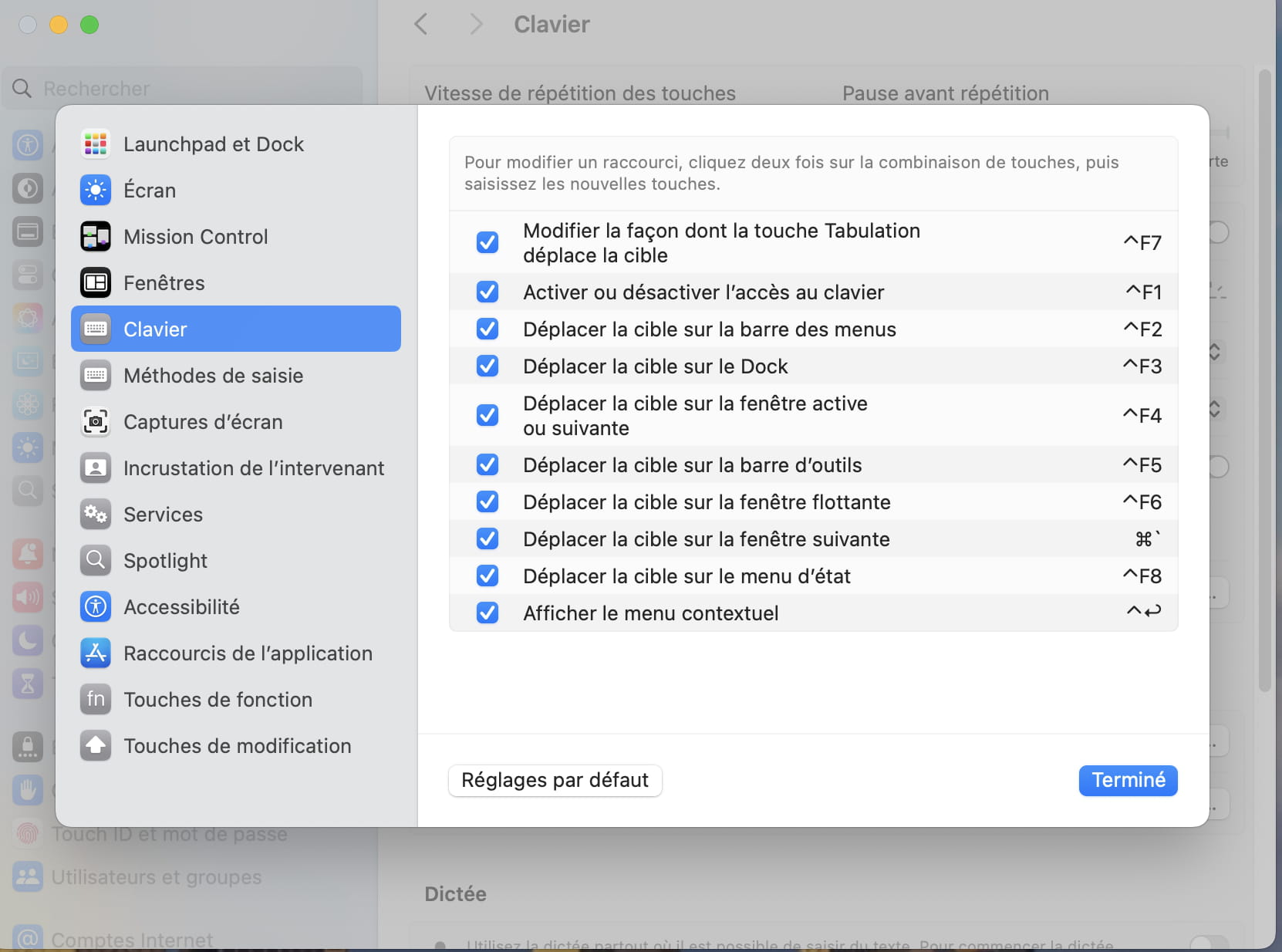
Again, thank you very much!
-
If it helps to help me, I also have a heavy bug: when I click the tab key to move to the next window, it highlights something else with a blue frame at the top of the page....
Thanks again to everyone! Wishing you a lovely evening :)

