
EPSON ET-2750 not scanning anymore.
Solvedjeannets Posted messages 28443 Registration date Status Contributor Last intervention -
Hello
I am on Windows 11 and I have an EPSON ET-2750 printer connected via USB to my LENOVO.
The printer prints but doesn't scan anymore. It shows "connection error" when I try to scan to a JPEG file, for example.
It seems to be correctly configured in the control panel:
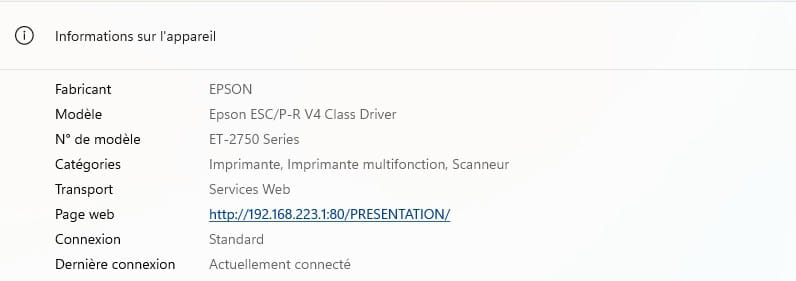
I'm at my wit's end... Any ideas, please, to help me out of this mess?
Thank you in advance.
Thierry
4 answers
-
jeannets Posted messages 28443 Registration date Status Contributor Last intervention Ambassador 6 615
Hello,
to begin with, you need to unplug the wall socket of the printer... and also the USB connection cable...
-- wait 3 minutes and plug the power cord of the printer back in, only.
-- Make a photocopy... using only the printer's buttons...
And come back here to report the result of the operation...
-
Hello and thank you for your help.
Requested sequence: done. The "copy" function works well.
-
I went to the EPSON website and downloaded a complete package containing drivers and help programs,...
Previously, I had uninstalled the printer. It seems to be working. Thanks again for looking into my problem.
Best regards.
Thierry
-
jeannets Posted messages 28443 Registration date Status Contributor Last intervention Ambassador 6 615
just in case... you're still welcome..!
See you..!
