
A3 print too large
kaneagle Posted messages 86298 Registration date Status Moderator Last intervention -
Hello everyone,
I have an OfficeJet Pro 9730e and for the past few days my A3 printing has been too large.
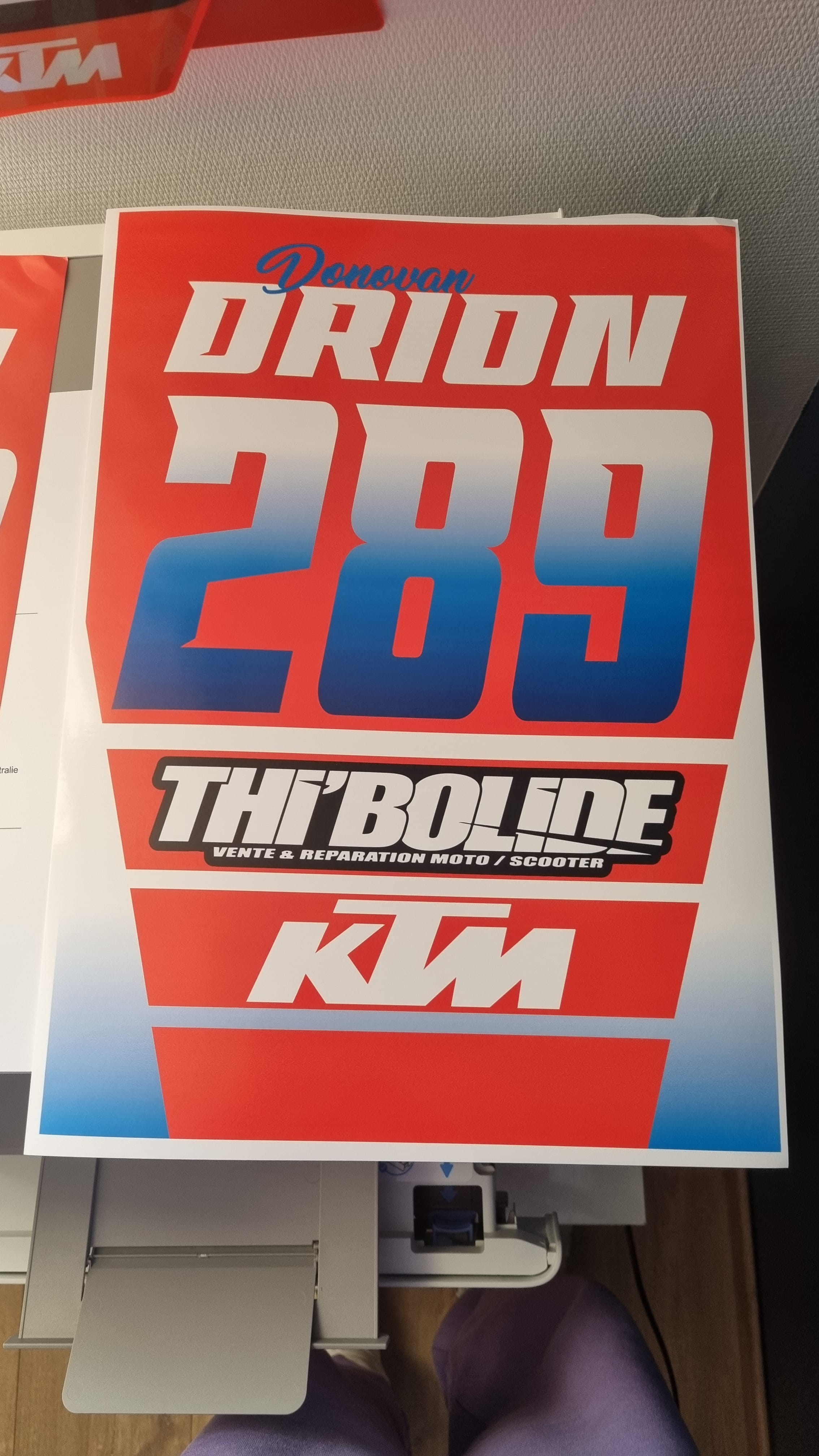
Let me explain more clearly, I have an A3 design created in Photoshop that I want to print in A3 but for the past few days the design is cut off on the right. As if it were too big when it is not.
I have already printed the same design before and it was perfect. I have tried changing the scale settings, resetting the printer but nothing works even though everything was fine before. A4 printing is fine. I am attaching photos so you can better understand what I am talking about and see the difference between my output on the PC and after printing.
Thank you in advance,
Have a good day
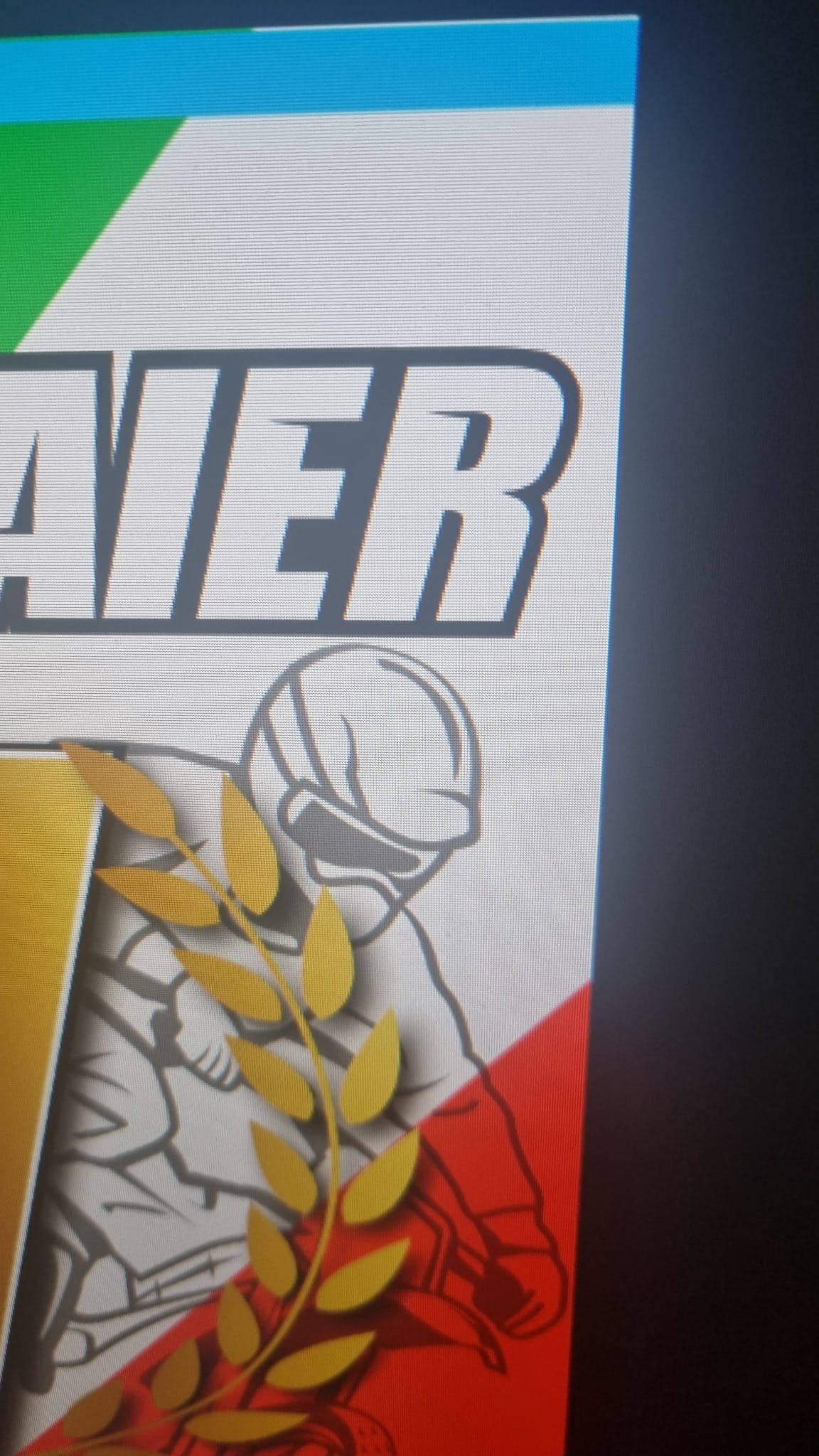
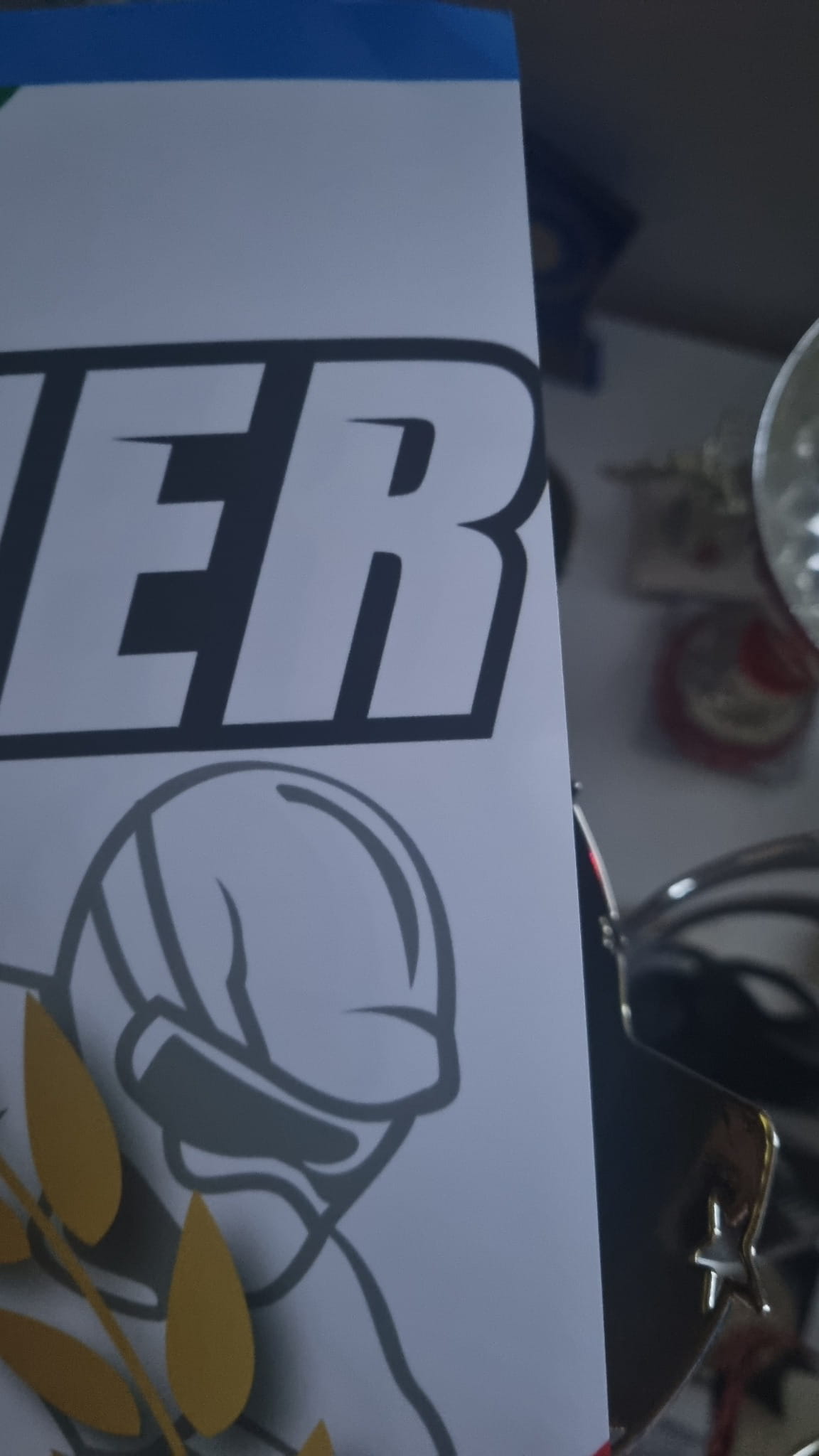
15 answers
-
Hello @Ibktm22 StatusMember
I tried changing the scaling settings, resetting the printer, but nothing works.I suggest you uninstall and do a clean reinstall of the printer.
Download and install --> Revo Uninstaller
Run it as an administrator
Uninstall all products of the HP printer
Follow the tutorial closely to uninstall everything properly including residual folders and keys.
For the residual scan, check --> advanced mode
Restart the PC.Download this driver --> OfficeJet Pro 9730e
Turn on the printer
Launch the driver setup --> HPEasyStart-16.2.2-OJP9730_60_0_1882_Webpack.exe
Follow the instructions. -
Hello @kaneagle StatusModerator
Thank you for the reply, I am currently in the process of uninstalling the base software for the HP OfficeJet Pro 9730 series using Revo in advanced mode.
I'll let you know when I've done the rest and done a test. -
Re @kaneagle StatusModerator
After reinstalling everything, it's still the same.
In the first photo, it's the design printed on ordinary paper type and thus with a border (mandatory). There it appears complete but with borders...
And in the second image, it appears without a border printed on photo paper type, but you can see that it is cut off again like on the right.
I'm out of solutions... Everything was working fine before
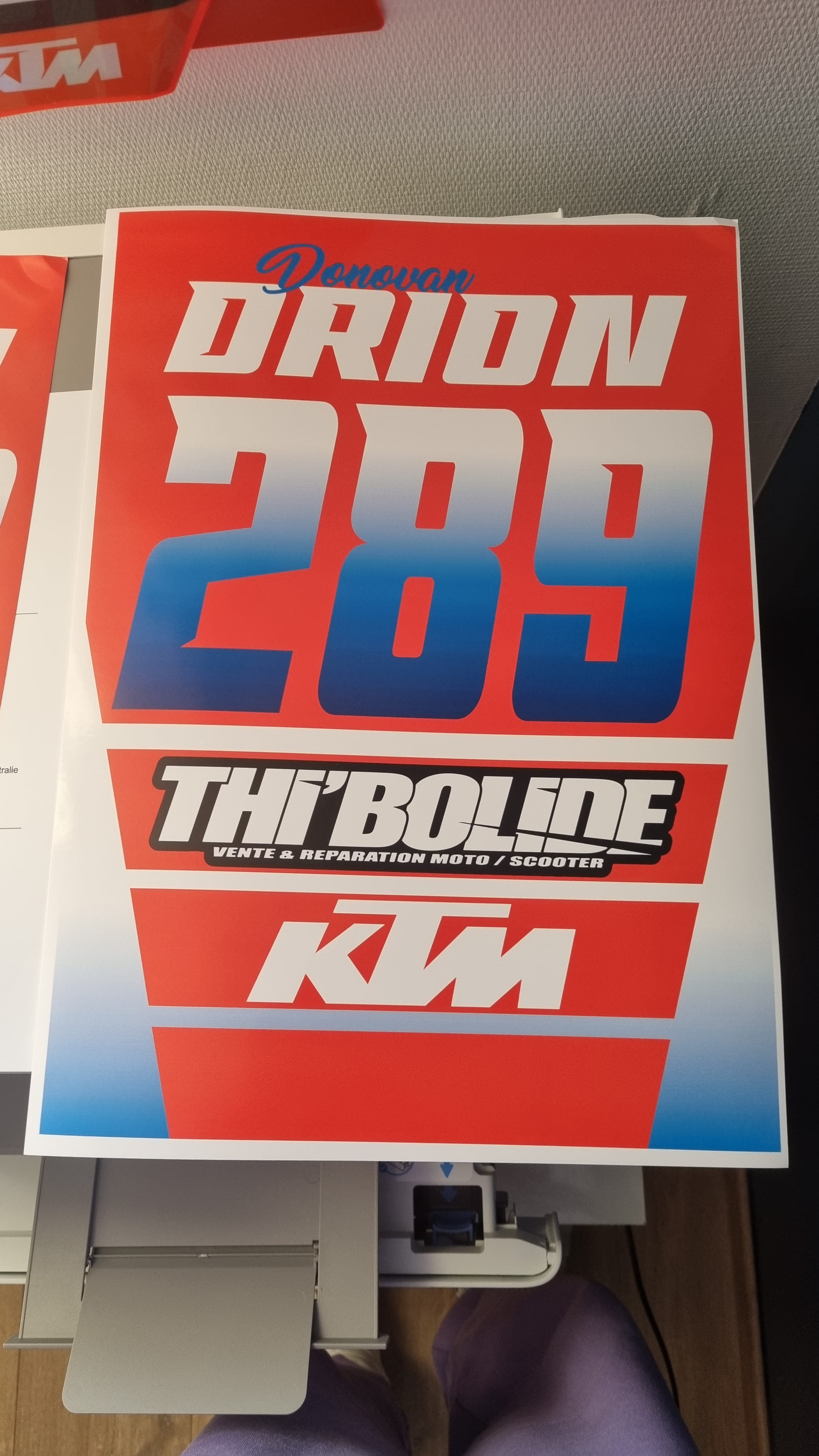
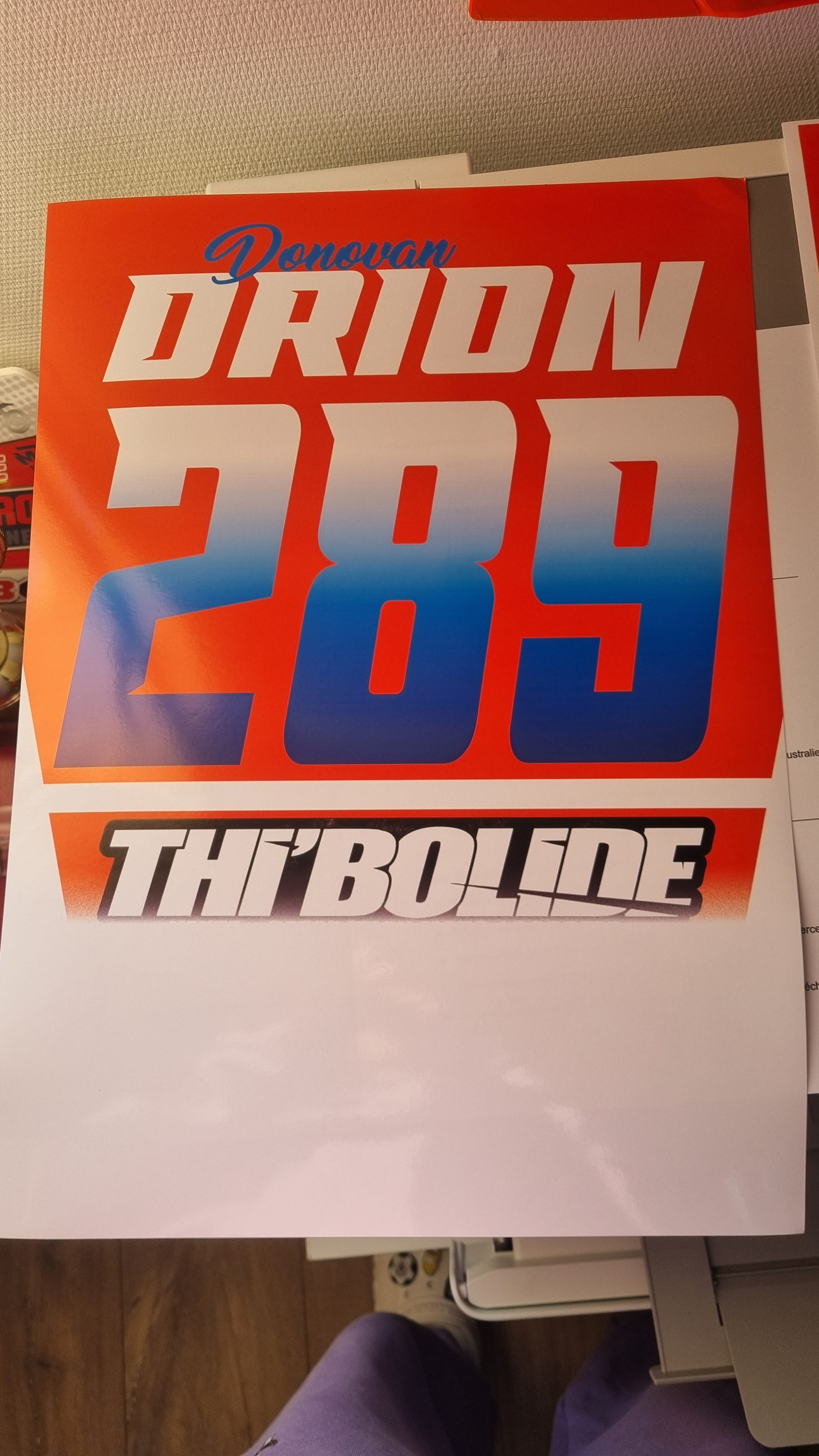
-
@Ibktm22 StatusMember
For a few days, my A3 printing is too large. Everything was fine before.Perform a system restore and choose a date before the problem.
Windows + R
Type --> rstrui.exe and OK. -
I only have 3 available dates, the furthest one is May 2nd, so not very far... I should have looked a little further back.
Can't I look further back?
-
@Ibktm22 StatusMember
Post subject posted on May 13, you’ve been mentioning it for a few days now ??
So, choose a date either the 11th or before.
-
It's done, I was able to perform the previous restoration but there is no change on the printer side.
I also noticed on my A3 prints with borders that the borders were not equal and not straight. This might be related.
-
-
I will try to contact them. However, tell me that since the restoration I can't launch my applications on my PC...
-
Since the restoration, I cannot launch my applications on my PC.Cancel the last restoration and see what happens.
-
Okay, I’ll try that, thanks.
-
OK it's good, it's working again! Well now back to zero haha....
-
Perfect, come back and give us some news.
-
Have you contacted HP support?
-
Still the same problem, so contact them again.
