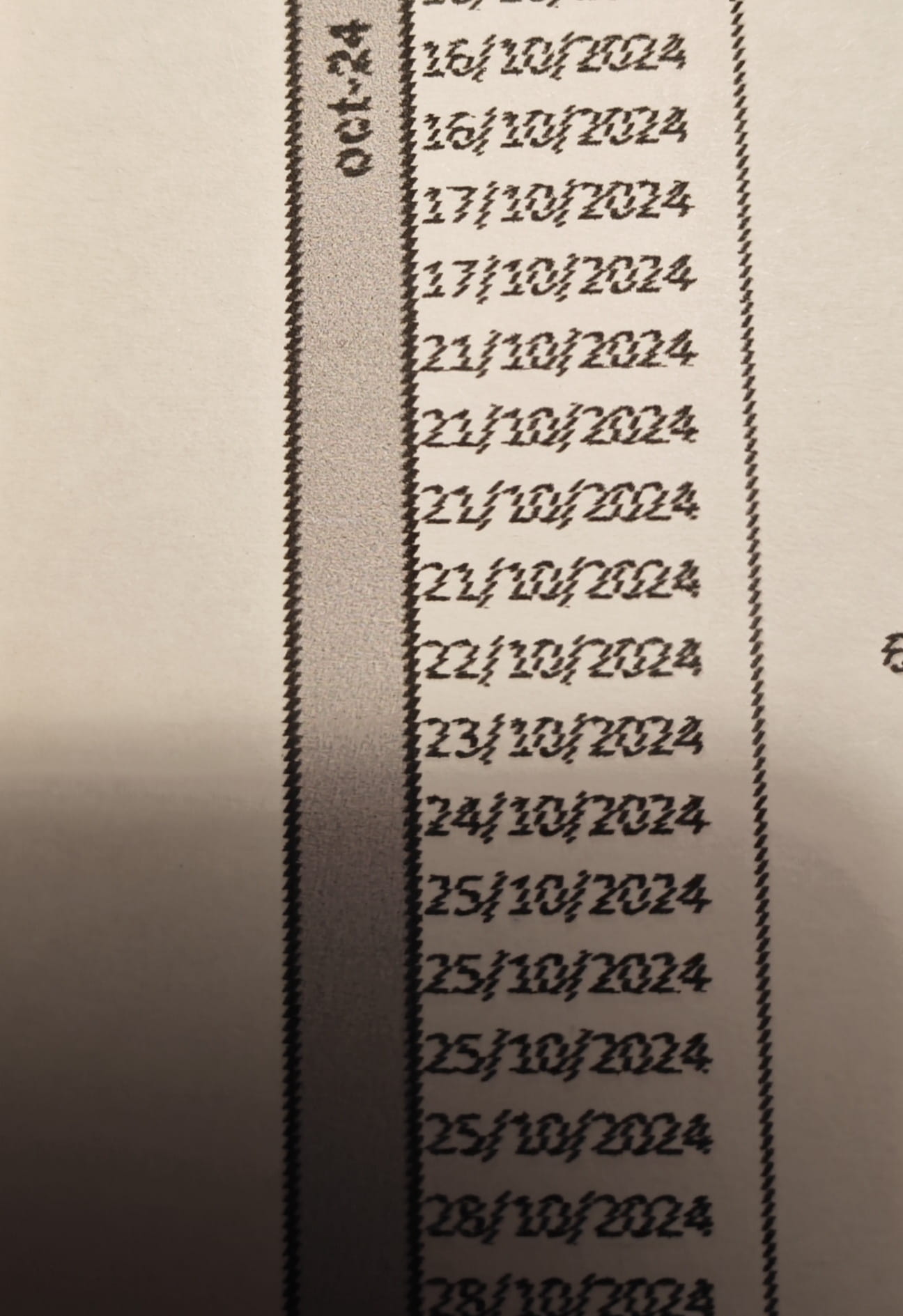
HP Officejet Pro 7740 - Poor A3 print quality
Solvedkaneagle Posted messages 86298 Registration date Status Moderator Last intervention -
Hello,
I saw a question on this forum regarding this issue, but this topic did not receive any follow-up.
So I have an HP Officejet Pro 7740, and I'm completely satisfied with it. Except! When it comes to printing in A3 from my PC (Windows 10).
The printer is fully updated, and my PC (Windows 10) is as well. I’m using HP SMART and the standard Windows tools for printing.
Nothing seems to work; the A3 prints come out streaked.
Can you help me?
Thank you very much in advance for your help.
5 answers
-
Complete uninstallation and reinstallation with the driver from the HP site.
Problem still persists???
No more ideas!As bazfile mentioned, contact HP support --> https://support.hp.com/fr-fr/contact
Good luck.
-
Hello kaneagle,
HP has responded! Let's understand, it seems that the printer manager on the PC was sulking. It was enough to delete the printer and all its drivers. Without further ado, the A3 print came out correctly.
So it's indeed a driver issue, in which case you just need to go to settings/devices and printers, then delete the printer and all the drivers. Then add the printer again. If the problem is not resolved, it indicates a hardware issue, in which case you need to contact support.
I hope this post will be helpful to anyone encountering this issue.
Thank you very much for your help and your time.
-
-
Hello.
I saw a question about this issue on this forum, but there hasn't been any follow-up on the topic.
That's normal, because for this kind of remote problem, aside from making assumptions, it's hard to see what's wrong with a printer; the best thing is to take it up with Epson's customer service.
bazfile
Moderator/Security Contributor.
A hello, an answer, a thank you are always appreciated. -
Hello bazfile,
thank you for this response. It turns out that the few lines I read on the subject all mention a story about a generic driver. My questioning mainly revolves around the software aspect. Prints launched from my tablet or smartphone come out just fine, only those launched from my laptop are problematic. I've read several people who found a solution, but never the solution itself.
I have indeed tried to completely uninstall the printer and its drivers and started over using the HP drivers (the most recent ones, from the official site) with no results.
Best regards.
-
Hello @Pierrot_Gad StatusMember
Download and install --> Revo Uninstaller
Run it as administrator
Uninstall all products of the HP printer
Follow the tutorial carefully to uninstall everything properly, including residual folders and keys.
For the residue scan, check --> advanced mode
Restart the PC.
Download this driver --> OfficeJet Pro 7740
Turn on the printer
Launch the driver setup
Follow the instructions. -
Good evening/hello kaneagle,
thank you very much for your feedback! I have just carefully followed each of the steps. I even asked copilot to help me sort through the tools on my PC (a HP) and those related to my printer.
The new complete driver is installed.
I just did a test print of an Excel document in A3 and… You will find the result in the photo attached to this response.
Unsuccessful result.
Thank you for your help.