
Fiber connection with DTI box
Apophiis Posted messages 7 Status Member -
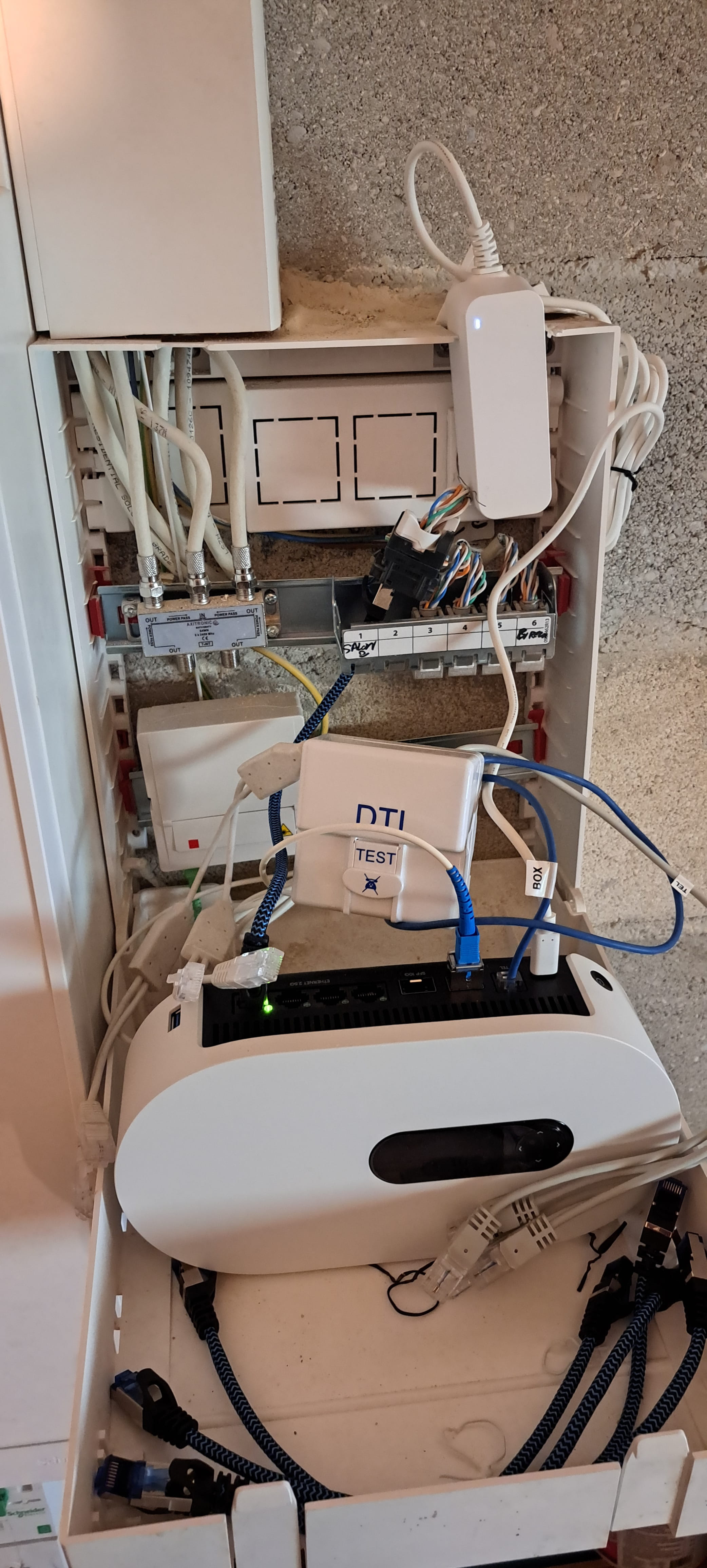
Hello, I'm stuck, we recently got connected to fiber, but I don't know anything about wiring with the DTI, there are 5 RJ45 sockets in the house.
Need help, thank you very much.
3 answers
-
Hello
Are the tests conclusive in the living room?
We don't know what tests.
1 photo, that's all we know, it's not much if there's no other discussion for this project.
-
Yes, sorry, it's a bit vague like that.
There is a PTO where the fiber has been connected, so I understood that the DTI is no longer useful to me. Then, do I connect all the RJ45 sockets to each slot of the box?
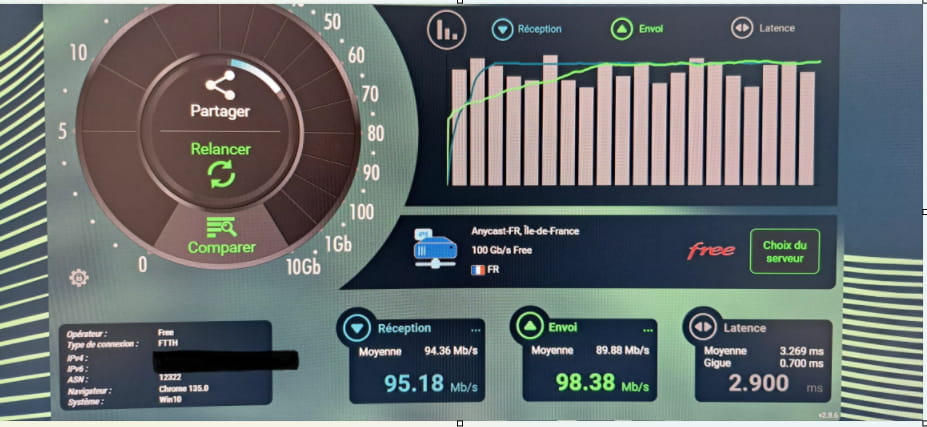
The connection in the living room is good for the TV, but in the office, I have a speed of 93Mbps, which seems really low for a fiber connection.
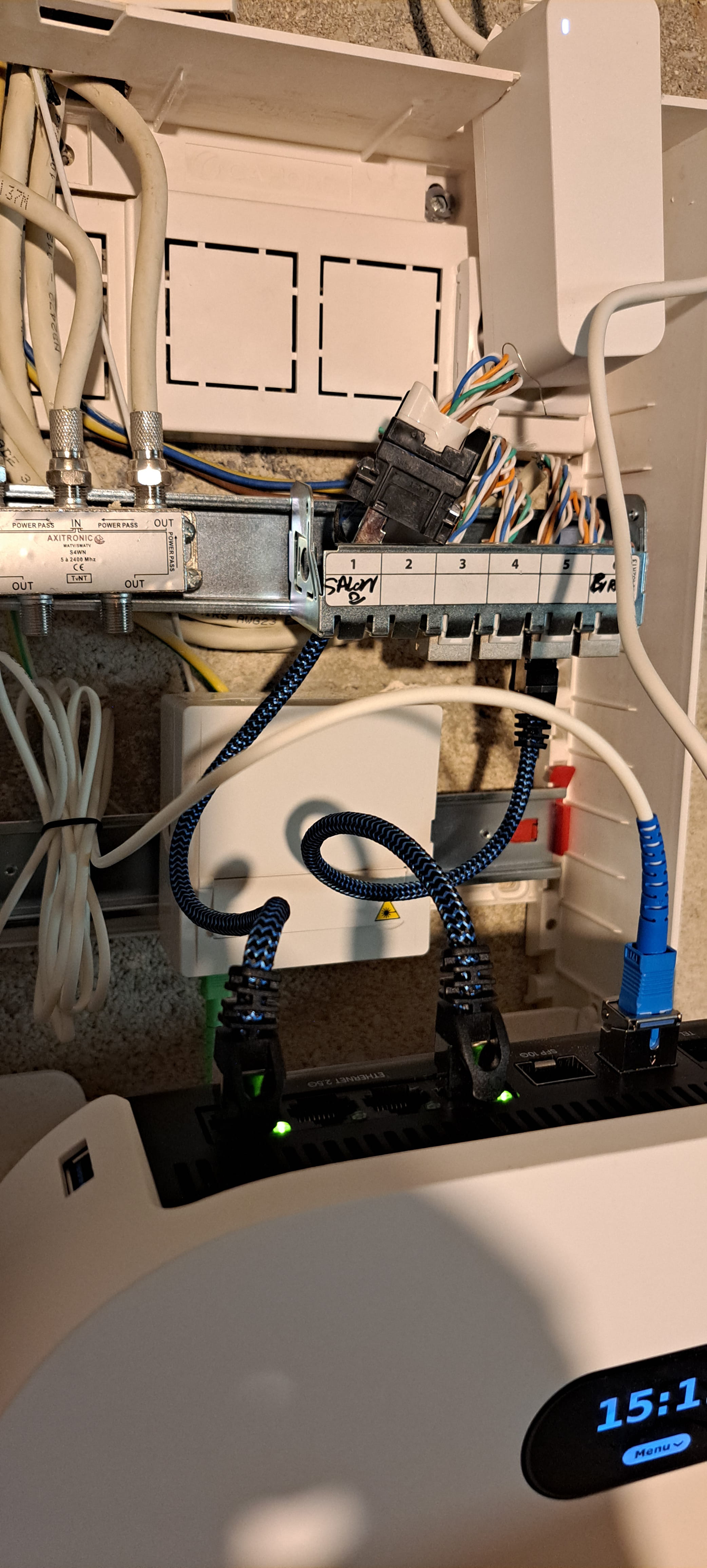
Here's how I proceeded.
-
Hello,
The installation looks correct from this perspective, the only thing I'm wondering about is the phone output of the box, where it goes. Is there a DECT base directly or is it the DTI? It shouldn't be the DTI.
What you need to do is this or something similar:
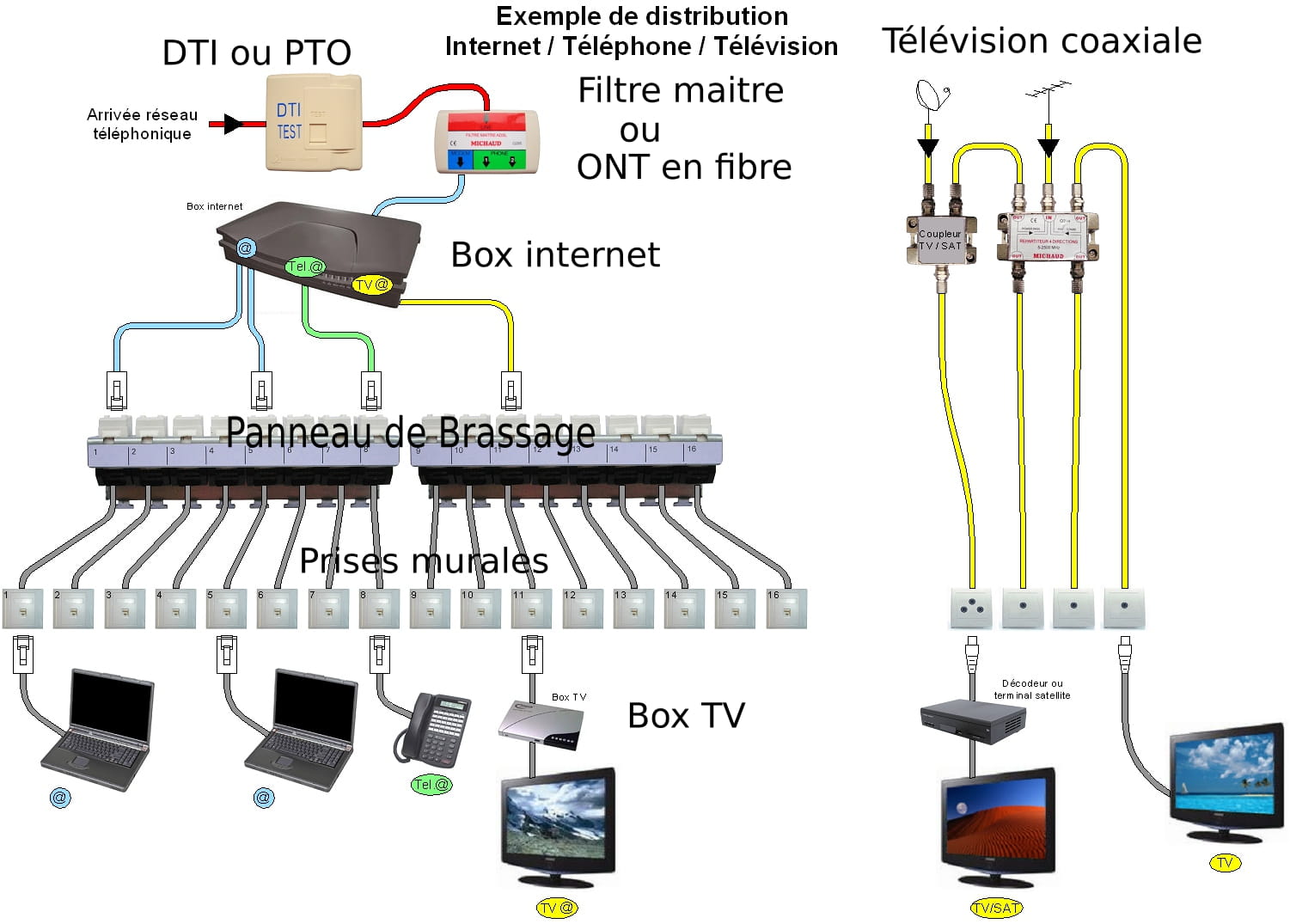
fiber or DSL connection For your office socket, you need to test with other cables between the box and the patch panel, wall socket, and PC. Often, the speed limitation comes from the patch cord or terminal.
Also, what is the Ethernet network card of the PC in the device manager?
Have you tested the speed on the living room socket where the TV box is?
For the Ethernet cables, they are all cat8, for the network card
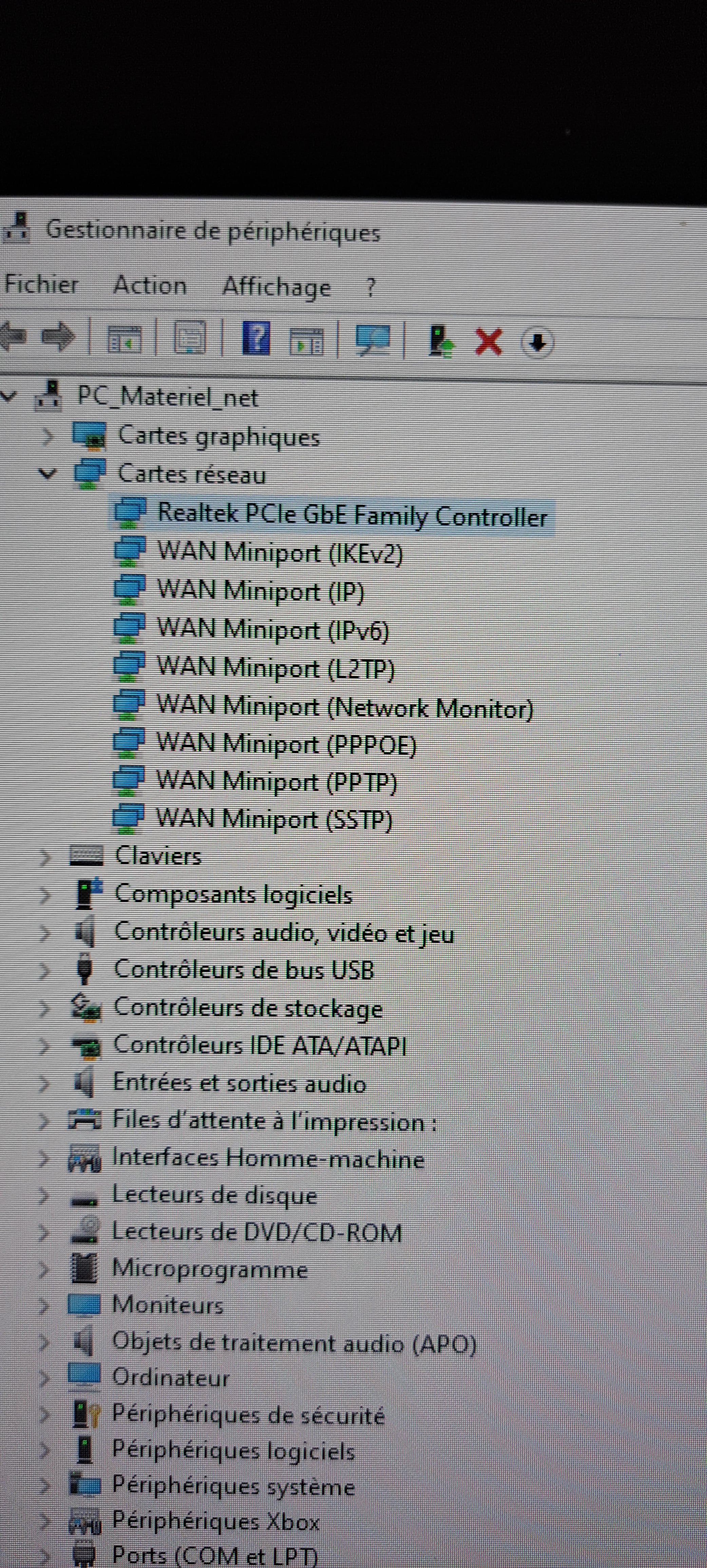
Cat 8 is very expensive, while cat5 is more than sufficient. Can you try connecting your PC directly to the box?
Cat 8 just means you're paying more for it; fixed wiring is only standardized up to cat7, and that doesn't prevent a bad connection in a slightly worn or dirty RJ45.
Try swapping your cables both ways and end to end, easy with patching.
The patch cords, with their 20 cm, you won't be able to use them on the wall.
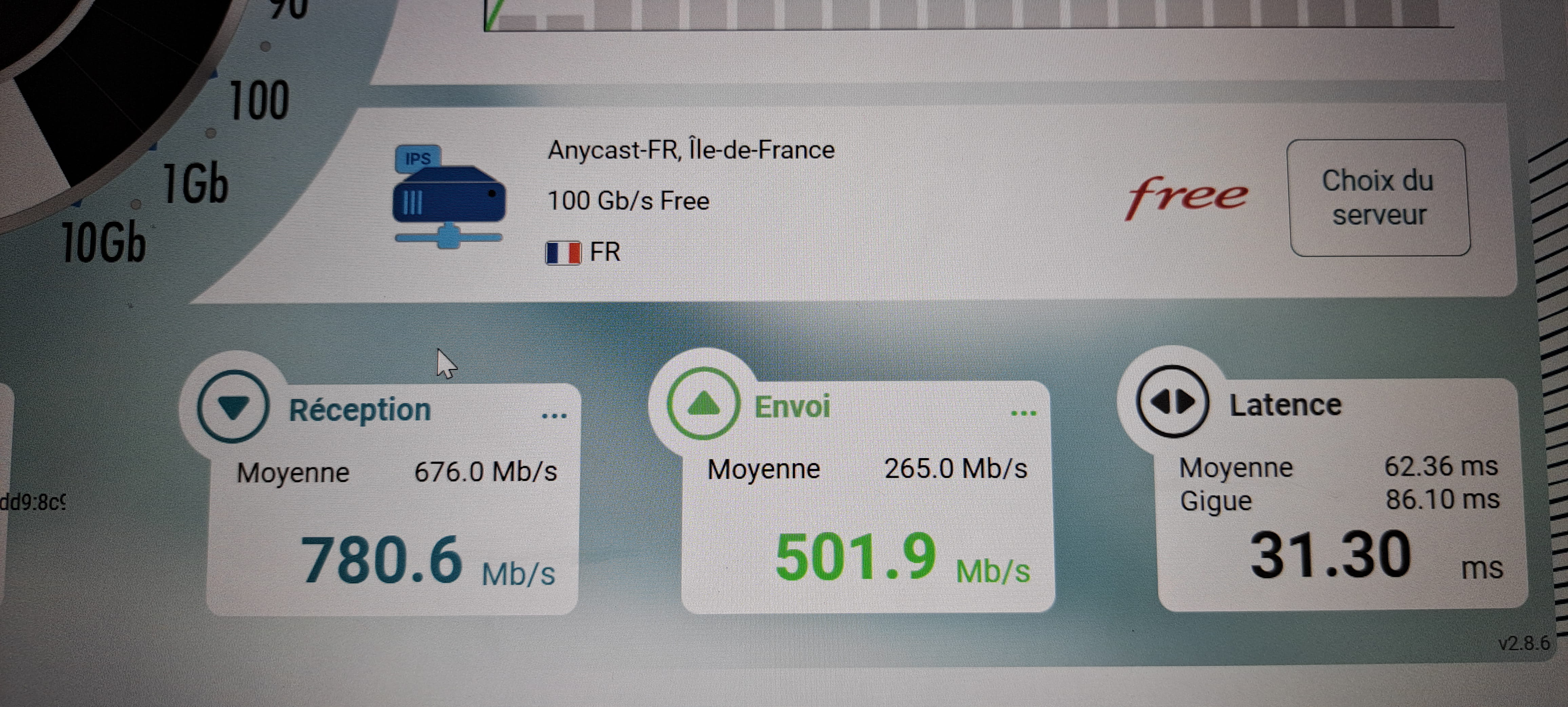
Here is the result achieved with the laptop just by sitting next to the box and using Wi-Fi, I don't have an Ethernet port on it
That's not the PC you have in the office then...
This test doesn't indicate much, except that on the box side, it's fine (thankfully with an ultra Freebox that has Wi-Fi 7 and a fiber connection at 8 Gbit/s).
You can always buy a USB3 / 2.5 Ethernet adapter for this PC.
Here is the speed I get on my computer connected to an RJ45 socket.
-

