
C drive full....
Solvedpelton Posted messages 402 Registration date Status Member Last intervention -
Hello,
On my laptop running Windows 10, my C drive is full (red), so I wanted to free up some space on it by moving some files to the other D data drive, but my documents, downloads, and videos folders are empty.
Can you help me because I don't know where to look for the files that are filling up the C drive?
Thank you very much
12 answers
-
Hello
Download and run the software "tree size free"
It allows you to see which files or folders are taking up space.
Provide a screenshot.
Example:
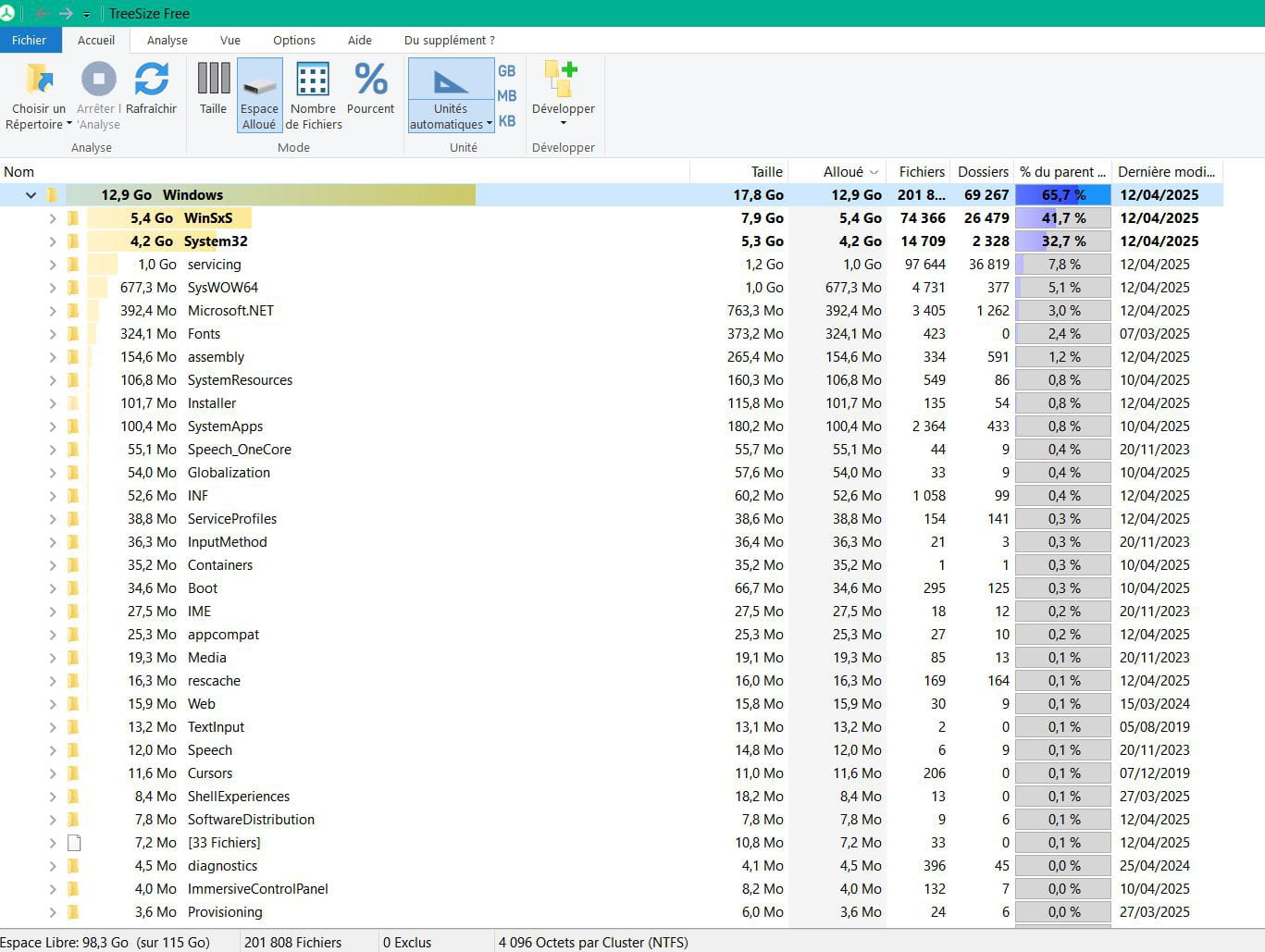
If my answer helped you, click the Thank you button.
Mark as resolved if your problem is fixed. -
Hello,
In this kind of situation, I always make the same recommendations, which I have applied to my personal case.
1) Move user libraries to drive D.
Follow this tutorial:2) Install all possible software on D.
I create 2 folders similar to those on C: Program Files and Program Files (x86). This way, we avoid installing software anywhere.
The software must be uninstalled from C and reinstalled on D. It’s quite time-consuming and there’s no other way. No copying files!
Attention! Some software does not allow installation anywhere other than on C; this is the case for Microsoft Office.
For others, we take control of the installation and just change the drive letter.----------------------
Once you have done this, you should have gained quite a bit of space.
There remains the case of AppData folders. You cannot move them.
From experience, I have seen that it is the Thunderbird folders that take up a lot of space. Try to reduce the number of saved emails.
What can be well conceived is clearly expressed,
And the words to say it come easily.
(Boileau) -
For your information, when I double-click on the C drive, I have the following folders:
android
inetpub
perflogs
program files
program files x86
sandbox
users
windows
-
Thank you very much. Am I necessarily required to go through external software?
-
Hello,
C:\Sandbox can probably be deleted; it might come from a portable program or be a temporary folder that normally shouldn't be there, unless it comes from a program you know. Investigate the folder's date and the dates of your programs.
Delete everything in the folder C:\Windows\SoftwareDistribution\DownloadIn the search box, type Disk Cleanup and choose > C:
You will be able to choose to clean up "Previous Windows installations" if there are any
Set your Internet browser to download to a folder on D:\ rather than in C:\Users\YourName\Downloads
You can organize elsewhere on D:\ if there is a D:\ drive for what is in the folders of C:\Users\YourName\...
TreeSize Free (As already mentioned) can help to see what is taking up the most space
https://www.jam-software.com/treesize_freeThen clean up with:
Wise Disk Cleaner
https://www.commentcamarche.net/telecharger/utilitaires/24193-wise-disk-cleaner/CCleaner (Portable)
https://www.ccleaner.com/fr-fr/ccleaner/buildsATF-Cleaner
https://www.majorgeeks.com/files/details/atf_cleaner.htmlThen right-click on This PC > Properties > System Protection
Or do a "Search" for systempropertiesprotection.exe
Select C:\
Configure > Delete
Go back > Create
And re-check with TreeSize Free
-
I downloaded TreeSize Free but now I don't know what to do with all the names that are displayed. I don't know if you will understand the novice that I am, but I thought I could see everything that clutters the C drive and gradually eliminate the different files myself.
-
Cool, well I'm making progress, thank you so much.
I have found a large part of my files and documents by going to: this PC, C drive, users, user, and downloads.
What should I do now?
-
Move them to another drive
(But not in AppData or folders, just your data). -
I agree, but how exactly to do it. There are photos, videos, and documents.
-
Right-click > Copy on point A (file)
Go to folder B and right-click > Paste
Or simply Drag the files by selecting them with the left-click held down > drag with the mouse, and send them to the other drive by dragging, organized as you see fit, in folders created by right-clicking > New > Folder...
Start by creating folders by right-clicking in your drive D:
Then drag your things there, and only afterwards, delete the originals that are at the source on C: -
When you say folder B, are you referring to the data drive D?
Can’t I just select everything, copy it, and paste it all onto drive D?
-
Thank you very much. I will try to implement all of this without making a mistake.



