Boot Windows 10 only in OVERRIDE in the BIOS

Didi64_549 Posted messages 2894 Registration date Status Member Last intervention -
Hello everyone!
Following a motherboard change on my ASUS VIVOBOOK, Windows 10 won't boot.
When I start it, it freezes on the ASUS logo.
I can access the BIOS, resetting the BIOS settings + save + restart doesn't work.
The only way to boot it is to enter the BIOS, reset the BIOS settings + save + start in OVERRIDE mode.
Once in Windows, everything works perfectly.
Fast boot enabled or disabled makes no difference.
The motherboard BIOS has been updated.
Do you have any idea what could be causing the PC boot failure?
I tried repairing Windows 10 with the "Media Creation Tool" software, but it freezes during installation when it restarts...
5 answers
-
Hello,
One equipment, but which one? it's a question?
-
Hello,
The answer is in the question that arises very often when, for some obscure reason, one wants to change a motherboard while playing the apprentice sorcerer: either the model of the motherboard is not the right one, or the firmware of the Bios that has been used is not the right one.
It is indeed difficult to comment on it without the specifications of both and perhaps even with regard to determining their compatibility with a model that is also not specified, and, in the extreme, it is not always guaranteed that there is any other solution than to revert to the original hardware, brand new if that was the need. -
Hello,
The original motherboard is dead. A large store sold a universal charger to my parents that fried the motherboard...
Several technicians refused to repair the PC because the motherboard costs as much as the PC, making it economically unrepairable.
So I bought a motherboard myself and changed it. Everything works except the boot.
For you, is it a physical problem, a component issue?
-
-
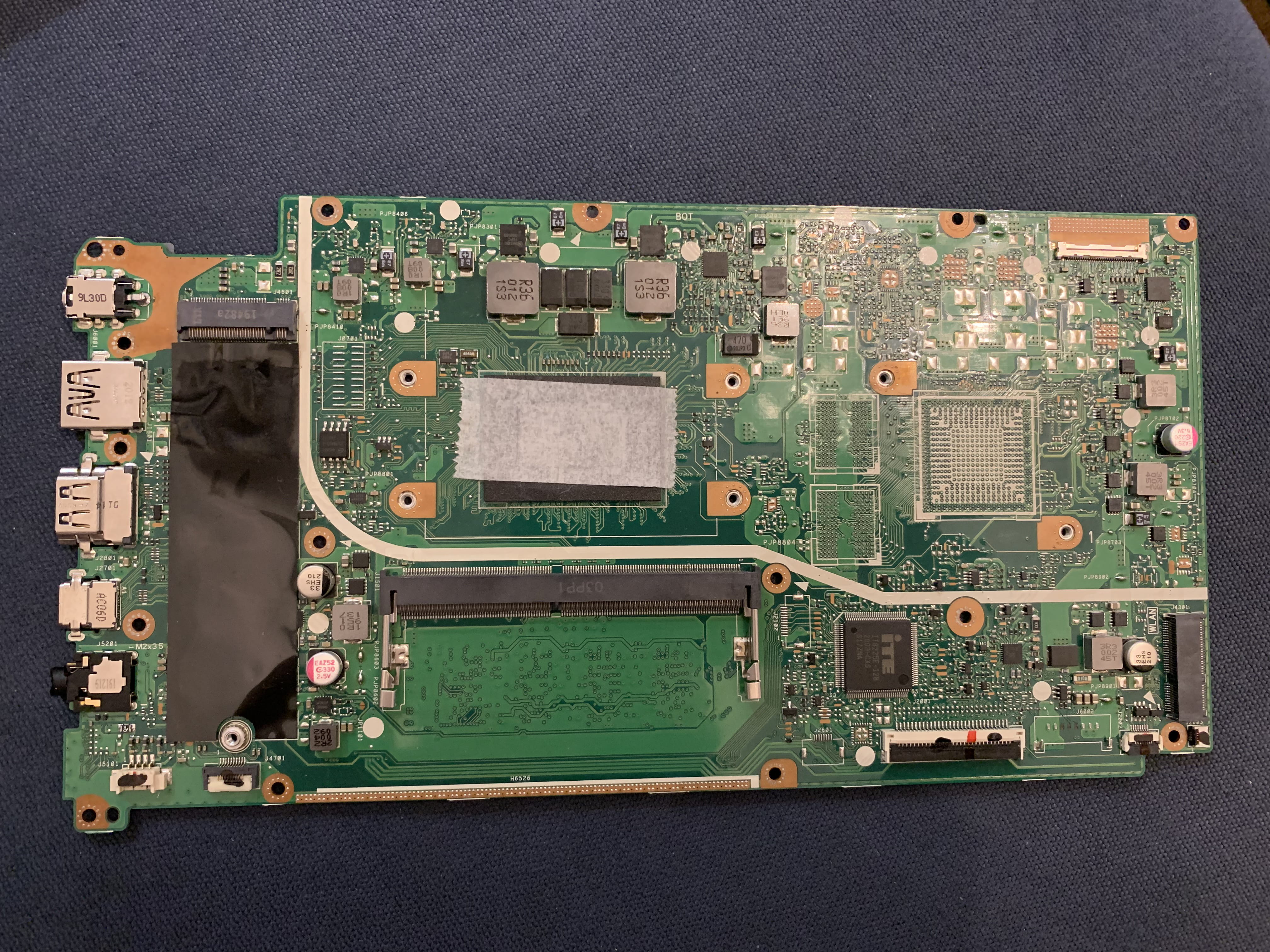
Below is the original card:
X512DK with Ryzen 7 and 8GB of RAM

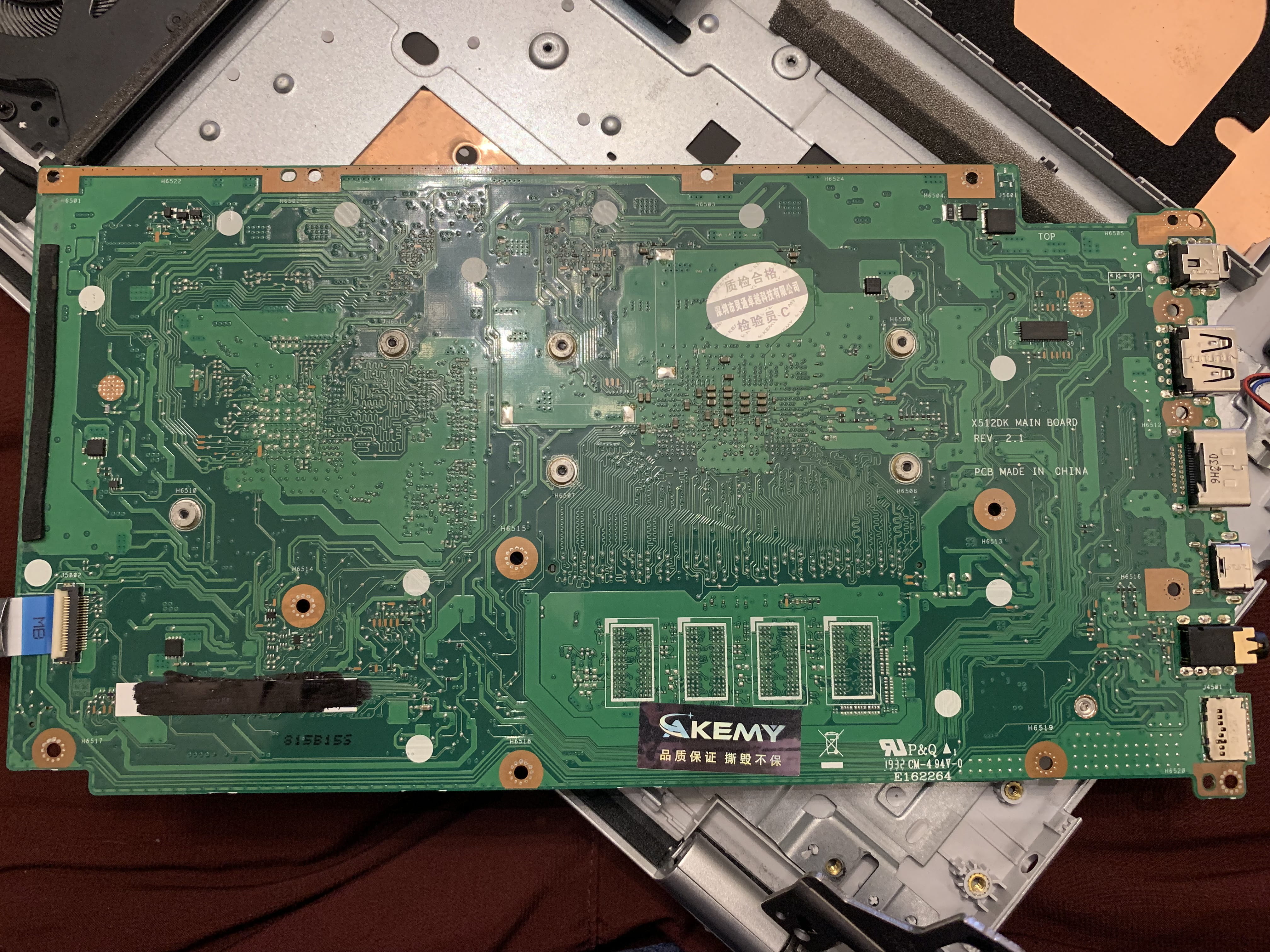
And now the card purchased to replace the original one:
Hello
Same reference and same PCB revision, but at a visual inspection, there are indeed differences, so it's probably not the same one. It's possible that the problem lies in the recognition of peripherals since the board is different. Little hope of finding a solution, the hardware of laptops is specific, not adhering to clear standards.
Signature
Waiting for other responses; I'm attracting trolls....To go into a little more detail, the PCB, that is to say the board itself is the same, but the equipment is not the same and the reference is not the same, the original one can be found on the label stuck at the bottom left, it is an X712DA and not 512 which is the version of the PCB.
On the replacement one, the reference is erased....or rather "faded" so we don't have it.
Signature
Waiting for more responses; I'm attracting trolls....Up ! Problem still not resolved, does anyone have an idea on how to help me out?
Hello
I think the issue has been thoroughly addressed
This response summarizes the situation quite well: https://forums.commentcamarche.net/forum/affich-37947432-boot-windows-10-que-en-override-dans-le-bios#2
Many try, few succeed.....
Signature
Waiting for more responses; I attract trolls....
-