My tethering isn't working.

Nyan -  
T3chN0g3n Posted messages 79 Registration date   Status Member Last intervention   -

Hello,

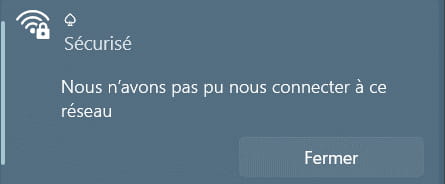
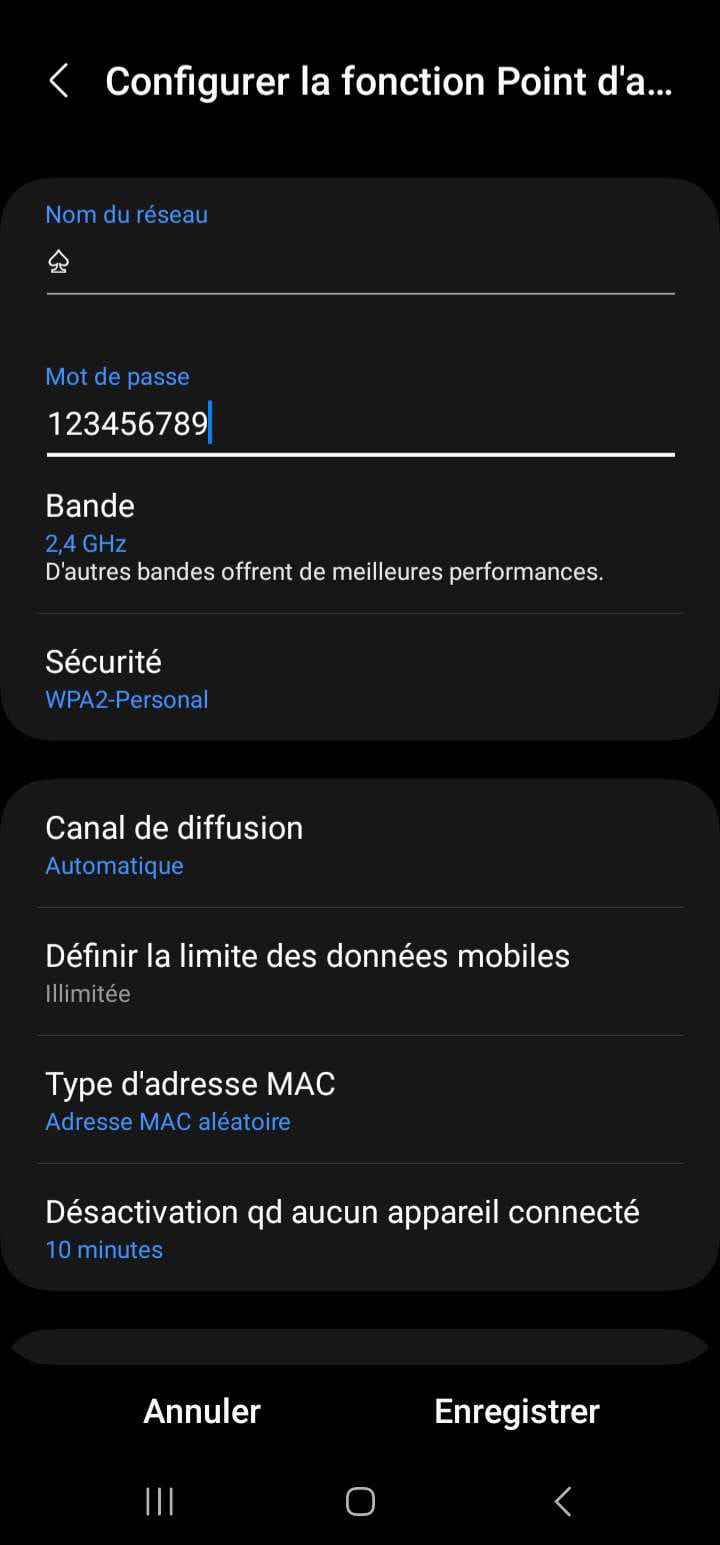
My hotspot is no longer working. Indeed, my various devices can detect it but when I connect to it, this message appears. I have already changed the hotspot password several times and made my other devices "forget this network" but nothing works. I want to emphasize that I have several bars of signal when I initiate the hotspot.
1 answer

  1. T3chN0g3n Posted messages 79 Registration date   Status Member Last intervention   1 217
     

    Hello,

    Are all these devices running Windows? Check when entering the code if it asks for a security key or a PIN. If it defaults to asking for a PIN, there should be an option below to connect instead using a "key".

    No guarantee that's it...

    Regards.

    0
    1. Nyan
       

      The devices are on Windows, I am only asked to enter the password for the hotspot but not a security key or PIN code.

      0
      1. T3chN0g3n Posted messages 79 Registration date   Status Member Last intervention   1 217 > Nyan
         

        Do you speak well on the Windows side? The fact that you put a unicode character in the network name might not help either; did you try with just plain text?

        0