
Wii hard drive
jeannets Posted messages 28443 Registration date Status Contributor Last intervention -
Hello,
I have had a Wii for several years with an external hard drive that I connect to play multiple games. I haven't used it in several years. Today I wanted to reconnect it to play. The CDs work perfectly and my hard drive is recognized, but when I launch it, it immediately goes back to the main screen, making it impossible to see the game list and of course to play. I connected the hard drive to my PC, and it is recognized and functional since I can find all the game folders there.
Does anyone have any idea what I could do?
Thank you very much for your help.
6 answers
-
Hello,
Take a screenshot of the external hard drive connected to the PC in the disk management!
-
-
Here is a photo without the external hard drive connected
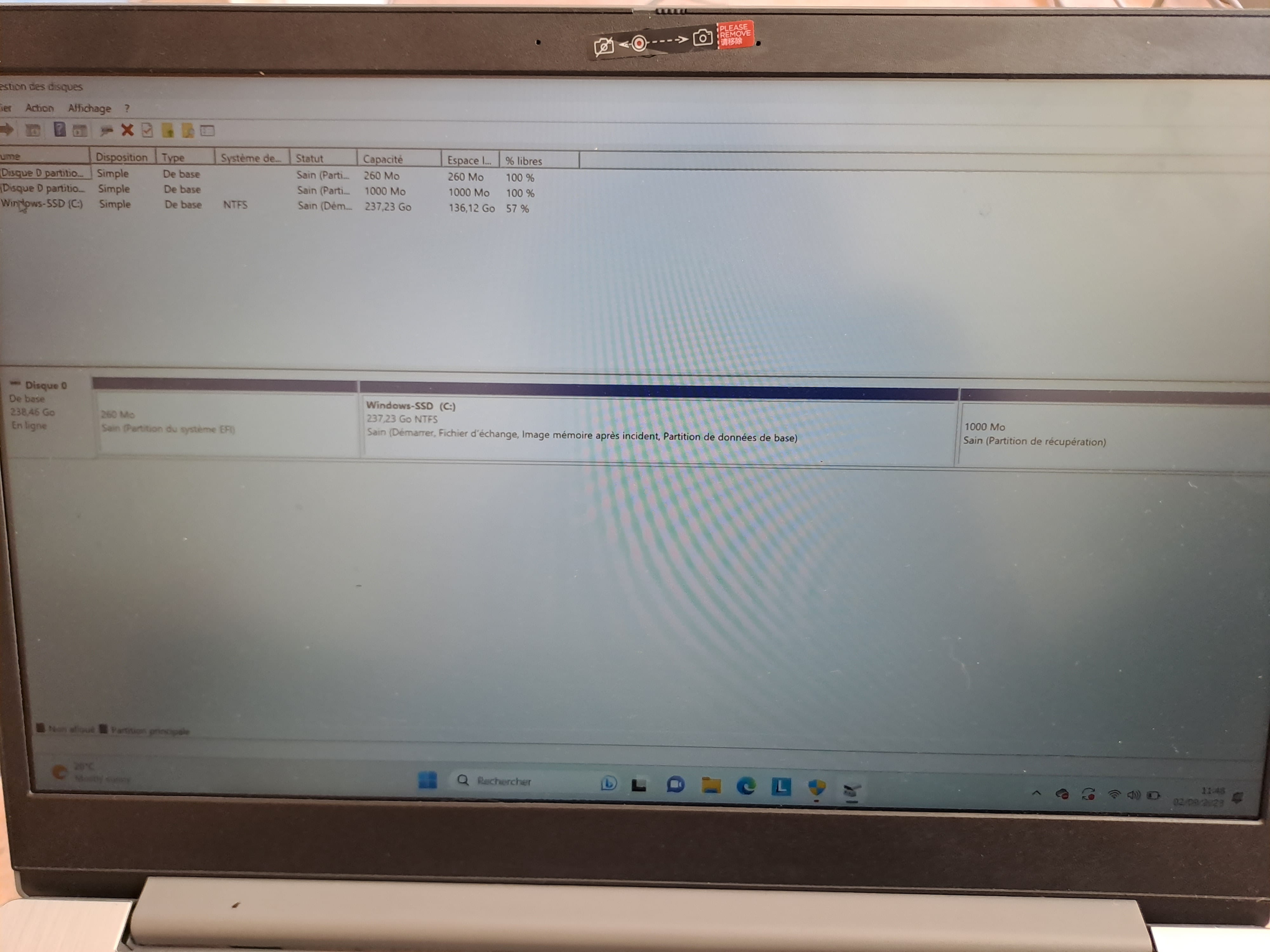
As Jeannets says, whom I greet, how is your external hard drive connected? In an external case, USB cable? If it works on the PC but not on the Wii, that's strange, maybe it requires more power than the PC, check your external drive cables!
And does the Wii work with other external hard drives? Test the one you have with this software: everything should be blue, good!
jeannets Posted messages 28443 Registration date Status Contributor Last intervention Ambassador 6 615
Hello,
Without material references, it's bluff poker..
We assume it is powered by a USB cable...?
The Wii may lack electrical power through the USB ports... or the cable is too thin... or too long.
The USB cable... may only have 2 conductors (which is the case with chargers only) and the data doesn't pass through... so no games.
jeannets Posted messages 28443 Registration date Status Contributor Last intervention Ambassador 6 615
You can't build such reasoning on equipment that doesn't work...
What you're saying is only true for equipment that works.
I spoke to you about "Currents" in Amperes and power (volts x Amperes); what you're saying does not prove at all that the power is sufficient to run this disk...???
This disk hasn't spun in a long time, the heads may be stuck... It requires more current to start... Some disks free the heads under such circumstances, it's not uncommon... let's just say that after that, it's dead.
Do you know, for example, how many Amperes this disk needs to spin..? It's written on it... and generally, USB ports on PCs are limited to 0.5 Amps... with laptops being slightly weaker...
So, we need to align the numbers and avoid assumptions as proof...
jeannets Posted messages 28443 Registration date Status Contributor Last intervention Ambassador 6 615
Here is a link showing the identification of a hard drive; by the manufacturer. Here Toshiba.
This Intenso name wasn't known before, as it's mainly a packaging in a case that indeed gives no information; to see this, you have to open the case to find the REAL hard drive inside...
You can see the inscription 5 volts 1 Ampere on the Toshiba disk of the same model; which is not supported by a normal USB2 port...
As for the inscriptions on the USB cable, 28AWG indicates the copper section in the cable, which makes 0.3211 mm in diameter and 0.0810 mm² in section...
I fear that 28AWG/2C means 2 conductors… so it can charge or power, but not transmit data; it would require four.
As for High speed, it does not exist in USB2.
jeannets Posted messages 28443 Registration date Status Contributor Last intervention Ambassador 6 615
In my opinion, it's purely commercial... There isn't a chipset for USB that can achieve higher transfer speeds, not to mention USB-3.
The connecting cable is already overloaded with interference from the surroundings...!
And ultimately, it's the USB key speed that caps this speed, and it is often well below its advertised claims...
That said, I'm all ears for the explanations... I salute you as well.
-


