Unable to view photos
novis
-
canvas -
canvas -
Hello,
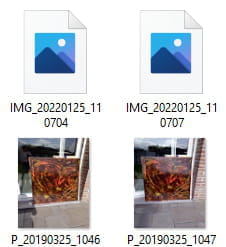
I have a new computer and when I want to view the many photos I have uploaded, they do not display. I set the view to very large, but I still have the basic icon showing and I cannot see the photo.
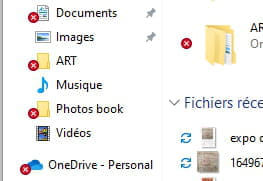
Moreover, I don't know if it's related, but when I click on my folder in the taskbar, next to the icons for documents, photos, etc., there is a small red cross...
How can I fix this?
Thank you in advance for your help.
novis
Configuration: Windows / Firefox 98.0
I have a new computer and when I want to view the many photos I have uploaded, they do not display. I set the view to very large, but I still have the basic icon showing and I cannot see the photo.
Moreover, I don't know if it's related, but when I click on my folder in the taskbar, next to the icons for documents, photos, etc., there is a small red cross...
How can I fix this?
Thank you in advance for your help.
novis
Configuration: Windows / Firefox 98.0
7 answers
-
Hello,
Post a screenshot of the image folder opened in the file explorer!
--
“Take your chance, hold on to your happiness and go towards your risk. By looking at you, they will get used to it.” René Char -
To send the image I had to register. So I have another username, sorry.
Thank you for your help. -
-
Hello,
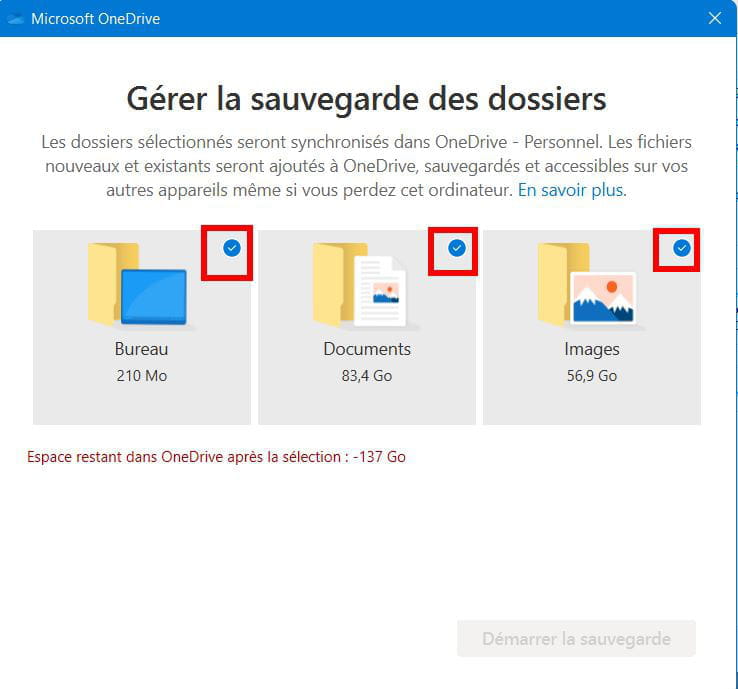
Your red and white cross issue may be due to synchronization errors in OneDrive.
Try stopping the synchronization:
- Click on the OneDrive icon in the Taskbar (icon on the right and may be in the hidden icons).
- Then click on the gear icon for Settings, and then on Settings.
- Go to the Backup tab and click on Manage Backup
- Uncheck Desktop, Documents, Pictures and close the windows.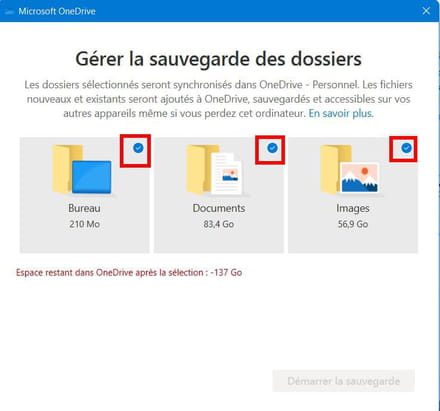
--
What is well conceived is clearly stated,
And the words to say it come easily.
(Boileau) -
Hello,
Thank you for your responses. The crosses no longer appear next to the icons. It seems that this has been resolved with the update. That said, my thumbnails still do not display. I have followed several explanations on Google and the boxes they mentioned to uncheck are indeed unchecked... I do not understand. Can you help me? I am sending you a screenshot of the icons that are displayed instead of the thumbnails.
Thank you for your help as it is an incredible waste of time to search for my photos among all these icons...
-
What I don't understand is that some images appear. But most do not display...
-
Hello,
I still haven't solved my problem. My images still don't display!!
Does anyone have an idea? Thank you very much
canvas