Choppy Bluetooth audio - Windows 10 - Edifier Luna Eclipse
Solved
pat-ou
Posted messages
5
Status
Member
-
WalkerExZero -
WalkerExZero -
Hello,
I am desperate because the sound from my Bluetooth speakers has become completely choppy since some updates, either from Windows 10 or the drivers.
- Here are the drivers I’m using

- In the Bluetooth section, my speakers are indeed paired and connected
- I have uninstalled all the drivers shown above. I also checked that all the drivers were up to date, either through manage drivers or on the Lenovo site since I have a Yoga 3
- I changed the Wi-Fi channel even though I don’t understand why, but some forums thought it might be the cause. My speakers are next to my PC, and I moved my smartphone away to avoid interference. My mouse and keyboard are USB Bluetooth and work fine, and even if I remove the USB dongle, it doesn’t improve the sound.
- I connected my speakers to my smartphone, and it works fine. Last month, my speakers on the PC were working fine. I am not using a wired connection. I tried listening to a simple mp3; it does not work, and when it’s streaming video, the sound and image are synchronized but very slow (thus choppy).
- Since this issue appeared after updates (of which I don’t remember the exact list), I think this choppy sound comes from either a more recent driver update, or an option that needs to be checked or unchecked, or a program that is hogging resources and preventing Bluetooth sound from functioning properly.
Here are the system information:
OS Name Microsoft Windows 10 Home
Version 10.0.19041 Build 19041
Other OS Description Not Available
OS Manufacturer Microsoft Corporation
System Name DESKTOP-2M0PVK3
System Manufacturer LENOVO
System Model 80HE
System Type x64-based PC
System SKU LENOVO_MT_80HE_BU_idea_FM_Lenovo YOGA 3 Pro-1370
Processor Intel(R) Core(TM) M-5Y71 CPU @ 1.20GHz, 1401 Mhz, 2 Core(s), 4 Logical Processor(s)
BIOS Version/Date LENOVO A6CN58WW, 06/08/2015
SMBIOS Version 2.7
Embedded Controller Version 0.33
BIOS Mode UEFI
BaseBoard Manufacturer LENOVO
BaseBoard Product VIUU4
BaseBoard Version SDK0J40709 WIN
Platform Role Mobile
Secure Boot State On
PCR7 Configuration Binding Not Possible
Windows Directory C:\Windows
System Directory C:\Windows\system32
Boot Device \Device\HarddiskVolume1
Locale France
Hardware Abstraction Layer Version = "10.0.19041.488"
Time Zone Romance Standard Time
Installed Physical Memory (RAM) 8.00 GB
Total Physical Memory 7.92 GB
Available Physical Memory 3.23 GB
Total Virtual Memory 10.7 GB
Available Virtual Memory 5.71 GB
Page File Space 2.75 GB
Page File C:\pagefile.sys
Kernel DMA Protection Off
Virtualization-based security Not enabled
Device Encryption Support Reasons for failed automatic device encryption: TPM is not usable, PCR7 binding is not supported, Hardware Security Test Interface failed and device is not Modern Standby, TPM is not usable
Hyper-V - VM Monitor Mode Extensions Yes
Hyper-V - Second Level Address Translation Extensions Yes
Hyper-V - Virtualization Enabled in Firmware No
Hyper-V - Data Execution Protection Yes
So having spent dozens of hours searching without results, I am asking for your help and hope that your insights and ingenuity will solve my problem!
A big thank you in advance for your ideas and solutions.
I am desperate because the sound from my Bluetooth speakers has become completely choppy since some updates, either from Windows 10 or the drivers.
- Here are the drivers I’m using

- In the Bluetooth section, my speakers are indeed paired and connected
- I have uninstalled all the drivers shown above. I also checked that all the drivers were up to date, either through manage drivers or on the Lenovo site since I have a Yoga 3
- I changed the Wi-Fi channel even though I don’t understand why, but some forums thought it might be the cause. My speakers are next to my PC, and I moved my smartphone away to avoid interference. My mouse and keyboard are USB Bluetooth and work fine, and even if I remove the USB dongle, it doesn’t improve the sound.
- I connected my speakers to my smartphone, and it works fine. Last month, my speakers on the PC were working fine. I am not using a wired connection. I tried listening to a simple mp3; it does not work, and when it’s streaming video, the sound and image are synchronized but very slow (thus choppy).
- Since this issue appeared after updates (of which I don’t remember the exact list), I think this choppy sound comes from either a more recent driver update, or an option that needs to be checked or unchecked, or a program that is hogging resources and preventing Bluetooth sound from functioning properly.
Here are the system information:
OS Name Microsoft Windows 10 Home
Version 10.0.19041 Build 19041
Other OS Description Not Available
OS Manufacturer Microsoft Corporation
System Name DESKTOP-2M0PVK3
System Manufacturer LENOVO
System Model 80HE
System Type x64-based PC
System SKU LENOVO_MT_80HE_BU_idea_FM_Lenovo YOGA 3 Pro-1370
Processor Intel(R) Core(TM) M-5Y71 CPU @ 1.20GHz, 1401 Mhz, 2 Core(s), 4 Logical Processor(s)
BIOS Version/Date LENOVO A6CN58WW, 06/08/2015
SMBIOS Version 2.7
Embedded Controller Version 0.33
BIOS Mode UEFI
BaseBoard Manufacturer LENOVO
BaseBoard Product VIUU4
BaseBoard Version SDK0J40709 WIN
Platform Role Mobile
Secure Boot State On
PCR7 Configuration Binding Not Possible
Windows Directory C:\Windows
System Directory C:\Windows\system32
Boot Device \Device\HarddiskVolume1
Locale France
Hardware Abstraction Layer Version = "10.0.19041.488"
Time Zone Romance Standard Time
Installed Physical Memory (RAM) 8.00 GB
Total Physical Memory 7.92 GB
Available Physical Memory 3.23 GB
Total Virtual Memory 10.7 GB
Available Virtual Memory 5.71 GB
Page File Space 2.75 GB
Page File C:\pagefile.sys
Kernel DMA Protection Off
Virtualization-based security Not enabled
Device Encryption Support Reasons for failed automatic device encryption: TPM is not usable, PCR7 binding is not supported, Hardware Security Test Interface failed and device is not Modern Standby, TPM is not usable
Hyper-V - VM Monitor Mode Extensions Yes
Hyper-V - Second Level Address Translation Extensions Yes
Hyper-V - Virtualization Enabled in Firmware No
Hyper-V - Data Execution Protection Yes
So having spent dozens of hours searching without results, I am asking for your help and hope that your insights and ingenuity will solve my problem!
A big thank you in advance for your ideas and solutions.
5 answers
-
jeannets Posted messages 28459 Registration date Status Contributor Last intervention Ambassador 6 618
Hello,
Your Windows 10 is not up to date...
Stuttering is caused by either the Bluetooth bandwidth being too slow or being throttled by other activities that are hogging the processor... I don’t mean to say, but it's common for an update to mess up Wi-Fi and Bluetooth... especially if they're not Microsoft-certified...
Wi-Fi and Bluetooth are two different things in several ways regarding functionality... However, in 80% of cases, the chip is the same... manufacturers have arranged to have both in the same chip, along with the driver that goes with it... It must be in this sense that some have mentioned Wi-Fi... except that Bluetooth is paired with its device and can only have one connection as opposed to Wi-Fi; I don’t think changing the channel would make a difference... and this change would be made in the router, not the PC or the speakers...
Bluetooth interference from other devices could disrupt it...
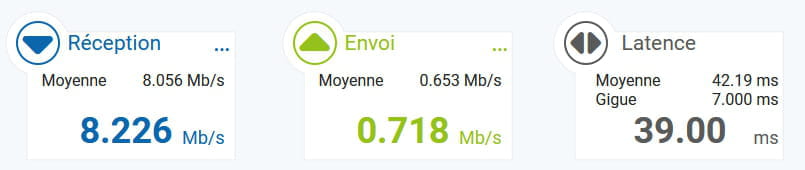
The disruption can also occur upstream, on the audio arrival itself, especially if it comes via the internet and you are on ADSL with bandwidth weakened by Covid/remote work.
You should restore your Windows 10 to a previous date when it was functioning well, if you have set up those backups, otherwise, it’s hopeless... you’ll have no choice but to update Windows; it’s now version 20H2 from November 26...
You can also go to the DriverCloud website https://www.driverscloud.com/fr/demarrer
Run the detection of your PC and update the latest drivers on your subject... but not just that.-
Thank you Jeannets for clarifying about the wifi. The problem doesn't come from my outdated Windows 10 since it was working before, nor from the quality of the ADSL which is even better than before the lockdown (a technician came by to improve this line). Unfortunately, I don't have any restore points from the time it was working.
I have already run DriverCloud and I don't have any drivers to update related to Bluetooth. Thanks again, and maybe someone will have other suggestions.
-