Dual boot windows 10: getting everything back in order
Solved
Swift14
Posted messages
153
Registration date
Status
Member
Last intervention
-
Swift14 Posted messages 153 Registration date Status Member Last intervention -
Swift14 Posted messages 153 Registration date Status Member Last intervention -
Hello. I just installed Windows 10 from a bootable USB drive on my old laptop. At the end of the initial installation, the process restarted by itself. I could only stop it by removing the USB drive at the end of the installation. Windows 10 is working, but I'm wondering if I have a "double installation" or something equivalent because the volume of the C drive has been "amputated" by over 45 GB (it includes Windows.old and Windows.old.000 since I was on Vista). The D drive is as it was before (almost full at 6.9 GB).
So, D is almost full with recovery which no longer has any files. And C has lost 45 GB.
I would like to get everything organized so that the operating system is on the same drive, and I would also like to continue having some Vista programs that are in Windows.old without taking up too much disk space.
How can I do that?
Thank you for your help.
So, D is almost full with recovery which no longer has any files. And C has lost 45 GB.
I would like to get everything organized so that the operating system is on the same drive, and I would also like to continue having some Vista programs that are in Windows.old without taking up too much disk space.
How can I do that?
Thank you for your help.
12 answers
-
Hello,
I would be tempted to say that we need to start a new installation. Before doing so, how did you create your bootable USB with Windows 10?
--
ASUS ROG G752 VSK | QuadCore Intel i7 7700HQ | 32 GB-DDR4 | 2 SSD M.2 500 GB | 2 HDD Seagate 2TB | GeForce GTX 1070M 8 GB | 17.3" screen (120 Hz) | DirectX 12 | Windows 10 (x64) -
Hello,
I will try to answer the various questions without adding any confusion.
Currently, there should only be one OS on the computer: Windows 10. I don't know what installation you have done. When upgrading from an older version to Windows 10, programs are usually retained (unless there is incompatibility, I suppose). That’s what I observed when moving from Win 7 to Win 10.
1) There is no question of recovering the programs from Vista. These programs were installed and are meant to run on Vista, not on Windows 10. If by any chance we retrieve the files, the data in the registry will also be missing. Currently, there is only one registry, that of Win 10.
The programs you care about will need to be reinstalled. For Microsoft Office, if you have the installation program and the product key, it shouldn't be a problem.
Movie Maker can still be downloaded: here.
2) There is also no question of installing Windows on drive D. In a computer, there is only one active partition (the one containing the operating system), which is C.
3) For space issues, it would be wise to perform a cleanup.
Follow the guide from PCAstuces: here.
--
What one understands well is expressed clearly,
And the words to say it come easily.
(Boileau) -
I used the Windows USB/DVD Download Tool downloaded from Microsoft. I needed a program to create a bootable USB from Windows Vista.
The thought of reinstalling makes me fear eating up more disk space. Furthermore, I had wanted to format D and install W10 on it. I had the option, but I received a message indicating that the available volume was too low. (At that point, I didn't know if it was referring to the remaining volume on D or its total volume.)-
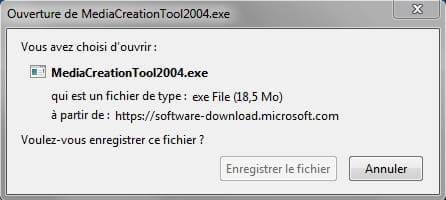
No, you must use "MediaCreationTool2004" ... https://www.microsoft.com/fr-fr/software-download/windows10 to install Windows 10 without going through Windows Vista (the OS has not been updated by Microsoft since 04/11/2017).
-
-
I had tried this utility. I couldn't run it under Vista. I tried others, including Iso to USB, for example. Same problem. Now, MediaCreationTool2004, I can probably get it to work since I'm now on W10.
But is it safe to make a new bootable USB and reinstall to solve the problems I'm facing? (especially with the used volumes)
Should I rather install on D or not? Its volume remains occupied as before, even though it only contains the empty recovery folder (original Vista restoration system) with no files (?) and is therefore useless. (I can indeed format D during the installation. The bootable USB has a volume of less than 5 GB, but will W10 fit in D -which has a volume of 9 GB?)
And how do I recover the Vista programs because if I refuse the old folders during installation, which is possible, the Vista programs will disappear along with everything else.
However, I would be interested in not keeping everything from Vista, I find it chaotic when searching for files.
All these discoveries and questions only appear once the installation is complete.
So, do you have an opinion and solutions for all this?
Thank you for your response.-
Hello,
In my opinion, I only see one viable solution... Change the hard drive (a new empty HDD would do the trick), to allow you to install Windows 10 using the "MediaCreationTool2004" utility and its ISO file.
Forget about installing the new OS from Vista. It has become obsolete. Let the utility do its job...

- Hello Panth33ra.
Thank you for your intervention. I feel like I'm not being clear: I no longer intend to install from Vista since I am now on W10, but before the installation, I couldn't run Media Tool 2004, so I used another program from Microsoft that works with my hardware.
I am not entirely satisfied with the result of my installation, that's all; and I'm asking questions that seem clear enough to me that I don't want to rewrite them. No response so far. This always reminds me of Coluche's sketch about technocrats: Once they've finished responding, you can no longer remember the question you asked.
As for Vista, it is indeed obsolete, but it has programs; in terms of video for example (Windows Movie Maker in particular) that are of better quality than what you find on W10, as well as Word, Excel, etc., that I would like to keep.
Best regards to you, and if you respond to me, please answer my questions.
Swift14 - Yes, I didn't specify. My laptop is a Compaq Presario from the C700 series. It's a 750 EF from 2006. (Yes, indeed). I replaced the Dual Core processor with a slightly more powerful model (1.86 GHz compared to 1.4 before; I will upgrade to a 2.4 GHz later). I upgraded the RAM from 2 to 3 GB. The motherboard is DirectX compatible.
Theoretically, I should be able to install 4 GB, but when I tried (on Vista), the computer wouldn't start. I don't know why (the model was the correct one: Sodimm DDR2 533). BIOS issue?
So, I installed the 32-bit version of Windows 10 with my 3 GB of RAM.
That's it. See you later.
-
-
Good evening Pierr10. Thank you for your explanations.
To answer you; for my installation, I downloaded the two ISO images of Windows 10 in 32 and 64 bits from the Microsoft website. And I bought a license key.
Then I created a bootable USB drive containing W10 32 bits with the Microsoft program I mentioned earlier (response 2/4) and I started the computer from the USB drive using the boot menu. And Windows 10 was installed. I accepted the installation of the old files (contents of Vista including programs) for safety.
Once the process was finished, it started over, so I repeated all the steps thinking perhaps wrongly that there was an error.
When I saw the volume used on drive C (over 45 GB), I thought that maybe such a volume was due to the repeated installation. And that D, still there and almost full, came from a mistake on my part. And when I look at the content and the final organization of C and D, I don't like it.
Hence my new arrival on CCM.
In the end, I wonder if Panth33ra's initial suggestion to change the HDD (or format mine) isn't the right one. But can we install W10 with the same key and from the boot menu on a blank drive?-
There couldn't have been two installations of Windows side by side.
The files from the second installation would have overwritten those from the first.
The normal size of Windows is between 30 and 35 GB. It varies, and here there are likely some Vista files that have been retained.
Personally, I wouldn't invest any more in this computer. The 3 GB of RAM severely limits it, and the processor surely has nothing to do with current processors.
It's a machine that can be used for troubleshooting or small tasks.
So I don't see the necessity of buying a new hard drive. The best option is to make do with the existing hardware.
Now we need to find out how the disks are being used.
For this, right-click on the desktop icon This PC and choose Manage. Then click on Disk Management.
Take a screenshot and post it on the forum. (icon far right above the message writing area).
You can also get an idea of the disk usage and particularly how much space Windows is taking up.
Use a small program called TreeSize Free: https://www.commentcamarche.net/telecharger/utilitaires/22281-treesize-free/
When it is installed, click on Choose a Directory at the top left and select the disk to analyze.
-
-
Good evening. Thank you. I will take a look tomorrow.
-
Pierr10, I’m trying to send you the requested image and it’s not working.
-
I'm trying again. I click on the mountain sketch, select my image, and confirm, then nothing!
So:
Result C: capacity 142.12 GB; free 108.65 GB. And D 6.92 GB of capacity with 1.66 GB free.
Basic disk: 149.05 GB.
Both mentioned as healthy.-
The screenshot had indeed been sent and I saw it. It has since disappeared.
The main thing is that on C, the space used is about 34 GB: that seems pretty normal. We can probably free up some space by cleaning up the files.
You indicated that on D, there is the Vista recovery folder. You normally no longer need it.
So we can delete D and increase the size of C.
If that's what you want, I will let you know how to proceed.
-
-
Okay. Finally, everything seems fine. I'm still uncomfortable with the way old is organized, which sometimes causes me to get a response related to old when I'm searching on my W10. It's the price to pay for keeping your programs, isn't it?
Otherwise, I'm interested in knowing how to delete the recovery folder from Vista and increase D.
Thank you.-
The deletion of D will not be possible (or at least difficult) if Windows is still using it, as it is a recovery partition.
To find out, go to disk management, as indicated in <11>
Right-click on the rectangle representing the D: partition:
If a context menu appears and in that menu "Delete Volume" is indicated (not grayed out obviously), everything is fine. Otherwise, we can forget it.
If you can delete volume D, do it.
The rectangle will then be marked as "Unallocated".
Right-click on the rectangle representing the C drive. You will see "Extend Volume" in the menu. Click on it. Windows will suggest extending to the maximum value. Complete the operation.
-
-
I followed your method to delete D and recover its space. It worked very well. Perfect. Thank you.
Do you know if there are any old and old 000 files that can be deleted because they are unnecessary?-
I'm glad it worked. That means the recovery only concerned Vista.
For the old files, look at this first: https://www.pcastuces.com/pratique/windows/windows_old/page3.htm
I think you'll be able to delete them. It's not urgent.
-
-
Yes, the recovery only concerned Vista and the D partition kept its name after the installation of W10 but it had become an empty folder.
I think my problem is generally well resolved.
I will wait a bit before marking it as resolved in case someone wants to add something.
Thank you, Panth33ra and Pierr10.-
However, I have lost the programs from my old folders. I don't know how since I only deleted the internet temporary files and cookies after freeing up disk space. Programs that are missing, including Roxio Creator. I don't understand.
- I told you (response <8>): Programs from Vista that are not compatible with Windows 10 will not be retrieved. This is probably the case for Roxio Creator; it may be a version issue.
Currently, you can no longer use the programs that are in the old folders. They are missing all the data that is in the registry to function. You currently only have the Windows 10 registry.
-
-
I had started, for example, Adobe Photoshop 5.0 (from 2000, yes, yes) because it was present on my hard drive before and after the installation of W10. After the installation, it worked. I also launched one or two other programs in old to test. I was pleasantly surprised to find that they had not disappeared.
What I didn't like was that they were in old. When I wrote at the beginning, "I would also like to continue having certain Vista programs that are in Windows Old without taking up too much disk space," it was because everything with W10 was taking nearly 45 GB. They were there and functional. I remember that. Too late! They are no longer in old or in old 000. And I don't see how I deleted them. Otherwise, it's not such a big deal.