Voice chat issue Call of Duty Warzone
Solved
eikofr
Posted messages
58
Status
Membre
-
s-yanis67 -
s-yanis67 -
Hello, I've looked everywhere but I can't find a solution to my issue. In the MW Warzone battle royale, there is a voice chat, but strangely, I can't hear others, and my mic is not recognized by the game.
I went into the settings, and the voice chat is turned on, no one is muted, and my mic is not recognized. There's no way to indicate to the game which mic I'm using. I'm on Windows 10, and my mic is selected as the default.
Could you please help me if you have any information? Thanks in advance.
41 answers
I'm happy not to be the only one, I play with friends on PS4 knowing that I'm on Xbox, I can hear them but I can't talk, I see their mic moving and I can hear them but mine doesn't work.
Briquette
I have exactly the same problem. I'm on PS4, my dad is on PC, and he has to keep pressing a key for me to hear him.
eikofr
Posted messages
58
Status
Member
On ps4 it's still a mystery, on PC it's resolved in any case.
I may have found the solution in a video from a guy:
https://www.youtube.com/watch?v=yHaC4o9lUV0
You need to make sure that in your audio settings on the PC there is only one device set as the default for recording.
I can now test the microphone in the game.
https://www.youtube.com/watch?v=yHaC4o9lUV0
You need to make sure that in your audio settings on the PC there is only one device set as the default for recording.
I can now test the microphone in the game.
I also had my Voicemod set as the default communication device. So I closed Voicemod and set my mic as the default device. I realized that my mic was indeed not detected by Windows when Voicemod was active and set as the default device. Then I relaunched my game, and the mic test worked.
I think that if I set Voicemod as the default device and also choose Voicemod as the mic in Windows, it could work with Voicemod, but for now, I'll keep it like this. Thanks!
Hello / Good evening, I have the same problem as above but the other way around, I can't hear anyone but everyone can hear me, do you have any answers please?
I have the same problem right now, my microphone works on all other games but here I can't talk in the game or hear friends.
I also had my voicemod as the default communication device. So I closed voicemod and set my microphone as the default device. I realized that my microphone was indeed not detected by Windows when voicemod was active and set as the default device. Then I relaunched my game and the microphone test worked.
I should clarify that my microphone was working on discord and other games before this fix. It's really that COD MW is finicky and only wants one default device because it chooses one.
I think that if I activate voicemod as the default device and also select voicemod as the Windows microphone, it might work with voicemod, but for now, I'm keeping it this way, thanks!
If you don't have voicemod, just make sure your microphone and headset are the only default devices.
Test it at home and let me know if I can mark this as resolved because for me, it's all good ^^
I should clarify that my microphone was working on discord and other games before this fix. It's really that COD MW is finicky and only wants one default device because it chooses one.
I think that if I activate voicemod as the default device and also select voicemod as the Windows microphone, it might work with voicemod, but for now, I'm keeping it this way, thanks!
If you don't have voicemod, just make sure your microphone and headset are the only default devices.
Test it at home and let me know if I can mark this as resolved because for me, it's all good ^^
Same problem, my mic4o doesn't work on Call of Warfare, I can hear the others in the group, the settings are good. In a private party from the console, my mic works. I don't understand anything anymore.
That's right, you need to set the input devices as default and everything works well, and you have to press to talk; otherwise, it doesn't work. Well, have fun everyone!
Hi, it's a PC player telling me this: you need to go into the game's audio in the Warzone menu -> voice chat -> microphone threshold, you need to set it to a maximum of 5 because otherwise your mic will be saturated :) no more issues since then.
I also had my Voicemod as the default communication device. So I closed Voicemod and set my microphone as the default device. I realized that my microphone was indeed not detected by Windows when Voicemod was active and set as the default device. Then I restarted my game and the microphone test worked.
I think that if I activate Voicemod as the default device and also choose Voicemod as the microphone in Windows, it could work with Voicemod, but for now, I'll keep it like this, thanks!
If you don't have Voicemod, just check that your microphone and your headset are the only default devices.
Test it at home and let me know if I can mark it as resolved because for me, it's all good ^^
I think that if I activate Voicemod as the default device and also choose Voicemod as the microphone in Windows, it could work with Voicemod, but for now, I'll keep it like this, thanks!
If you don't have Voicemod, just check that your microphone and your headset are the only default devices.
Test it at home and let me know if I can mark it as resolved because for me, it's all good ^^
So yes, they tell you that the GAME requires only one device by default, me too Discord and other voice chat games worked VERY WELL but not Modern Warfare. With the manipulation that I'm proposing at the end of my comment, it should work if you're on PC. Honestly, do it and let me know.
Hello, we have been experiencing problems since the update on April 28. We can hear each other well at the beginning of Warzone, but during the game we can't hear each other at all?
Hello, I am an Xbox One player and I have the same microphone problem. I play in random and can hear my team, but my microphone is not recognized. If any Xbox One players can help me, I am willing. I want to clarify that this bug only happens in Warzone.
Good evening, same problem as all of you, I can hear the game's sound, I can hear my colleagues who are on ps4 but I can't talk to them! I've tried all sorts of settings, including the one you mentioned, but it's impossible!!
Hello
My issue is that whenever I select the "push to talk" function, my friends can no longer hear me
If I use a key, there are no issues (except that I forget to push it when I speak ????), which leads to breaking the c.... because we’re dying over silly issues of poor communication.
The worst part is that at first, I had no problems.
I haven’t changed anything
Could there have been a Warzone update that is causing the issue ????
Thanks for responding ☺
My issue is that whenever I select the "push to talk" function, my friends can no longer hear me
If I use a key, there are no issues (except that I forget to push it when I speak ????), which leads to breaking the c.... because we’re dying over silly issues of poor communication.
The worst part is that at first, I had no problems.
I haven’t changed anything
Could there have been a Warzone update that is causing the issue ????
Thanks for responding ☺
Re criss
I did it too
I even turned off the Bluetooth on my headset ???? because it connects via Bluetooth as well
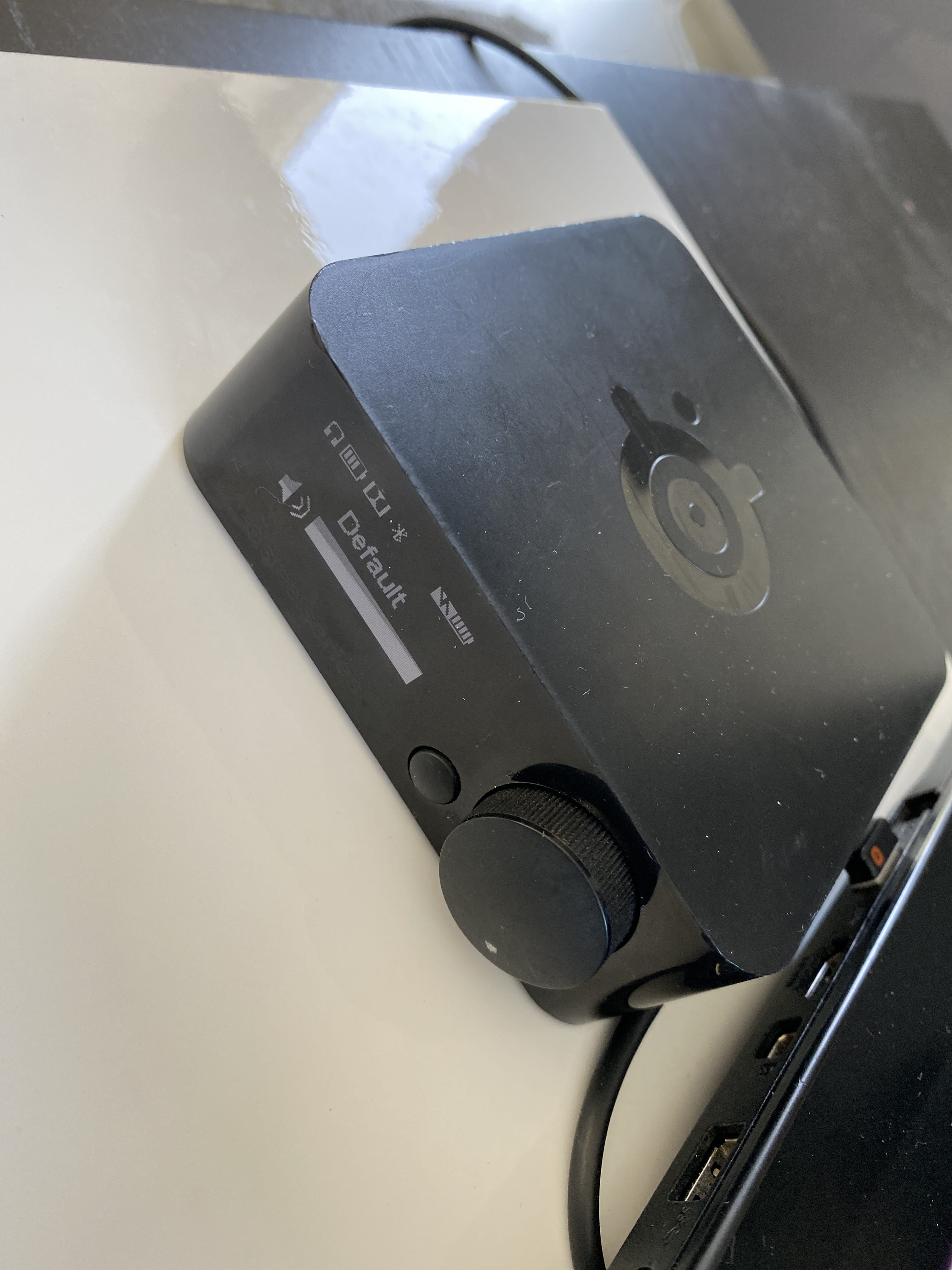
I’m using an additional box (photo) of my headset that I reset too but nothing works
Even after completely uninstalling the headset and keeping the microphone and speakers from my MSI laptop
It’s impossible to keep the microphone in active continuous mode
I did it too
I even turned off the Bluetooth on my headset ???? because it connects via Bluetooth as well
I’m using an additional box (photo) of my headset that I reset too but nothing works
Even after completely uninstalling the headset and keeping the microphone and speakers from my MSI laptop
It’s impossible to keep the microphone in active continuous mode
Update your console and controller with the headset plugged in; I've been stuck for a week.. I just did the update, and it finally works!
I'm on Xbox One ;)
I'm on Xbox One ;)
Yes, thank you, as Criss said, it doesn't make any sense, I'm ripping my hair out
My friends don't even want to invite me to their parties anymore because I can't think ???? to push myself to talk
It's still crazy that it doesn't work in open mic ?????? and that it worked at first, I don't understand.
My friends don't even want to invite me to their parties anymore because I can't think ???? to push myself to talk
It's still crazy that it doesn't work in open mic ?????? and that it worked at first, I don't understand.
I play on PC, my colleague on PS4, he sees his icon indicating that he is talking and that his microphone is connected. I neither see the icon nor hear him speaking, does anyone have an idea? Is it related to cross-platform?
I also had my Voicemod set as the default communication device. So I closed Voicemod and set my microphone as the default device. I realized that my mic was indeed not detected by Windows when Voicemod was active and set as the default device. Then I restarted my game and the mic test worked.
I should mention that my mic was working on Discord and other games before this manipulation; it's really that COD MW is finicky and only wants a single default device, because it chooses one.
I think that if I activate Voicemod as the default device and also choose Voicemod as the Windows mic, it might work with Voicemod, but for now I'll leave it like this. Thanks!
If you don’t have Voicemod, just check that your microphone and headset are the only default devices.
Test it at home and let me know if I can mark it as resolved because for me it’s all good! ^^
I should mention that my mic was working on Discord and other games before this manipulation; it's really that COD MW is finicky and only wants a single default device, because it chooses one.
I think that if I activate Voicemod as the default device and also choose Voicemod as the Windows mic, it might work with Voicemod, but for now I'll leave it like this. Thanks!
If you don’t have Voicemod, just check that your microphone and headset are the only default devices.
Test it at home and let me know if I can mark it as resolved because for me it’s all good! ^^
Hi. I play on PS4 with friends who play on PC. My mic is well connected, it works, in the lobby when I talk I can see the icon indicating I'm speaking but I can't hear my friends and they can't hear me.
In the audio settings, "voice chat: with" is selected but it's not working...
I'm waiting for your responses ?????????
In the audio settings, "voice chat: with" is selected but it's not working...
I'm waiting for your responses ?????????