Windows 10 installation stuck at 46% getting updates, Windows Update not working
Solved
ZeliBagster
Posted messages
2
Status
Member
-
stephsag -
stephsag -
Hello,
I am trying to install Windows 10 on my PC running 8.1. I had done this before on the same PC, through a Windows Update notification where I clicked on upgrade to Windows 10. Everything went well, I had Windows 10, it worked perfectly. However, I rebooted the PC to factory settings for practical reasons (not really anymore haha)
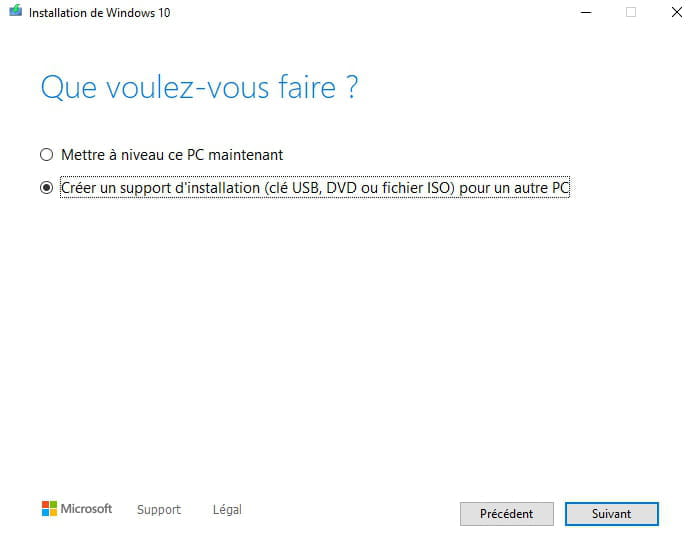
The download program for Windows 10 (Media Creation Toolkit) is going well, downloading Windows 10: OK. But it gets stuck at retrieving updates, at 46%, and the disk space hasn't decreased.
A very similar problem to this one: https://forum.malekal.com/viewtopic.php?t=55176
However, Windows Update refuses to do any updates and clearly indicates that I have never done any updates on this PC (which is normal as it has just been reformatted to factory settings). I feel like I'm missing some necessary updates on Windows 8.1 to upgrade to Windows 10. But Windows Update just keeps going in circles and doesn't seem to respond.
I have launched Windows Update, but it just keeps spinning (I left my PC on all night from 6 PM yesterday to 9 AM this morning, nothing has changed).
I run the Windows Update Troubleshooter found here: https://support.microsoft.com/en-us/windows/windows-update-troubleshooter-for-windows-10-19bc41ca-ad72-ae67-af3c-89ce169755dd
-- EDIT -- It indicates 3 errors that have been fixed. I restart Windows Update.
Can you help me further? I should mention that creating a bootable USB drive with Rufus does not work in the BIOS; I get a black screen and the computer starts normally, automatically opening Windows Update (which is stuck).
I am trying to install Windows 10 on my PC running 8.1. I had done this before on the same PC, through a Windows Update notification where I clicked on upgrade to Windows 10. Everything went well, I had Windows 10, it worked perfectly. However, I rebooted the PC to factory settings for practical reasons (not really anymore haha)
The download program for Windows 10 (Media Creation Toolkit) is going well, downloading Windows 10: OK. But it gets stuck at retrieving updates, at 46%, and the disk space hasn't decreased.
A very similar problem to this one: https://forum.malekal.com/viewtopic.php?t=55176
However, Windows Update refuses to do any updates and clearly indicates that I have never done any updates on this PC (which is normal as it has just been reformatted to factory settings). I feel like I'm missing some necessary updates on Windows 8.1 to upgrade to Windows 10. But Windows Update just keeps going in circles and doesn't seem to respond.
I have launched Windows Update, but it just keeps spinning (I left my PC on all night from 6 PM yesterday to 9 AM this morning, nothing has changed).
I run the Windows Update Troubleshooter found here: https://support.microsoft.com/en-us/windows/windows-update-troubleshooter-for-windows-10-19bc41ca-ad72-ae67-af3c-89ce169755dd
-- EDIT -- It indicates 3 errors that have been fixed. I restart Windows Update.
Can you help me further? I should mention that creating a bootable USB drive with Rufus does not work in the BIOS; I get a black screen and the computer starts normally, automatically opening Windows Update (which is stuck).
2 answers
-
Hello,
It's best to install Windows 10 cleanly without upgrading from W8 to W10. See this page.
bazfile
Moderator/Contributor security.
click here-
Thank you for reading my post, "I want to clarify that creating a bootable USB drive with Rufus does not work in the BIOS, I get a black screen and the computer starts normally by automatically opening Windows Update (which is blocked)."
The crux of the issue is that Windows Update seems to be blocking everything. -
-
-
I have the same issue as soon as I update it, it gets stuck at 46 while we've reset the computer to zero. Thank you for your help.