Audio output problem not connected
Solved
Cebe
-
Cebesine_ihu Posted messages 6 Status Member -
Cebesine_ihu Posted messages 6 Status Member -
Hello,
As indicated in the title, after the update my headphones no longer work on my PC (with Windows 10) and it says that no speakers or headphones are plugged in, and the same goes for the troubleshooting tool. I tried uninstalling the Realtek device from the device manager and installing several versions of Realtek, but it doesn't work: the Realtek devices are still showing as not connected. I also tried following some tutorials regarding the Realtek audio manager but nothing works.
Configuration: Windows / Chrome 75.0.3770.142
As indicated in the title, after the update my headphones no longer work on my PC (with Windows 10) and it says that no speakers or headphones are plugged in, and the same goes for the troubleshooting tool. I tried uninstalling the Realtek device from the device manager and installing several versions of Realtek, but it doesn't work: the Realtek devices are still showing as not connected. I also tried following some tutorials regarding the Realtek audio manager but nothing works.
Configuration: Windows / Chrome 75.0.3770.142
5 answers
-
Good evening,
The problem was solved by checking the box to disable the front panel jack in the connector settings of the Realtek HD audio manager:
Before that, I also followed Kaneagle's advice.
Thank you Malekal, thank you Kaneagle. -
Hi,
Right-click on the sound icon and sound settings.
Check the input devices to see if you can add one.

If not, take a look in the device manager to see if you have any errors.
Are there any errors in the device manager?
--
Please press a key to continue the disinfection...-
Hello and thank you for your response,
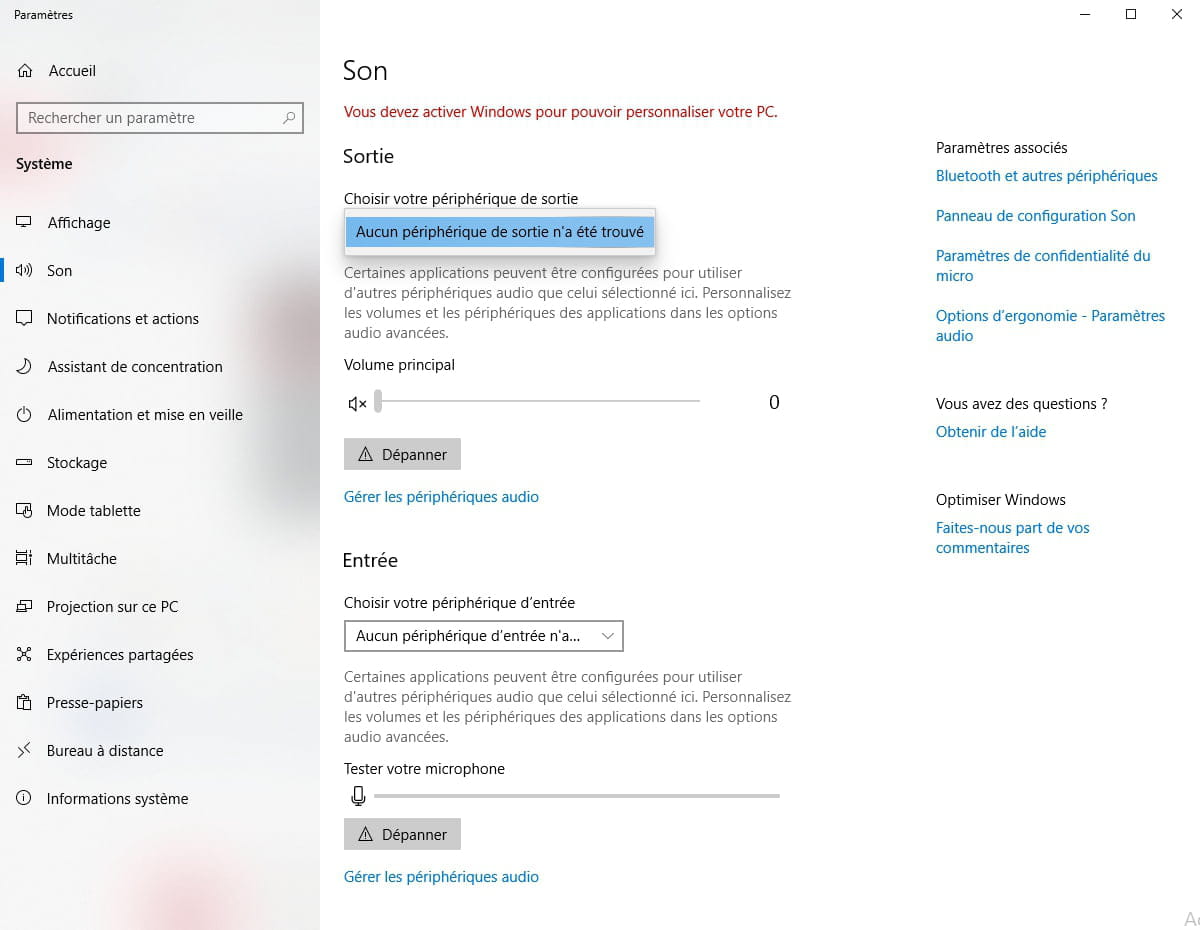
No, I don't have any device in the choice list, here is an image:
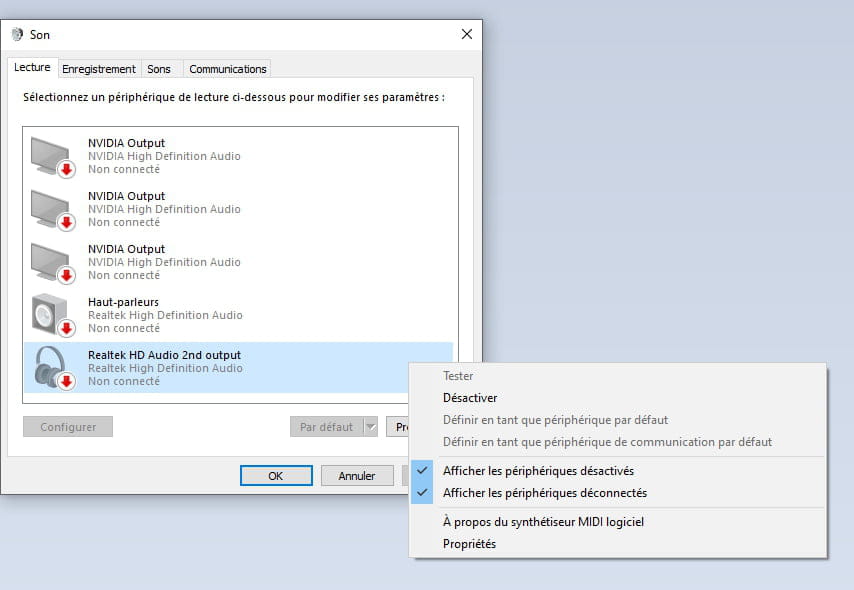
However, in the sound control panel, the ports are present but not connected:
Otherwise, for the device manager, no errors are present:
- Are you sure you plugged something into the output jack?
You didn't accidentally use the wrong jack, like if there are two sound cards.
On this page: https://img-19.ccm2.net/0SjzTiIlMiSKVeBSy4pZtvd7944=/440x/387b2b3a7df84687a6e88a067917c628/ccm-ugc/img1.png
Click on Manage audio devices
What's in there?
-
No, the headset is plugged into the right jack, and it's the same one as before the update, and it was working fine. (front jack with headset icon)
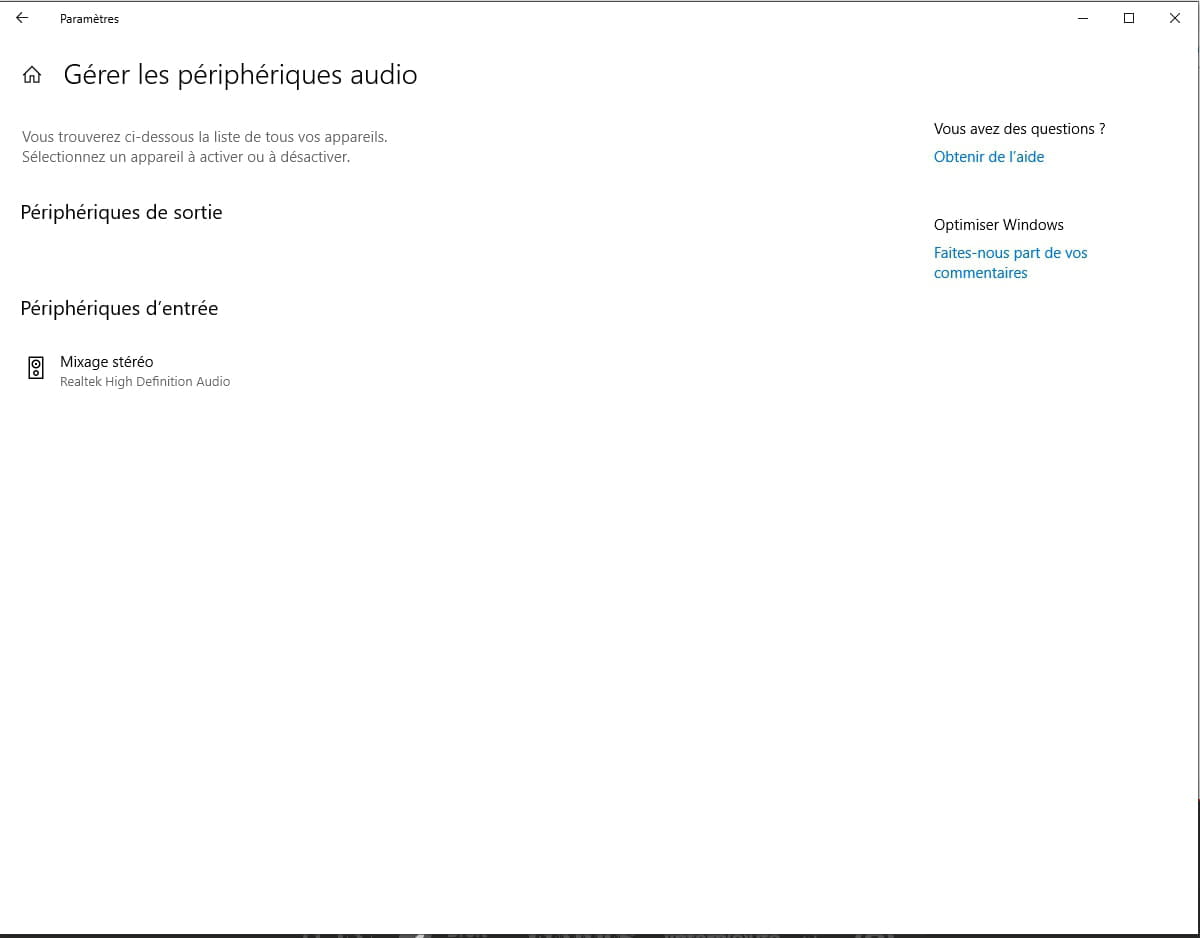
For output devices, there's nothing, and for input devices, there's stereo mix which I found disabled; I enabled it but nothing happens (I think it concerns the mic):
-
-
-
Go to Device Manager
Sound, video and game controllers
Right-click on Realtek High Definition Audio
Uninstall
Click on --> Action
Scan for hardware changes.
--
Human beings are at their best when things are at their worst. -
If kaneagle can't help you, you can downgrade.
- Windows 10 settings.
- Update and security
- on the left recovery
- and on the right you have the option to downgrade.
This is possible for 10 days after the update; after that period, it will no longer be possible.
More info: https://www.malekal.com/retrograder-windows10-revenir-version-precedente/
--
Please press a key to continue the disinfection... -
Hello,
Start by activating Windows and then go to Windows Update and make the updates.
--
Human beings are at their best when things are at their worst.