Customizing the welcome screen
EcureuilChasseur58 Posted messages 6 Registration date Status Member Last intervention -
Hello,
I just acquired this A36 5G which I just set up, I’ve done the bare minimum and I’ll try to progress with your help.
My first question will be how to customize my home page with a photo from my gallery.
That won’t be the last one!
I’m counting on your relevance.
@+
J C
6 answers
-
Hello EcureuilChasseur58
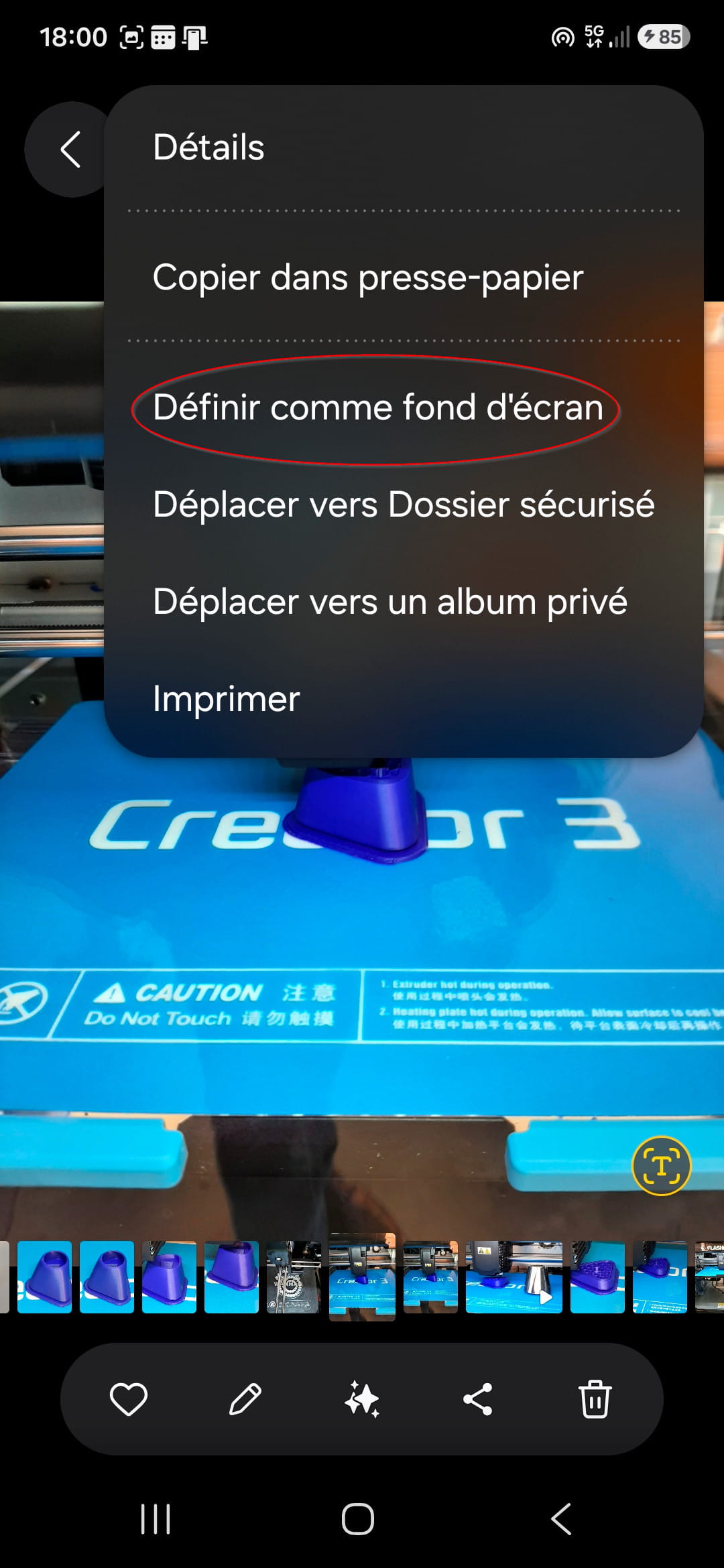
To add a photo to the Android home page, open the gallery, select a photo, then choose "Set as wallpaper" and select "Home screen".
-
Thank you JY29200 for this response, but selecting a photo from the gallery is easy, but how to choose: "Set as wallpaper" and select "Home screen"?
@+
J C
-
Hello,
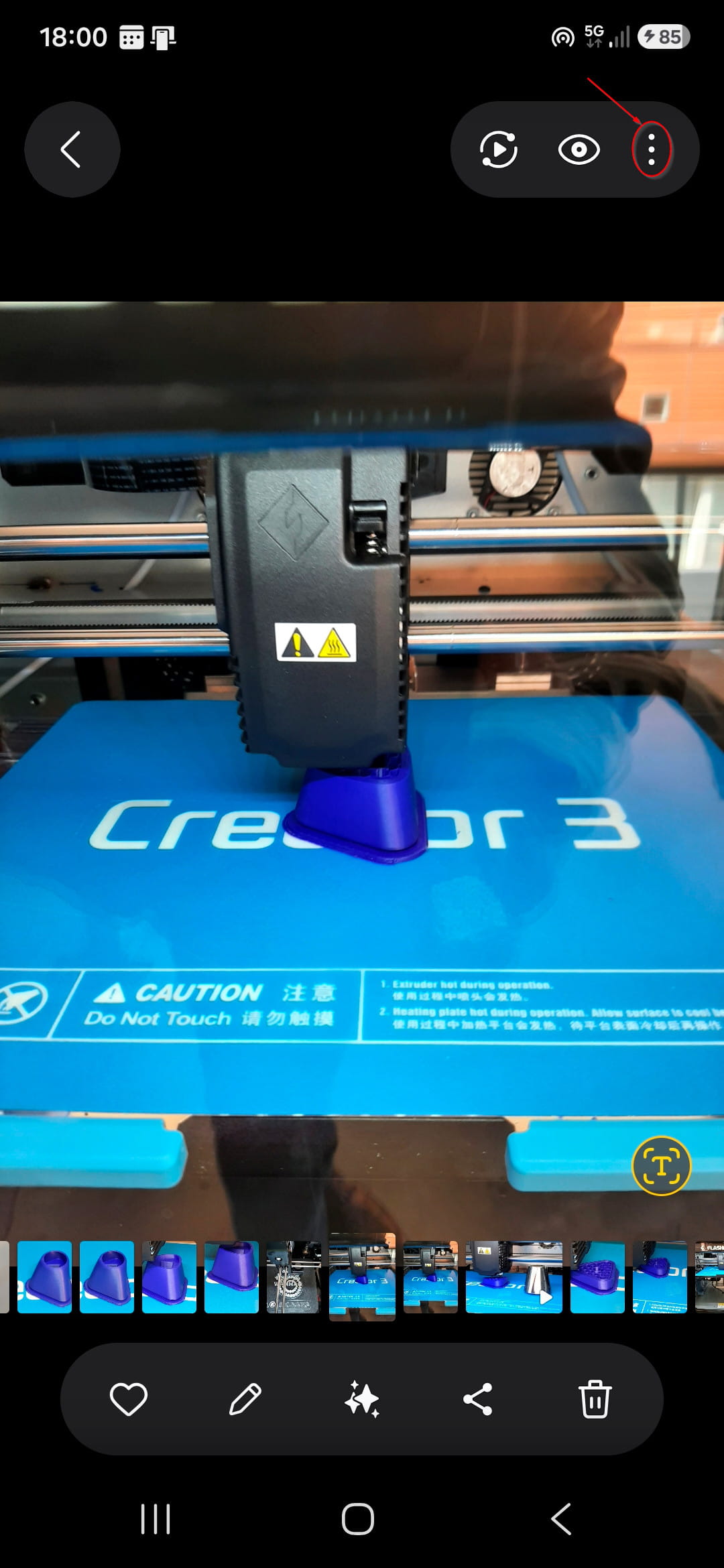
In the top right of the photo, click the three vertical dots. -
RE...........
After selecting the photo I can't find the three vertical dots
-
Settings, wallpapers
-
[url=https://postimg.cc/mcZLTw8X][img]https://i.postimg.cc/mcZLTw8X/20120101-063642-Copie.jpg[/img][/url]
[url=https://postimg.cc/3dHHK1wP][img]https://i.postimg.cc/3dHHK1wP/20120101-063649-Copie.jpg[/img][/url]
Hello
Following your advice, here is, in order, what I get:
1- when opening
2- after sliding
It's not bad, but on my OLD S3 I had the image everywhere! It's not bad overall!
@+
J C