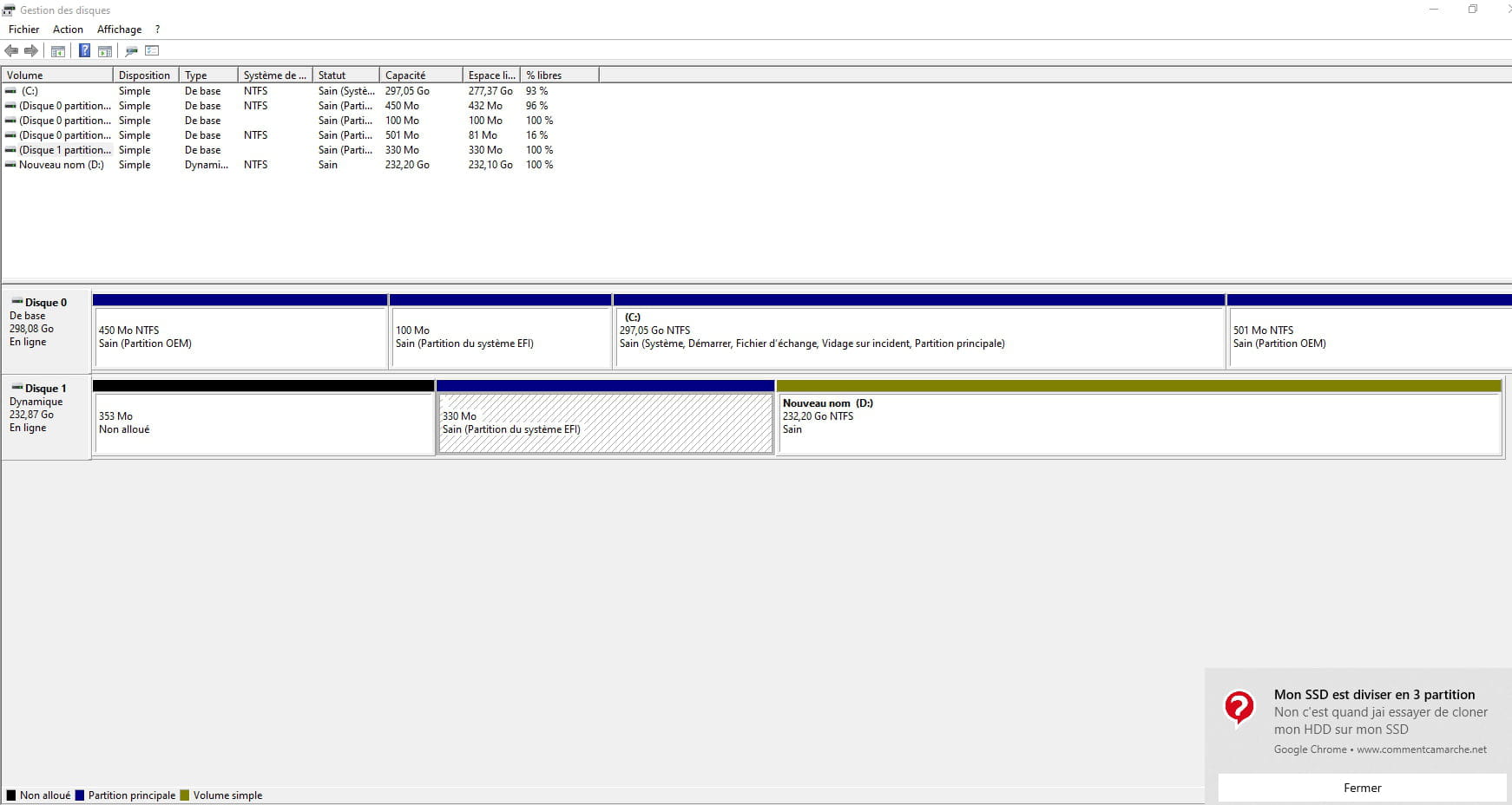
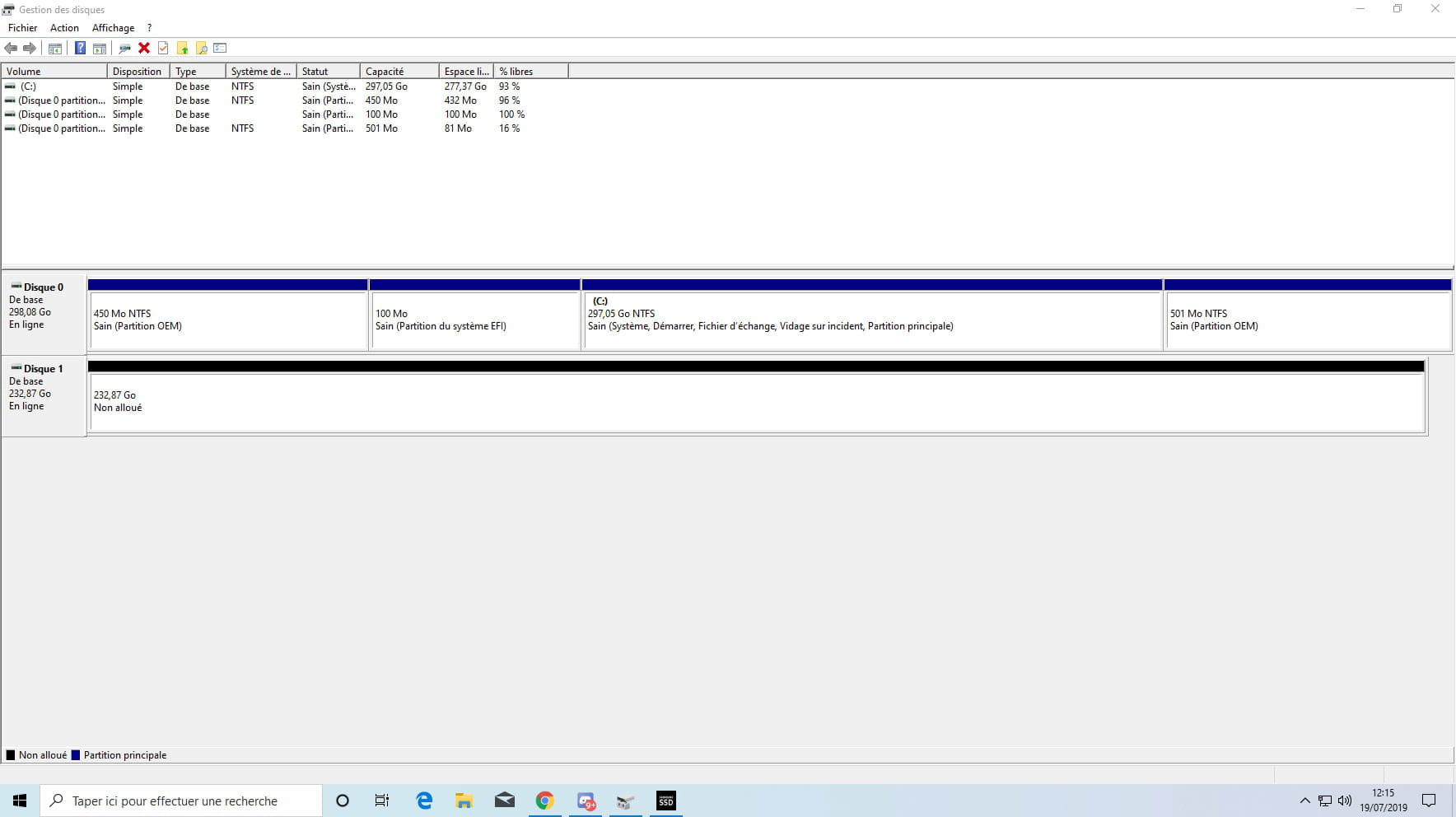
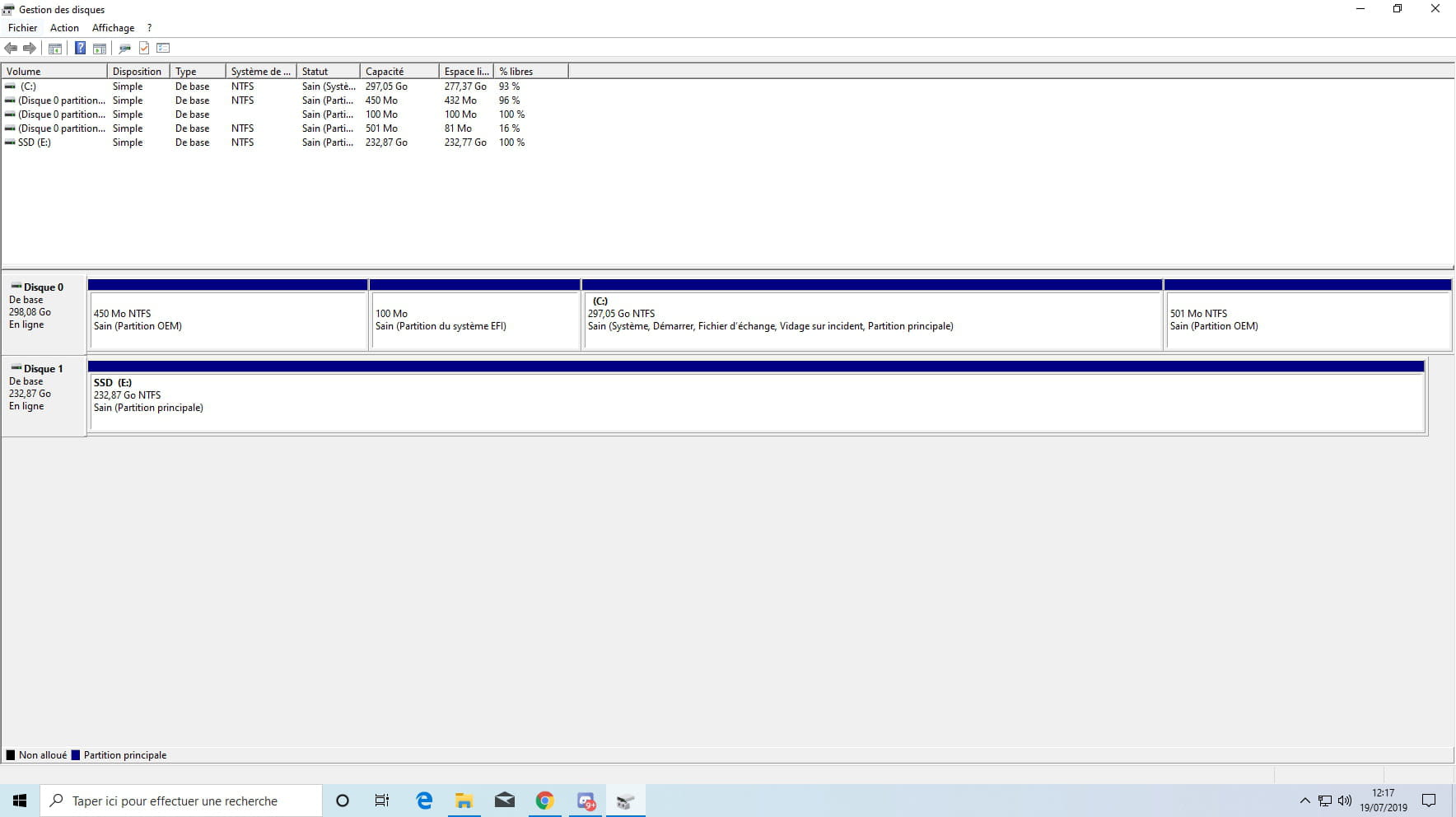
My SSD is divided into 3 partitions.
Solved
drsully59
Posted messages
62
Status
Member
-
epango Posted messages 36739 Registration date Status Member Last intervention -
epango Posted messages 36739 Registration date Status Member Last intervention -
Hello
My SSD was in a single partition, I don't know what caused the following issue
And I would like to know if you know the solution to fix this because it's causing me to lose power in my games. One day before I made an error that caused this, my Fortnite game was on the SSD and was running perfectly, and now that the SSD is divided into 3, the power is reduced and it's causing me to lag in the game.
My SSD was in a single partition, I don't know what caused the following issue
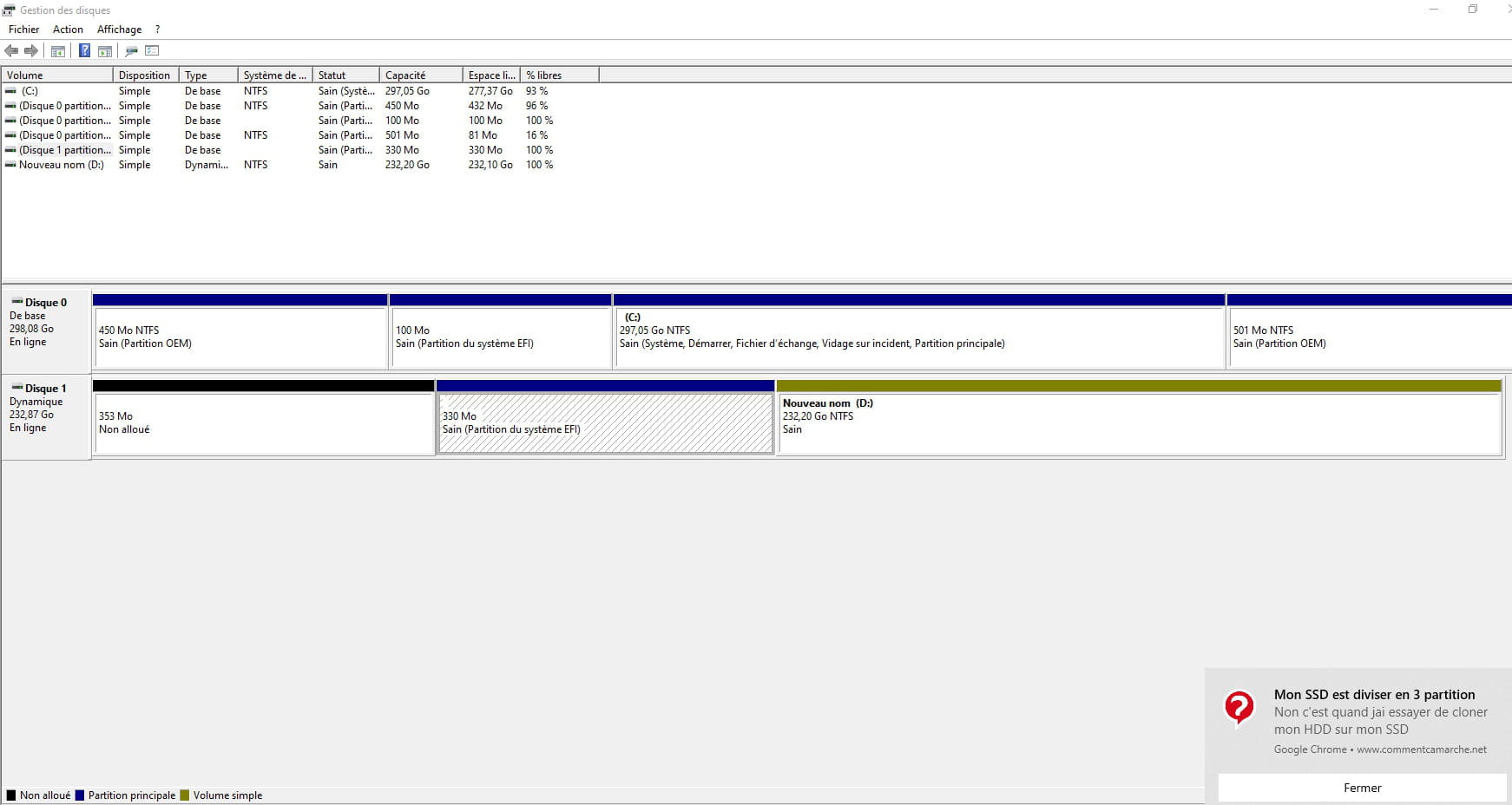
And I would like to know if you know the solution to fix this because it's causing me to lose power in my games. One day before I made an error that caused this, my Fortnite game was on the SSD and was running perfectly, and now that the SSD is divided into 3, the power is reduced and it's causing me to lag in the game.
6 answers
-
Hello,
The various participants in the forum are not machines, but real human beings acting voluntarily, so a few polite words are always appreciated.
A phrase starting with hello and ending with thank you in advance is more likely to receive a prompt and quality response.
An essential tip >>>HERE<<<!
Thank you for your understanding.
--
"We swallow in great gulps the lie that flatters us and we drink drop by drop a truth that is bitter to us." -
Hello
You need to post a complete screenshot of the disk management window, opened fully
--
There are 3 types of people: those who can count and those who cannot.
There are two categories of people: those who divide everything into two categories and the others. -
And your SSD has always had these partitions, they are "system" partitions and we cannot merge them (besides, they are tiny); and finally, it absolutely does not "lose power"
If you have a gaming issue, it has nothing to do with that.-
-
So it’s quite normal if disk 1 (the SSD) has several partitions; it’s the attempt. Moreover, we don’t clone without thinking; from what we see, the HDD is larger than the SSD, so cloning normally won’t work.
In short, if 1 is the SSD and in D: and therefore not the system, the best option is to delete all the partitions (loss of data) and recreate one.
But your approach is not clear, so it’s not easy to respond. -
-
-
-
We have a hard time understanding what you did. Normally, if your OS was on partition D, it would appear in blue.
--
Misnaming things adds to the misery of the world (Albert Camus) -
But isn't there a way to just remove the SSD or restore it to factory settings?
-
It's a bit confusing.
Which one is the SSD? Disk 1?
Windows was reinstalled on disk 0?
What do you want to do, exactly?
--
There are 3 kinds of people: those who know how to count and those who do not.
There are two categories of people: those who divide everything into two categories and the others.-
-
OK
We assume that there is nothing to recover from it.
This will completely clean the SSD and delete all partitions.
After that, it will depend on what you want to do with it.
Launch a command prompt (cmd) as an administrator
type:
diskpart
list disk
select disk X X is the SSD, it should be disk 1, check with the size
clean this erases all partitions, be careful not to choose the wrong disk
convert basic convert to basic disk
convert gpt convert to GPT
exit -
-
-
-