Unable to send an email /VPN Avast SecureLine

zebulon1174
Posted messages
20
Status
Member
-
zebulon1174 Posted messages 20 Status Member -
zebulon1174 Posted messages 20 Status Member -
Hello everyone
my outbound server is smtp.sfr.fr port 587, I use Mozilla Thunderbird email client, it works normally, but when I activate my VPN ( Avast SecureLine ) I can receive emails but I am unable to send; if I deactivate the VPN it works! A detail: if I go directly to SFR's webmail I can send and receive emails even with VPN activated.
I did several configurations on the outbound server without finding the solution!
I asked Avast, their reply: (it's not their responsibility) you need to contact Thunderbird, but it is impossible to reach Mozilla Thunderbird France by phone (the phone number is no longer in use).
If you’ve had the same problem or if you have any information to share, it’s welcome.
Best regards
zebulon1174
my outbound server is smtp.sfr.fr port 587, I use Mozilla Thunderbird email client, it works normally, but when I activate my VPN ( Avast SecureLine ) I can receive emails but I am unable to send; if I deactivate the VPN it works! A detail: if I go directly to SFR's webmail I can send and receive emails even with VPN activated.
I did several configurations on the outbound server without finding the solution!
I asked Avast, their reply: (it's not their responsibility) you need to contact Thunderbird, but it is impossible to reach Mozilla Thunderbird France by phone (the phone number is no longer in use).
If you’ve had the same problem or if you have any information to share, it’s welcome.
Best regards
zebulon1174
7 answers
-
Avast Secureline, meh! ...
Considering the number of people who are in the same situation as you and who are looking for a solution, I would switch crémier... If that can open you a lead > https://support.avast.com/fr-fr/article/91
-
Hello zebulon1174 ,
Try stopping Avast.
Otherwise, disable the outbox mail control agent.
If you are on Windows 10, you can even uninstall Avast completely. in that case Windows Defender, the antivirus built into Windows, will automatically take over.-
-
-
-
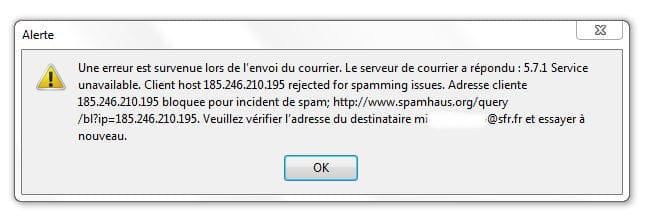
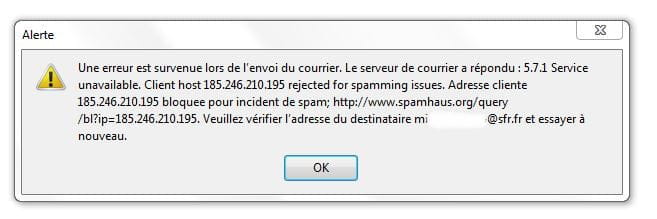
Make sure your outgoing server settings in Thunderbird are configured for authenticated sending, as shown here for Orange (same for SFR, with the server name only differing): smtp.sfr.fr [image: https://img-19.ccm2.net/MTwtSaAxDu2xuKfTx9joJLV---c=/300x/659e90e8e2154450994e8e40c80c71f8/ccm-ugc/Screenshot_10.jpg] In your initial message you said “je peut recevoir les emails mais il m'est impossible d'envoyer” Can we know how the phrase “il m'est impossible” translates? Full error message? Behavior? Etc...
-
-
-
Try these SMTP settings, like for me with Free, you put those of your ISP.

-
Hello,
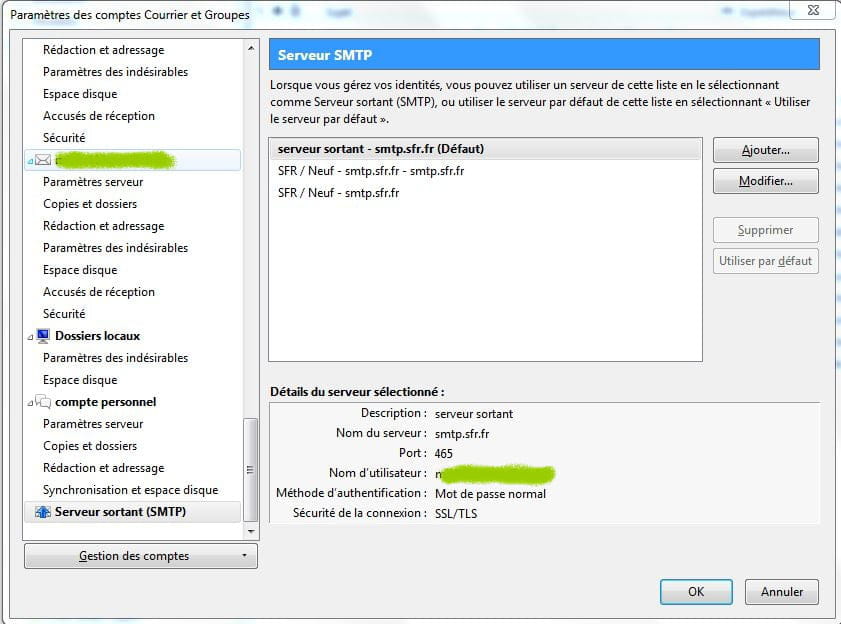
Indeed, the SMTP server must be the one provided by the ISP, but not on port 25! Authenticated sending is now almost mandatory, and that is with port 465 and SSL. The username must be the full email address of the main account. -
Internet Service Provider (Free, Orange, SFR, etc.)
-
thank you, because it works perfectly now, and without calling SFR! (attached is the configuration.
thanks again to all of you! .
best regards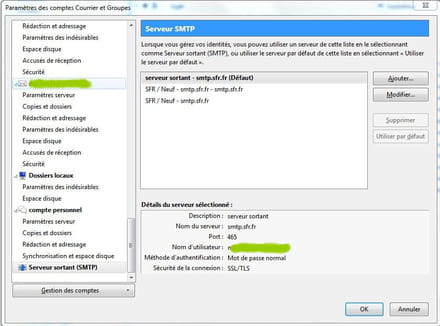 Well there you go! Your VPN is working, you're protected.
--
the druid without the potion.Try port 587, otherwise the same problem for others at SFR resolved with this solution:
Since the server is "smtp-auth.sfr.fr" you must choose "SSL / TLS" in "Connection Security", "Password" for the "Authentication Method" and put your email address "XXXX@neuf.fr" in "Username".
--
the druid without the potion.
-