
Intel HD Graphics driver issue version 9.17.10.4459
Solved
Hello,
For some time now, I have had a problem with my graphics card driver. When I go to the Device Manager,
there is a warning sign, which means there is a problem:

then when I right-click properties, it shows me this:

I am providing the error that appears in the text box just below:
Windows cannot load the device driver for this hardware. This driver may be corrupted or missing. (Code 39)
{Incorrect image}
%hs is not designed to run under Windows or it contains an error. Reinstall the program using the original installation media, or contact your system administrator or software vendor for support. Error status: 0x
I fully understand what this message means; the only problem is that the driver in question was already installed on the PC when I received it, and my graphics card is so old that it is impossible to update the driver and therefore also to reinstall it.
Thank you in advance for your help.
My sincere regards,
Valérian Baer
For some time now, I have had a problem with my graphics card driver. When I go to the Device Manager,
there is a warning sign, which means there is a problem:
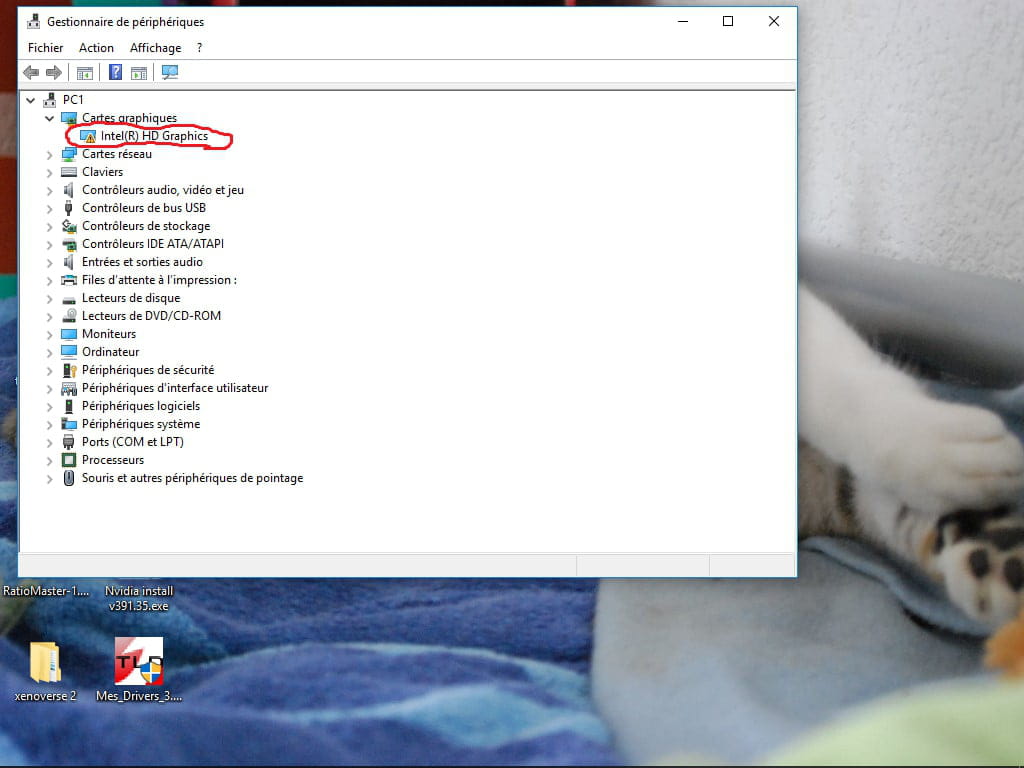
then when I right-click properties, it shows me this:

I am providing the error that appears in the text box just below:
Windows cannot load the device driver for this hardware. This driver may be corrupted or missing. (Code 39)
{Incorrect image}
%hs is not designed to run under Windows or it contains an error. Reinstall the program using the original installation media, or contact your system administrator or software vendor for support. Error status: 0x
I fully understand what this message means; the only problem is that the driver in question was already installed on the PC when I received it, and my graphics card is so old that it is impossible to update the driver and therefore also to reinstall it.
Thank you in advance for your help.
My sincere regards,
Valérian Baer
12 answers
-
ModeratorHello,
Provide the equipment identification number of the device
Check this --> Find the device identification number
Post the number in your next message.
What is the brand and the exact model number of the PC?
Is Windows 7, 8, or 10 in 32 or 64 bits?
--
Human beings are at their best when things are at their worst.-
The brand of the PC is HP
The device's hardware identification number is PCI\VEN_8086&DEV_0102&SUBSYS_1495103C&REV_09
PCI\VEN_8086&DEV_0102&SUBSYS_1495103C
PCI\VEN_8086&DEV_0102&CC_030000
PCI\VEN_8086&DEV_0102&CC_0300
And I don't know the exact model number of the PC
And I am using Windows 10 64-bit.
-

