File Storage Management in iOS
Solved
VincentVoltaCCM
Posted messages
5000
Status
Member
-
VincentVoltaCCM Posted messages 5000 Status Member -
VincentVoltaCCM Posted messages 5000 Status Member -
Hello everyone,
iCloud = iCloud Drive?
Is iCloud Drive "Drive" because it's open to others (Google, Microsoft)?
I paid once the €0.99 but photos don't go there directly, nor do videos...
Knowing that I haven't spent much €, I need an automatic system, so that the internal memory is just "temporary"
Anyway, I clearly can't use it... I'm sharing iCloud...
I somehow managed to get iCloud Drive on the home screen of my iPod:

Super Mega useful, I know LOL but this thing should be able to fill up...
The iCloud sharing allows me to transfer from iPod to iPad but to an Android currently I go through OneDrive, Dropbox, Google Drive, etc.
I don't have any special advances in games.
Files are copied to the PC.
I keep them to send or they're transitional files.
Conclusion: I need your advice knowing this ;)


Thank you in advance for enlightening me about iOS, which I understand much less than Android.
Thanks in advance for your advice as well.
Suggestions for storage for transfers "I'm casting a wide net"
iCloud = iCloud Drive?
Is iCloud Drive "Drive" because it's open to others (Google, Microsoft)?
I paid once the €0.99 but photos don't go there directly, nor do videos...
Knowing that I haven't spent much €, I need an automatic system, so that the internal memory is just "temporary"
Anyway, I clearly can't use it... I'm sharing iCloud...
I somehow managed to get iCloud Drive on the home screen of my iPod:

Super Mega useful, I know LOL but this thing should be able to fill up...
The iCloud sharing allows me to transfer from iPod to iPad but to an Android currently I go through OneDrive, Dropbox, Google Drive, etc.
I don't have any special advances in games.
Files are copied to the PC.
I keep them to send or they're transitional files.
Conclusion: I need your advice knowing this ;)


Thank you in advance for enlightening me about iOS, which I understand much less than Android.
Thanks in advance for your advice as well.
Suggestions for storage for transfers "I'm casting a wide net"
12 answers
-
Hello VincentVoltaCCM, I read all the posts and I really had a hard time understanding everything given the multitude of questions and the "mix" between all the operating systems and cloud systems you would like to have.
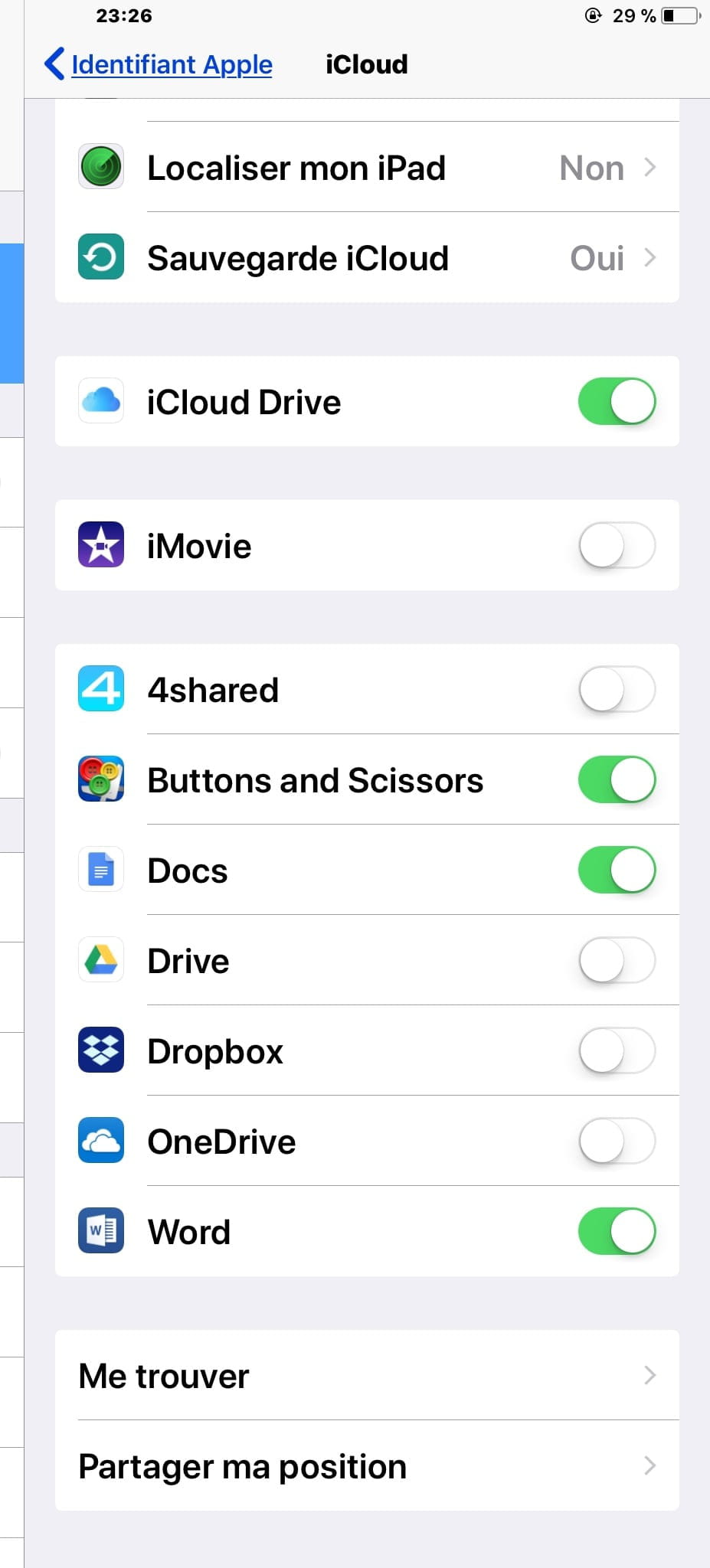
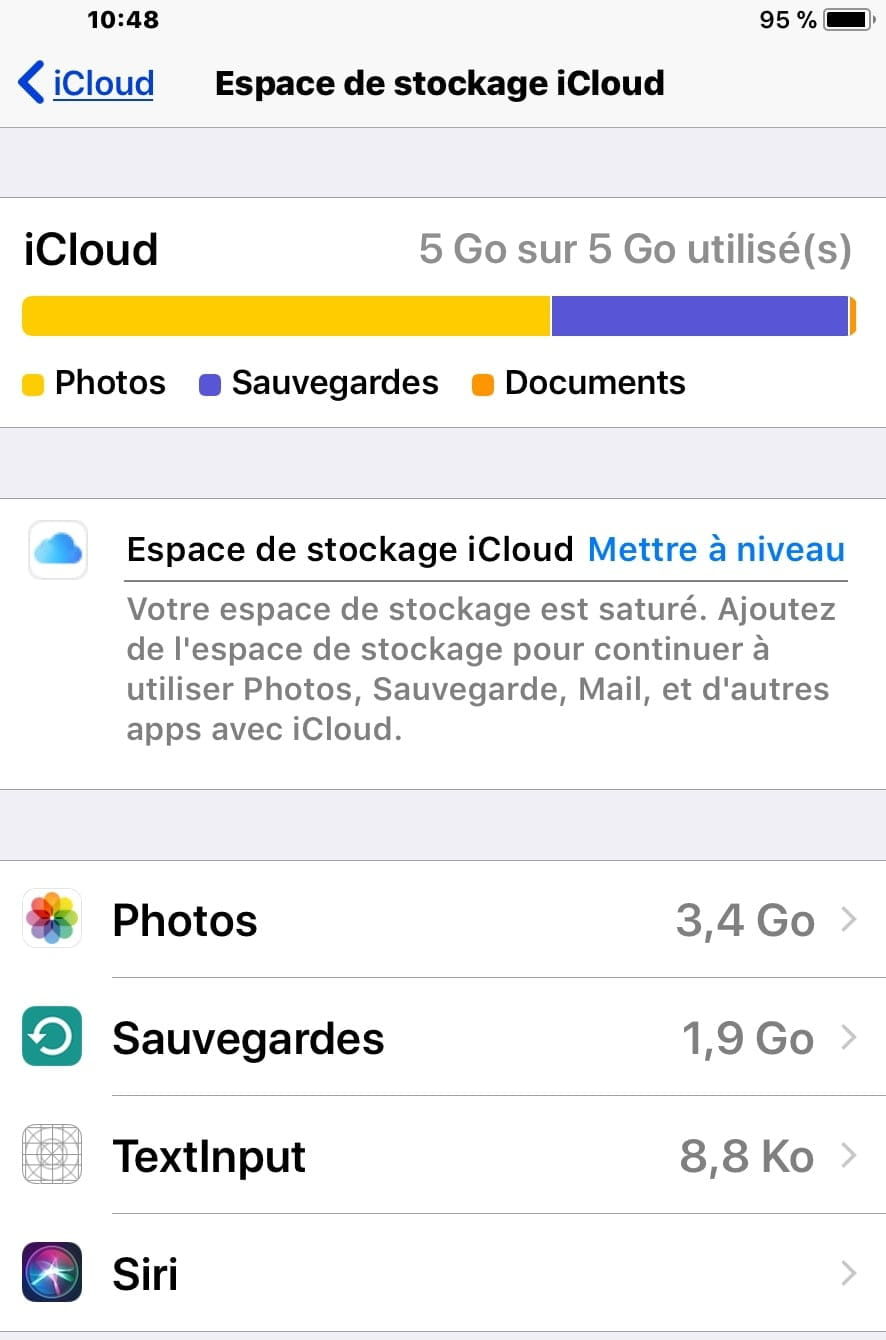
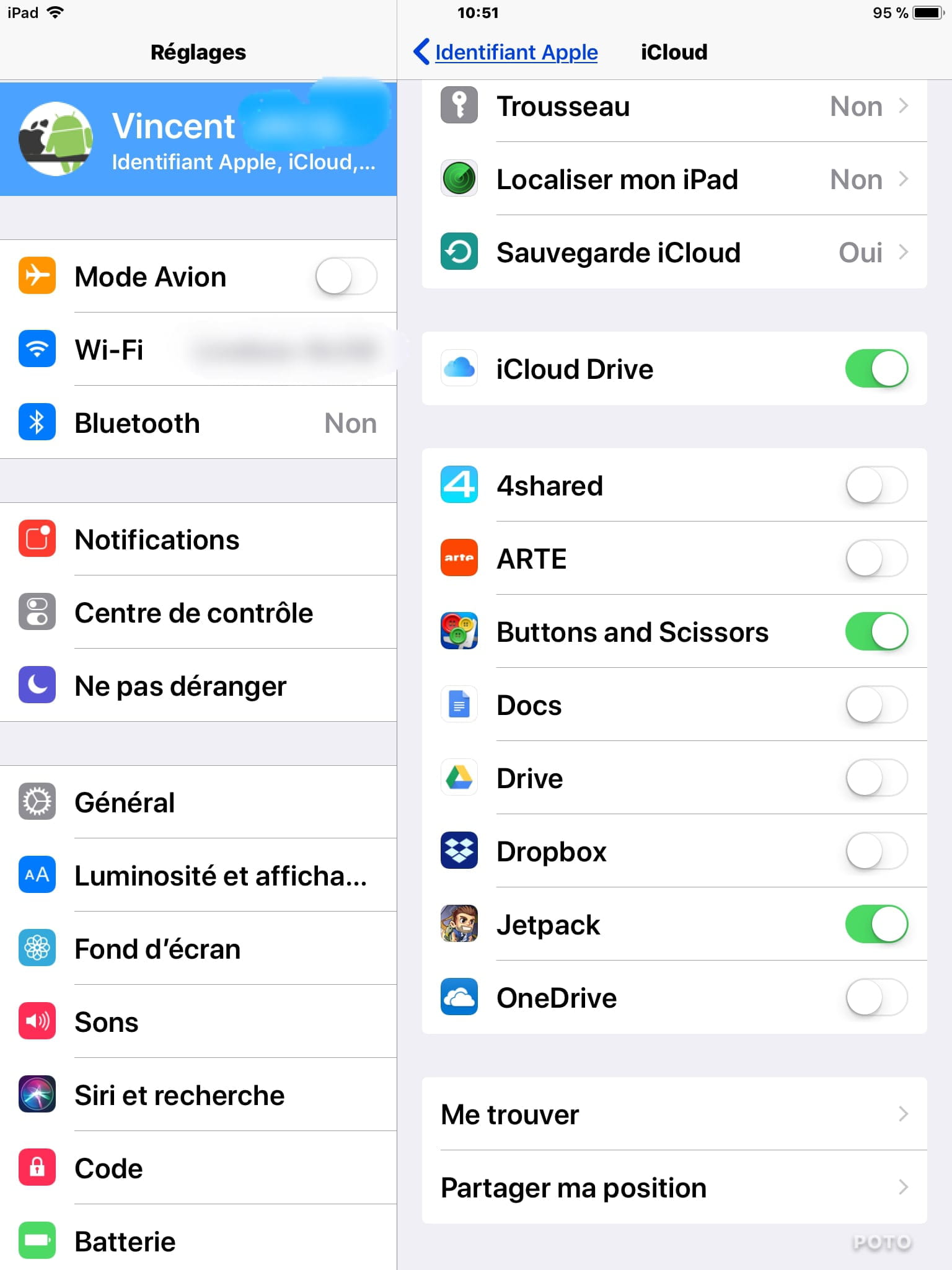
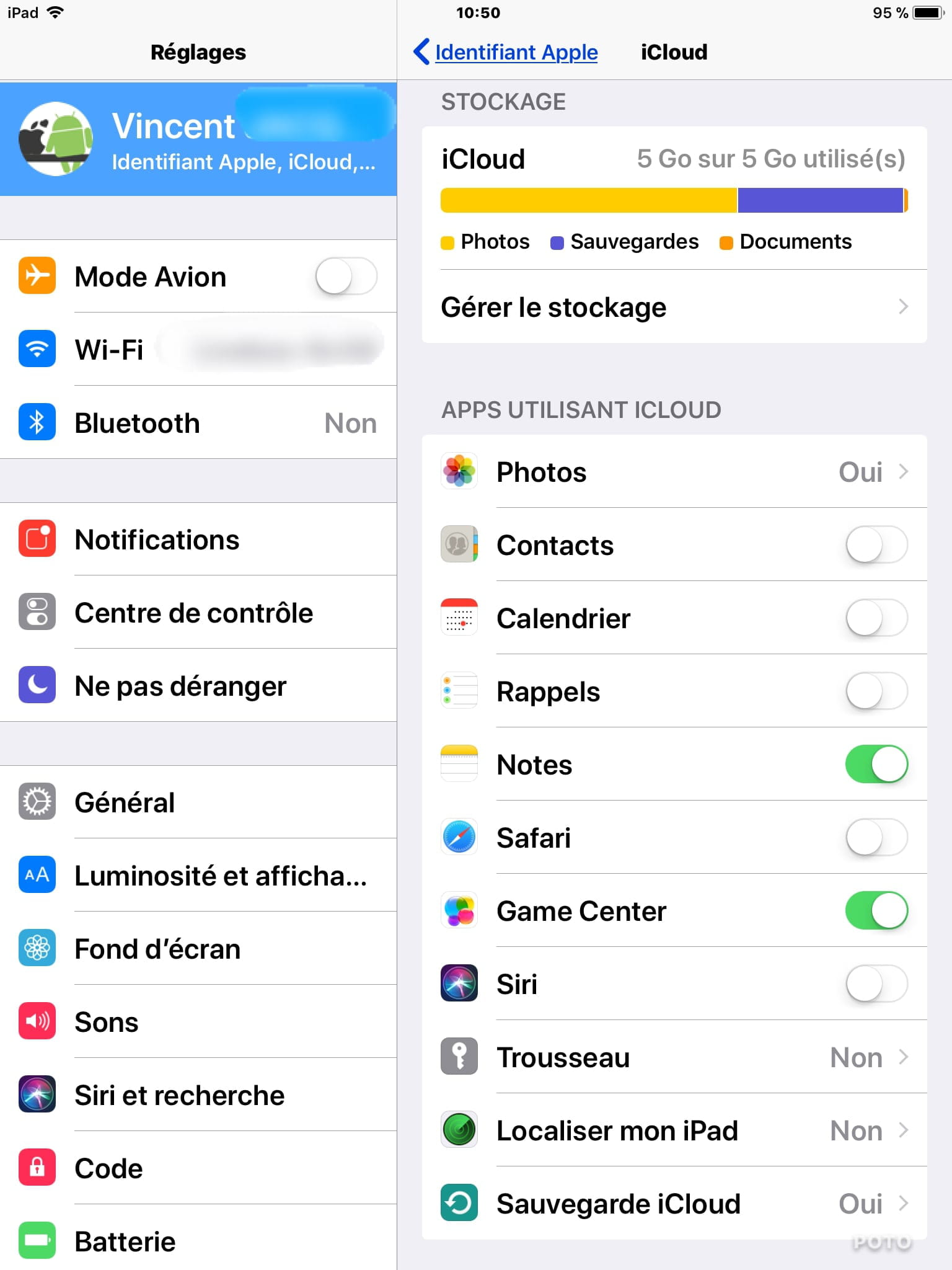
First thing that's apparent, your iCloud storage is full (visible in the photo), which means you no longer benefit from iCloud synchronization between your devices and iCloud, the synchronization is suspended for all iCloud services (iCloud Drive included). That's why when you open Files it brings up the iCloud storage screen indicating that storage is full, you cannot access Files with full storage.
iCloud Photo Stream does continue to work with full iCloud storage, but be aware that iCloud keeps photos on iCloud for only 30 days (they are automatically deleted). iCloud Photo Stream simply sends the new photos taken on one device to your other devices just once. If you set up a new device on iOS, the photos from Photo Stream will not appear.
In one of your posts, you mentioned iCloud when purchasing the 50 GB plan to increase storage and have photos and videos there, you are talking about the iCloud Photo Library which syncs photos and videos to iCloud, it is a synchronization, so you cannot have only photos and videos on iCloud and nothing on the iPhone. However, there is an option in the Photo Library called "Optimize Storage"; this option allows you to store photos and videos on iCloud in their original format and display the photos and videos as thumbnails on the iPhone without storing the file, thereby freeing up memory space on the iPhone, and when you view the photos and videos, they temporarily download in real-time via cellular network or Wi-Fi.
Subscribing to an iCloud plan is a monthly subscription; you indicate that you only subscribed for one month and no more, so you canceled your iCloud subscription and reverted to 5 GB. Upon the date of the switch to 5 GB, all iCloud synchronized items that exceeded 5 GB are automatically deleted from iCloud.
Regarding iCloud Drive files, indeed, we cannot access them from an Android device.
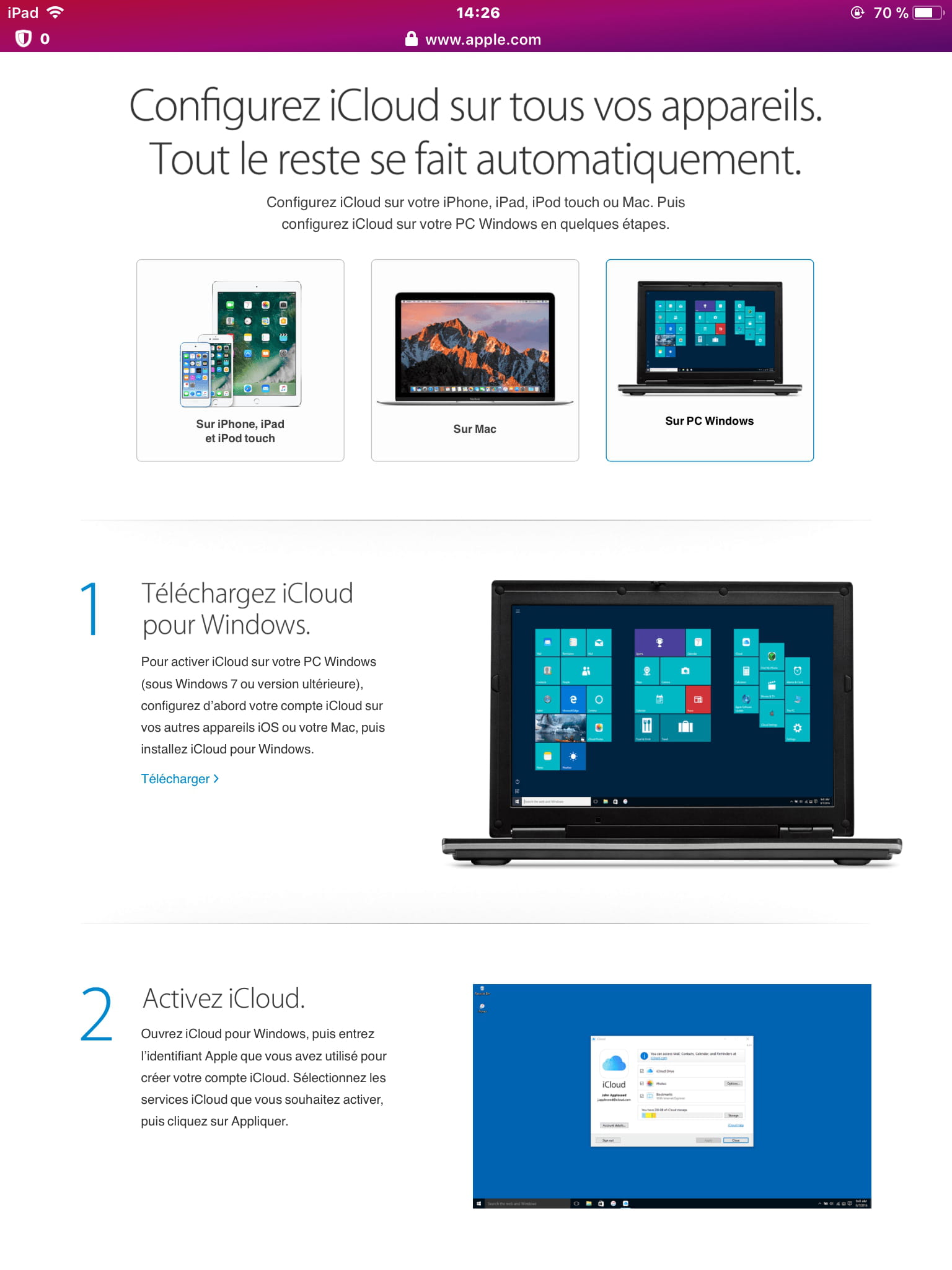
Accessing iCloud Drive files is done on iOS devices and Mac/PC computers (on PC either via the internet at iCloud.com or the iCloud Drive folder in Windows File Explorer if the "iCloud for Windows" software is installed).
Saving files to iCloud Drive from applications installed on iOS devices is possible if the application supports saving to iCloud Drive, which is not the case for the Word app. For your information, Apple’s Pages word processing app saves files to iCloud Drive and can also save files to Microsoft OneDrive (provided you have a Microsoft account/Microsoft email address). In one of the photos you posted on Microsoft OneDrive, it shows that it offers a paid subscription, I don't know what you did, but personally, I have a Microsoft account and access OneDrive on my PC and on the iPhone via the OneDrive app, all for free (no subscription).
Fred.ml-
Thank you very much, it's very well explained, Fred. And very relevant; if I could, I would give +5!
Yes, I'm expanding, because if iCloud is just a synchronization and iCloud Drive cannot transform into an "SD card," I think the best option is to dedicate Google Drive for my iOS since with the Google Cloud app, we can switch accounts in less than 2 seconds ;)
All it takes is to create 2 additional Gmail accounts
=> 60GB ;) (currently 2x15GB)
And what I usually store in it
=> OneDrive, Dropbox, OrangeCloud 2x5GB + 4x2GB + 5 = 23GB
So actually, the saturation was present for a few days; I did indeed carry out a procedure to stop the 0.99€ ;) because it wasn't filling up. I tried "back then" manually, and I couldn't succeed! I'm currently doing the transfer ;) I'm emptying my two Google Drives.
The Dropbox app doesn't seem to be able to add multiple accounts.
Always 1/4 connected 24/7
Same for OneDrive, 1/2 connected 24/7
On my Androids, I cloned and have access to Dropbox, OneDrive, and Google Drive via the manager ;)
For OneDrive on iOS, it's sorted out like magic ;) as I wrote in a comment. Before, I’m sure that whenever I wanted to save, it asked for a subscription.
Okay, so already impossible to put Word in iCloud Drive; that's why I can't do it ;) thank you for the super info
Page - Apple logo in orange is installed, and I will activate Hotmail if necessary ;)
(I removed the backup of my iPod iOS 9)


-
Thank you again Fred, so there remains:
A way to access several OneDrive, Dropbox, etc. connected at the same time / or a way to clone applications from the Apple Store?
Android => App Cloner – App Listo
An application that allows grouping multiple Clouds (like Gmail does for email boxes)?
Android => File Manager – Flashlight + Clock
=> I think it must be impossible
(Having a download folder / file explorers and retrieving especially PDFs, Word documents with the USB cable) so writing personal/private/intimate/family stuff should be avoided as it will go through the internet....
Backing up iOS to a date xx/xx/xxxx on mass storage (hard drive/USB stick)?
(to free up space – to put elsewhere than on the 5GB free)
=> I will create a dedicated post for this in a few days to mark it as resolved here ;)
Bonus: a free note-taking app that syncs and installs on iOS and Android
To know if Game Center is Google Play Games on iOS to see if I need to check it for synchronization.
Similarly, why check Clouds? Is it to have a duplicate
Huuummm 15GB 1 Google Drive I don't think that's it lol or do you need the super monthly plans €€€€€
And if the software is not mandatory I will try again because with Firefox I can have the computer version of webpages. -
Re, where do I start...
To back up an iOS device on a computer, you must use iTunes; you cannot choose the location for saving the backup, nor can you move a backup file as it renders it unusable (iTunes indicates that the file is corrupted). You can, however, copy the Backup folder that contains the backups to have a copy.
OneDrive on iOS allows for multiple OneDrive accounts, and switching accounts is simply done by tapping on "Me" at the bottom of the main page.
Info: OneDrive limits to 5 GB of data per account.
As for Dropbox, I don’t use it so I can’t answer.
I am not aware of any application that allows for cloud consolidation.
Game Center can save game progress (if the games support Game Center). Enabling Game Center in iCloud will back up Game Center data to iCloud and not just on the device. -
Alright, thanks again
so it's like Google Play Games I need to check ;)
Yes 5GB OneDrive and 2GB Dropbox for free
So on iCloud I need to keep backups of the 2 iOS, clear out the images and uncheck it completely ;) I think I'm going to do that.
OneDrive:


I haven't tried iCloud.com again with desktop mode on Android yet ;) -
It works perfectly!
So no need for a notepad, I can retrieve and edit on Android/PC.
Before opening the website iCloud.com, make sure to select the desktop version ;)


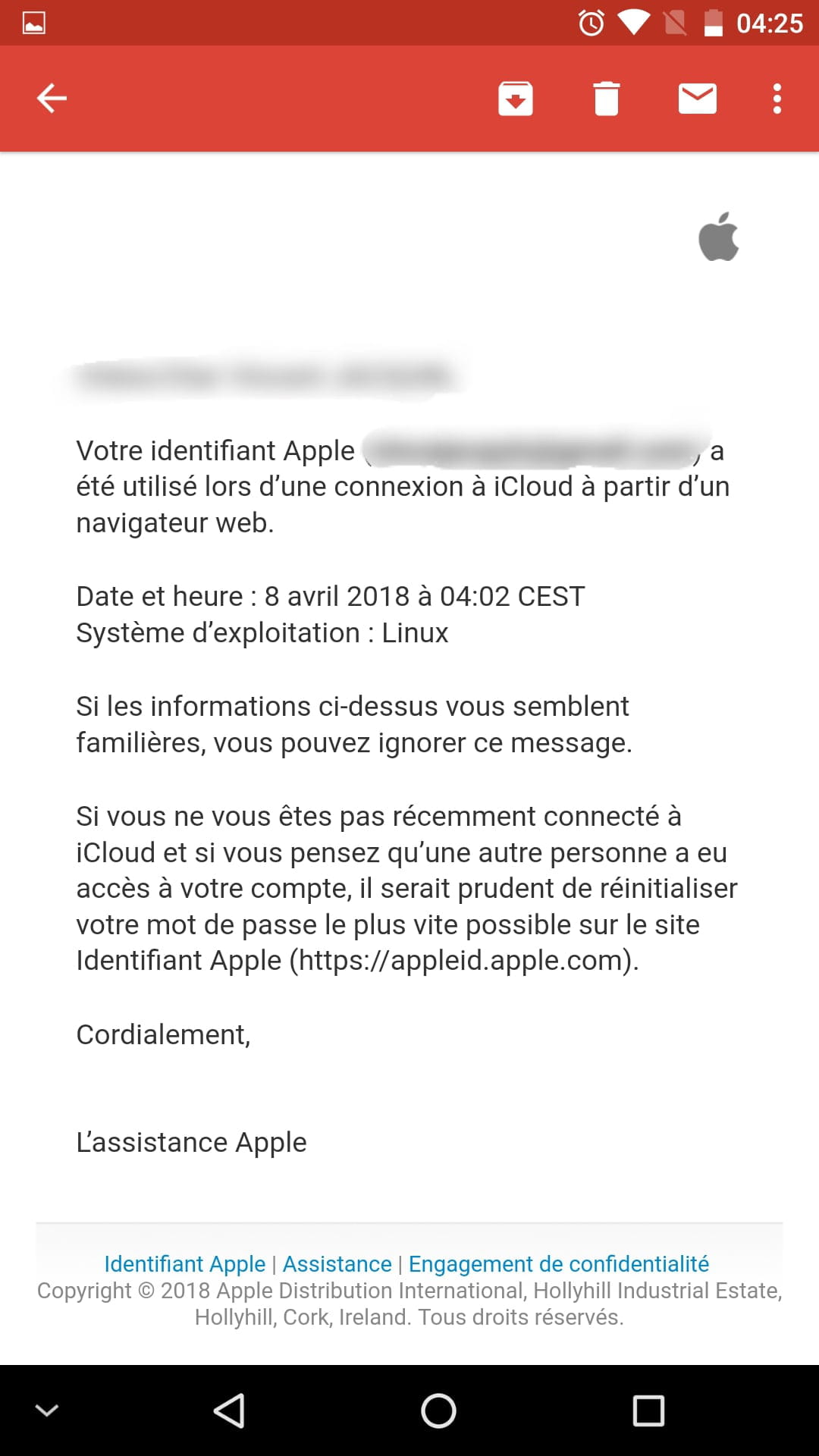
Linux ^^ and no, my friend Apple, I tricked you!

=> The desktop version is offered by the Firefox and Google Chrome applications ;)
I just have this question:
What is the point of checking the Clouds and text processing / Why is it simply offered?
-
-
A big thank you to @xylon.
The microSD card for iOS!!!!
I won't have any more "transition" files, everything will be in it and it connects quickly when I need it :)
=> +3 GB to make a video
=> Transferable immediately (and off we go, second video possible)
=> Without pulling out "the big computer artillery"
And it’s not just an adapter, it's a mass storage, it can only function normally, I had never seen that.

https://img-19.ccm2.net/FnAGhBYwoWghN-g0FCZU45sAW5M=/ebb77dd9fd9245938589eeb20b5fa081/tmp/IMG_2631.PNG

-
Good evening,
The easiest thing is the external hard drive...
---
Oh yes, I confirm much simpler the external hard drive I confirm especially for personal/private/intimate/family documents but where is the USB port to do iOS Android lol
Today I use Cloud Orange Dropbox etc.
Or USB cable via computer if personal ;) -
-
Hello
You are in complete confusion. You are mixing iOS, Android, iCloud, and iCloud Drive, etc. You say that you paid once $0.99 when it is actually $0.99 per month... So learn to be clear and not to mix everything up once again. And then replying to yourself, what’s the point? Start by clearing your mind and stop the confusion, which is a bad habit of yours. So be simple when you ask and especially be simple when you respond to a topic; just look at your posts that are becoming hard to digest
..iCloud iDrive here is a video...
https://www.youtips.com/icloud-drive-sur-mac-iphone-et-ipad/ -
@brupala
So I didn't know the name, but now I will ^^
I bought it for Android, and here's the problem:
https://forums.commentcamarche.net/forum/affich-35260803-adapateur-non-reconnu
And for iOS, apparently the same problem for the person who posted this question. -
@mikaelac
Thank you for the video
I'm not mixing things up, I'm explaining that I'm looking for an automatic transfer method for iOS regardless of the cloud
Currently, I'm doing it manually with iCloud sharing and manually through various clouds to retrieve on Android Windows
-
-
Hello,
Here is some reading to learn all about iCloud & iCloud Drive:
https://www.apple.com/fr/icloud/
https://support.apple.com/fr-fr/HT204025
https://support.apple.com/fr-fr/HT203052
https://support.apple.com/fr-fr/HT201104
https://support.apple.com/fr-fr/icloud
Best regards.
--
Always provide your system configuration in full – exact computer model, exact OS version.-
-
-
Already skimmed before posting the question ^^ the official Apple source ;)
You shouldn't read "in a hurry"; you need to read everything carefully, calmly, and think about what you read.
After that, if you still don't understand what iCloud is versus iCloud Drive..., I can't explain anything more than the Apple pages. And for your information, iCloud Drive has absolutely nothing to do with Microsoft or Microsoft's OneDrive. You shouldn't mix everything up. -
Hi,
Exactly what I wanted to say.
It shouldn’t be read diagonally.
But I think it’s a habit of not seeing the responses to our various messages.
Even after explanations of how the forum works, you continue, without even taking our messages into account. -
EDIT :
I paid once the €0.99 but the photos do not go there directly neither do the videos...
if this might also be useful for you:
The photo stream:
https://support.apple.com/fr-fr/HT201317
Read carefully, like the rest!
-
-
Hello,
(I had already tried to inform myself/document - I will see if I have consulted and watched the video - I will keep you updated)
Thanks again for your answers, I tried to limit the number of words... For me it's clear but apparently not so I will write it differently:
I don't understand the difference between iCloud and iCloud Drive.
On the iPod, I'm not going to redo it, but I managed to put a shortcut to iCloud Drive on one of the home screen panels.
When I open iCloud Drive it's empty... "Super Mega useful I know LOL but this thing should be able to fill up..."
I paid for 30 days (€0.99) and I couldn't => set/program Apple's cloud to be the default storage, especially for videos so that they would "pass" into the internal memory.
4GB in the illustration but it's more like 2GB now => I have to do the update and the operating system is "eating" my internal memory.
Moreover, 4GB was after copying to PC and deleting...
I only have 16GB of internal memory because at the time of purchase I didn't have €€€€€€€€€€€€€€€.
Conclusion: it should be set to "the 50GB programmed as internal memory" (clearly what you do with a microSD card on Android so that all files go directly to it) -
Hello
another long tirade for nothing...
this sentence was enough
Conclusion: it should say "the 50GB set as internal memory" (clearly what we do with a microSD card on Android to make all files go directly there)
and well here is your answer, it is simply not possible.... neither for your iPod, nor even because once again you are talking about Android, you also cannot set Google Drive as default storage on Android...-
Alright, no system, not even photos?
On Android
https://play.google.com/store/apps/details?id=com.google.android.apps.photos
Photographs => Google Photos (Google Drive)
Word processing => OneDrive
Google Documents => Google Drive
Video might be possible, never looked into it.
-
-
After that, I have another issue with Word, the application
I can save to internal memory, but with a USB cable it doesn't show up... I only see the photos/videos that are in the photo app
And when I want to set up automatic OneDrive saving:

Is that normal?
Is OneDrive being boycotted?
The downloads folder
The files folder
Does not exist if I'm not mistaken....-
The file explorer / downloaded files
=> always well hidden, I can't retrieve them with a USB cable if I save to the internal memory (it only offers me the items from "Photos")
But what is amazing is that I reinstalled the Word application (probably the 4th time) and magically I was able to save to OneDrive and I even managed to do it with Dropbox. Before I had the illustration below.
-
-
You have a big comprehension problem... I will respond to you personally for the last time and stop asking questions between Android and iPad..
IT IS NOT POSSIBLE TO CHOOSE BY DEFAULT DIRECT RECORDING ON ICLOUD DRIVE or another cloud otherwise you will have to buy an iPad with a larger capacity. It's just a sync. IS THAT CLEAR?-
I understood, but since I read that iDrive can be accessed via a browser (so an Android)
I'm trying to understand how to fill it
And that makes it impossible to automatically upload all my files from the iPod and iPad to iDrive.
Conclusion: it's not worth paying so much for 4 Gmail => 4 Google Drive => 60GB
-
-
Hello,
Still regarding iOS storage,
What word processing/note-taking tools do you use with iOS?
Because Google Docs isn't great, but the automatic saving to Google Drive is nice ;)
Apple Notes => goes to iCloud Drive?
Evernote => paid
Word => paid (or I can't save anywhere other than internal memory for free...) -
Hello,
@VincentVoltaCCM,
You requested, in your report, that we change the original starting text of this discussion. (or that we delete the discussion). In this request you wrote a new and lengthy text for replacement... a text completely different from the initial request.
Replacing your starting text with this other text is not possible, as it would render all the "questions-answers" completely incoherent.
Best regards.
-
Hello everyone,
I always have several questions
I also detailed the "I cast a wide net"
1) When I open the Files app and then the iCloud Drive tab, why does it display the remaining iCloud storage amount?
If I understand correctly, iCloud Drive is one of the iCloud components, which means it's just a folder called Drive because you can retrieve files via a browser on a competitor's operating system (Windows, Android, etc.). Is that right?
2) As you can see in the illustration below, iCloud is full. I have therefore paid once €0.99 (I got 50GB for 30 days) but images and videos do not go there directly... whereas for the 5GB free, I don't do any manipulation....
Can we then fill the 50GB to retrieve it later via a browser?
How to fill Apple Cloud since the Files app doesn’t offer that?
I couldn't find an iCloud or iCloud Drive app....
3) A way to access multiple OneDrive, Dropbox, etc. connected at the same time / or a way to clone applications from the Apple Store?
Android => App Cloner – App Listo
An app that allows grouping multiple Clouds (like Gmail does for email accounts)?
Android => File Manager – Flashlight + Clock
4) What storage system do you have for iOS?
Any tips... The managers you use... What would you do in my place?
5) Backup of iOS on a date xx/xx/xxxx to mass storage (hard drive/USB stick)?
(to free up space – move to somewhere other than the 5GB free)
Thank you in advance for your advice/suggestions/responses. -
You're confusing the features of iCloud and iCloud Drive... here’s the subtlety that you don’t understand and I’m not sure you will, given the way you’re muddling your brain.
https://fr.imyfone.com/ios-data-recovery/difference-between-icloud-and-icloud-drive/-
Thank you, so that's what I had noticed/understood
iCloud fills up automatically (I checked photos, notes, backup, and game center).
By the way, game center allows you to keep track of progress in certain games, those present on game center, right? (like Google Play Games)
iCloud Drive
=> storage to be done manually
=> if you want to see what's inside, you have to check iCloud Drive for it to show up on the home screen on iOS 9, and on iOS 11 it's through the Files app (which allows you to move, copy, and delete but not add)
iCloud Drive is indeed a "shared folder" => for €0:
iCloud + iCloud Drive => 5Go
So I know how to view the contents of iCloud Drive, create a folder, etc., but I don't know how to fill it.
If I understand correctly, apparently to retrieve files it's only on a computer with software - browser => Android it's not possible then.


-