Icon stuck image
Solved
BenoitBonavia
Posted messages
181
Registration date
Status
Member
Last intervention
-
BenoitBonavia Posted messages 181 Registration date Status Member Last intervention -
BenoitBonavia Posted messages 181 Registration date Status Member Last intervention -
Hello,
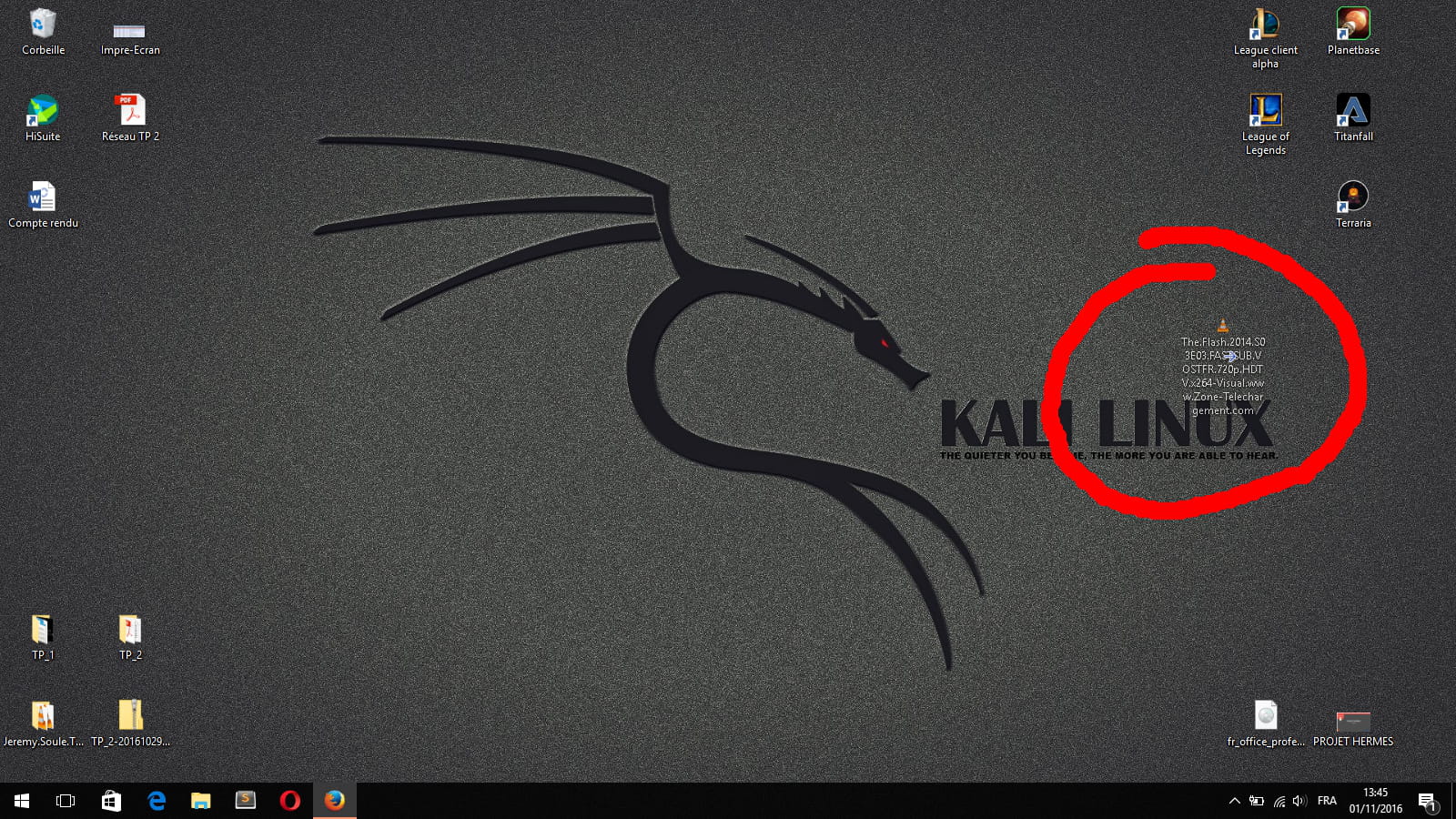
I have a constant little issue at home where when I plug or unplug my second monitor from my laptop, it messes up my icons. So yesterday I was organizing my icons and my computer had a violent lag. Since then, I have the image of the icon I was moving that has somehow stuck to my screen. I tried restarting, I tried restarting my monitor, but nothing works. I don't understand how this is possible ...
If anyone has any ideas, thank you in advance.
I have a constant little issue at home where when I plug or unplug my second monitor from my laptop, it messes up my icons. So yesterday I was organizing my icons and my computer had a violent lag. Since then, I have the image of the icon I was moving that has somehow stuck to my screen. I tried restarting, I tried restarting my monitor, but nothing works. I don't understand how this is possible ...
If anyone has any ideas, thank you in advance.
12 answers
-
Hello,
Try deleting the desktop.ini file from your desktop. Otherwise, try resetting your wallpaper.
hcp7kuz -
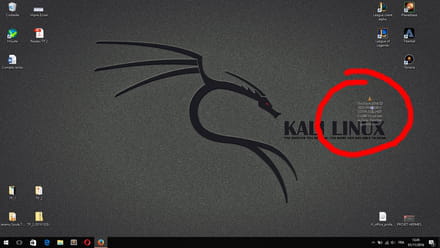
Here is the screenshot of my desktop so you can get an idea of the problem. (And it's even more of a problem because this image appears on top of the applications I'm running)
-
-
-
To show/hide hidden files:
1. Select the Start button, then select Control Panel > Appearance and Personalization.
2. Select File Explorer Options, then the View tab.
3. Under Advanced settings, select Show hidden files, folders, and drives, then OK.
Then, go back to your desktop, and you should normally see the file "desktop.ini" somewhere. Delete it; the error may be coming from there... -
-
-
-
pistouri Posted messages 19010 Registration date Status Contributor Last intervention Ambassador 8 732
Hello,
What you can try
- Reconnect your second screen and duplicate the image using the keyboard shortcut
Windows + P --> duplicate
Try moving that icon, which is rather a video played with VLC
- Refresh the desktop --> right-click on the desktop --> refresh
- Open the task manager and restart Windows Explorer
Ctrl+Alt+Del
Open Task Manager (then open it if it's not open)
Processes tab
Select the explorer.exe process and click on End task (at the bottom of the window) then okay
Then at the top left of the window File>> Run new task
Type: explorer.exe
See if you can move it
- Check in safe mode if you can move it
- Ctrl + ALT + Del
From there, hold down the SHIFT key until the end of the procedure. (SHIFT is the up arrow key, sometimes: Num Lock or Caps Lock, at the bottom left of the keyboard
- Click the power button at the bottom right of the screen, click "restart"
The PC will then boot in safe mode and ask you to "choose an option"
- Click on the first "Continue"
- Log into your session
- Release SHIFT
- Try deleting it with Unlocker and if necessary, restore it from the recycle bin after restarting the PC
syringe -
pistouri Posted messages 19010 Registration date Status Contributor Last intervention Ambassador 8 732
No problem hcp7kuz, if that doesn't work, we'll look elsewhere
That's what a help forum is for when several of us are responding
the more ideas there are, the more chances there will be for solutions
--
pistouri -
Hi.
I read it, but I might have missed what I'm about to write (^^).
But for the icon that remains, try:- Right-click on the desktop
- Uncheck and then recheck "Show desktop icons"
If that didn't work:- Check "Auto arrange icons"
- Check "Align icons to grid"
Hoping this works.
++ -
pistouri Posted messages 19010 Registration date Status Contributor Last intervention Ambassador 8 732
Hi little boy,
Good idea, at worst try a system restore if a restore point is available, but we're not there yet.
--
pistouri -
Thank you all for your responses, but none of them work. I had already tried restarting Explorer.
There is something that some people don't seem to understand: It's not a file, it's the IMAGE of a file that has remained frozen since I moved it. I deleted the original file hoping that the image would disappear as well.
When I duplicate the screen, the image duplicates too... I've never seen this before. Is it just me that experiences weird stuff like this? ^^
In fact, it seems like this image is an integral part of my screen; it is always on top of the windows, the only time it goes underneath is when I launch a fullscreen game. -
pistouri Posted messages 19010 Registration date Status Contributor Last intervention Ambassador 8 732
Look if this image (understanding that it is not an icon—yet you circled it in red which is misleading) is present in Themes
Right-click on the desktop--> personalize--> Themes
Let us know if it is there
Otherwise, can you set another image as wallpaper? Or choose a Windows theme
scalpel -
Hi.
Just a question: do you have eset as antivirus?
++ -
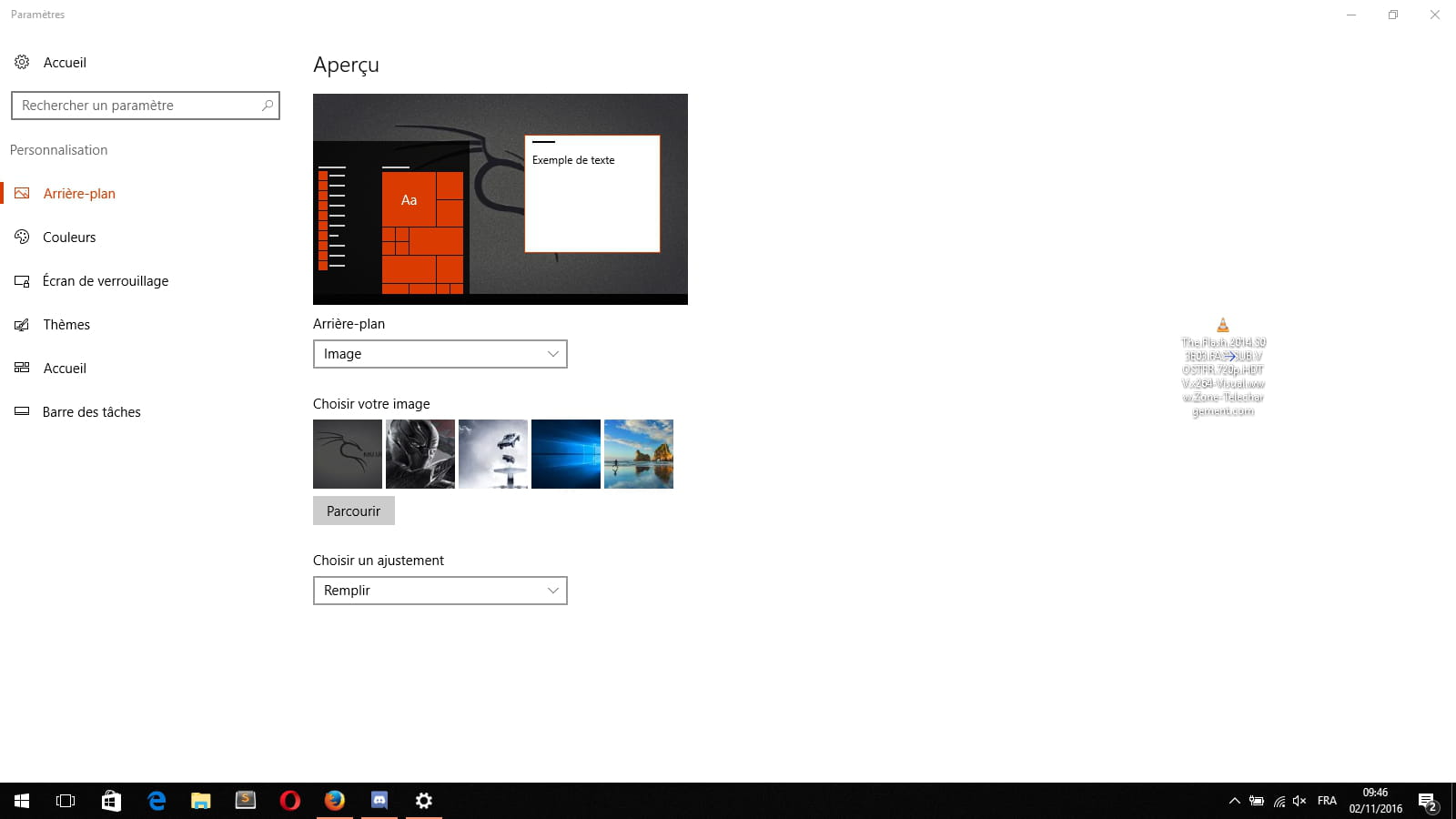
I can change my wallpaper, change the theme, and unlike antivirus, I only have Microsoft Security Essentials.
And yes, when I open personalization, it is there (see image)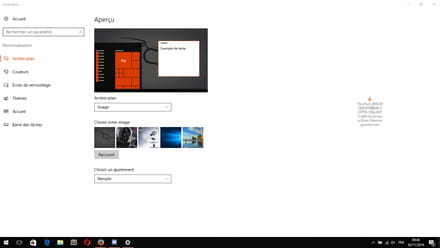
-
pistouri Posted messages 19010 Registration date Status Contributor Last intervention Ambassador 8 732
- 1-Choose an image from your image folder--> right-click on it--> set as desktop background
Now we see if it appears above the applications
post a screenshot
In case you've already set other images as desktop backgrounds:
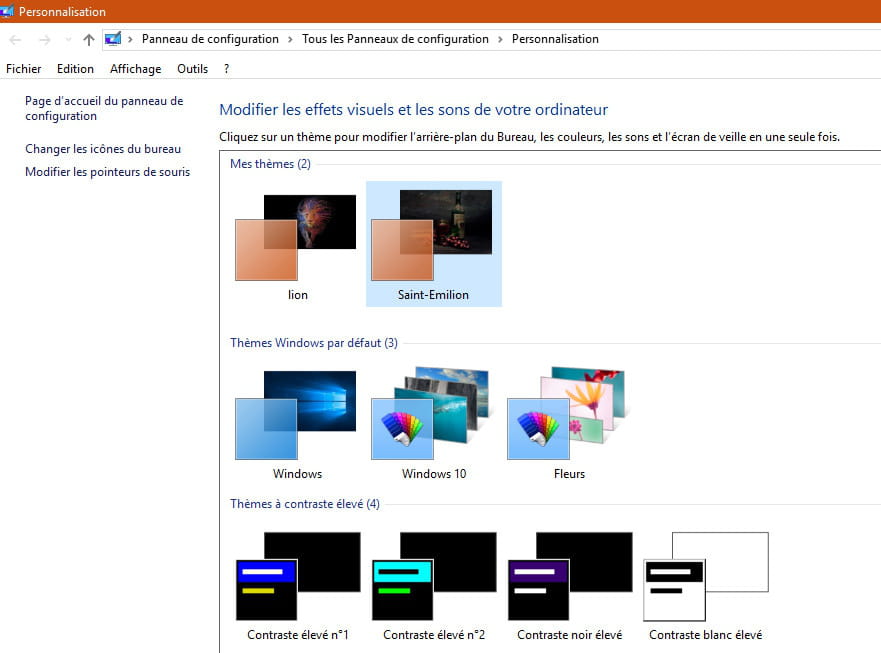
Right-click on the desktop--> personalize--> Themes--> theme settings
(this is the line I didn't mention yesterday)
check what you have
an example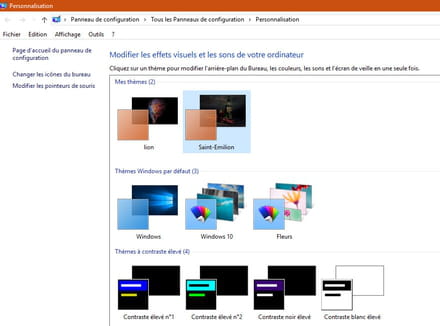
- 2-there is the system restore solution if it is activated and a point is available
- 3-If you still have a failure, you'll need to refresh the PC without losing documents, or perform a complete reset.
surgery -
pistouri Posted messages 19010 Registration date Status Contributor Last intervention Ambassador 8 732
You can try this procedure to delete the image
you will need to display hidden files and folders
open Windows Explorer --> View --> check Hidden items

still in the explorer, you need to find your image and delete it
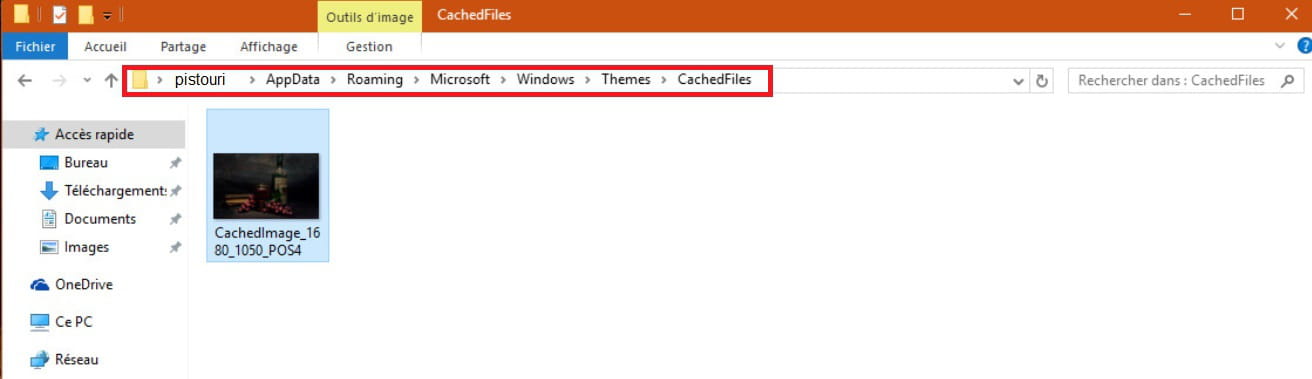
here is the path:
AppData\Roaming\Microsoft\Windows\Themes\CachedFiles
open CachedFiles --> your image is there, delete it with a right click
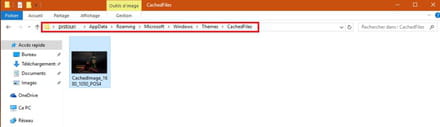
Recache hidden files and folders --> open Windows Explorer --> view --> uncheck Hidden items
Restart the PC
--
scalpel