
Accessing your Freebox on your PC

brupala Posted messages 111178 Registration date Status Member Last intervention -
Hello,
Since my husband changed his PC and especially with Windows 11, he has not resolved the problem of being able to access our Freebox on his PC. At FREE, no one knows and cannot help us, they tell us they do not have IT staff.
Could someone help us?
Thank you very much in advance
3 answers
-
Hello,
access to Windows shares on a FBX is done by configuring a user account on the box, and using it as you would in the Windows File Explorer.
however, if it worked with the old PC, simply reproduce the same method; it should work the same.
The first thing to check is that the box’s network is set to Private, not Public, then we should be able to reuse the same account to access the box shares.
If the same account has not been configured for Windows, you must specify it again at the moment of accessing the box:
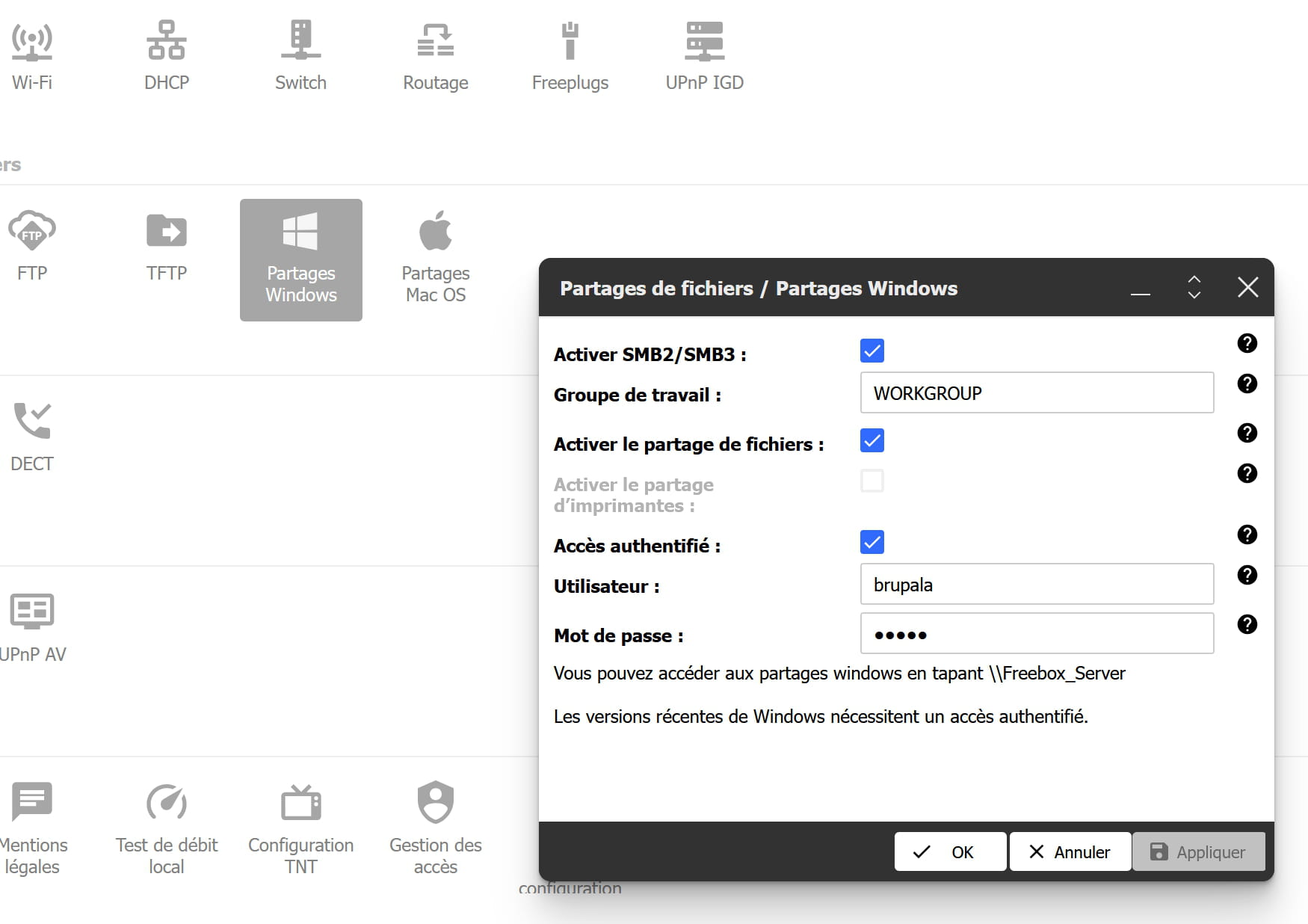
configuration compte windows freebox © brupala
And there you go, there you go, there you go ....
But there is the misery, how annoying the line spacing is !! -
Hello,
Access the Freebox with a browser for the administration interface? Or access with Windows Explorer to files stored on the Freebox?
Which Freebox model?
-
Good evening, yes to the second question.
It’s a Freebox Revolution.
Free recommends using Freebox OS. The problem is that you have to change the password. Which one? Is it the password of the box that we use for the hotline? If that’s the case, aren’t there risks involved?
Thank you very much, much appreciated!

