
Password-protected computer
brucine Posted messages 25195 Registration date Status Member Last intervention -
Hello,
My husband locked his PC and doesn't remember the password. It's not the Microsoft account password.
The password reset option requests a recovery USB key that he doesn't have.
I tried going through WinRE advanced options:
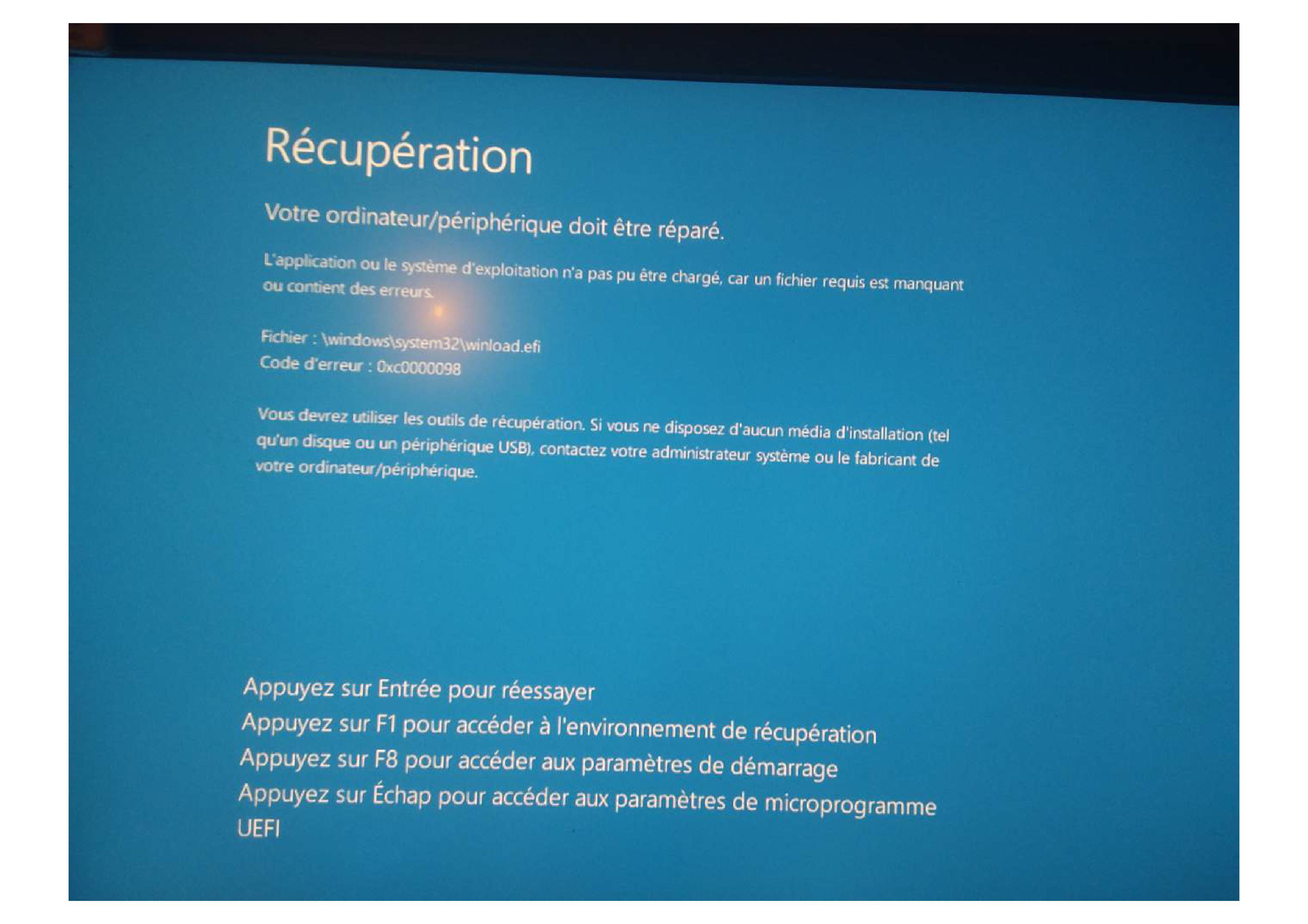
- directly on the PC: I get the attached image (error code 0xc0000098) and pressing F1 restarts the computer immediately.
- using a USB key created by Microsoft's tool:
After language and keyboard choices, I do reach the Installer / Repair options. But clicking Repair also restarts the computer immediately.
Thank you in advance for your help.
Android / Chrome 150.0.0.0
1 answer
-
Hello,
He recently performed an update and it may have failed?
Has a disk on C: been unplugged?
When you are in WinRE do you type in the first place:
bootrec /fixmbr
bootrec /fixboot
bootrec /scanos
bootrec /rebuildbcd
then this formula which is:
chkdsk c: /f
If the system partition is EFI, you need to rebuild the EFI folder and then still under WinRE:
diskpart
list disk
sel kisk 0
list vol
then see if you can identify the EFI partition as 100-500 MB in FAT32 and finally type again:
sel vol X
assign letter=Z
exit
finally rebuild with this
bcdboot C:\Windows /l fr-fr /s Z: /f ALL
this sometimes repairs 99% of errors 0xc0000225.
Try it and let us know.
Be careful you must follow the exact formula written above with its spaces, capitals, dashes etc... if you want results.
-
Hello,
The bootrec commands have no effect on a UEFI partition.
BitLocker will deny access to the disk if notably the UEFI partition or its boot sector has been modified or corrupted.
If, as I understand it, the disk is encrypted with BitLocker we will be blocked even from the WinRE environment, that would be too easy; if you haven't actively stored the key somewhere, the only chance is that it is on the Microsoft account.
There would be software allegedly capable of unlocking this key and I believe they are paid, to be taken with caution.
Otherwise since the situation will persist even with a Windows reinstallation key, the only solution is to format using a third-party tool (for example GParted on a Linux Live USB) with data loss if there is no external backup.
-
