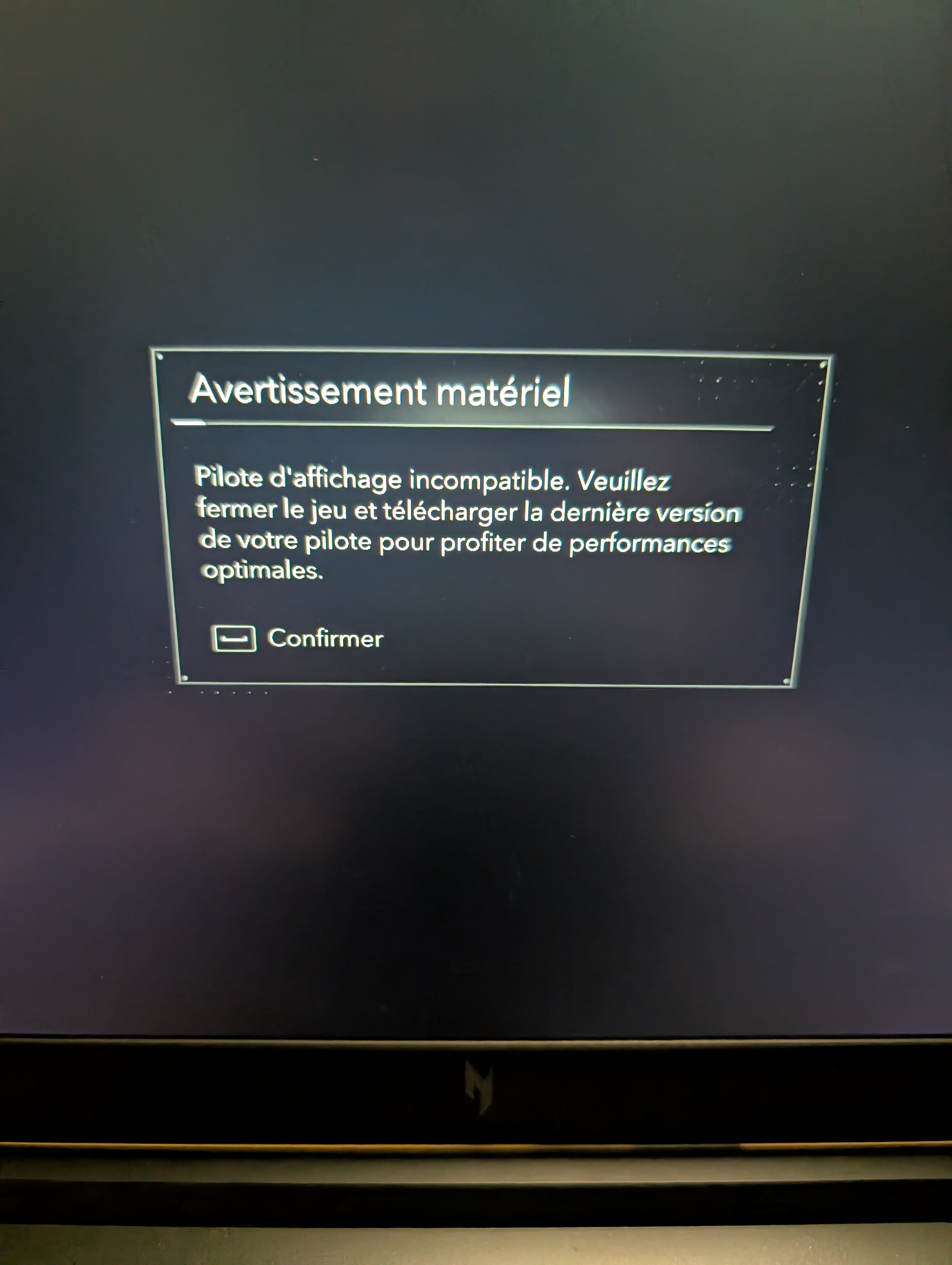
Incompatible display driver

damiendu18 Posted messages 48 Registration date   Status Member Last intervention   -  
flo88 Posted messages 28522 Registration date   Status Contributor Last intervention   -

Hello,

I bought Assassin's Creed Black Flag Resynced on Steam.

I get this message when I launch the game. 

The NVIDIA drivers are up to date.

My computer is an Acer Nitro and my graphics card is a 5060.

When I confirm on the message page the game launches normally and I can play it.

What could be the issue?

Thank you

3 answers

  1. flo88 Posted messages 28522 Registration date   Status Contributor Last intervention   Ambassador 5 179
     

    Hi

    The original version is old... 2013; the remastered version is made to boost sales but uses the same graphics engine as the 2013 version.

    This is probably the reason for the message: your graphics card is recent, the game engine is probably to blame.

    Do not pay attention to it since the game is functional after confirmation.

    0
    1. damiendu18 Posted messages 48 Registration date   Status Member Last intervention   2
       

      Thank you for your reply.

      I'm not sure what I'm going to say, but I had read that the new version had been made with the new graphical engine Anvil.

      0
      1. flo88 Posted messages 28522 Registration date   Status Contributor Last intervention   5 179 > damiendu18 Posted messages 48 Registration date   Status Member Last intervention  
         

        The 2013 version also uses the Anvil engine, the same graphics engine; the resynced version is an evolution, the base remains the same. A remastered game with a different graphics engine would mean recreating the game from scratch, which is rarely done because it costs money; the goal is to make money, especially for Ubisoft, which is in big trouble.

        Your drivers are up to date, so apart from waiting for a patch to fix the game itself via Steam, for me there is nothing to do.

        2
  2. kaneagle Posted messages 86296 Registration date   Status Moderator Last intervention   14 689
     

    Hello,

    Press Windows + X
    Device Manager

    Go to Network adapters
    Right-click on the NVIDIA card
    Properties
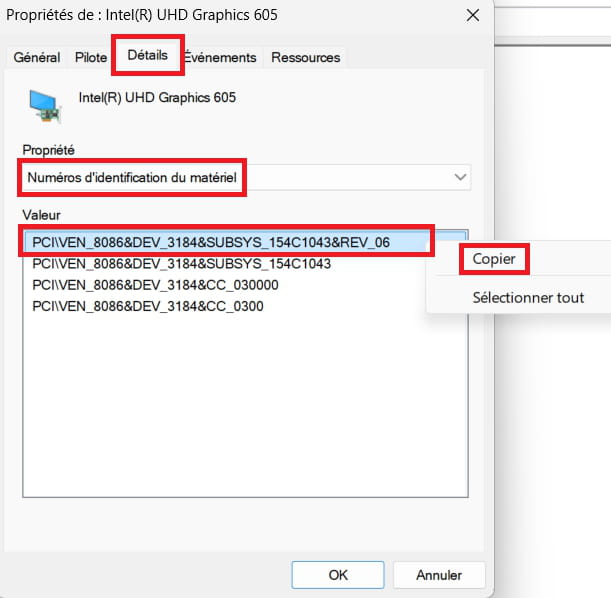
    Details tab
    In Property, select -> Hardware Ids
    Copy and paste this number in your next message.
    Example image:
    ----------------------------------------------------------------------------------------------------------

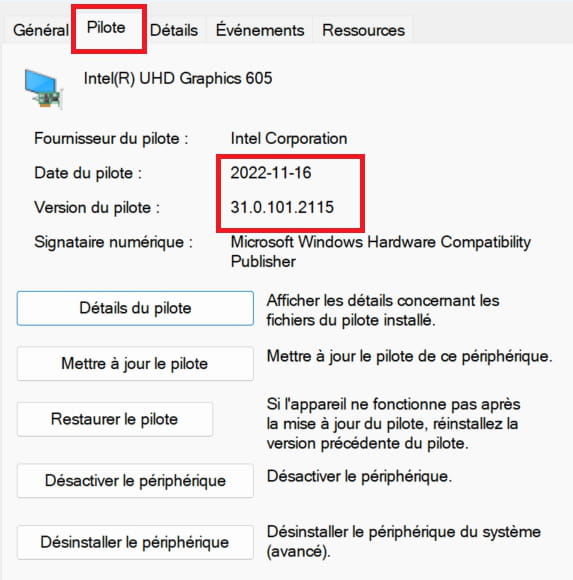
    Currently, what is the date and version of the driver?
    0
    1. damiendu18 Posted messages 48 Registration date   Status Member Last intervention   2
       

      Good evening,

      Hardware identification numbers

      PCI\VEN_10DE&DEV_2D19&SUBSYS_18371025&REV_A1

      Driver date 11/06/2026

      Version 32.0.16.1062

      Manufacturer Acer

      Model Nitro AVN17-41


      GeForce Game Ready Driver 610.74

      NVIDIA Studio Driver 610.62

      0
  3. kaneagle Posted messages 86296 Registration date   Status Moderator Last intervention   14 689
     

    The installed version 610.74 is indeed the latest version, so up to date.

    Did you have this problem with earlier versions?

    0