Administration address of my RedbySFR box
Solved
MPMP10 Posted messages 47564 Registration date Status Member Last intervention -
Hello,
I’ve had a Red by SFR box for a few weeks. I want to access the box’s administration site, but it’s impossible...
I have a MacBook Pro running Mac OS Tahoe 26.5.1, and when I go to system settings, my router's IP address is normally 192.168.1.1, but Google tells me "This site is unreachable." I’ve tried several other links I found online, but they don’t work either...
If anyone has an idea, I’m all ears.
Thanks in advance!
4 answers
-
Hello drums_mj
Try: 192.168.0.1
-
Hi
Why would Google respond to you about a local address typed into the address bar of your browser?
Where do you type this address?
-
Hello,
thank you for your reply!
Um, well, because I thought that was how you accessed the box management page, but maybe I'm mistaken!
And so I type it in the search bar at the top for URLs in my browser...
That's where I found it.
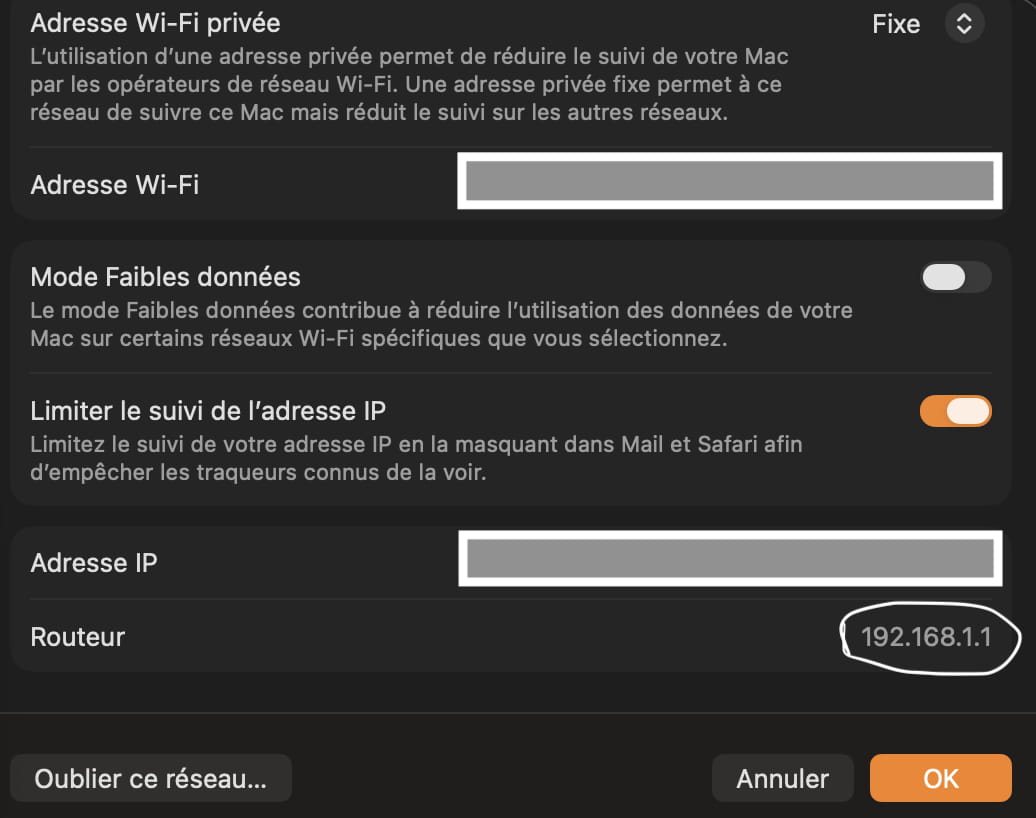
And well, when I was with Sosh, yes it worked!
-
Hello,
Maybe here!
4 I unlock access
By default, access is locked and doubly protected:
• by the service button: you must press it to prove that you are physically at home (not remotely like someone who might be trying to hack your box),
• by a password.
You must therefore unlock these 2 devices.Then, see the chapter.
3 To go further
https://assistance.sfr.fr/internet-tel-fixe/box-nb4/configurer-acces-interface-web-administration.htmlAlso, check by clearing the cache in your browser.
https://bibliotheques.univ-rennes.fr/vider-cache-et-cookies-dans-son-navigateur
Also, check by disabling any extensions present in your browser, and also by disabling the VPN if you are using one.
Which browser are you using?
Have you tried with another browser?