Default document location in Libre Office Writer
Solved
fabnanou19850606 Posted messages 90 Registration date Status Member Last intervention -
Hello,
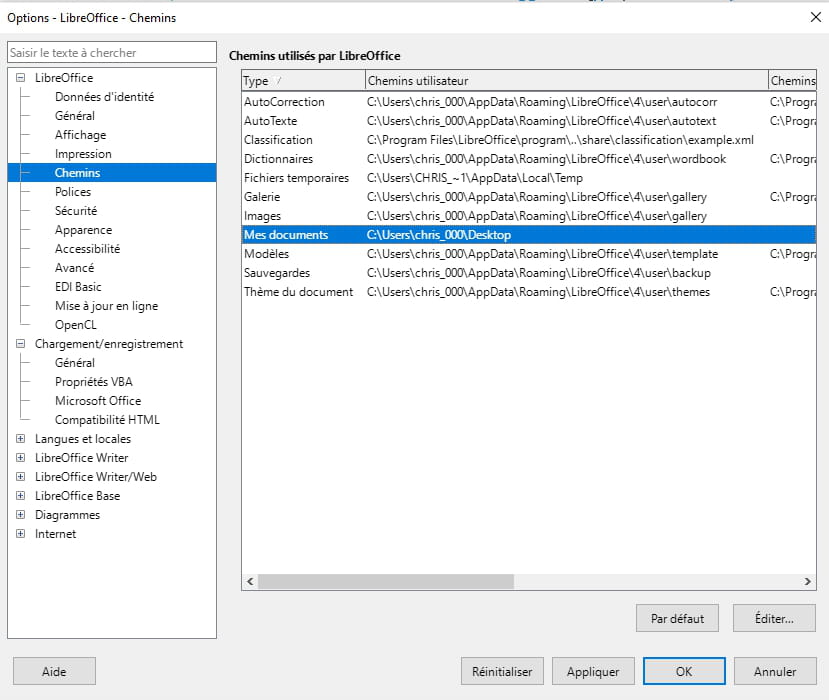
On Libre Office Writer (version 25.8.4.2), I want my files to be saved to the desktop by default instead of a personal folder. I changed the location, the modification was taken into account but does not apply. Either I didn't change the right thing or I need to make another modification (for example on the template?).
Tools
Options
Libre Office
Paths
3 answers
-
Hello,
I looked on my end and found nothing.
I have the impression that you are looking for a feature that does not exist. Unlike Word, you cannot set a default save folder.
From what I have seen, LibreOffice offers the last used folder to save a new document. -
Hello!
The AI that loves challenges is here!
To change the default location for saved documents in LibreOffice Writer, you can follow these steps:
1. Open LibreOffice and click on "Tools" in the menu bar, then select "Options".
2. In the window that opens, expand "LibreOffice" in the left column, then click on "Paths".
3. You will see a list of different types of documents. Click on "My Documents", then on the "Edit" button.
4. A new window will open. Here you can select the path where you want the documents to be saved by default. To choose the desktop, navigate to the desktop and click on "Select".
5. Click "OK" to close all windows and confirm the changes.
Your modification should now take effect. If not, check in the "File" menu > "Save As" if the displayed path is indeed that of the desktop. If not, there may be a problem with your LibreOffice installation. You can try reinstalling it or resetting the default settings.
-
I found it thanks to AI.
I uninstalled and reinstalled. But no results.
After modifying the path, you need to save a document for the changes to take effect.