Read-only access on LibreOffice Writer
Solved
Hello,
I am the sole author of a text document that I did not protect, yet now I have this message
"the read-only content cannot be modified"
Note: only the table of contents is affected by this inability to modify it; for example, I can update it but cannot delete it due to this message.
I read this to resolve the issue
I read this to resolve the issue
"Choose Format - Section - Section and in Editing Restrictions, uncheck the Protect checkbox. Enter the correct password."
I cannot find section in my LibreOffice version 6.4.7.2 (x64)
I tried saving as, ensuring that the password checkbox was not checked, but it makes no difference.
The only thing that has been done is exporting to Google Drive and then importing again. Is that the reason?
In any case, what can I do to make my document editable?
Thank you.
I am the sole author of a text document that I did not protect, yet now I have this message
"the read-only content cannot be modified"
Note: only the table of contents is affected by this inability to modify it; for example, I can update it but cannot delete it due to this message.
I read this to resolve the issue
I read this to resolve the issue
"Choose Format - Section - Section and in Editing Restrictions, uncheck the Protect checkbox. Enter the correct password."
I cannot find section in my LibreOffice version 6.4.7.2 (x64)
I tried saving as, ensuring that the password checkbox was not checked, but it makes no difference.
The only thing that has been done is exporting to Google Drive and then importing again. Is that the reason?
In any case, what can I do to make my document editable?
Thank you.
4 answers
-
Hello,
Try this:
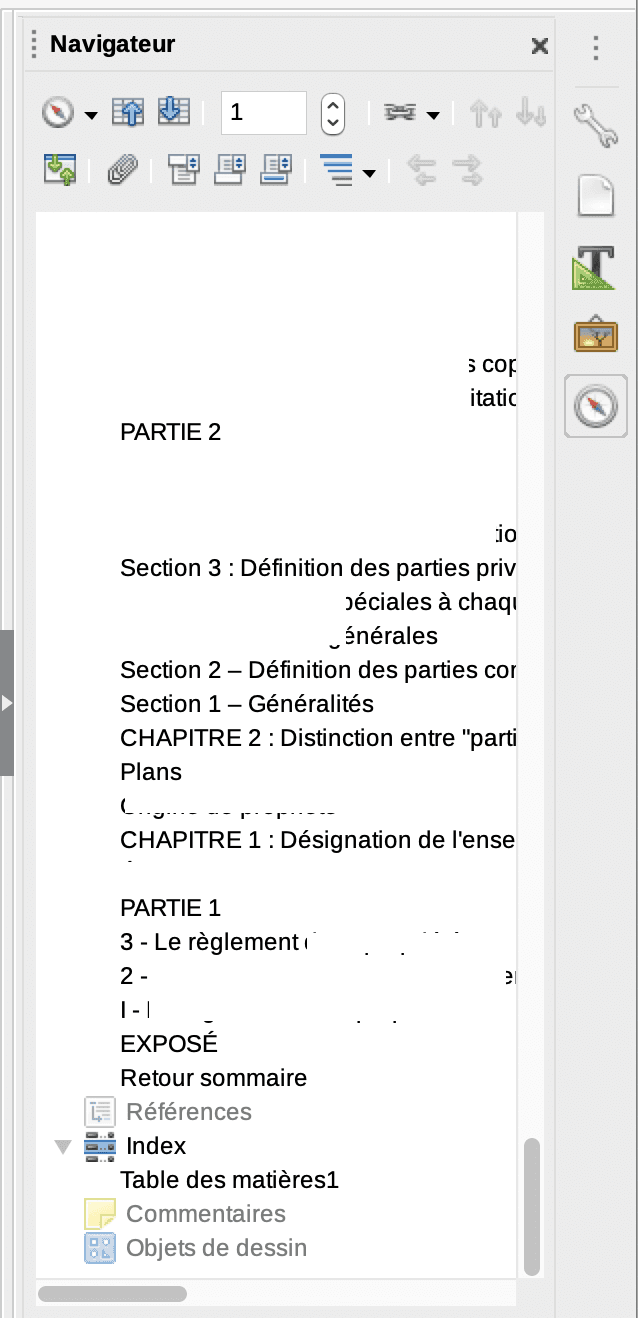
Go to the LibreOffice navigator, find Index > Table of contents > Right click > Index > You will find there:
- Delete the index
- Refresh the index
- Edit
- Read-only (which is probably checked and you can uncheck it)
- Delete
- Rename
--
macOS 10.15.7 - OpenOffice 4.1.8 -
Hello;
I'm setting this aside for next time because before addressing this, I did the same thing today as I did when it wasn't working, namely right-clicking on the table of contents and deleting the index, and it was indeed deleted. What happened between yesterday and today, I don't know since the same operation on the same file gives a different result.
Incomprehensible, the important thing is that it works again; maybe restarting the PC had an influence on the software's functioning.
Note, how do you index it since it doesn't appear in any of the menus of my live version, which tab do I need to go to?
Thank you, I'm marking it as resolved.
-
Hello,
It's in the sidebar > Browser.
Following all the chapters, you will find the index containing the table of contents
-
Thank you very much, I never look in this place.
Best regards
--
Letmoi