
Unable to print my PDF correctly.
willemina48 Posted messages 10 Registration date Status Member Last intervention -
Hello,
For about a week now, all the PDFs I want to print are automatically printed on a size of 215.9mm by 279.4mm (which is indicated on the right in the preview in the dialog box). The paper size is set to A4 21*29.7, the page size is the same, and the document is as well. I've tried with other documents but the result is the same... I've looked everywhere in both the PDF settings and those of my printer but nothing works, I can't change this setting. I'm quite bothered because I need to print professional documents (labels for product sales) and the printing is impossible, what gets printed is completely misaligned with a huge margin at the top and bottom... If anyone has a solution, that would be great! Thank you
6 answers
-
Hello
What software do you use to manage PDFs?
What is well conceived is clearly expressed,
And the words to say it come easily.
(Boileau) -
Hello and thank you for your response that I just saw. I open the PDFs with Adobe Acrobat as before, except that when I want to print, in the window that opens, the scale is set to 94% and the page measures 215.9*279.4mm...
I am attaching a screenshot
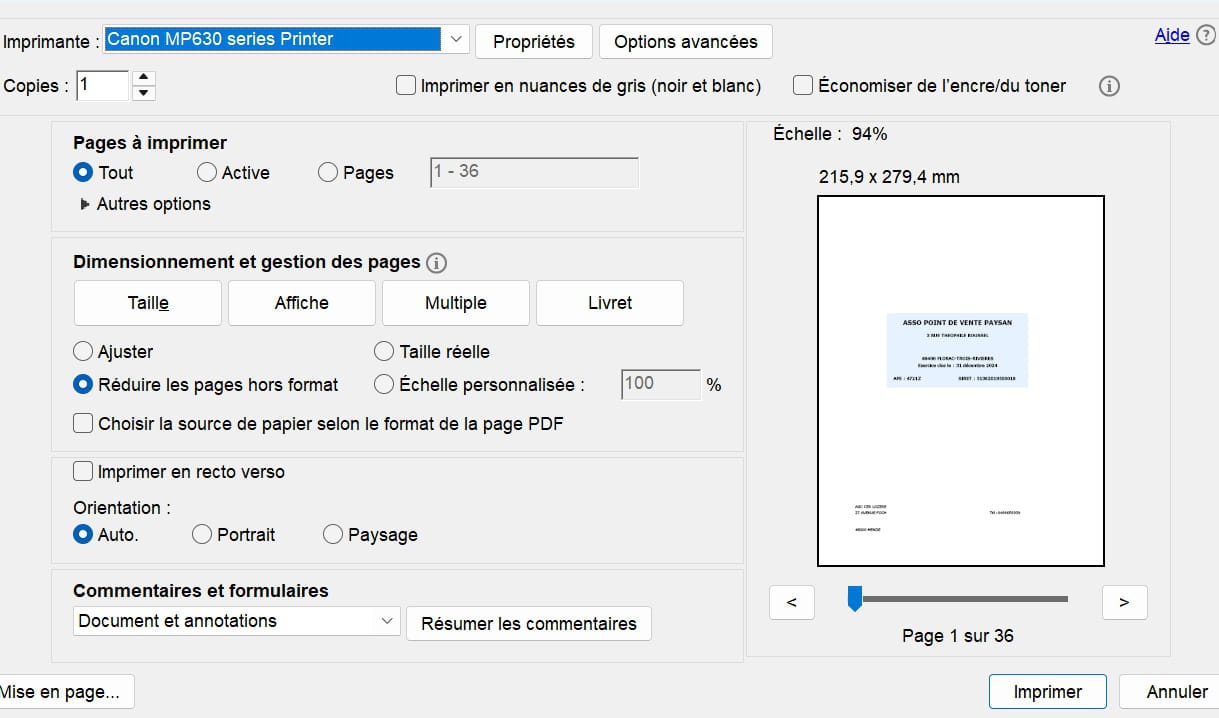
yet in the configuration the page is A4, the paper too...although I modify the entry 215.9*279.4mm remains there and obviously the printing is affected...Thank you if you can help me!
-
Hello,
215.9mm x 279.4mm is the US Letter size of the paper.
You need to go to the printer settings, in Properties or Advanced Options, and select the A4 format.
-
It's already in A4... and just so you know, even if I check another format, nothing changes; it still says 215.9*279.4mm... it's impossible to understand.
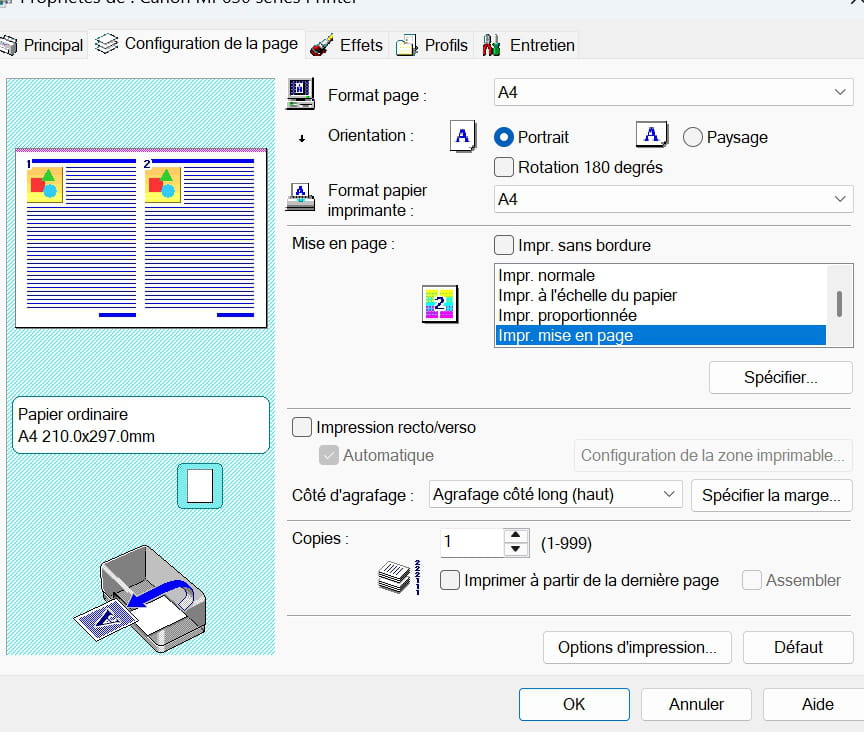
Hello,
- Click on Properties (in the Acrobat window that you provided in the screenshot).
- Then click on Advanced...
- Change the paper size to A4.
Close all windows by clicking OK.
What is well conceived is clearly stated,
And the words to say it come easily.
(Boileau)-
Good evening,
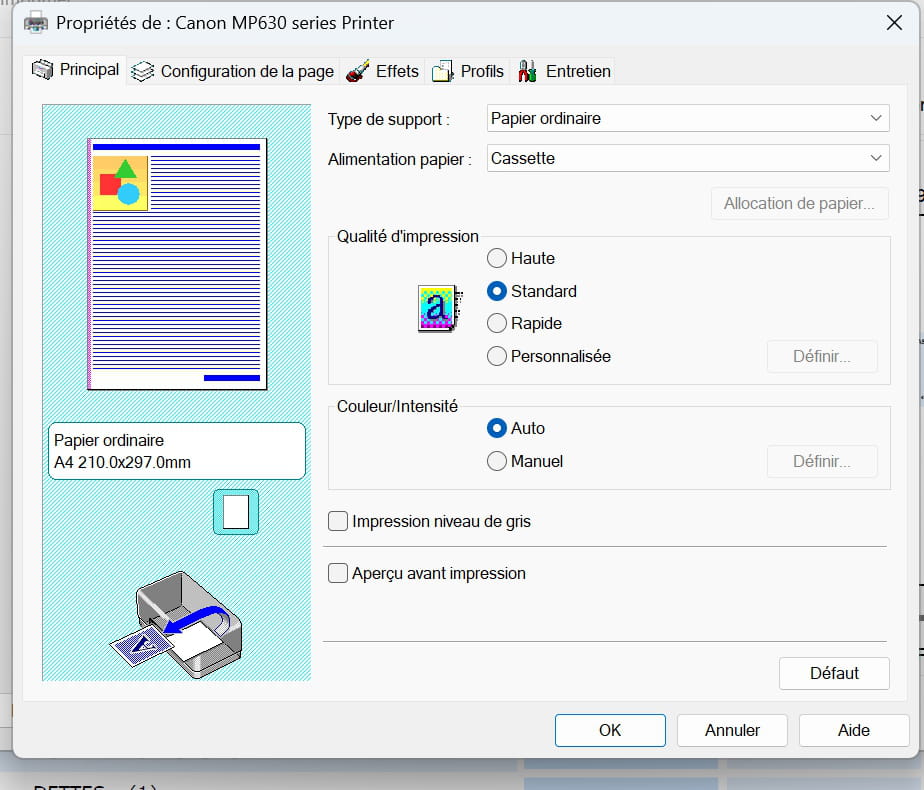
If I go to properties, I don't have Advanced....I have Main and the paper format is A4
Then I have page setup and the page is already in A4. Furthermore, even if I choose another format, we always end up with the same printable area coming from I don’t know where...
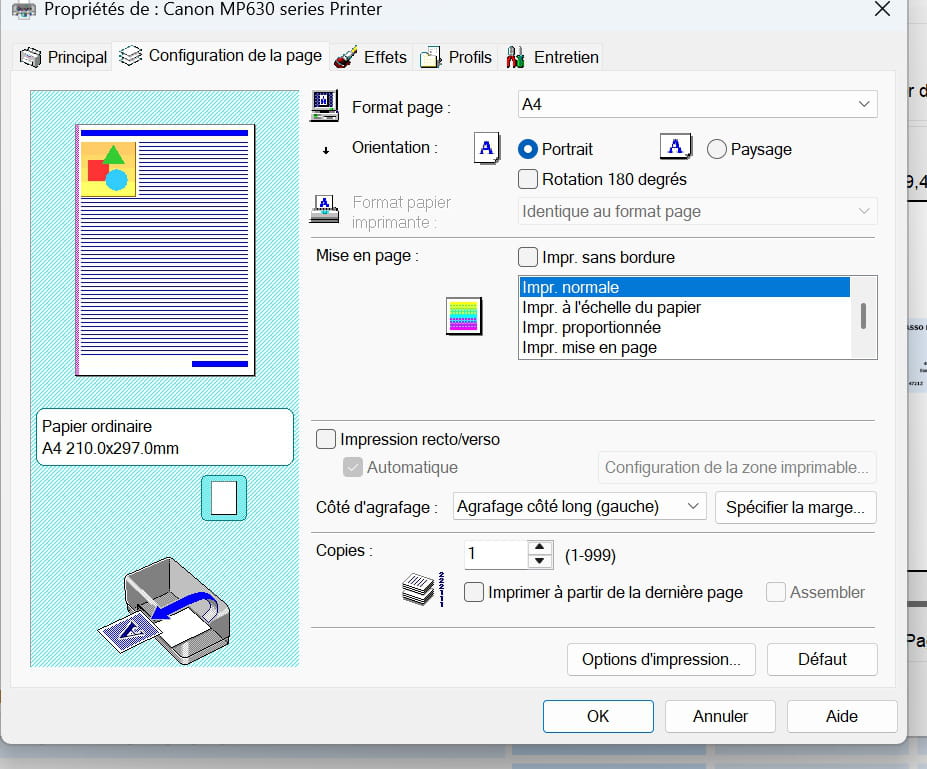
I have "advanced options" in the first window that opens when I want to print but it has nothing to do with it
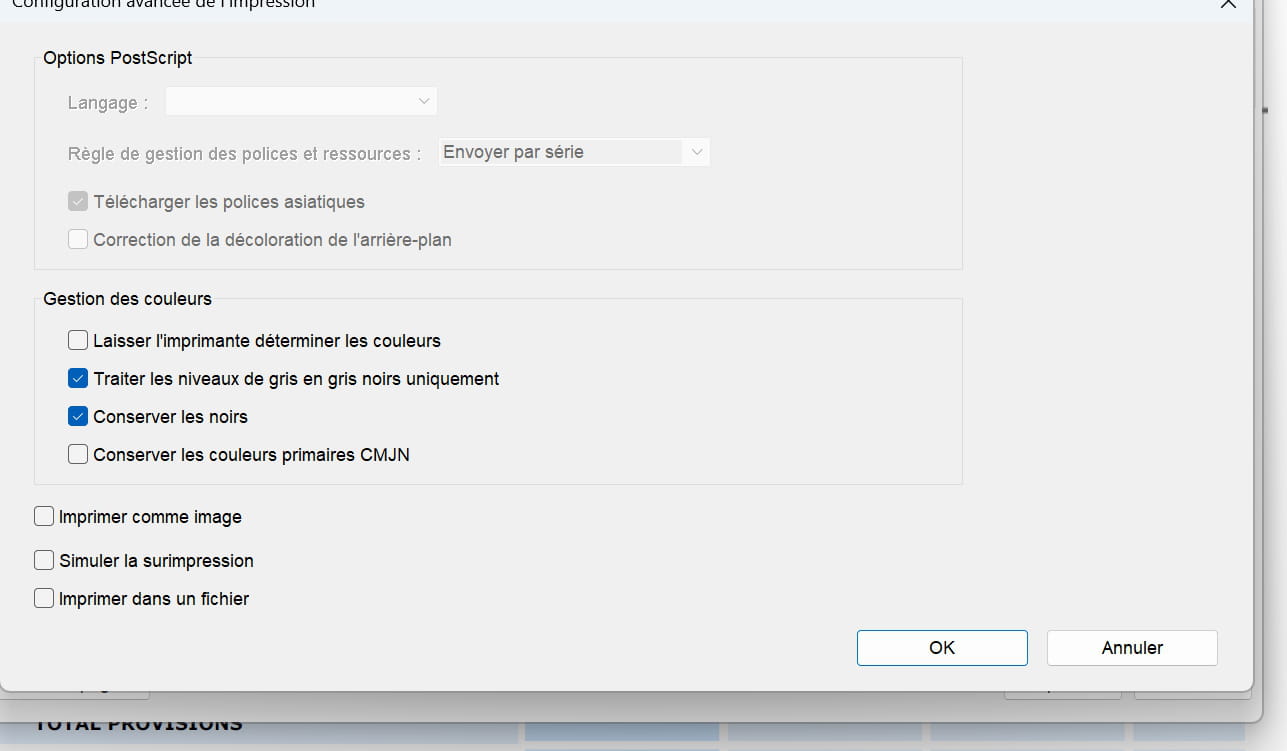
Moreover, I specify that it happens regardless of the PDF format, I have standard formats (accounting documents in A4) and custom formats corresponding to labels to print. I also specify that if I print an Open Office document there is no problem...
Without the same printer and software, it's difficult to understand.
Can you try printing the PDF from another software? We should be able to open a PDF with Open Office, Edge, Firefox, ...
-
-
Well, I created a completely black A4 PDF and then opened it with Edge. The printout is pretty much the same, meaning there are indeed white margins on the sides, especially at the top and bottom. However, printing like this, I don't get the same functionalities.
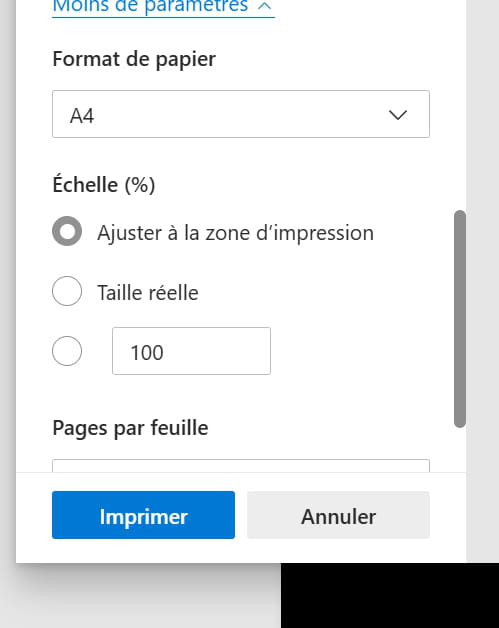
The paper format is indeed A4 but I cannot modify the print area. I can then open the dialog box and I end up exactly with the same thing as with Adobe.
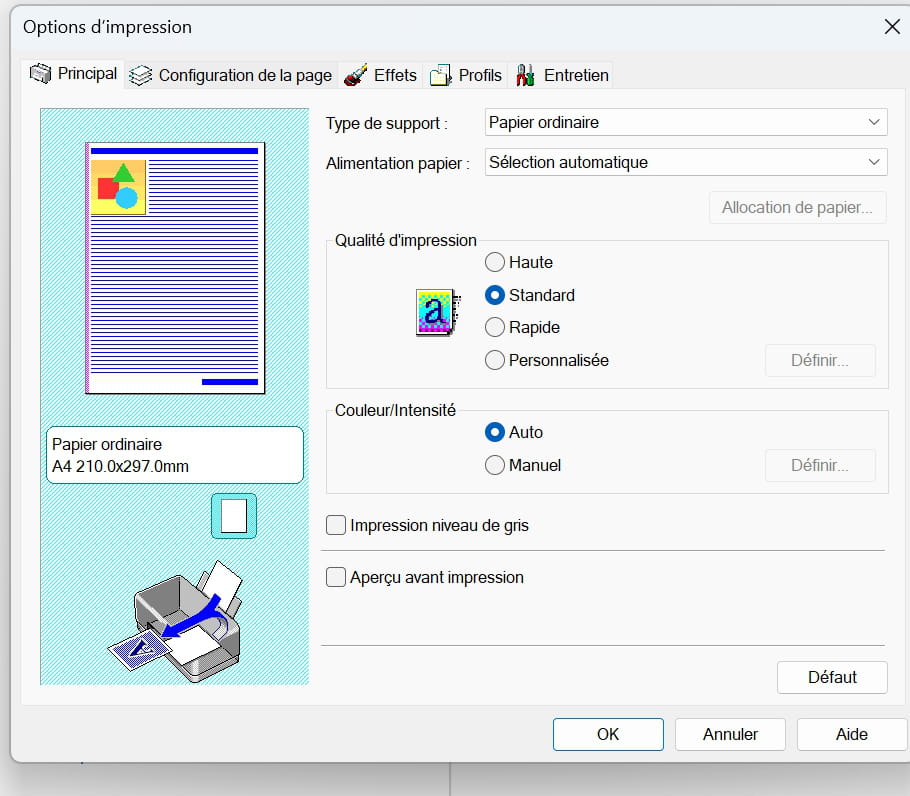
Everything is indeed A4...
The same drawing printed via Adobe gives the same result, with margins on the sides.
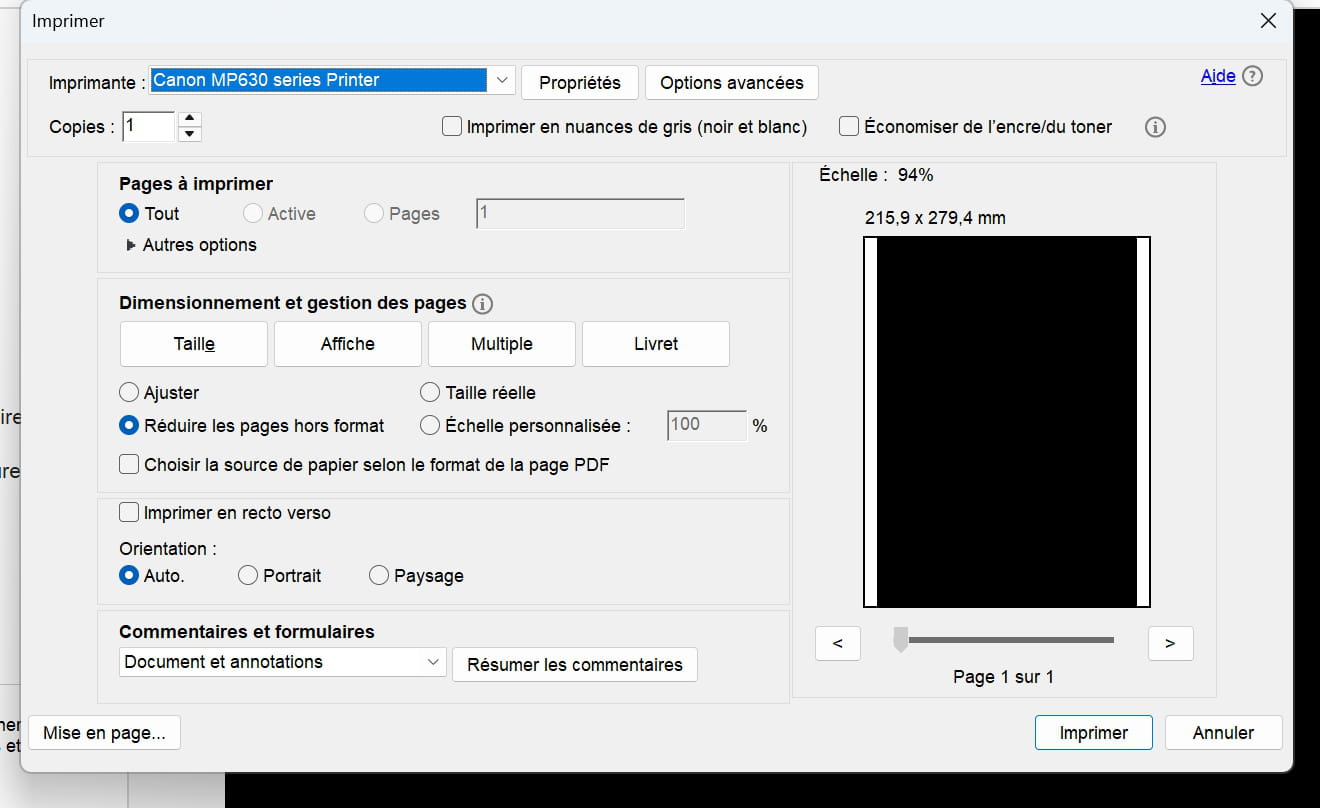
I'm going to pull my hair out! Especially since I have to use Adobe because I choose multiple printing (for example, 2 out of 5, to get 10 labels printed on a special pre-cut sticky A4 page, except with this twisted print area, it obviously doesn't fall on the right zones anymore...)
Still at the same point... I'm starting to ask myself a question: I'm on Windows 11 and my Canon MP630 printer is very old (at least 10 years). I was thinking of uninstalling and reinstalling the driver, but when I go to the Canon website, I realize that my printer is not supported by this operating system. Could a Windows 11 update have caused the problem? Moreover, when I go into the device manager, I can't find my printer...
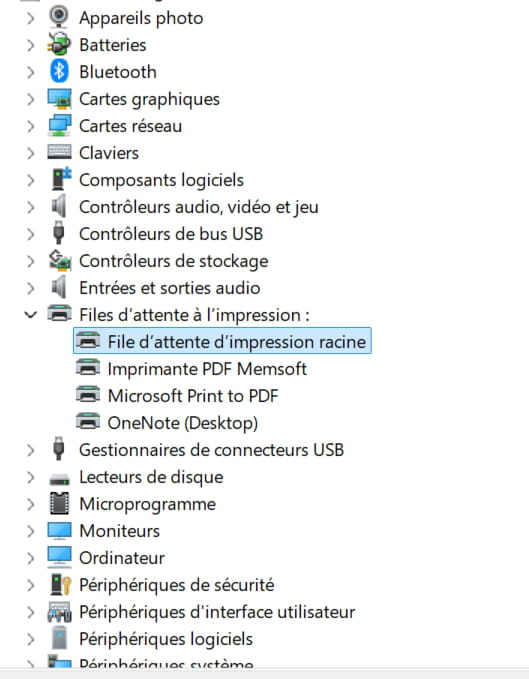
Well, I think I've found the problem. I believe my printer was outdated and that a Windows 11 update caused the issue. So I tried installing the driver for Windows Vista, and it seems to be working well; at least the printable area is the right A4 size. I hope I haven't made a mistake!
Latest Discussions -
Untraceable tracker code
at 17:29 -
How good is the flexipdf software?
at 17:29 -
Installing ubuntu on a windows 11 pc
at 17:20 -
Print media
at 16:51 -
Why can't i edit my word document anymore?
at 16:38 -
Epson xp-305 printer
at 16:27 -
Printing a new book-format edition
at 16:24 -
What control/ownership over landlines?
at 16:24 -
Yahoo email address blocked
at 16:10 -
Login issue
at 16:05
Other languages
-

