
YahooMail on Thunderbird: "Edge: Too Many Requests"
Solved
Diablo76 Posted messages 344 Registration date Status Member Last intervention -
Hello.
I’m encountering this problem with my Yahoo Mail account on Thunderbird.
When Thunderbird tries to connect to Yahoo Mail, I get a blank window with only the message "Edge: Too Many Requests"; there’s nothing we can do about it and it has been like this for a few weeks.
Methods tried:
- Deleting the account and recreating it on Thunder > Unsuccessful,
- Direct login on webmail > OK, but that’s not the point,
- Trying to find an answer directly on Thunder Support > Unsuccessful,
- Trying to find an answer on Yahoo Mail Support > Unsuccessful.
If anyone has encountered this issue and managed to resolve it, I would appreciate the solution.
Thank you in advance.
3 answers
-
Hello,
Here’s what I found after some trials.
This subject concerns the configuration of a Yahoo Mail account in Thunderbird.
Configuration which, if you use OAuth as authentication, does not work and opens a window indicating "edge too many requests". (edge has nothing to do with the browser of the same name)
I will therefore describe below the process that worked following my trials.
First, you need to go to your Yahoo account online, in settings, then security. Look for "app password" on the page. Follow the creation procedure.
Save this Password in a Word file, Notepad, etc., while configuring the account in TB. This is essential. Because if you close the Yahoo site page where the created password is written, you cannot see it again; I didn't find it anyway. So you need to save it in a file on your PC.
Then you can close your Yahoo webpage, log out.
So once the app password is created in the Yahoo account online,
- you open TB
- you start creating the Yahoo account
you fill in the name, the email address, the password created in the Yahoo account, check "remember the password" if it is not checked
- you click on "continue"
- then you click on "connection" in the small window that appears
- then you click on manual configuration
- then you change the authentication method to normal password in both places, imap and smtp
- you arrive at "account configuration successful" and have the option to retrieve an address book, but I click on "finish" at the bottom of the window and that’s it
Note 1
To see with use if Yahoo doesn’t throw a wrench in the works.
I configured it with a 128 ESR version of TB and then updated to the 140 ESR version.
TB asked me for my app password again, which I had to provide twice. Fortunately, that was enough for TB to work after the update.
Note 2: the method indicated by the first response to this topic did not work for me even though I created the mentioned value.
-
Hello.
Big thanks to you @Chermositto StatusMember, your method worked well, and this with version 140.4.0esr
I closed and restarted, and it’s back up.
Thanks a lot also to Diablo for your reply.
We should pin Chermositto's answer, because I don't think I'm the only one in this situation.
Have a great day.
-
-
Hello,
I had this problem as well some time ago.
You need to go to Settings -> General and then click on Configuration Editor at the bottom of the page, then search for the key "mail.oauth2.useExternalWebBrowser" and set it to true:
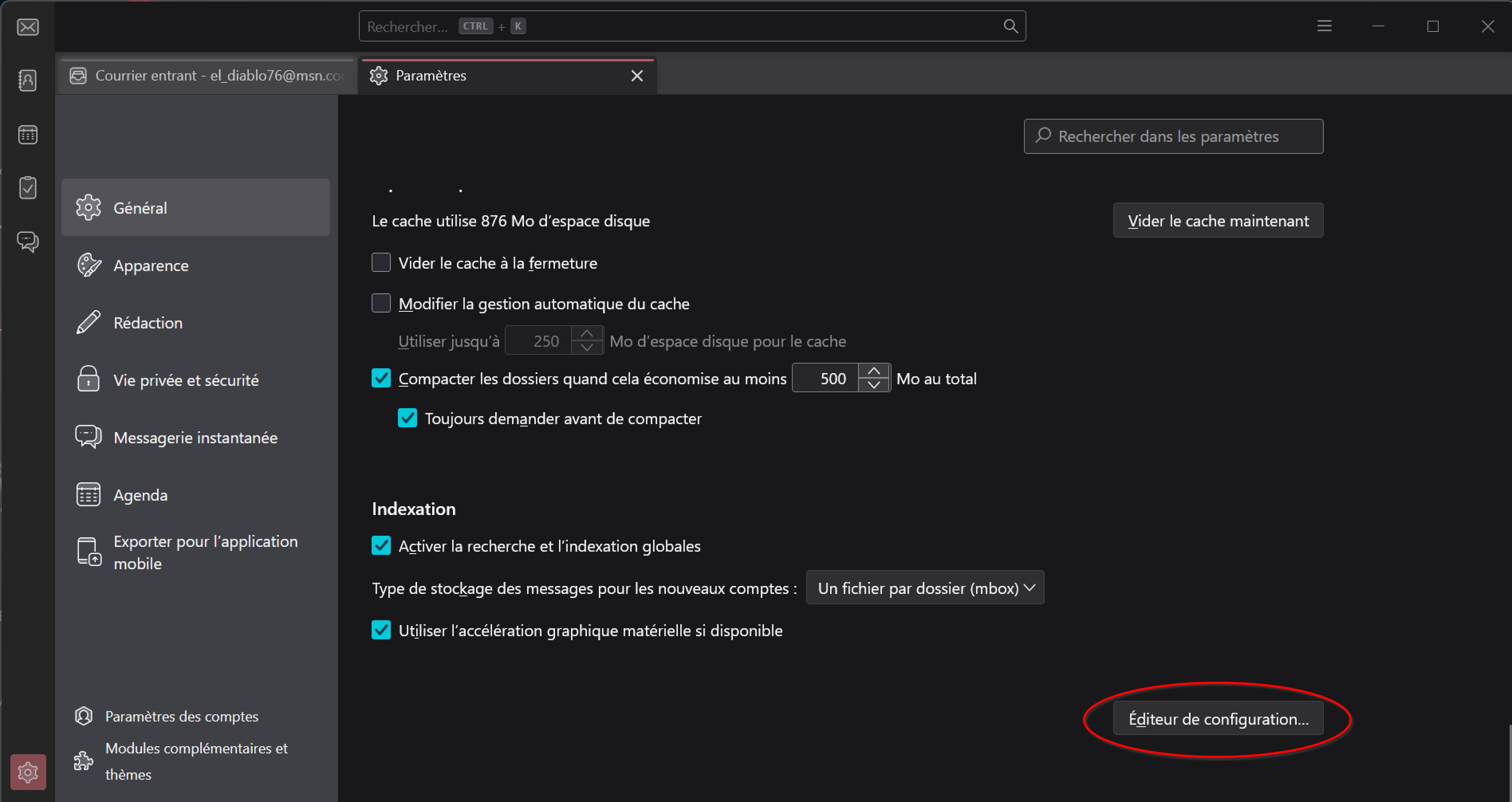

Explanation: This option forces Thunderbird to open the OAuth2 authentication page (Yahoo) in your default browser (Edge, Firefox, Chrome, etc.)
This completely bypasses the internal component Edge WebView2 of Thunder, which is responsible for the bug.-
-
-
-
Yes boolean with the value true
Once restarted, delete and then recreate your Yahoo account — this time you will see the login page open in your actual browser (not an embedded window).
-
Hello Diablo.
After multiple attempts, whether on my work or personal computer, and following your steps, I still can't do it.
Thanks anyway for your help.
-
-
Hello,
Happy for you ;-)
It's still surprising that despite having the same versions (140.4.0esr), on my end the key mail.oauth2.useExternalWebBrowser existed but was set to False, whereas it is not present for other users....

